

Monitoring health
Checks each device's monitoring coverage and hygiene, with a health score and remediation; identifies network devices from inventory and sysDescr and judges them against a local EOL catalog. Read-only towards Zabbix. All editions.
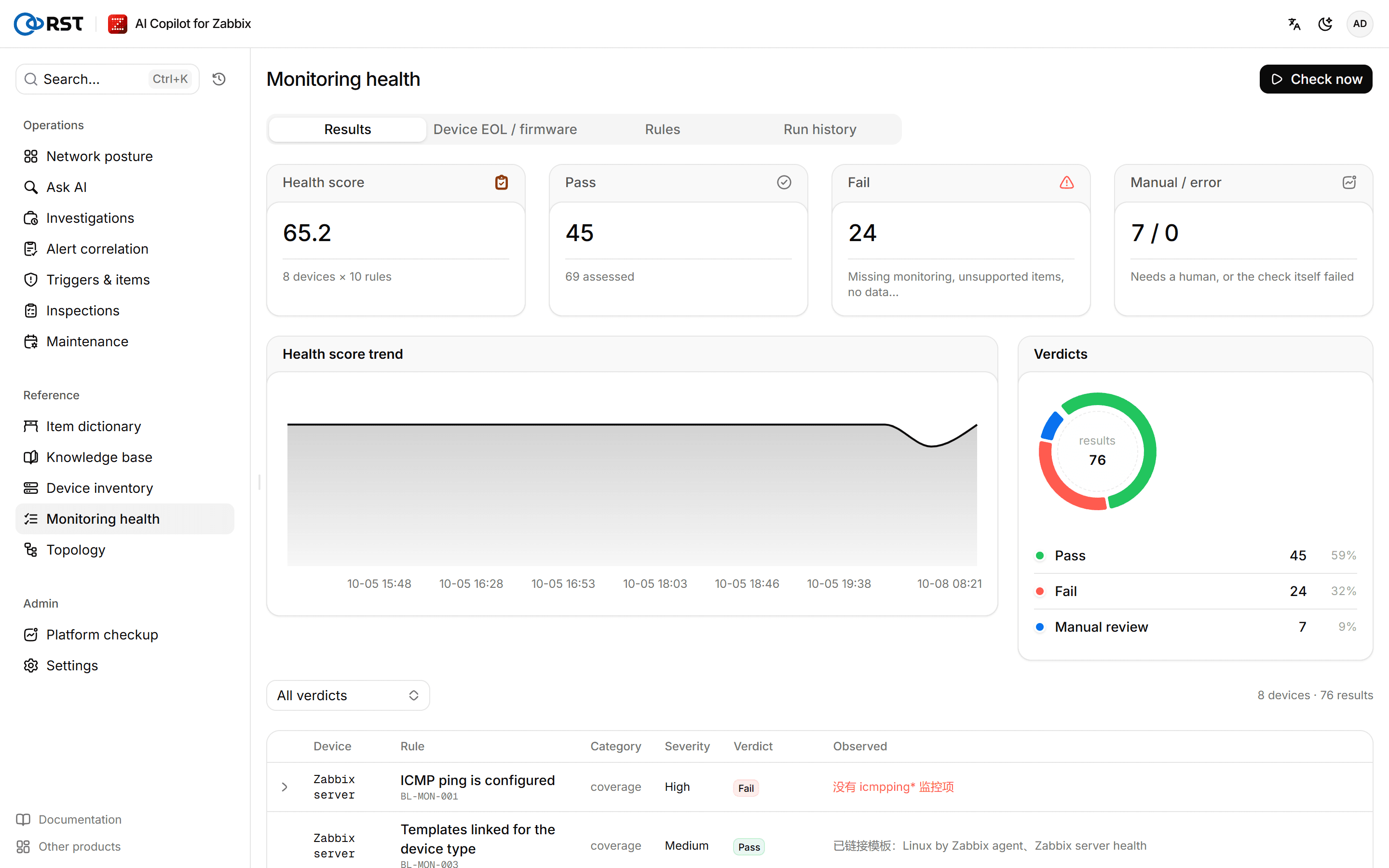
Monitoring health answers "is each device monitored the way it should be": does it have ICMP, are its interfaces discovered, is the template right, are there items unsupported for days or no data for hours. It also identifies the vendor, model and software version of network devices and judges whether they are past end of support (EOL). The check only reads hosts, items, discovery rules, triggers and inventory from Zabbix, makes no model calls, and is available in every edition.
Run a check
Prerequisites
- Analyst or administrator role. Viewers can view results.
Steps
- Select Check now.
- When it finishes, look at the Results tab.
To run on a schedule, set RST_BASELINE_CRON (crontab format, for example 0 3 * * *) and RST_BASELINE_TZ (UTC by default). Without them, checks only run by hand. The gateway keeps the latest 30 runs, set by RST_BASELINE_KEEP_RUNS.
Results
| Block | Content |
|---|---|
| Health score | pass ÷ (pass + fail). Error and Manual review are excluded |
| Health score trend | Needs at least two runs |
| Verdicts | Counts of Pass, Fail, Error and Manual review |
| Device scores (worst first) | Passes and failures per device |
| Results | The Verdict and Observed value for each device and rule. Expand a row for the Remediation |
Rules apply by device class. The gateway classes a host as Network if it has an SNMP interface, its inventory type says network device, or a network vendor is recognized; everything else is Server. Printers, UPSes and the like on SNMP also land in Network.
Built-in rules
| Rule ID | What it checks | Applies to | Default parameters |
|---|---|---|---|
| BL-MON-001 | The host has ICMP ping (an icmpping item) | All | |
| BL-MON-002 | Network interfaces are discovered (net.if LLD) and the discovery rule is not unsupported | Network | |
| BL-MON-003 | A template fitting the device class is linked: SNMP or vendor templates for network devices, agent templates for servers | All | Template name patterns |
| BL-MON-004 | No items unsupported for a long time | All | 3 days |
| BL-MON-005 | Data arrived recently | All | 6 hours |
| BL-MON-006 | No disabled triggers. Use Maintenance for temporary silencing | All | 0 |
| BL-MON-007 | Trigger dependencies are set, so one uplink failure does not cause an alert storm. Core devices have no upstream; disable the rule or accept the result for them | Network | |
| BL-MON-008 | No duplicate hosts | All | |
| BL-MON-009 | Inventory fields are filled in | Network | vendor, model, serialno_a, location |
| BL-EOL-001 | The device is not past vendor end of support | Network |
Manage rules
The Rules tab lists every rule; Source is Built-in or Custom.
Prerequisites
- Administrator role.
Steps
- Select New rule, or edit an existing one.
- Fill in Rule ID, Title, Applies to and Remediation.
- Under Check, pick a built-in check and tune its parameters in Parameters (JSON), for example change BL-MON-005's
{"hours": 6}to{"hours": 24}. - Set Enable this rule as needed, and save.
A rule can only pick a built-in check and tune its parameters; there is no rule language to inject into. Rule changes take effect on the next run. Built-in rule titles follow the interface language; custom rules and renamed built-in rules show the title as entered.
Device EOL / firmware
The Device EOL / firmware tab identifies vendor, model and software version from the inventory and SNMP sysDescr and judges them against a local EOL catalog. No vendor site is contacted. Recognized vendors are Cisco, Huawei, H3C, Juniper, Ruijie and Arista.
| Verdict | When |
|---|---|
| Past end of support | Any matching catalog entry (hardware model or software train) is past its end of support |
| Needs manual check | The vendor is not recognized, the model is not in the catalog, or a matching entry has no known date |
| Supported | Every matching entry is still supported |
The bundled EOL catalog is seed data and its entries are marked Catalog unverified by default. For a verdict based on such an entry, confirm the date on the vendor's EOL notice first. Point RST_EOL_CATALOG at a catalog file you have verified.
Run history
Run history lists each run's finish time, health score, passes and failures, devices × rules and how it was triggered. Select a run to see its results.
Topology
Draws device links from Zabbix maps, LLDP/CDP neighbours and trigger dependencies, works out the blast radius of a device going down, and runs remote ping / traceroute from the Zabbix server or proxy. Topology and blast radius in all editions; remote diagnostics Professional and above.
Device inventory
Lists every device with Zabbix hosts as the source of truth, enriches them from a CSV with criticality, owner and department that Zabbix does not hold, and finds devices missing from Zabbix. Administrators only. All editions.