

Quick start
Install the gateway on a single Linux host, connect it to an existing Zabbix and sign in.
A single-host install needs a Linux host, Docker, your existing Zabbix and one Zabbix API token, plus one run of the installer or deploy.sh. For SSO and offline activation, see Installation.
Prerequisites
- A Linux host that runs Docker (Ubuntu 22.04 or later, Kylin, UOS and similar), with 2 vCPU, 4 GB RAM and 20 GB disk recommended.
- Docker Engine 24 or later and Docker Compose v2.
- Zabbix 6.0, 6.4, 7.0, 7.2 or 7.4, with the frontend's
api_jsonrpc.phpreachable from the gateway host. - A Zabbix API token, preferably belonging to a read-only account. Permissions are listed below.
- An OpenAI-compatible LLM endpoint with an API key and a model name.
- A hostname such as
copilot.corp.local. Without internal DNS, add a hosts entry on the users' machines.
Inbound, open 443 only; 80 serves the redirect and is optional. Outbound, the gateway needs the LLM endpoint and Zabbix. Online activation of a commercial license also needs license.reallysec.com on 443. Online update also needs github.com on 443, because the release manifest and content packs are read from GitHub Releases.
Installation
Install Docker
Skip this step if the host already has Docker 24 or later.
curl -fsSL https://get.docker.com | sudo sh
docker compose version
Download the archive and run deploy.sh
One command downloads the archive, checks its signature, unpacks it and deploys it. Run it as root from an interactive terminal:
curl -fsSL https://github.com/Reallysec/RST-AI-Copilot-for-Zabbix/releases/latest/download/install.sh | sudo bashThe script first checks the release manifest signed by Reallysec, and installs only if the archive's SHA-256 matches the manifest. It unpacks the archive into /opt/rst-ai-copilot-for-zabbix and runs deploy.sh there. Every edition uses the same archive; without a license it runs as Community.
Without the installer, download RST-AI-Copilot-for-Zabbix-<version>.tar.gz and its .sha256 file from GitHub Releases:
sha256sum -c RST-AI-Copilot-for-Zabbix-<version>.tar.gz.sha256
tar xzf RST-AI-Copilot-for-Zabbix-<version>.tar.gz
cd RST-AI-Copilot-for-Zabbix-<version>
sudo ./deploy.sh
The archive carries the gateway and Caddy images, so the installation never contacts an image registry. For other options and air-gapped hosts, see Installing from the archive.
Answer the deploy prompts
Enter the LLM endpoint, API key and model name, the Zabbix JSON-RPC URL (ending in /api_jsonrpc.php) and API token, the hostname, and the password of the administrator account admin (at least 8 characters, entered twice). Other accounts are created after sign-in under Settings > Users. The script generates the internal secrets and the password hash, writes .env with mode 600, starts the containers and prints the URL.
The script also generates state/machine-id. This file is the license's hardware fingerprint and must never be regenerated.
Verify
curl -k https://copilot.corp.local/healthz   # {"status":"ok"}
curl -k https://copilot.corp.local/readyz    # {"status":"ready","zabbix":"ok","zabbix_major":"7.0"}
If readyz returns 503, the zabbix field gives the reason, usually a wrong URL, token or network path.
Sign in
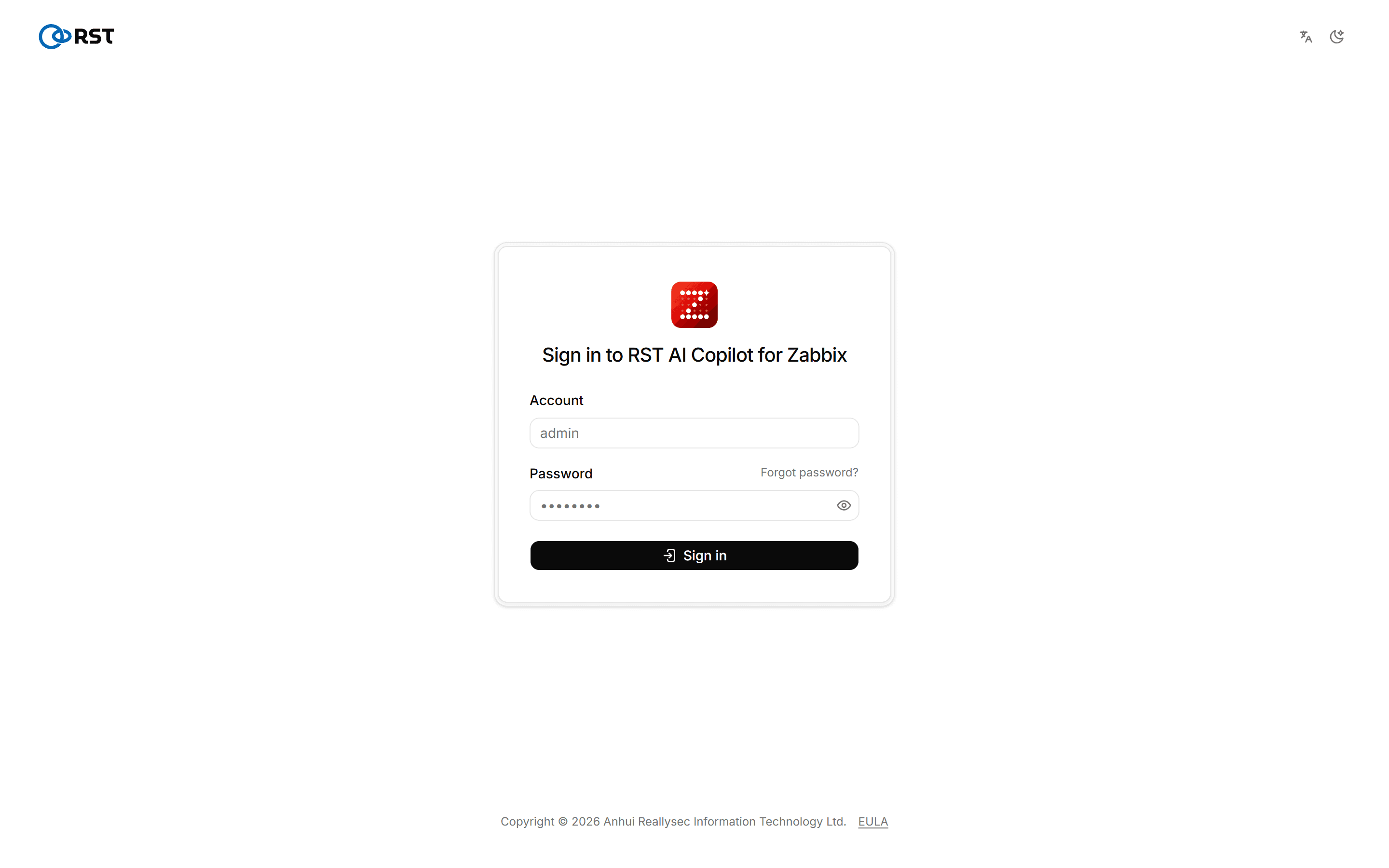
Open https://copilot.corp.local/v2/ and sign in as admin with the password you set during installation. The default certificate is self-signed; for production, edit Caddyfile to use your own certificate.
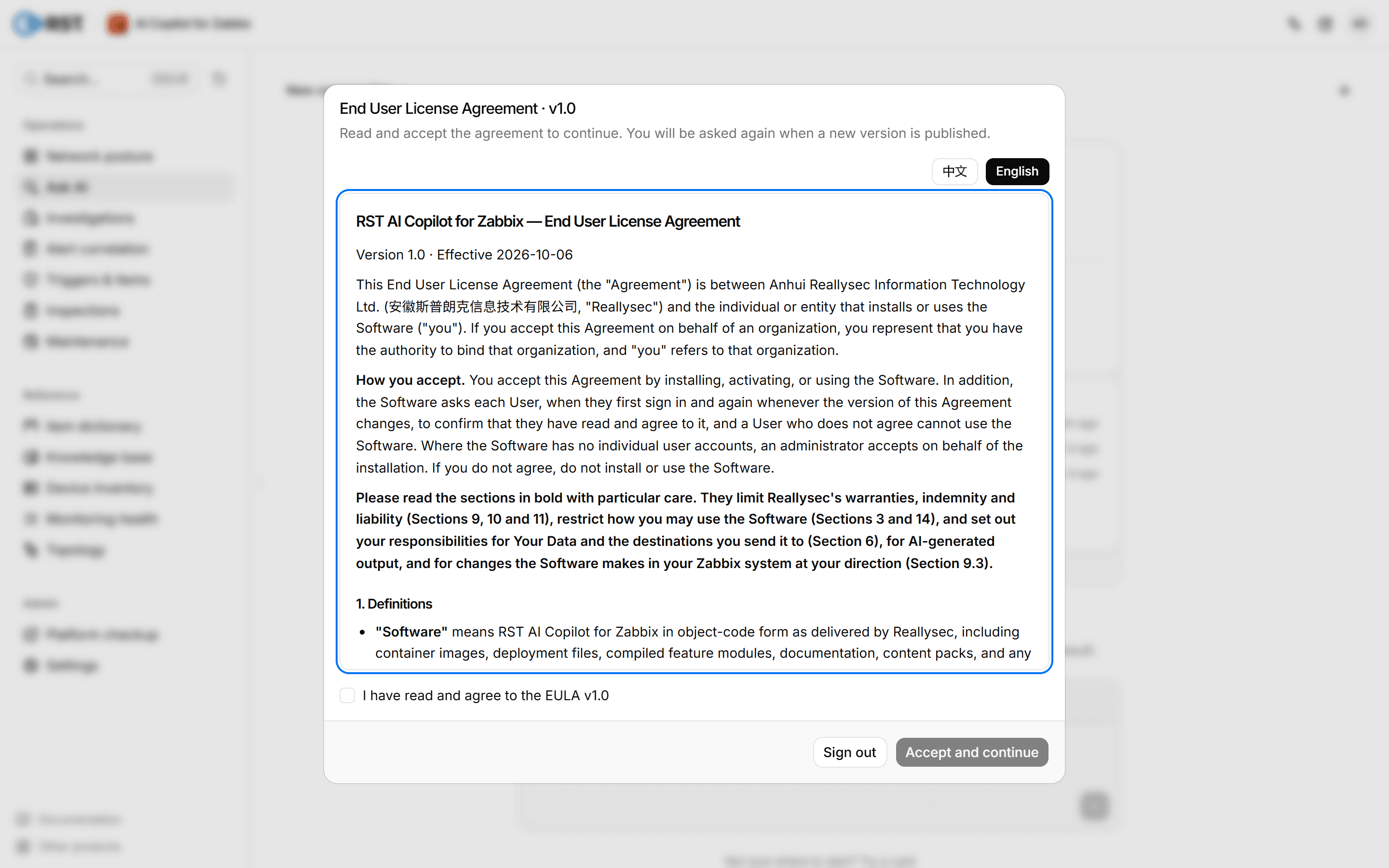
On first sign-in, read the End User License Agreement and select Accept and continue. Every account confirms it once on first sign-in.
You then land on the Ask AI home page. See Overview.
Zabbix permissions
What the gateway can see is decided by the user group and user role of the account that owns the API token.
| Item | Requirement |
|---|---|
| User group | Read permission on the host groups to query. Hosts and problems outside them do not appear |
| User role | API access enabled. Acknowledging, closing problems and running scripts need the matching actions in the role; creating triggers and maintenance windows needs the Admin user type and read-write permission on the target host groups |
Create a dedicated account for the gateway instead of reusing a Super admin. See Zabbix permissions for the details.
Next steps
- To use the paid features, import a license under Settings > License; no reinstall is needed. Without a license the gateway runs as Community. See Editions for the differences and License for the steps.
- Configure the host group allowlist, field masking and audit in Settings.
- Back up regularly with
scripts/backup.shfrom the archive. It saves both thegateway_statevolume andstate/machine-id.
Upgrade
Run the install command again, or unpack the new archive into the same directory and run sudo ./deploy.sh. When asked whether to keep the existing .env, enter y. Gateways on 2.0.1 or older cannot update online to 2.0.2 and need this manual upgrade once; the install script reuses the old directory /opt/rst-zabbix-ai-copilot. See Upgrade, rollback and backup.
Never regenerate state/machine-id and never run docker compose down -v. A change to that file or to the gateway_state volume looks like new hardware to the license, and you would have to activate again.
Troubleshooting
/v2/ does not open
Check the logs with docker compose -f docker-compose.prod.yml logs caddy gateway. Open 443 in the firewall or security group and check CADDY_SITE_ADDRESS.
Signing in as admin from a browser returns 403
.env has no RST_ADMIN_PASSWORD_HASH, and the factory password only works from the gateway host itself. Generate a hash, write it to .env (every $ written as $$), then run docker compose -f docker-compose.prod.yml up -d:
docker exec rst-ai-copilot-for-zabbix-gateway python -m backend.session_auth '<password>'If a password is forgotten, another administrator resets it on the Users page.
readyz returns 503
ZABBIX_URL must end in /api_jsonrpc.php. Then check that the token is valid and that the gateway host can reach Zabbix. On Zabbix older than 6.0 the code is zabbix_version_unsupported.
The license suddenly stops working
state/machine-id was regenerated or the gateway_state volume was lost. Restore them from a backup.
For other symptoms, see the FAQ.
RST AI Copilot for Zabbix
An on-premises network-operations copilot for an existing Zabbix: ask Zabbix in plain language, collapse alert storms to the root cause, and generate triggers and monitoring configuration.
Editions
Compare the Community, Professional and Enterprise editions, their prices, and which one fits.