

Smart query
Natural-language log queries. The model writes read-only SPL, dry-runs it and executes; empty results come with a reason and a fix; a correction made in conversation becomes a knowledge-base rule.
Smart query is the home page, available in every edition without a licence. This page covers the query pipeline, input options, result actions, empty-result handling, corrections and follow-up turns.
Pipeline

| Stage | Description |
|---|---|
| Understand | Determines index, sourcetype, time range and grouping. The index picker sits left of the input (down to sourcetype); auto picks the allow-listed index with the freshest data |
| Generate SPL | The agentic engine first calls read-only tools for real field names and sample values, then writes SPL and dry-runs it with | head 0; the requests engine generates in one turn. The read-only check rejects delete, collect, outputlookup, sendemail, script, rest and other write or egress commands |
| Execute | The SPL runs automatically. stats results render as an aggregation table, events as a detail table. The card header shows index, hit count, elapsed time and the model's confidence |
High confidence is safe to use as is; medium means expand and check the SPL; low usually means rephrase.
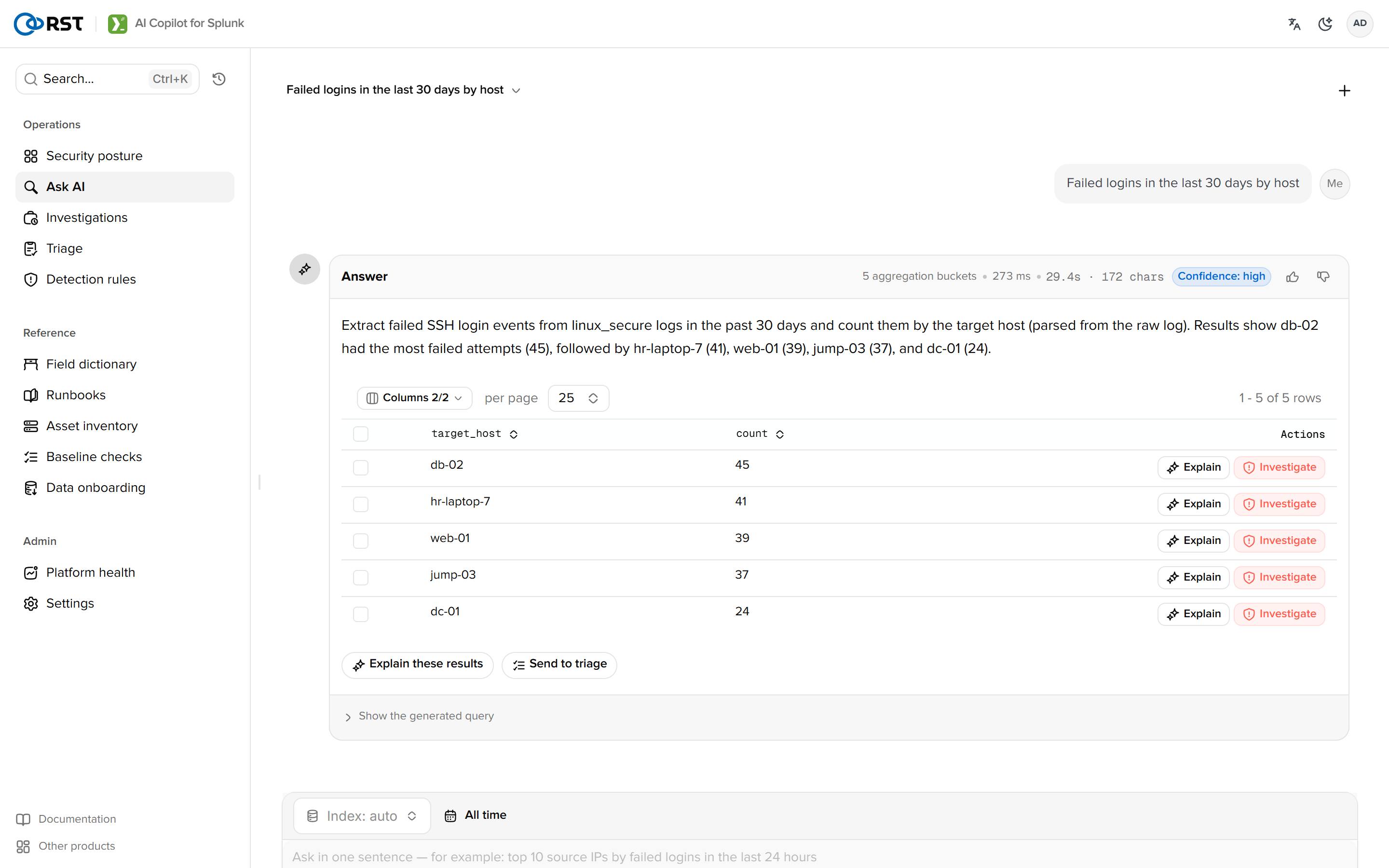
Progress shows understand, generate and execute. One turn allows at most 8 tool calls ([agentic] max_tool_calls), after which the model answers with the evidence it has. On the 1.9.0 test box, NL to SPL takes 5 to 25 s, 0.4 s on a cache hit.
Input
Above the empty state: four operating stats (alerts today, open, investigations, platform issues) and six starter categories with ready questions that send on selection.
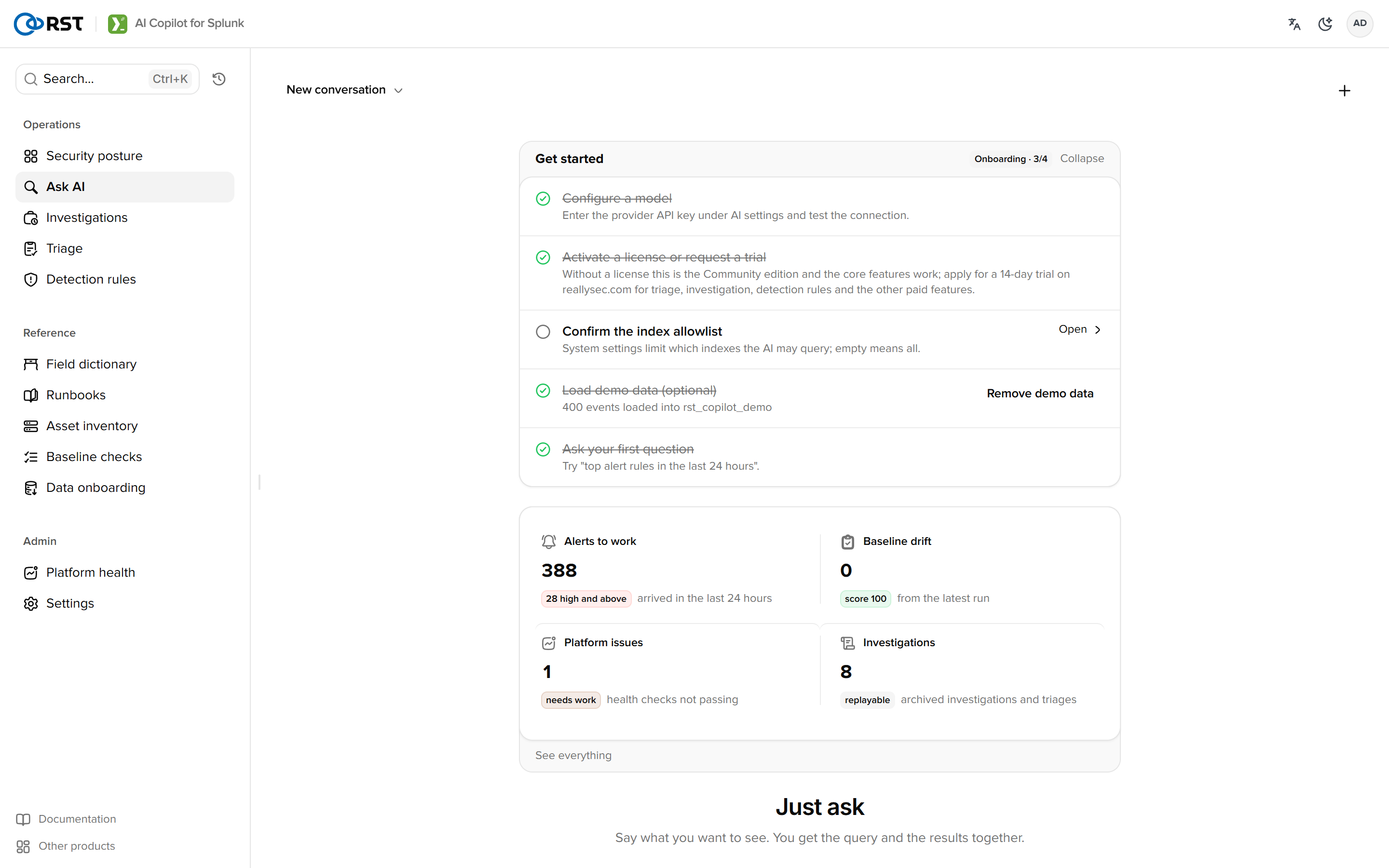
| Item | Description |
|---|---|
| Send | Enter sends, Shift+Enter breaks a line. Sending continues the conversation; New topic starts over |
| Time | "Last hour" in the question becomes earliest=; with no time given, the index's data range applies |
| Solutions | The card notes that N verified solutions were used: questions asked before on the same index that returned rows are fed back as examples. The similarity floor is calibrated on the embedding model |
Results
| Result | Actions |
|---|---|
| Aggregation table | Select a row to drill into that group's raw events; Back to stats returns; export CSV; column sets are remembered per index |
| Detail table | Explain on a row has the model explain that event (log type, key fields, risk) |
| Generated query | Folded under Show the generated query: edit and rerun, copy, Open in Splunk Search, Explain this SPL (with optimisation hints), Save as favorite |
| Save to Splunk | As a Report or an Alert (cron and trigger); lands in the search app's saved searches, with an open link in the toast |
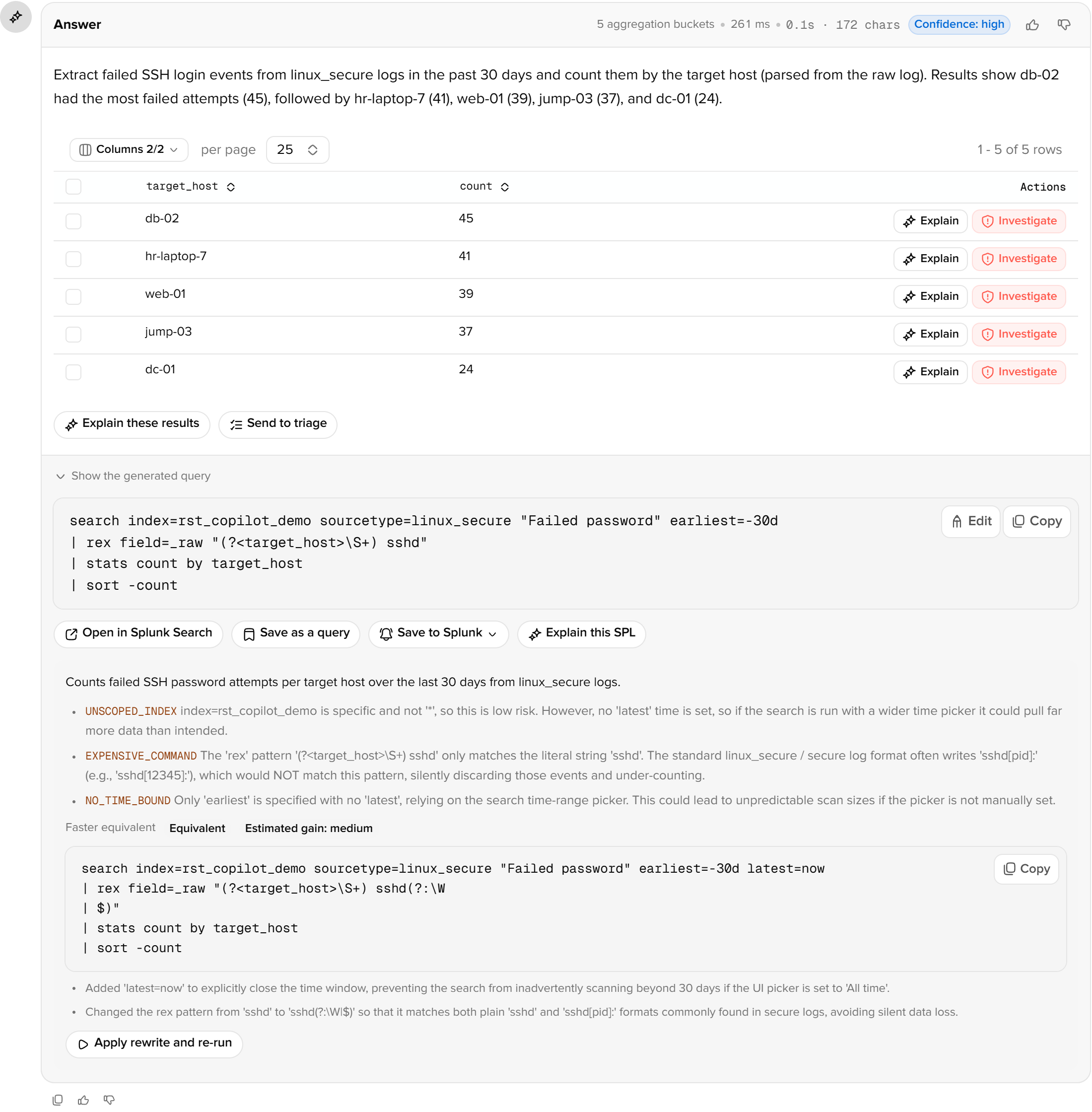
Below the result: Explain these results summarises the batch; Send to triage hands the matched events to Triage; positive and negative feedback go to the audit log, and negatively rated conversations can be reviewed in Audit log.
Empty results
A true empty set is separated from a question or data problem:
| Case | Sign | Handling |
|---|---|---|
| Time window | "Last hour" asked, newest data is ten days old | The index's data span is checked first: the range is shown with a button to query that range instead |
| Conditions | Several conditions, zero rows | Each is relaxed in turn and the row count without each is listed; selecting one reruns relaxed. Usually wording differs from the log (Failed password, not authentication failure) |
| Wrong index | Nothing in this one | The same conditions are tried on other allow-listed indexes; select an index name to query only that one |
| Partial multi-source | Several sourcetypes involved | Names the one that matched nothing |
Corrections
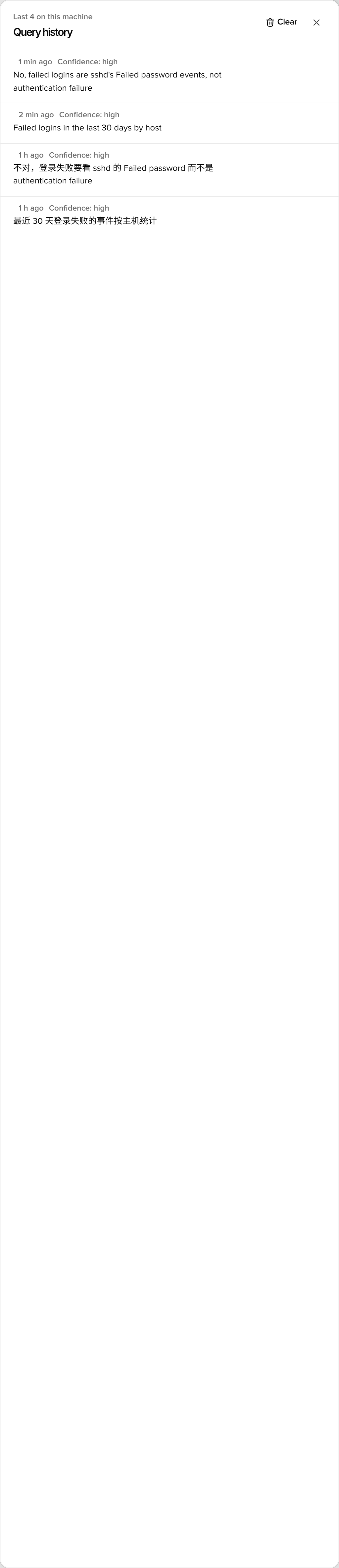
When a follow-up is a correction ("no, failed logins are sshd's Failed password"), the model distils it into a rule and a confirmation bar asks whether to remember the convention. Remember writes it to the knowledge base (source correction, tied to the index and sourcetype) and injects it into every later generation; this turn's SPL is also recorded under the previous question in its corrected form. Ignore does nothing.
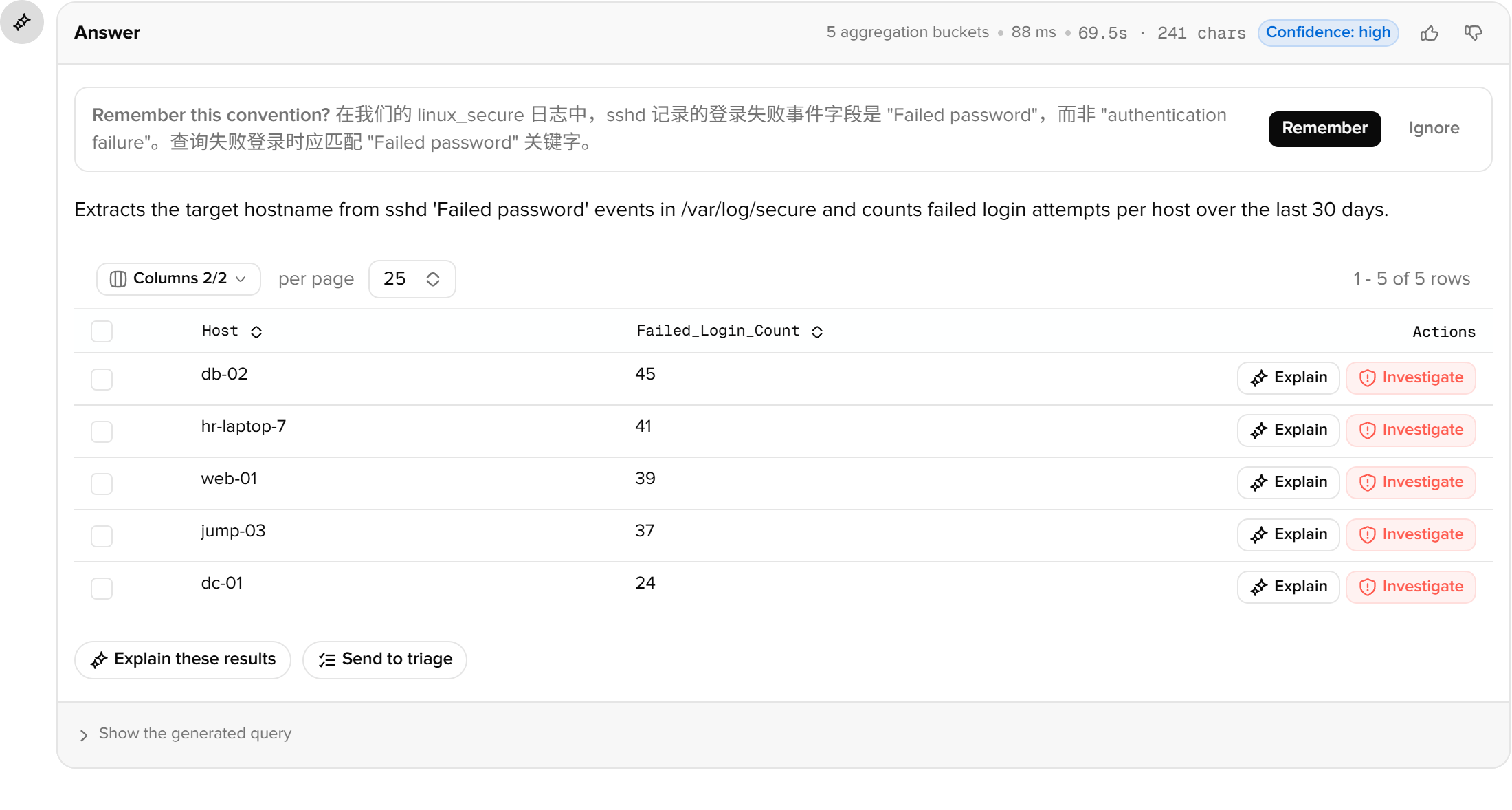
Conventions are listed, editable and deletable under Runbooks, filtered by source correction.
Follow-up turns
In the same conversation the index carries over and references like "the first one" or "that IP" resolve. Conversations live in the KV store and continue from another browser; the drop-down top-left lists history, named by the first question.
Masking
Applied before anything reaches the model, including samples the model fetches through its own tools, per the mode in Settings: cloud masks IPs to /24 (the 10.0.0.x in results) and keeps only email domains; private relaxes; air-gapped masks nothing.
UI overview
The three navigation groups, the top-bar controls, the command palette, how roles affect buttons, and the three entry points outside the navigation.
Search commands
Used directly from the Splunk search bar. `| copilot` generates and runs SPL from natural language; `| splexplain` explains a query and proposes an optimised rewrite. Since 1.7.0.