

Field dictionary
Drill from index to sourcetype to field with coverage, type and sample values, read live from Splunk metadata.
The field dictionary lists the fields a sourcetype actually carries and sample values. The model sees the same data when it writes SPL (the agentic get_fields tool). Available in every edition.
Three levels
| Level | Source |
|---|---|
| index | | eventcount summarize=false index=*, filtered by the allow-list |
| sourcetype | | metadata type=sourcetypes index=<index>, with event count and last seen |
| field | | fieldsummary (last 24 hours, up to 500 sampled events); tstats adds index-time fields |
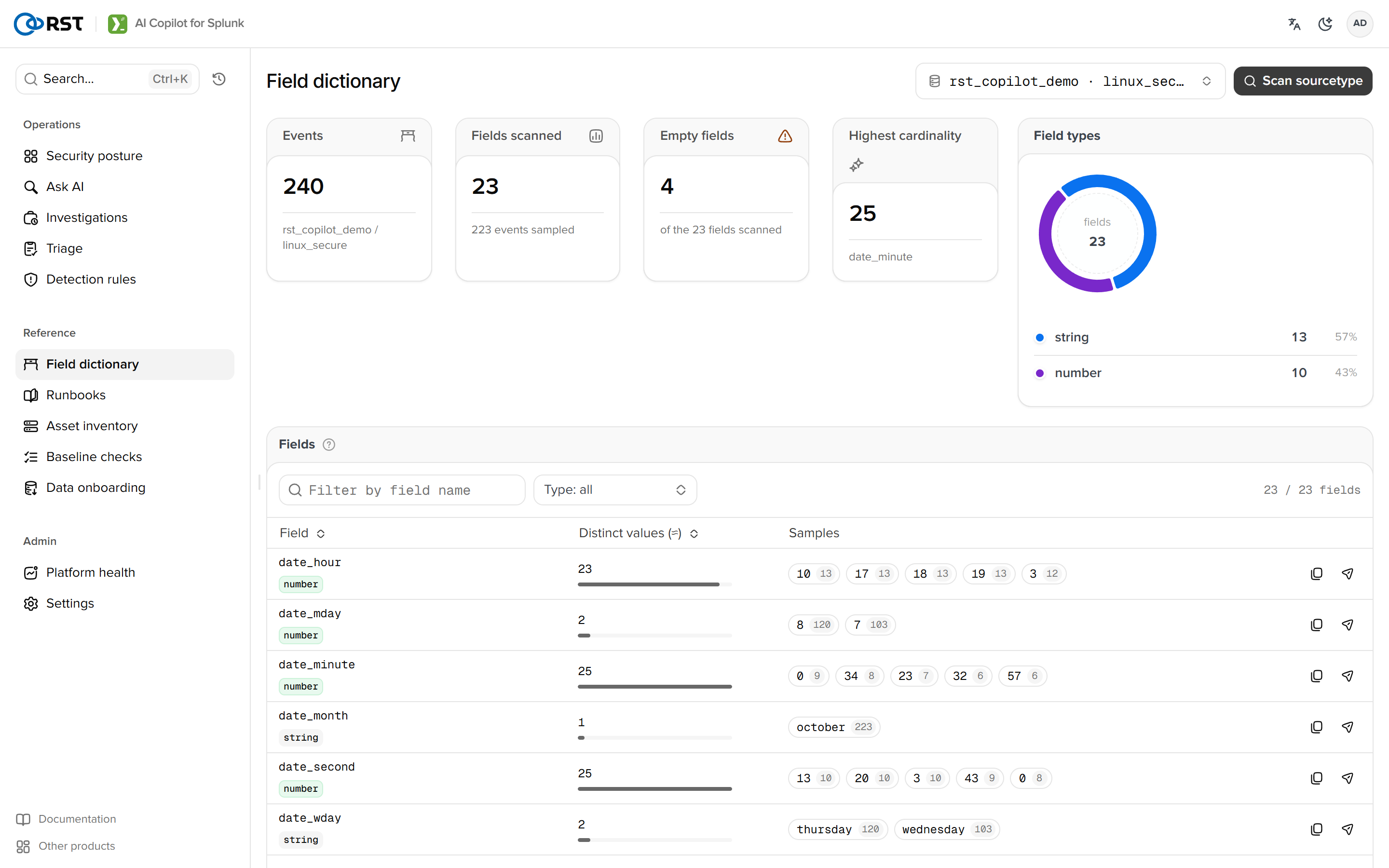
Picking a sourcetype shows four tiles (events, fields, fields with 90% or more coverage, type distribution) and the field table.
Field table
| Column | Notes |
|---|---|
| Field | Name, select to copy |
| Type | number, ip, time or string, inferred from fieldsummary numeric counts and samples |
| Coverage | Share of sampled events carrying the field |
| Distinct | Distinct count |
| Samples | Top values with counts, masked per the current mode |
Empty fields is almost always 0 on Splunk: fieldsummary lists only fields that occurred. Samples cover the last 24 hours, a different granularity from the Elastic edition's mapping-based view; ask Smart query for anything beyond.
Uses
| Situation | Notes |
|---|---|
| Before asking | Confirm field names (src or src_ip) so the model does not guess |
| After Data onboarding | Once a props.conf is written, return here to see whether the new fields extract |
| Ask in Smart query | Carries the index and sourcetype to the home page |
Detection rules
One sentence of detection intent becomes a deployable scheduled saved search. Deploy, enable and edit in place; an ATT&CK coverage heatmap locates gaps. Licensed; the engine ships sealed.
Runbooks
The knowledge base. Upload runbooks and SOPs as retrieval context, sync this instance's Splunk objects, the solutions library and correction rules, keyword or semantic retrieval.