

Investigations
The archive of investigation, triage, explanation and report conclusions. Browse by type and time, search, and follow up on the home page.
Every paid-engine run (investigation, triage, incident report) and every Explain these results stores one record in the KV store (copilot_analysis), without raw log data. This page is the way back to them and is available in every edition.
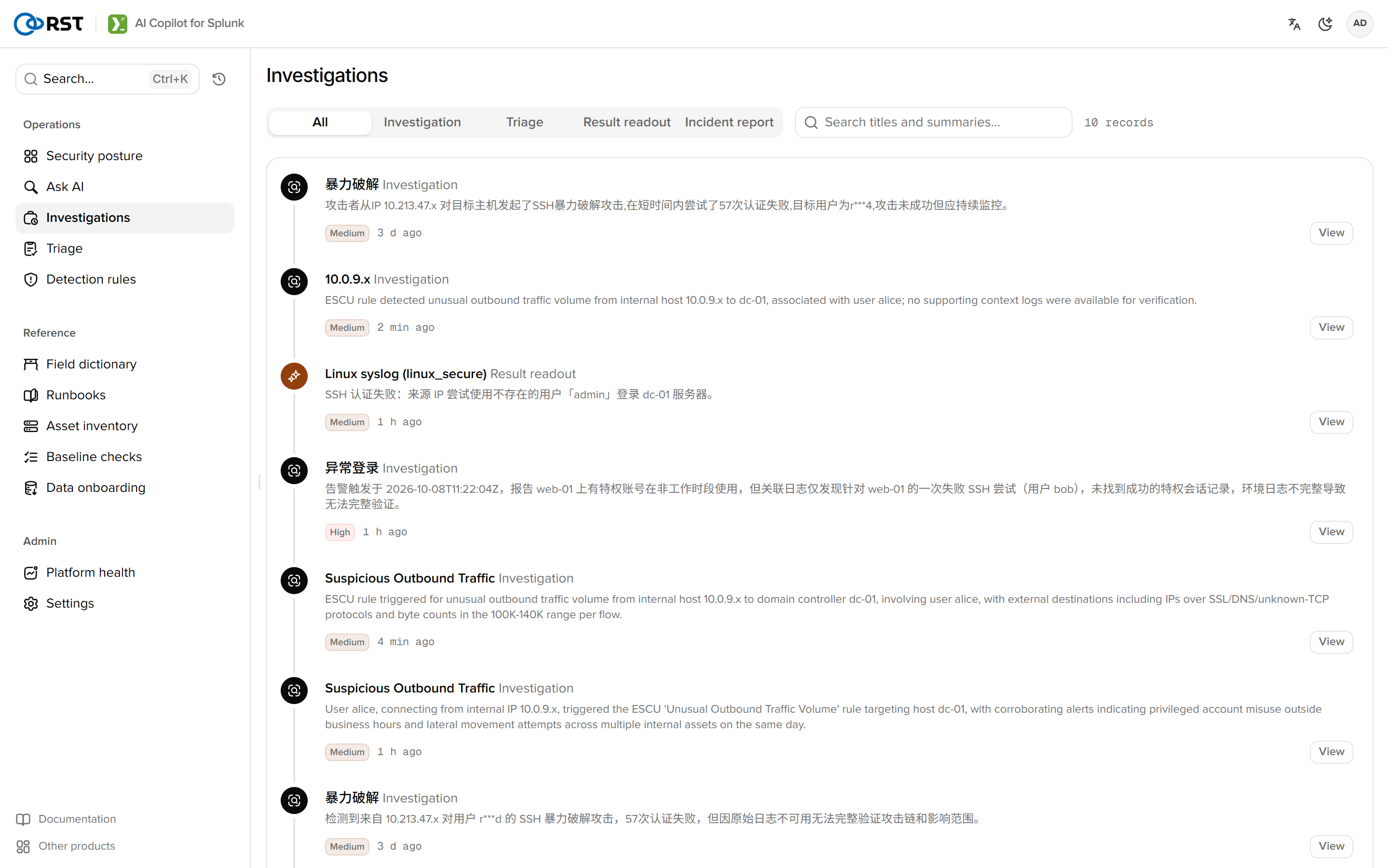
List
| Column | Notes |
|---|---|
| Type | Investigation, triage, explanation, report. Tabs filter by type |
| Title | Rule name for investigations, batch summary for triage, log type for explanations |
| Severity | The conclusion's level, same colour scale as everywhere else |
| Subject | The main host, user or IP |
| Time | When generated. N more pages by cursor |
The search box matches title, summary and subject as substrings, server-side.
Detail
Selecting a record opens the full conclusion, timeline and attack chain (investigations), cluster table (triage), model and engine, and token usage. Investigations that were written back to ES or opened as tickets show the notable status and ticket key at the bottom.
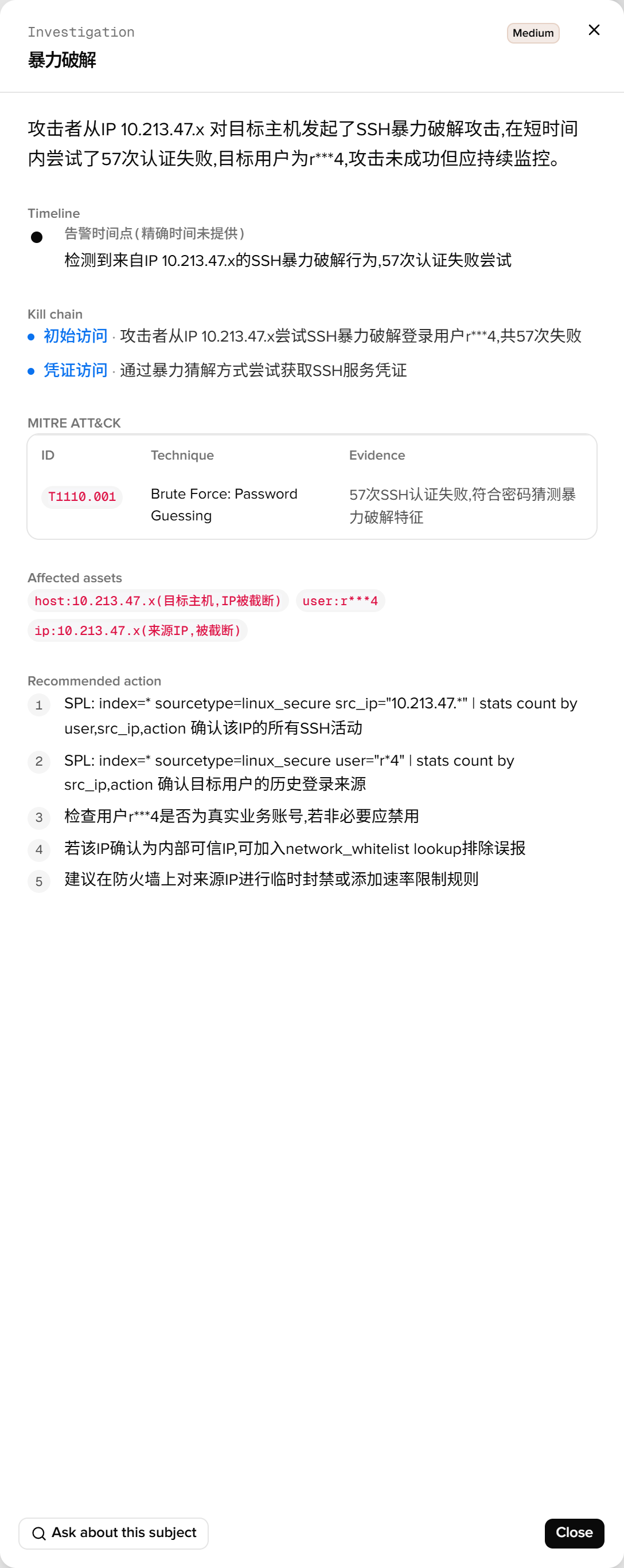
Follow up carries the record's context into a new conversation on the home page, so "which other hosts did this IP touch" can be asked next.
Retention
Records do not expire. KV store capacity is Splunk's. Clean up by deleting documents in the collection, or delete by type on this page (admin).
Search commands
Used directly from the Splunk search bar. `| copilot` generates and runs SPL from natural language; `| splexplain` explains a query and proposes an optimised rewrite. Since 1.7.0.
Triage
Cluster, score and rank a batch of alerts with one actionable recommendation per cluster. Dispositions follow the user across devices; per-rule false-positive rates drive noise-reduction suggestions. Licensed.