

Data onboarding
Paste raw log lines, detect the format, generate props.conf, transforms.conf, rex and a CIM mapping, dry-run coverage on real data, apply to local/ with rollback. Since 1.7.0.
Onboarding a new sourcetype means writing props.conf, extracting fields and mapping to CIM. Data onboarding splits the job into three steps, detect, generate and dry run, whose outputs can each be read, edited and verified against real data. Licensed (same tier as detection rules); applying needs admin.

Detect
Paste 20 to 50 raw lines, or pick an existing index and sourcetype to sample ([onboard] sample_rows, default 50). Detection is rule-based with no model call:
| Output | Notes |
|---|---|
| Format | json, kv, csv, syslog, multiline |
| Timestamp | Candidate field and TIME_FORMAT (%b %d %H:%M:%S, %Y-%m-%dT%H:%M:%S, ISO without zone) |
| Line breaking | LINE_BREAKER, SHOULD_LINEMERGE |
| Field candidates | Direct for kv and json; regex candidates for syslog-style lines |
Generate
The model (agentic) writes the configuration from the detection and verifies with run_spl that | rex extracts the fields on the sample sourcetype:
| Output | Content |
|---|---|
props.conf | TIME_FORMAT, LINE_BREAKER, KV_MODE, EXTRACT-*, EVAL-*, FIELDALIAS-* |
transforms.conf | Only for csv or when a REPORT- is needed |
| rex list | Regex and target field for each EXTRACT- |
| CIM mapping | Recommended data model (Authentication, Network_Traffic, Web, Endpoint and others) and field table; missing required fields are flagged |
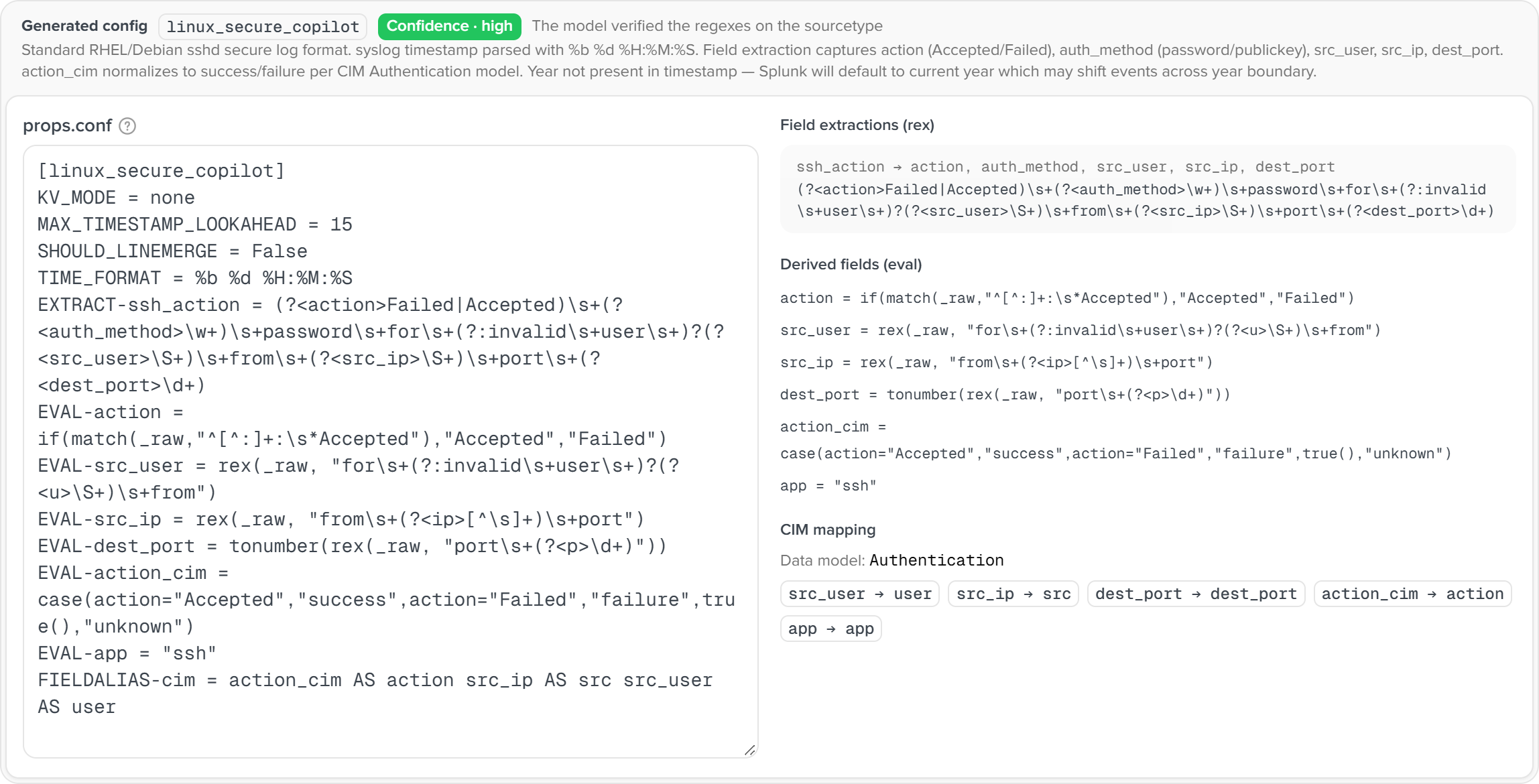
The configuration blocks are editable. About 21 to 29 s for an sshd sample on the 1.9.0 test box.
Dry run
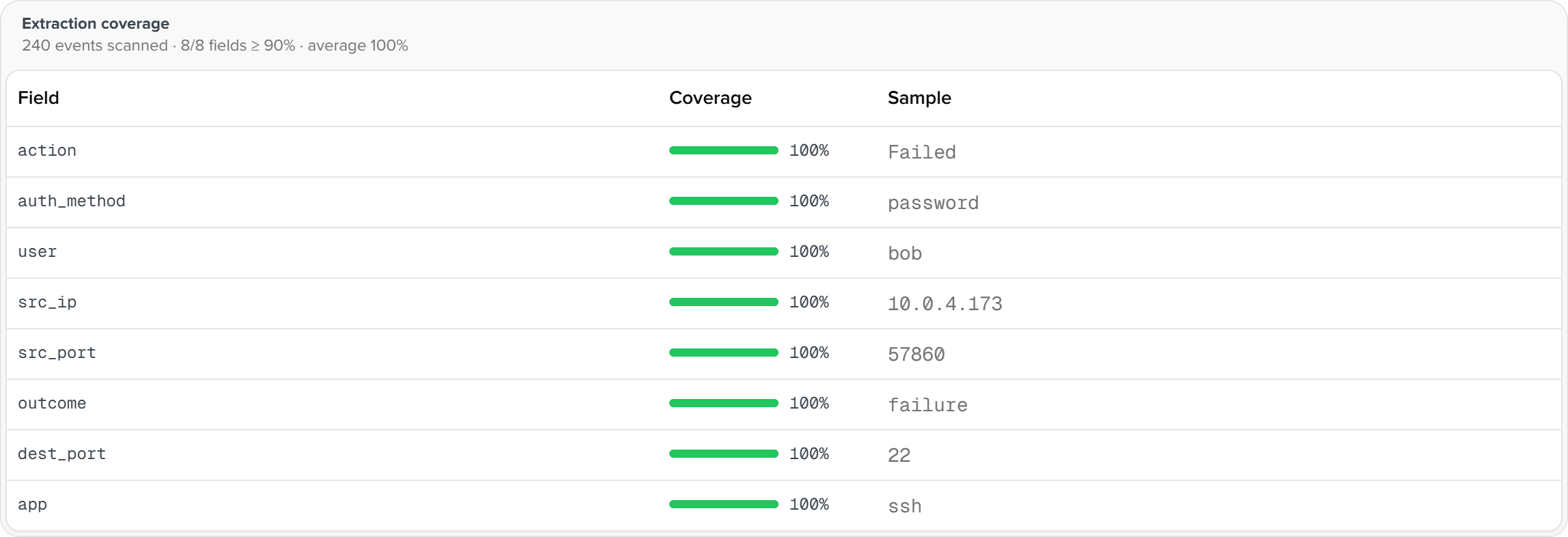
Runs the extraction over the last 1000 events (dryrun_rows, max 5000) of a given index and sourcetype and reports, per field, extraction rate, empty rate and a first sample. The CIM tab checks against the data model's field list (the real list from /datamodel/model when CIM is installed, a built-in minimum otherwise). Measured: 93.9% coverage over 15 fields for an sshd sample, 100% for pan:traffic.
Apply and roll back
| Action | Notes |
|---|---|
| Apply | Writes props.conf and transforms.conf into the target app's local/ (default search, [onboard] default_app) after backing up existing files as *.conf.bak-<timestamp>, then _reload. Files created by this run carry a .created-by-copilot marker |
| Roll back | Touches only files with a backup or a marker and never deletes pre-existing customer configuration |
| Download | Provides both files for manual placement |
Check the new fields in the Field dictionary afterwards. tstats sees index-time fields only; search-time extractions are verified with | stats count by <field>.
Baseline checks
Host-configuration baseline and OS end-of-life compliance patrol. A rule library, manual or daily runs, results and trends per host. Data from the CIM Endpoint and Change data models.
Security posture
The first screen of a shift. Four stat cards, an alert timeline, two Top 10s, the recent-alert queue. One aggregation search over the alert index.