

License
Which features need a licence, requesting a trial, online and offline activation, what the fingerprint is made of, how the sealed detection engine unlocks, and what each status means.
License is a tab of Settings and is admin-only.
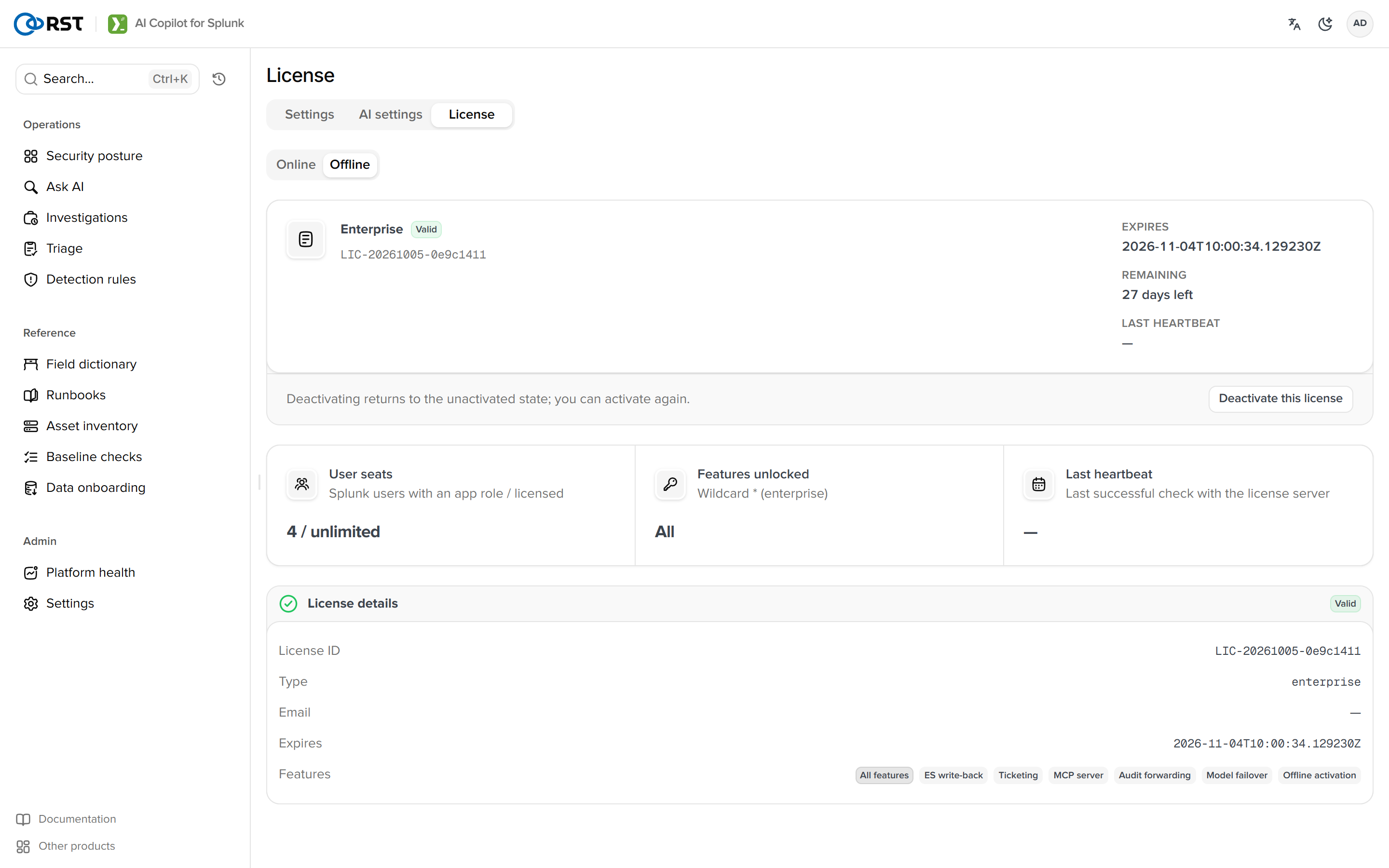
Licence scope
| Tier | Includes |
|---|---|
| Community (not activated) | Smart query, search commands, explain, field dictionary, knowledge base, posture, alerts, audit, assets, baseline, channels and the other core features |
| Professional | Everything in Community, plus batch triage, alert investigation, detection rules, platform-ops AI interpretation, alert noise reduction, operations reports |
| Enterprise | Everything in Professional, plus ES Incident Review write-back, ticketing, MCP server, audit forwarding, multi-model failover, offline activation |
| Trial | 14 days, one host, every Enterprise feature |
Requesting a trial
Trials are requested on reallysec.com; the app no longer has a request form:
- Open the trial page, enter email and company and submit.
- Click the link in the confirmation email.
- Sign in to the console and copy the licence key.
- On the app's License page choose the Online tab, paste the licence key and activate.
The Apply for a trial button shown on an unactivated License page opens the same page.
Online activation

Paste the licence key and choose Activate. The app verifies the signature locally, binds this host on the licence server and heartbeats from then on; renewals, upgrades and keys for new paid features arrive with the heartbeat. Reload pulls immediately. Activation and heartbeat replies must carry a receipt signed by the licence server; a reply without one, or with a bad signature, counts as the server being unreachable. When the server is unreachable the offline grace applies (offline_grace_days, default 3, can only be shortened), after which the licence lapses.
Offline activation
Offline activation is an Enterprise feature. Air-gapped sites copy the host fingerprint (64 hex characters) to Reallysec, then paste or upload the .lic on the Offline tab. Signature and fingerprint are checked locally and the licence unlocks; no heartbeat and no egress afterwards. An offline licence's feature set is fixed in the file; the detection engine needs its key included at issue time, otherwise that feature reports feature_sealed.
The fingerprint derives from Splunk's server GUID (etc/instance.cfg) and the host identifier (/etc/machine-id or product_uuid on Linux, the registry MachineGuid on Windows). A container with no machine-id and no readable MAC fails activation on 2.0.10 and earlier; from 2.0.11 it uses a random host ID saved in the app directory and activates normally. That ID lives only as long as the app directory, so still mount a fixed machine-id in containers, see Running in Docker. Rebuilding the instance, changing the GUID or losing machine-id counts as a new machine and requires re-activation.
Search-head cluster
License data lives in storage/passwords, which the cluster replicates to every member. From 2.0.11 each member keeps its own license state (session, feature keys, last contact), so members no longer overwrite each other. A license is still bound to a host fingerprint, and each member counts as one node.
Online license (recommended)
Use an Enterprise license whose max_nodes covers every member; Enterprise has no node limit. Install it once on any member. The key replicates, and each member then activates as its own node with its own fingerprint within about 5 minutes. Every member must reach license.reallysec.com. A Professional license has one node and unlocks only the first member that activates.
The other members are refused. From 2.0.12 the License page shows "License node limit reached" as soon as a member is refused, and its paid features stop once the 3-day offline grace runs out. 2.0.11 has no dedicated message and only logs license activation limit reached; after the grace the UI shows "The license server has been unreachable for too long and the offline grace period is used up. Check connectivity to the license server.", which looks like a network problem. If a 2.0.11 cluster member shows this, search that member's app log for activation limit reached first. Either way, check the license's max_nodes against the member count, or move to Enterprise.
Offline license
An offline license is bound to one fingerprint, so each member needs its own:
- On each member's own Splunk Web (not through the cluster's load balancer), open the Offline tab of License and, on the Host fingerprint card, select Copy the host fingerprint.
- Request one offline license per fingerprint from sales.
- On each member's own Splunk Web, import that member's license. It applies to that member only and does not replace another member's license. The Offline tab lists every member's offline license.
A member that reads a license bound to another host shows "This offline license is bound to a different host." and its paid features stay locked. When you add a member, issue a license for its fingerprint and import it on that member.
- Deactivate on a member removes that member's offline license if it has one; otherwise it removes the shared online license for the whole cluster.
- A member's own offline license takes precedence over the shared online one. To move a member from offline to online, deactivate on that member first.
- Before upgrading a cluster from 2.0.10 or earlier, check
max_nodesagainst the member count. See Upgrade and backup.
Sealed detection engine
The prompts and logic behind detection-rule drafting are not in the package as plaintext: bin/detection_core.sealed is ciphertext, and its key comes from the licence server on activation or heartbeat, bound to this host's fingerprint and unwrapped in memory. Without the key the feature reports feature_sealed; nothing else is affected. Having the package is not having the feature, and a revoked licence locks it at the next heartbeat.
Status meanings
| Status | Meaning | Action |
|---|---|---|
| Not activated | No licence | Request a trial on reallysec.com, or paste a licence key |
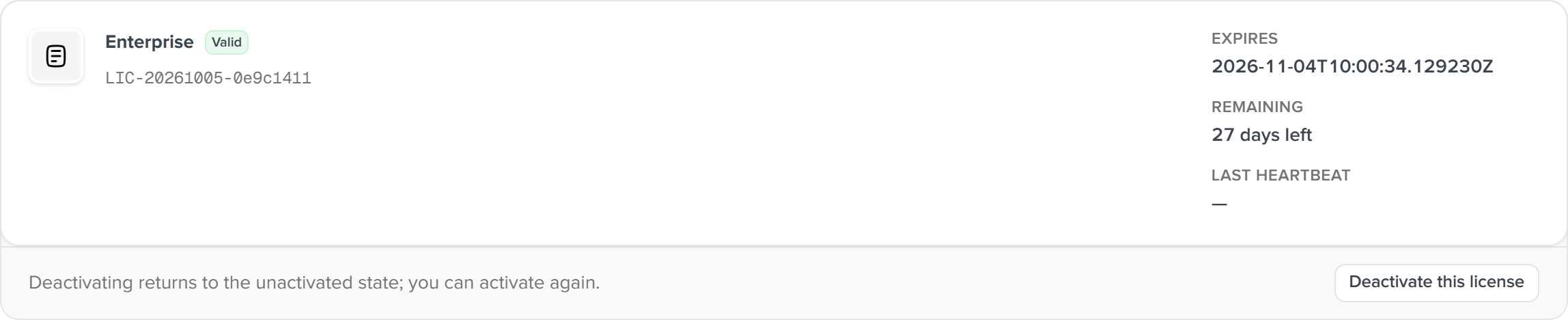
| Valid | Normal. Shows expiry, licence id, type, last heartbeat | None |
| Expiring soon | Less than 7 days to expiry (30 days on 2.0.12 and earlier) | Renew |
| In grace period | No successful heartbeat for over 24 hours, still within offline grace | Check outbound access to license.reallysec.com:443 |
| Expired, Revoked, Invalid | Paid capabilities locked | Contact sales. Invalid usually means the licence key belongs to another machine (license_host_mismatch) |
Replace, renew, deactivate
Paste a new licence key and activate; no need to deactivate first. Deactivate returns to not-activated and releases the online seat; do it before moving hosts. It also clears the local feature keys. An app upgrade does not require it.
AI settings
Engine status, provider cards and the failover chain, thinking mode, semantic retrieval (embeddings), the 24-hour call trend.
MCP
Expose the read-only tools and the investigate, triage, explain and generate capabilities to external agents (Claude Desktop, Cursor, custom). Streamable HTTP, tokens issued per role, the same gates and audit as the UI. Since 1.9.0.