

Security posture
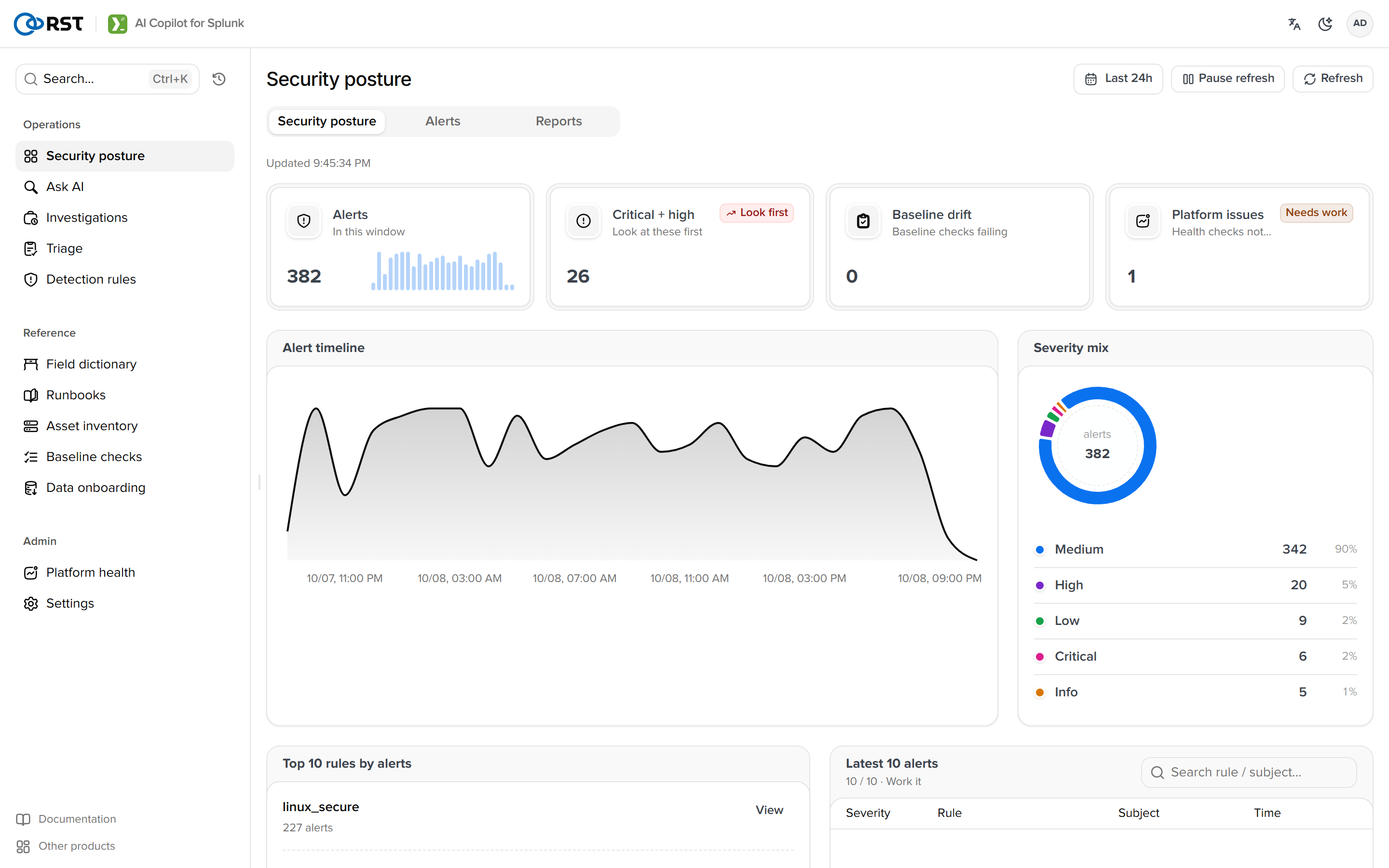
The first screen of a shift. Four stat cards, an alert timeline, two Top 10s, the recent-alert queue. One aggregation search over the alert index.
Security posture is the first page of Security operations; its tab family includes Alerts and Reports. Available in every edition.
Data source
The alert index defaults to notable (Enterprise Security) and can be changed in configuration or at the top of the Alerts page. Field mapping without ES:
| Field | Taken from |
|---|---|
rule_name | rule_name, search_name, sourcetype |
| Severity | urgency, default medium |
| Subject | dest, src, user, host |
A missing index renders the empty state, not an error.
One SPL does all the aggregation (bin | stats count by _time severity rule_name subject_value); Python folds it and zero-fills buckets. Windows of 24h, 7d and 30d use 5-minute, 1-hour and 1-day buckets.
Page
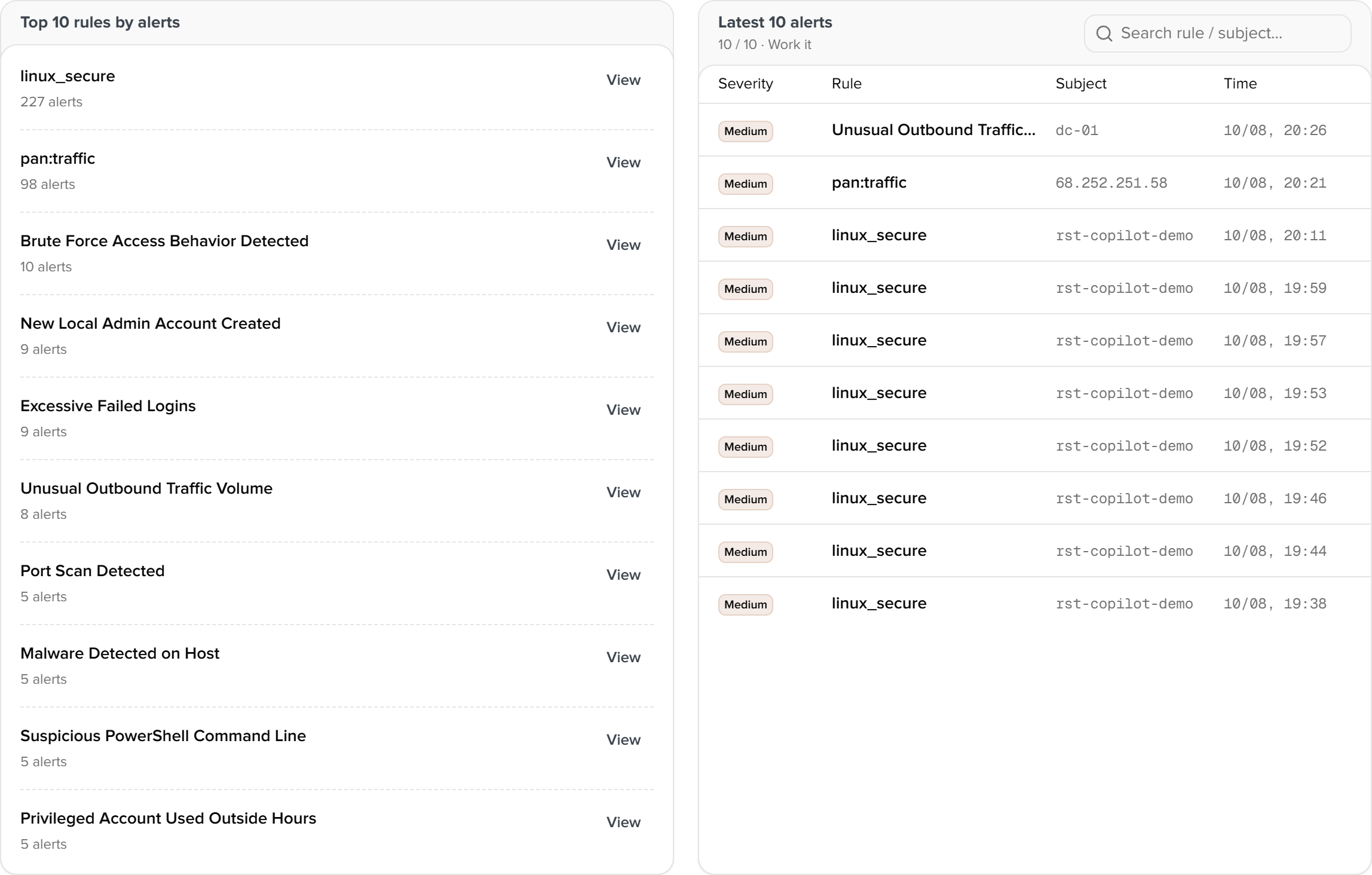
| Block | Content |
|---|---|
| Four cards | Alerts in the window, Critical and High, open (not closed in triage or dispositions), platform issues (fail and warn from the Platform health check-up) |
| Timeline | Alert count stacked by severity |
| Severity distribution | Share per level |
| Top 10 rules | Most-fired rules |
| Top 10 subjects | Most-seen hosts and users |
| Recent alerts | Newest 20; a row opens its detail on the Alerts page |
With demo data whose sourcetypes have no events in the last 24 hours the 24h window reads 0; switch to 7d or 30d.
Data onboarding
Paste raw log lines, detect the format, generate props.conf, transforms.conf, rex and a CIM mapping, dry-run coverage on real data, apply to local/ with rollback. Since 1.7.0.
Alerts
A polled feed of the alert index, handled one by one. Explain, investigate (autonomous evidence gathering), escalate to triage, write back to the ES notable, open a ticket. Reachable from Incident Review's row menu.