

Runbooks
The knowledge base. Upload runbooks and SOPs as retrieval context, sync this instance's Splunk objects, the solutions library and correction rules, keyword or semantic retrieval.
Runbooks is the app's knowledge base (KV copilot_kb). The model retrieves it with search_kb while generating SPL, explaining and investigating; matching chunks enter the prompt as reference context, and correction rules are injected every time. Available in every edition.
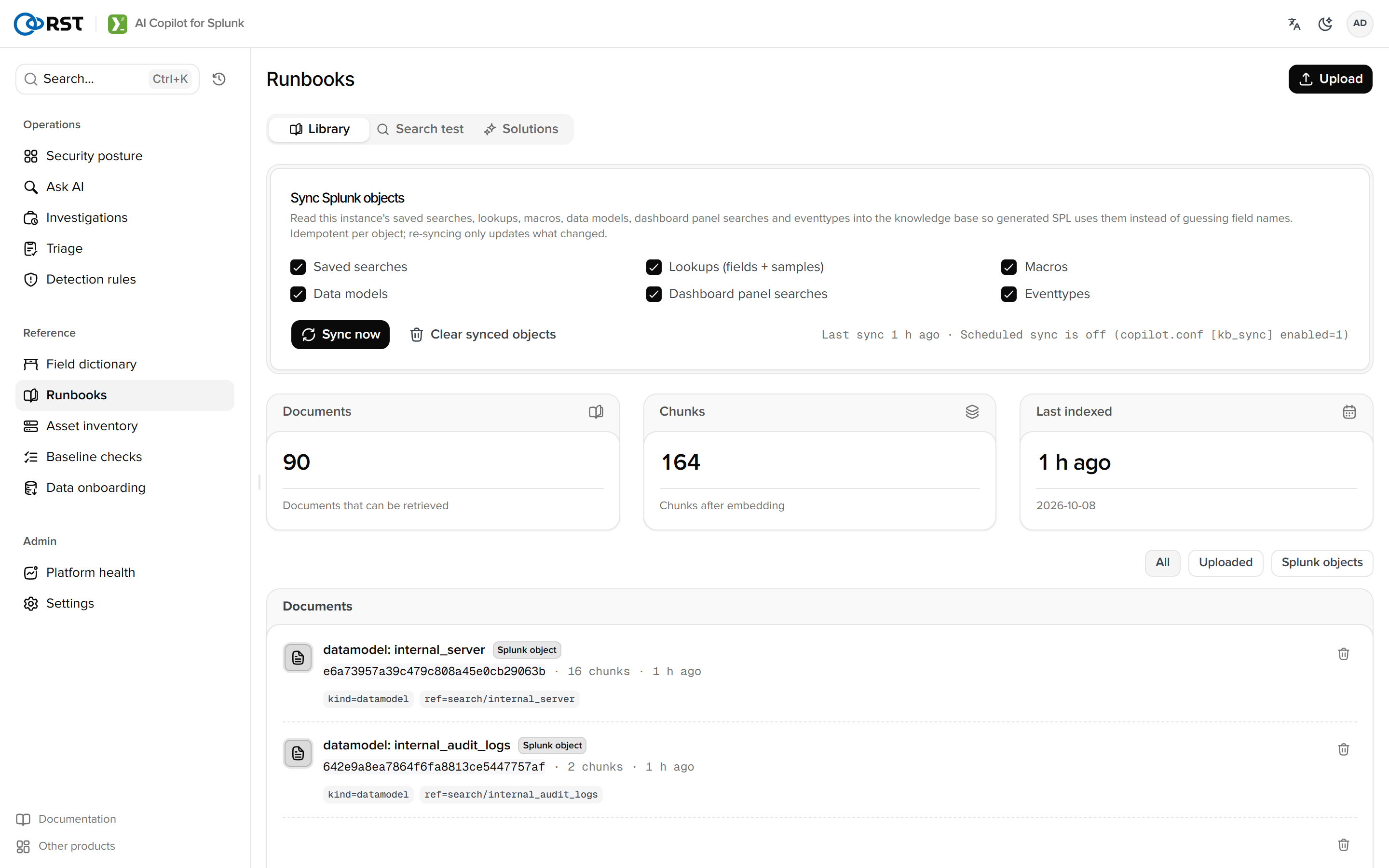
Documents
Uploads are text (pasted or read from .md or .txt) with a title, body and up to 6 tags. .pdf and .docx must be converted to text first. Documents are stored in chunks; with embeddings enabled they are vectorised, otherwise keyword retrieval applies. The list filters by source: manual, Splunk object, correction.
The Search tab tries a question and shows the Top-K hits with scores (cosine similarity with embeddings, keyword overlap without).

Sync Splunk objects
From 1.8.0, Sync Splunk objects writes what this instance already has into the knowledge base, one document per object (metadata.source = splunk_object):
| Kind | Captured |
|---|---|
| saved searches | Name, description, SPL, cron, app |
| lookups | Definition, fields, first 3 rows (| inputlookup; larger than 50 MB skipped) |
| macros | Name, definition, arguments |
| data models | Objects and fields |
| dashboards | Title and each panel's <query> |
| eventtypes and tags | Name and definition |
Idempotent by app/name; an unchanged content hash is not rewritten; Splunk's own plumbing apps are skipped. The first run samples every lookup and takes minutes on a large instance; later runs take seconds. [kb_sync] enabled = 1 re-syncs every 24 hours (interval_hours).

Example: asked "failed logins in the last 7 days by host with owner", the model invented owner="unknown" before the sync; afterwards it writes | lookup asset_owner host OUTPUT owner team because it knows the lookup and its columns exist.
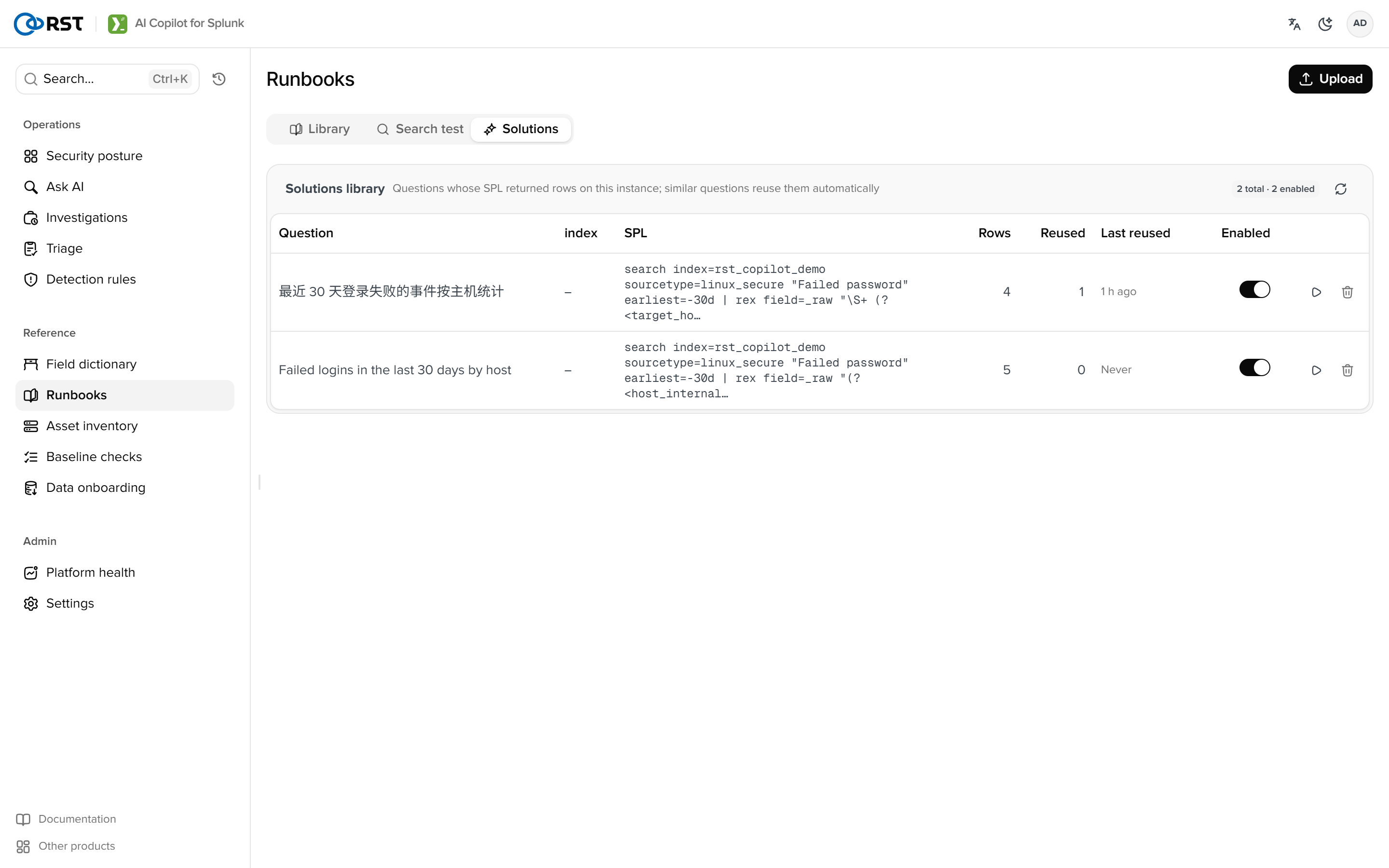
Solutions library
The Solutions tab lists (question, index, SPL) triples from Smart query that returned rows: confidence, hits, last used. Similar questions (same index, similarity of [solutions] min_score or more) get them injected as examples, and the home page notes that N verified solutions were used. Rows can be disabled (no longer used as examples), deleted, or tried on the home page. Negative feedback demotes a solution automatically.
Correction rules
The correction source filter shows conventions confirmed in Smart query ("use sshd Failed password events when counting failed logins"), tied to an index and sourcetype. Editing the text takes effect immediately; deleting stops the injection.
Permissions
Retrieval is open to viewers. Upload needs analyst; sync and delete need admin, per the three tiers.
Field dictionary
Drill from index to sourcetype to field with coverage, type and sample values, read live from Splunk metadata.
Asset inventory
Business context for assets and identities. Sources are Enterprise Security's asset and identity lookups or CSV import; investigations, triage and reports pick up owner and criticality automatically.