

Preferences
The only item in the account menu. Language, theme, default index, rows per page, remembered column sets. Passwords are changed in Splunk.
The account menu top-right shows the Splunk user and role tier and holds one item, Preferences. There is no profile and no password change; the account is managed by Splunk.
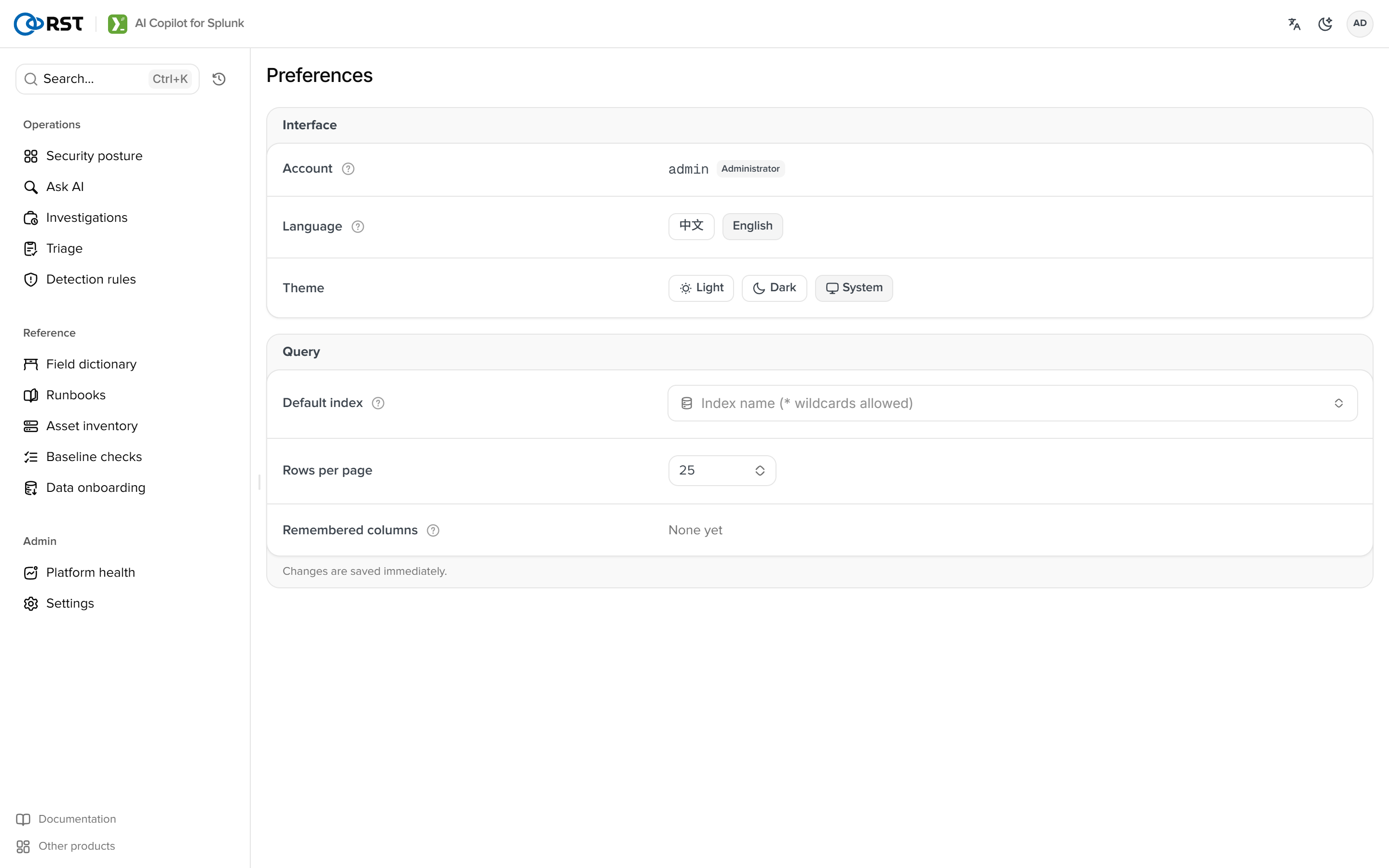
| Item | Notes |
|---|---|
| Language | Chinese or English, the same value as the top-bar switch |
| Theme | Light, dark, system |
| Default index | Used by Smart query and the search commands when none is given. Empty means auto |
| Rows per page | Page size for result tables and lists |
| Remembered column sets | Column choices remembered per index in result tables. Reset clears them |
Preferences live in the KV store (copilot_state, per user) and follow the user across devices. Triage dispositions, saved triage batches and favourite queries are stored the same way.
MCP
Expose the read-only tools and the investigate, triage, explain and generate capabilities to external agents (Claude Desktop, Cursor, custom). Streamable HTTP, tokens issued per role, the same gates and audit as the UI. Since 1.9.0.
FAQ
Causes and fixes by symptom. Pages, model, licence, permissions, results, integrations, performance.