

Quick start
The shortest path from the .spl to a first answered question. Install the app, configure a model, activate a licence, ask.
This page covers the shortest path to installing the app on one Splunk search head and getting a first answer. Roles, configuration, upgrade and backup are covered under Installation.
Prerequisites
| Item | Requirement |
|---|---|
| Splunk | Splunk Enterprise 10.0 or later search head with the KV store enabled. The agentic engine (autonomous evidence gathering) needs 10.2 or later (Python 3.13) and the selfcontained package |
| Package | RST-AI-Copilot-for-Splunk-<version>-fallback.spl (Windows or ARM (aarch64) hosts, or where compiled components are not allowed; no agentic stack) or -selfcontained.spl (Linux x86_64 only, agentic stack bundled). Splunk Cloud is not supported yet |
| Splunkbase package | -splunkbase.spl: for distribution through Splunkbase, updated through Apps > Manage Apps; same contents as the fallback package |
| LLM | An OpenAI-compatible endpoint: URL, API key, model name. ark-code-latest on the Volcengine Ark coding plan; DeepSeek, Qwen, Ollama and vLLM also work |
| Account | Installing the app and activating a licence needs Splunk admin or a role with copilot_admin |
Outbound traffic is two hosts: the LLM endpoint on 443 and license.reallysec.com on 443. Air-gapped sites use an offline licence and a local model and need neither; see Licence.
Installation
Install the app
Splunk Web: under Apps, Manage Apps, choose Install app from file, pick the .spl and restart. From the CLI:
$SPLUNK_HOME/bin/splunk install app RST-AI-Copilot-for-Splunk-<version>-selfcontained.spl
$SPLUNK_HOME/bin/splunk restart
After the restart RST AI Copilot for Splunk appears in the app list and opens full-screen with the Splunk bar hidden.
Configure a model
The empty home page shows an onboarding checklist. Its first item, Configure the LLM, opens AI settings under Settings. Enter the URL, API key and model, run Test connection and save. The key is stored encrypted in Splunk storage/passwords, never in a conf file.
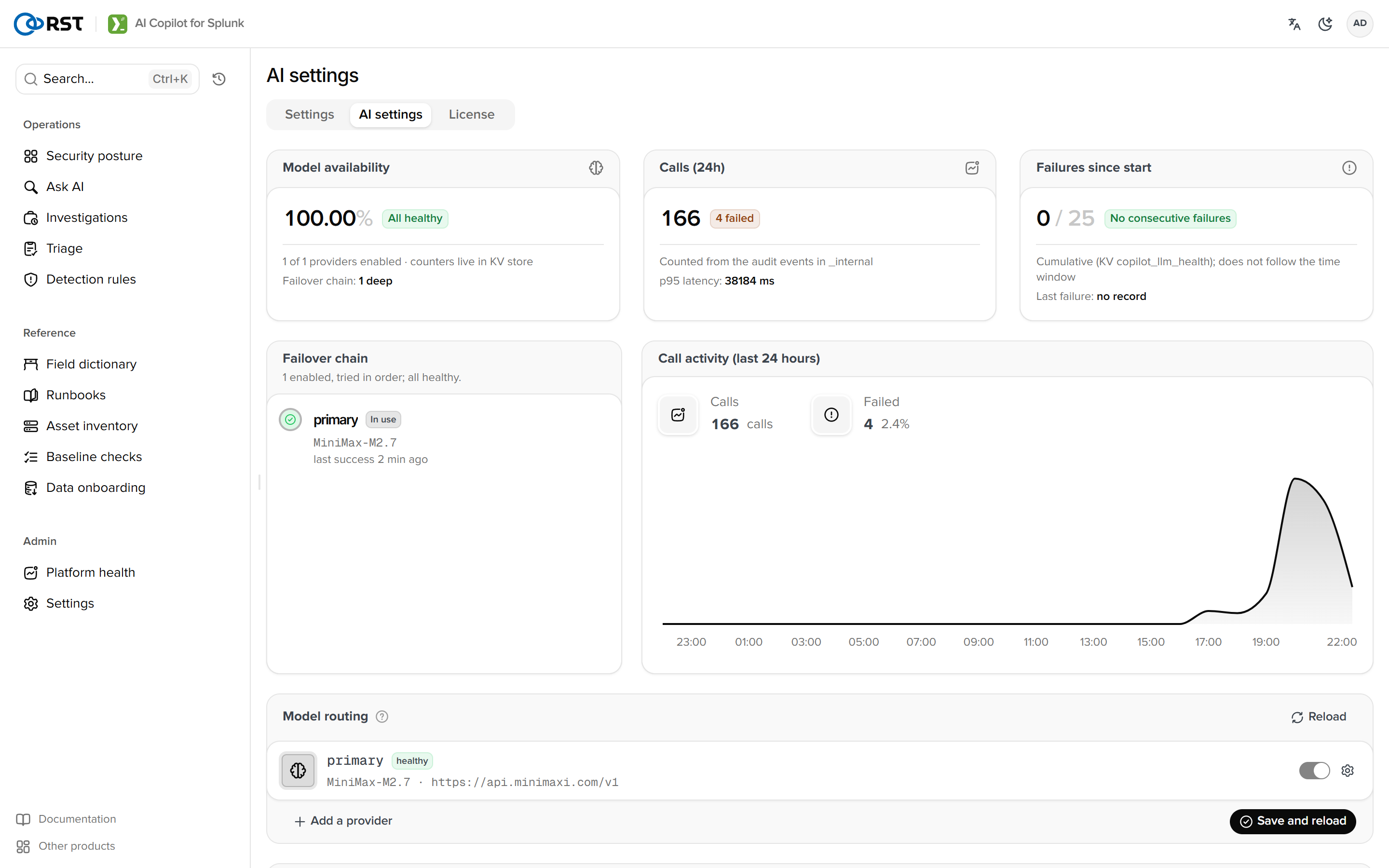
Thinking mode on the same page defaults to off. Every call in this product is fixed-format JSON, so reasoning adds no accuracy and about 5 times the latency.
Activate a licence
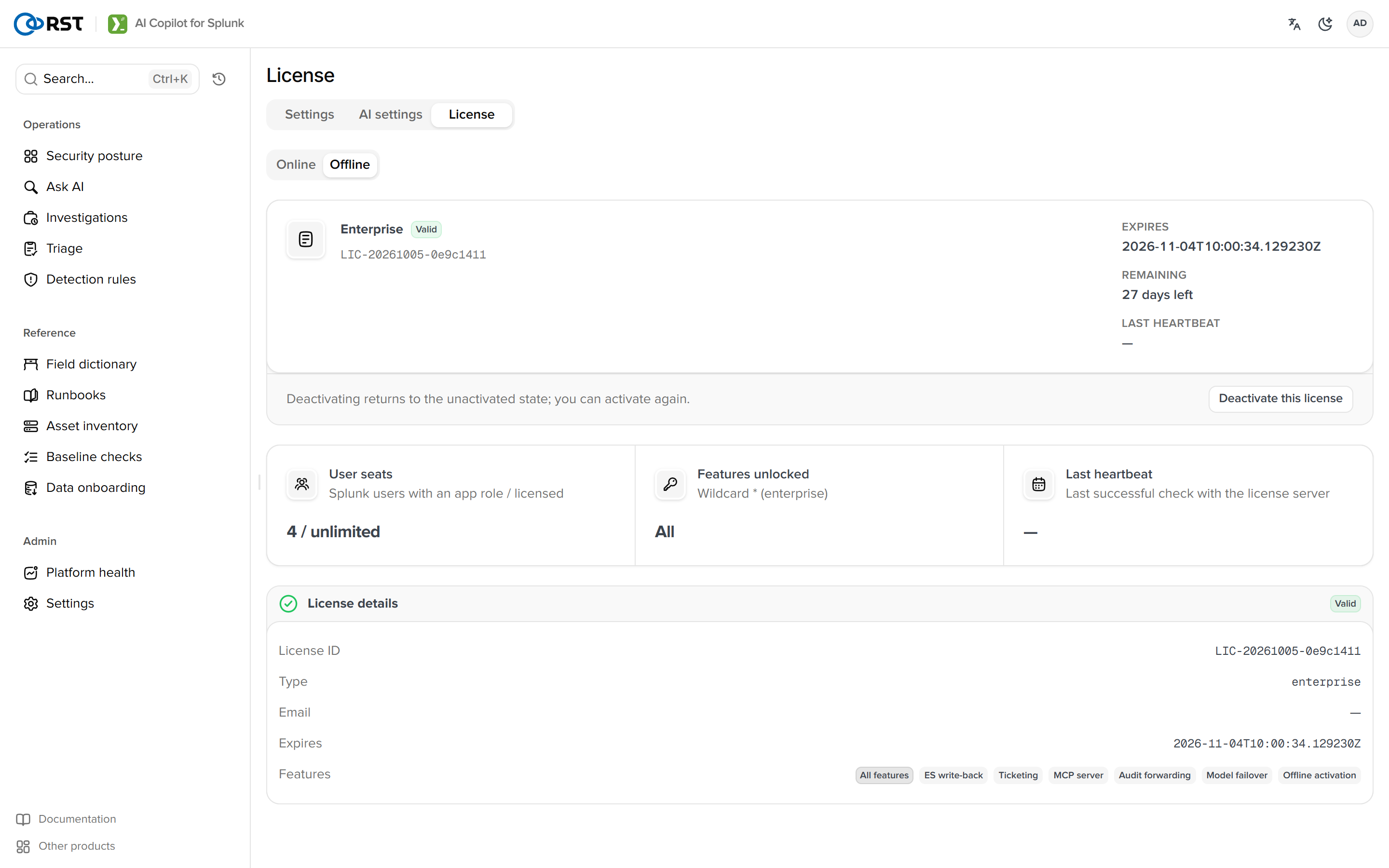
Without a licence, request a 14-day trial on the trial page, confirm the email and copy the licence key from the console. Then open Settings > License, choose the Online tab, paste the licence key and activate. Free capabilities work without a licence; triage, investigation and detection rules require one.
Ask the first question
Back on the home page, pick an index (or leave auto) and ask "failed logins in the last 30 days by host". The generated SPL runs automatically; below the result table are explain, save and send to triage.
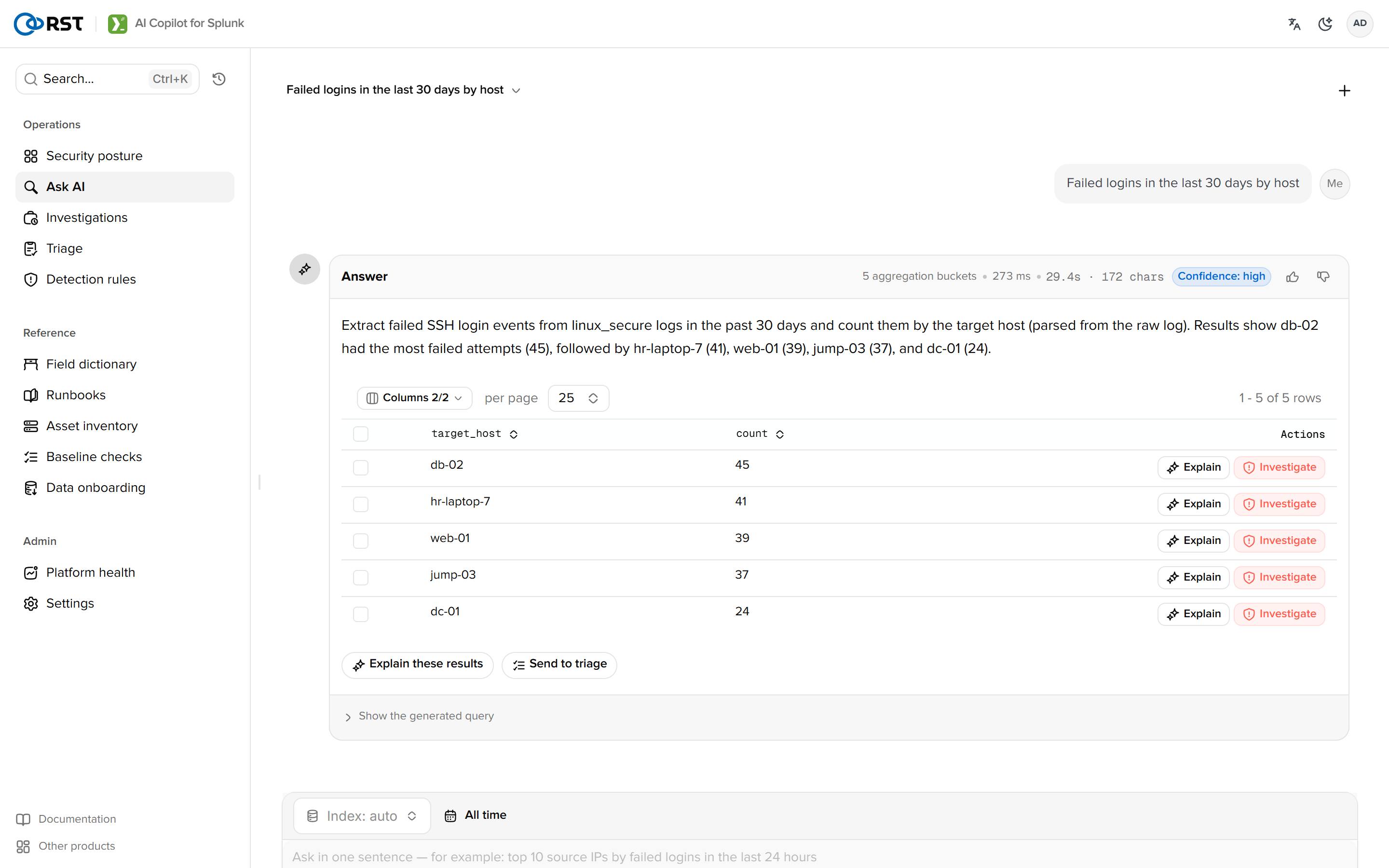
With no data to try on, Load demo data in the checklist creates an rst_copilot_demo index (a few hundred sshd, Windows and firewall events) that can be removed with one click.
After installation
- Roles: analysts get
rst_copilot_analyst, read-only users getrst_copilot_viewer. - Settings: index allow-list, masking mode, audit forwarding.
- With Enterprise Security installed, Incident Review offers Investigate with Copilot on a notable's row menu; see Alerts.
Upgrade
Install the new .spl over the old one. Licence, conversations, knowledge base and triage results live in the KV store and storage/passwords and survive the app directory being replaced; local/copilot.conf is untouched by the installer. See Upgrade and backup.
The licence fingerprint derives from Splunk's server GUID (etc/instance.cfg) and the host's /etc/machine-id. Rebuilding the instance, changing the GUID, or losing /etc/machine-id inside a container all count as a new machine and require re-activation.
Troubleshooting
| Symptom | Action |
|---|---|
| Blank app page | Hard-refresh the browser (Splunk Web caches static assets); check index=_internal sourcetype=splunkd component=PersistentScript copilot |
| Test connection fails | The URL must include the version path (Ark: …/api/coding/v3); the key must be entitled to the model; port 443 must be open from the search head |
| AI settings shows Requests fallback | The fallback package is installed, or Splunk is below 10.2. Everything works except autonomous evidence gathering |
Questions return license_required | A paid capability without a licence. If free ones fail too, check the licence page |
| Results are always empty | The index allow-list omits the target index; the data is outside the question's time window (the card shows the index's data range) |
RST AI Copilot for Splunk
A security-analysis copilot that installs into Splunk as a native app. Natural-language log queries, alert triage and investigation, detection-rule drafting, and an operations layer for the SOC.
Requirements
Splunk versions, the two packages, LLM endpoints, outbound network, browsers.