

UI overview
The three navigation groups, the top-bar controls, the command palette, how roles affect buttons, and the three entry points outside the navigation.
The app runs full-screen inside Splunk Web with Splunk's own bar hidden. The left rail has three groups. This page describes the pages in each group, the top-bar controls and how roles shape the UI.
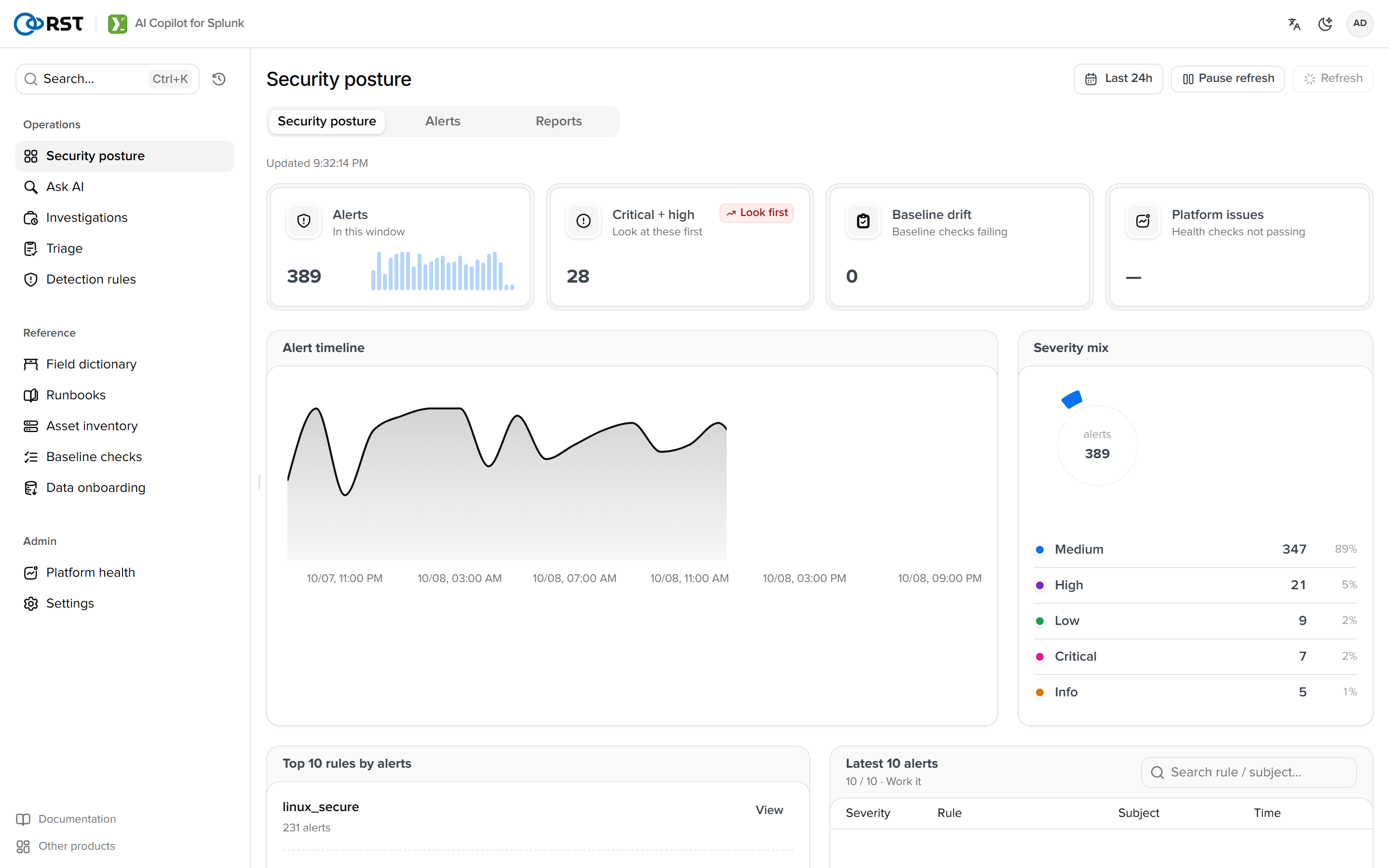
Navigation
| Group | Pages | Purpose |
|---|---|---|
| Security operations | Security posture (tabs: Alerts, Reports), Smart query, Investigations, Triage, Detection rules | The order of a shift: review the current posture, chase one thread, look back at past analyses, clear alerts in batches, turn conclusions into rules |
| Reference data | Field dictionary, Runbooks, Asset inventory, Baseline checks, Data onboarding | Reference material consulted while handling |
| Administration | Platform health (tabs: Audit log, Outbound channels, Search performance), Settings (tabs: AI settings, License, MCP) | Platform health is reviewed weekly; Settings rarely changes after install |
Two links at the bottom: Help center (these docs) and Documentation.
Top bar
| Control | Description |
|---|---|
| Language | Chinese or English, reloads on switch. The AI's output language is governed separately by response_language, which follows the UI by default |
| Theme | Light, dark, system |
| Account | Shows the Splunk user and the role tier (admin, analyst, viewer); the menu holds only Preferences |
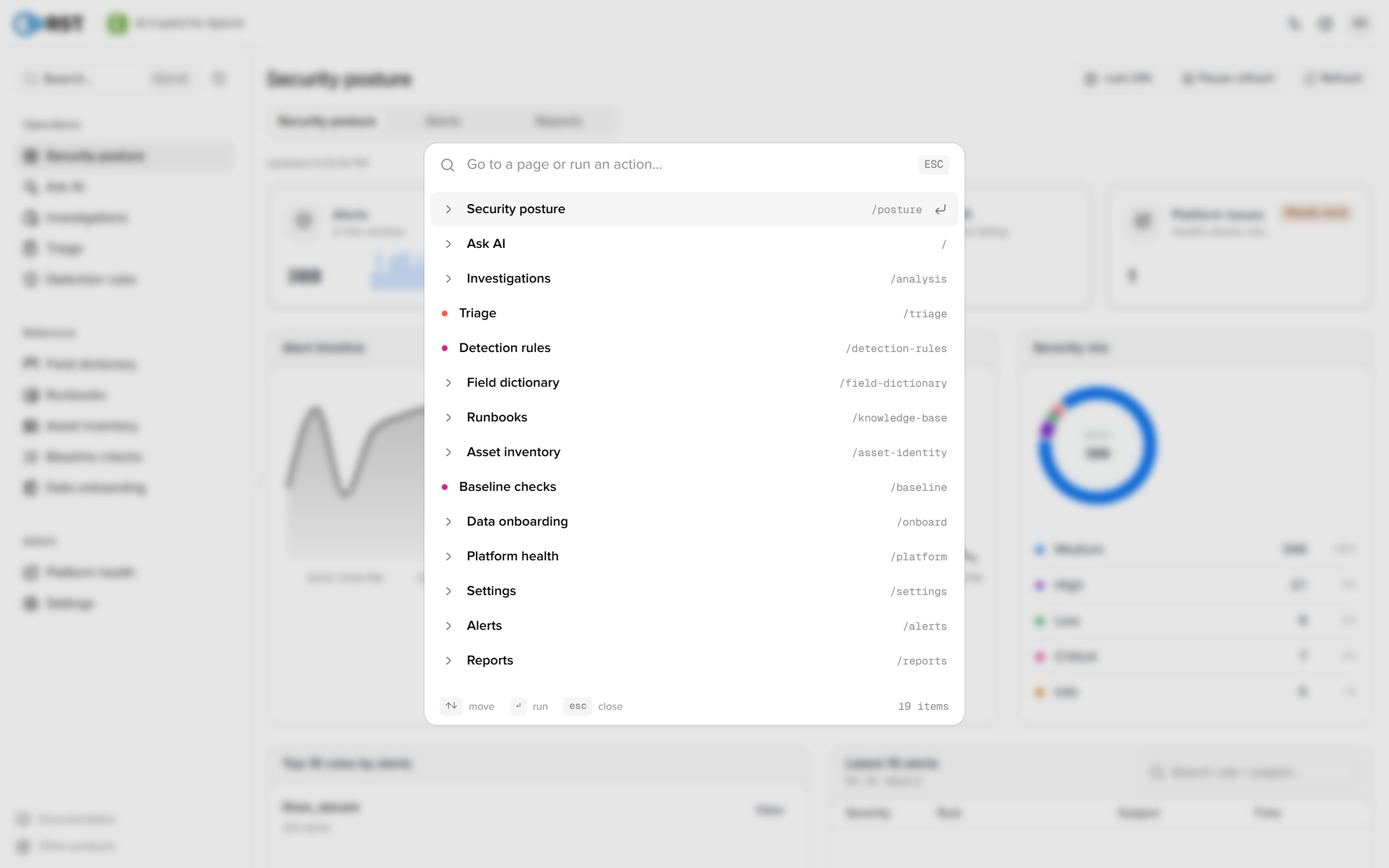
Cmd+K or Ctrl+K | Command palette. Type a page name to jump, including tab destinations. On the home page it resets the current conversation |
How roles shape the UI
Every page is visible. Write actions follow the three role tiers: a button stays visible below the required tier and, when selected, explains that analyst or admin rights are needed. Paid capabilities without a licence behave the same, pointing to the licence page.
Entry points outside the navigation
| Entry | Location | Page |
|---|---|---|
| copilot, | splexplain | Splunk search bar | Search commands |
| Investigate with Copilot | The notable row menu in Enterprise Security's Incident Review | Alerts |
| MCP server | External agents (Claude Desktop, Cursor, custom) | MCP |
First visit
The empty home page shows an onboarding checklist (LLM, licence, index allow-list, demo data, first question); the first three items are admin-only. It collapses once complete. Its state is stored per user in the KV store.
Upgrade and backup
Where each kind of state lives, what survives an upgrade, how to back up and migrate, and how to downgrade.
Smart query
Natural-language log queries. The model writes read-only SPL, dry-runs it and executes; empty results come with a reason and a fix; a correction made in conversation becomes a knowledge-base rule.