

User guide
Users
Manage the gateway's own accounts: create, change roles, reset passwords, disable and delete; roles and seats.
Users is in the Admin group at the bottom of the sidebar. Only admins can manage accounts. With single sign-on, accounts and roles come from the IdP.
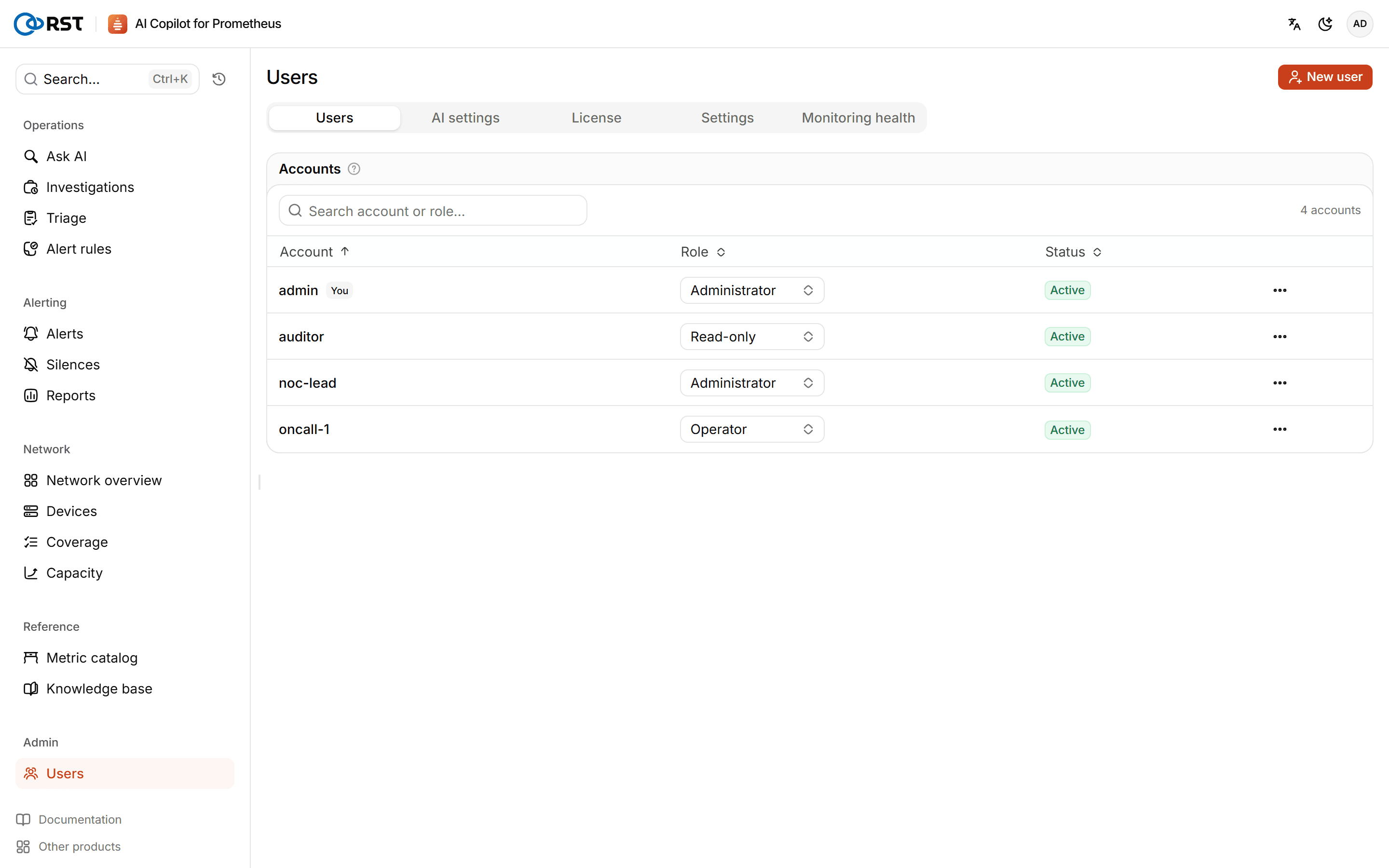
Accounts
- New user: enter the account name, an initial password (at least 8 characters) and a role.
- Change the role, Reset password, Disable, enable or delete. Resetting the password or deleting the account signs out all of its sessions. Deleting cannot be undone.
On first start, RST_ADMIN_USERNAME and RST_ADMIN_PASSWORD_HASH from .env become the first admin.
Roles
| Role | Can do |
|---|---|
| Admin | Everything, including users, license and AI settings |
| Operator | Everything except users, license and AI settings: queries, investigations, submitting and approving alert rules, creating and expiring silences, changing settings |
| Viewer | Read only. Any write other than signing in, signing out and changing their own password is refused |
Seats
Community has 1 user. Professional and Enterprise licenses carry a number of user seats, and enabled accounts cannot exceed it; a trial allows up to 10. Disabled accounts do not use a seat, and their records and history are kept. When the seats are used up, disable accounts you no longer need or buy more seats.