

Audit log
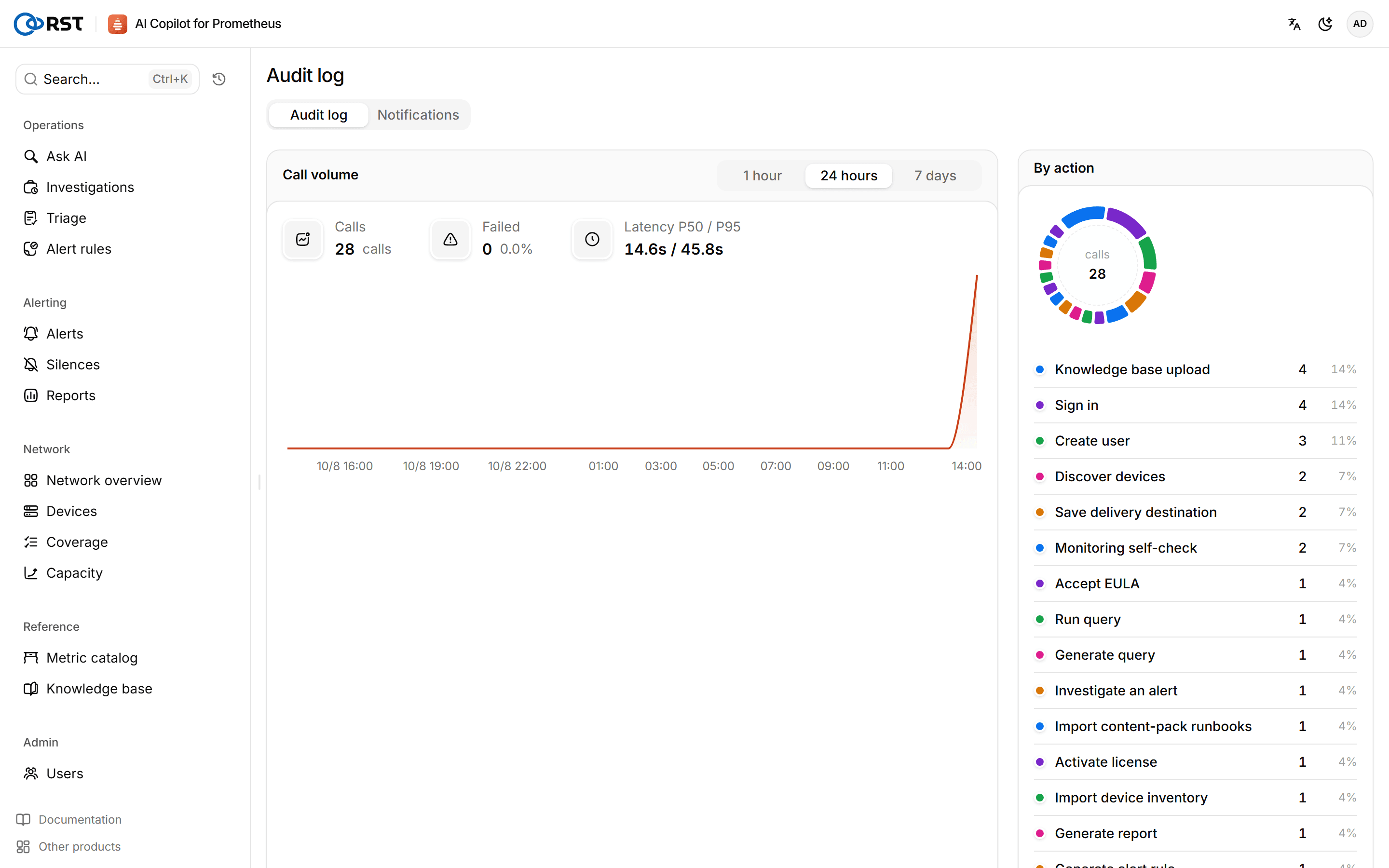
Every write and every model call is recorded as an audit event that you can filter by time, action, outcome and user, and export.
Audit log is in the Audit & notify group at the bottom of the sidebar. With a database, auditing is on by default.
What is recorded
Sign-in and sign-out, EULA acceptance and password changes; every query generation, query run, result readout and model call; alert investigations, triage and escalations; alert rule generation, submission, approval, rejection, retirement, rollback and rule-pack changes; creating and expiring silences; device inventory changes; user and license changes; saving settings, model configuration and notification configuration; report generation and notification delivery.
Viewing
- Overview: call volume, P50 and P95 latency and action distribution for the selected window (1 hour, 24 hours, 7 days).
- Events: filter by action, outcome, user and object, and open an event to see its full JSON. Export CSV exports the filtered events.
Turning it on or off, and forwarding
Auditing is on by default when a database is configured; set RST_AUDIT_ENABLED=false in .env and recreate the gateway container to turn it off. Without a database nothing is audited. Forwarding to an external platform is set up on the audit forwarding tab of Notifications.
Audit forwarding is an Enterprise feature that sends audit events to syslog or a webhook in real time.