

User guide
Alerts and silences
Read alerts from Alertmanager with live updates, track how they were handled, and silence them.
Alerts
Alerts reads alerts from Alertmanager, every 15 seconds by default, and keeps their history in the database. Grouping, inhibition and paging stay with Alertmanager; nothing here sends an alert a second time.
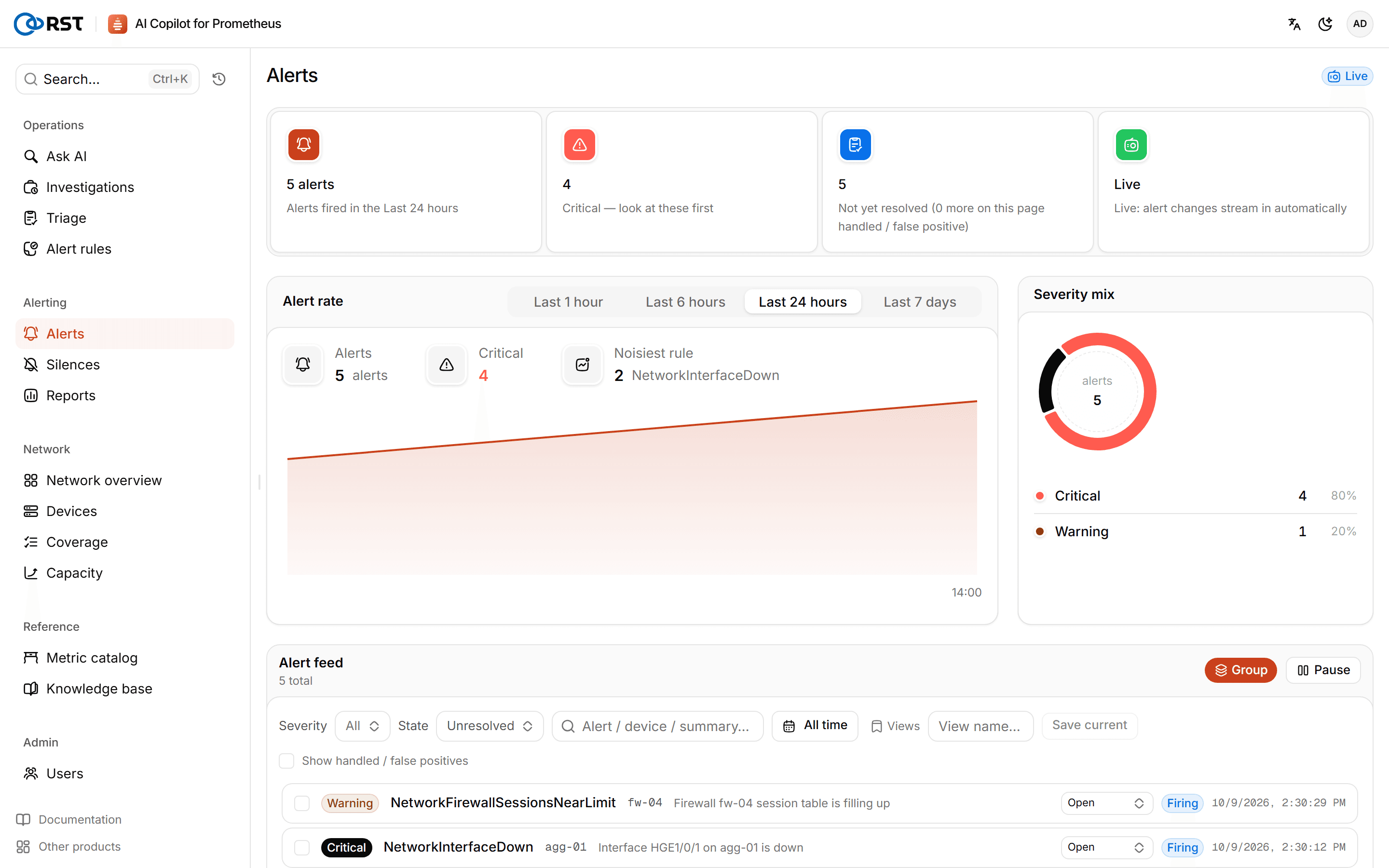
- Overview: alert rate, severity distribution and the rules with the most alerts for the selected window (last hour to last 7 days).
- Alert feed: new alerts are pushed into the feed live. When you scroll away from the top it pauses and holds new alerts; you can also pause and resume by hand. Filter by severity and state (firing, silenced or inhibited, resolved), search, and save views you use often.
- Handling: select alerts and mark them handled or false positive, or set them back to unhandled. Handled and false-positive alerts are hidden by default.
Without a database, only Alertmanager's current alerts are shown, with no history and no paging.
Alert details
Click an alert to see its summary, description, device, state, start and resolve times, runbook, rule expression and all labels.
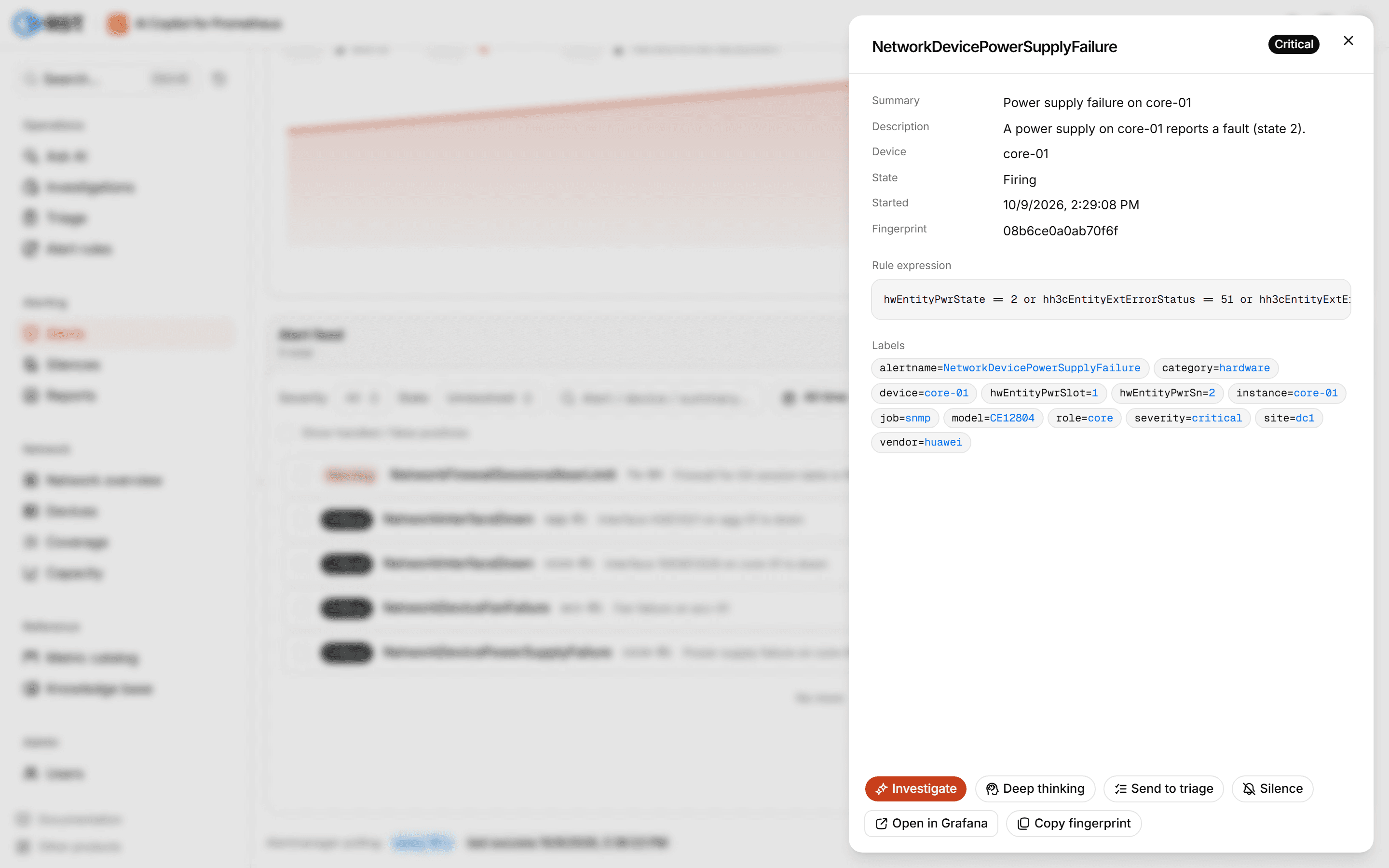
Actions in the details:
| Action | What it does |
|---|---|
| Investigate | Pulls related metrics for the device and investigates the root cause; see Triage and investigation (Professional) |
| Send to triage | Sends the alert to batch triage for ranking (Professional) |
| Silence | Creates an Alertmanager silence matching all of the alert's labels |
| Open in Grafana | Opens the rule expression in Grafana; needs a Grafana address |
Silences
Silences lists the silences in Alertmanager, for maintenance windows and known issues.
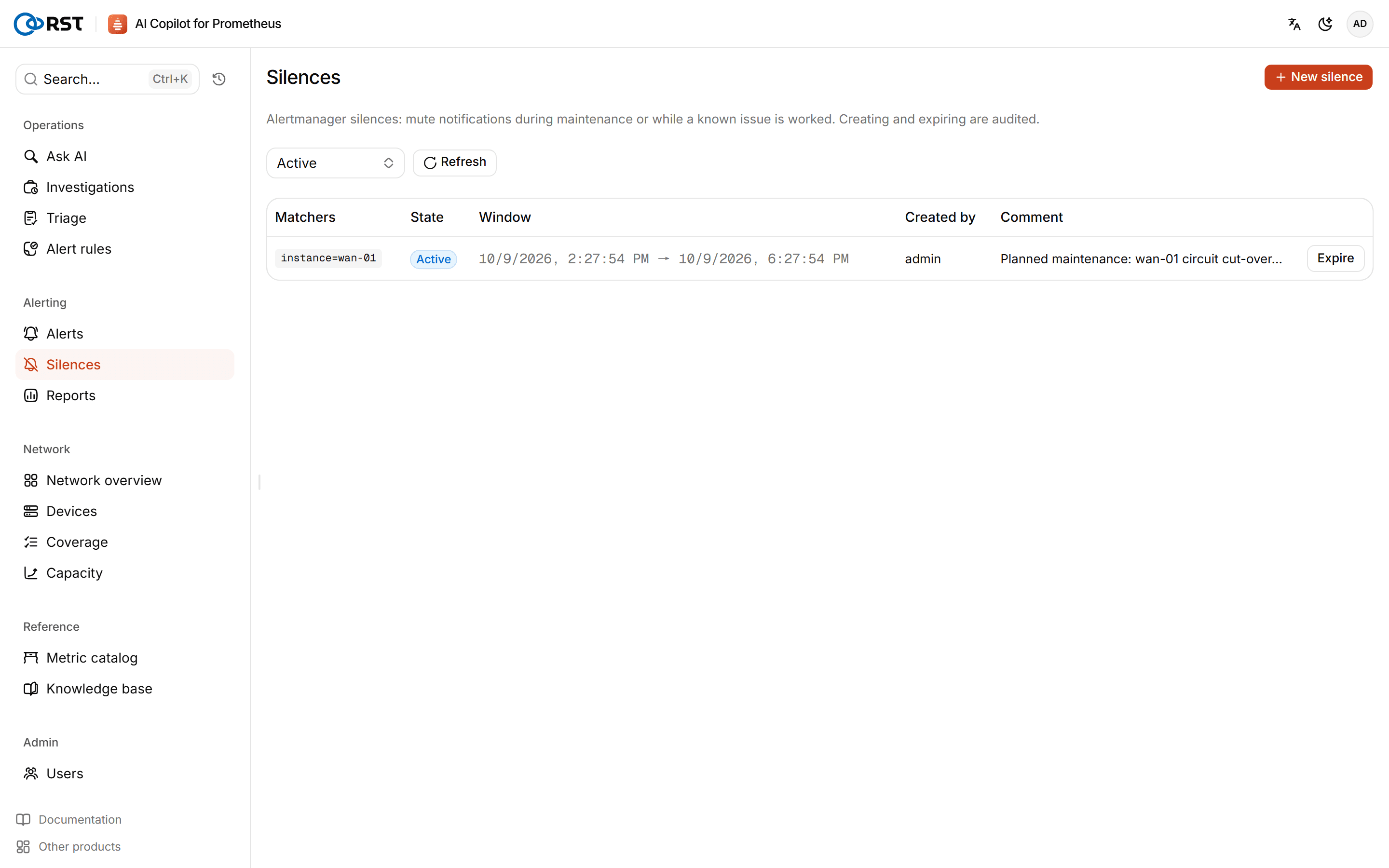
- View by state: active, pending, expired.
- New silence: matchers (label, value, optional regex; at least one), duration and a comment. The comment is required because the audit log and your on-call colleagues read it. The creator is recorded as the signed-in account.
- Expire: matching alerts notify again.
Creating and expiring silences are both audited. Viewers cannot create or expire silences.