

Ask AI
Ask in plain language; the gateway generates PromQL, validates it on Prometheus, runs it and returns a chart and a table.
Ask AI is the page you land on after signing in. Say which devices and metrics you want to see; the gateway generates PromQL and returns the result as a chart and a table.
Asking
Type a question, for example "the 10 interfaces with the highest inbound utilization" or "firewall sessions over the last hour". If you are not sure where to start, click one of the example cards on the home page. They are grouped by situation: is anything wrong with the network, are links filling up, can the devices keep up, are the firewalls healthy.
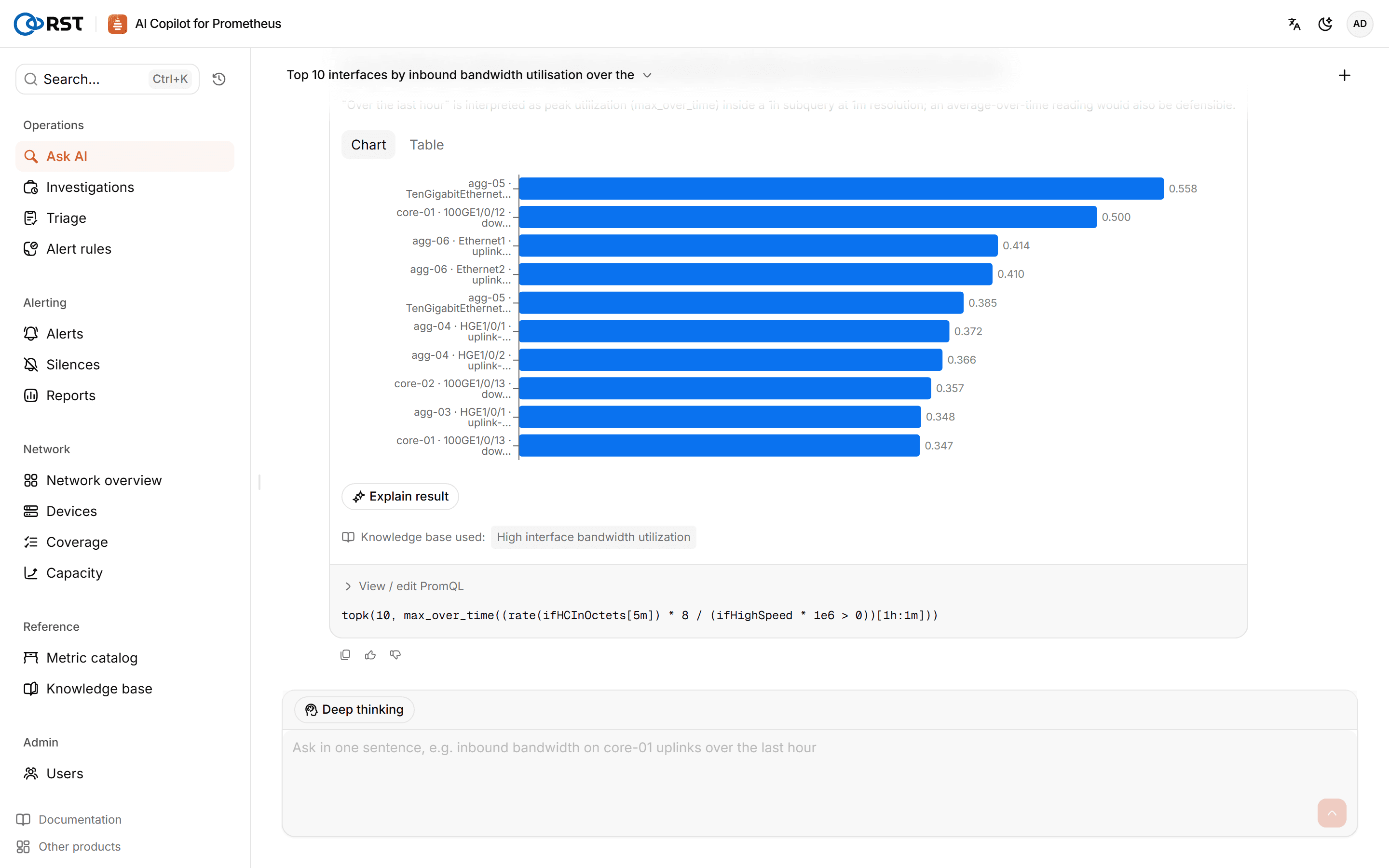
Each turn shows three steps: understanding the question, generating PromQL, running the query. Ask follow-up questions in the same conversation and the gateway rewrites the query with that context. New conversation starts over.
Validation and confidence
Before it runs, the generated PromQL is validated against your real Prometheus, and every metric it uses is checked to exist. If validation fails, the gateway repairs the query and marks the result as auto-corrected.
Every result carries a confidence level:
| Confidence | Meaning |
|---|---|
| High | Validated; use it as is |
| Medium | Validated; worth checking the query |
| Low | Failed Prometheus validation, or uses a metric that does not exist |
Without a model, queries are built by keyword from the metric dictionary, labelled Keyword match, and get low confidence.
Results
- Chart and table views. With many series, the chart only draws those with the largest latest values; the table has all of them.
- View / edit PromQL: read or edit the expression, switch between instant and range queries, change start, end and step, and run it again.
- Open in Grafana: with a Grafana address configured, opens the query in Grafana Explore.
- Explain result: the model reads the result and returns key fields, things to watch and suggested next checks; any suggestion can be re-run as a new query. Explanations cite runbooks from the knowledge base.
- Feedback: mark a query as right or wrong and say what was wrong. Feedback is used to improve generation; see generation quality in AI settings.
Data boundary
Queries against Prometheus are read-only. Anything sent to the model is first processed with the masking level set in Settings: label values such as IPs, host names and user names are masked before they leave the gateway; see Settings. Every model call is audited.