

Notifications
Deliver AI investigation findings, alert escalations and reports to Feishu, DingTalk, WeCom, email and webhooks; the delivery log and resending; audit forwarding.
Notifications is in the Audit & notify group at the bottom of the sidebar and opens as a page tab. The page is titled Outbound channels.
Notifications deliver only AI output: investigation conclusions, alert clusters escalated in triage, and reports. This is not alert routing and does not forward Alertmanager alerts; Alertmanager still pages people, so nobody gets the same alert twice.
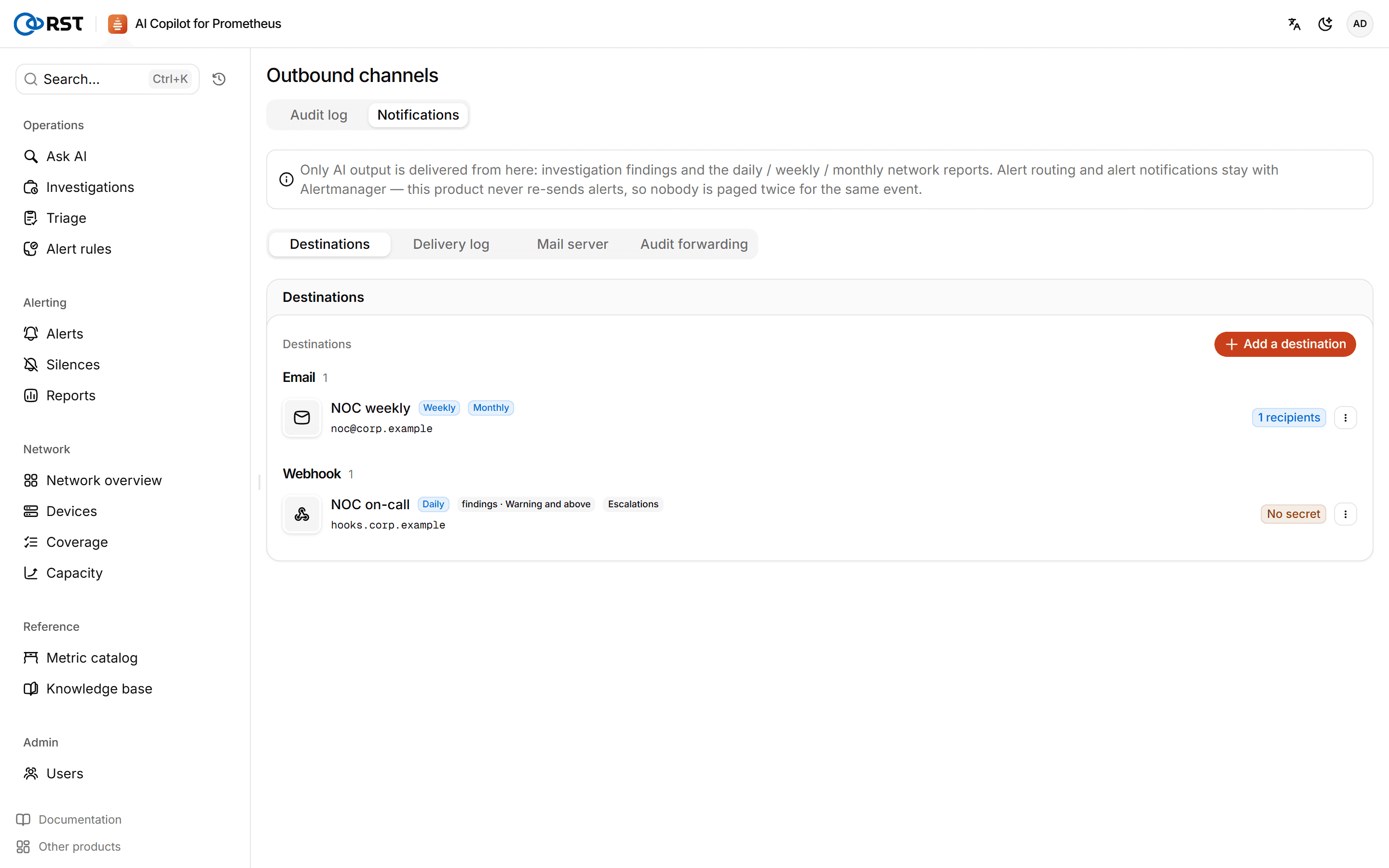
Destinations
Channels: Feishu, DingTalk, WeCom, email and webhook. Click Add a destination, choose the channel and enter a name and address (group bot webhook, recipients or webhook URL), with an optional signing secret. Each destination's subscriptions are independent:
| Subscription | Meaning |
|---|---|
| Reports | Pick daily, weekly or monthly; scheduled reports are delivered when generated |
| AI findings | Delivered when someone clicks Push the conclusion on an investigation. Set a minimum severity: warning and above, or critical only |
| Alert escalations | Alert clusters escalated in triage are pushed here, regardless of the findings subscription and minimum severity |
Send a test checks a destination. Webhook addresses, signing secrets and SMTP passwords are stored encrypted and never shown again.
The schedule sets the send time and time zone for scheduled reports.
Delivery log
Delivery goes through an outbound queue in the database. Failures are retried with backoff; after the last retry the delivery is marked as given up. Once the configuration is fixed, click Resend in the delivery log.
Mail server
One setting shared by every email destination: server address, encryption, port, user name, password (an app password or authorization code), sender address and sender name. Without it, email destinations keep failing.
Audit forwarding
On this tab Enterprise can forward audit events such as sign-ins, queries and model calls to an external log platform in real time, over syslog (RFC 5424) or a webhook (POST JSON). See Audit log.
Reports
Daily, weekly and monthly network reports: alerts, the most utilized links, errors and discards, device availability, capacity risk and AI investigation findings. Needs a Professional license.
Audit log
Every write and every model call is recorded as an audit event that you can filter by time, action, outcome and user, and export.