

License
Where to activate a license, online and offline activation, replacing, renewing and deactivating, and license states.
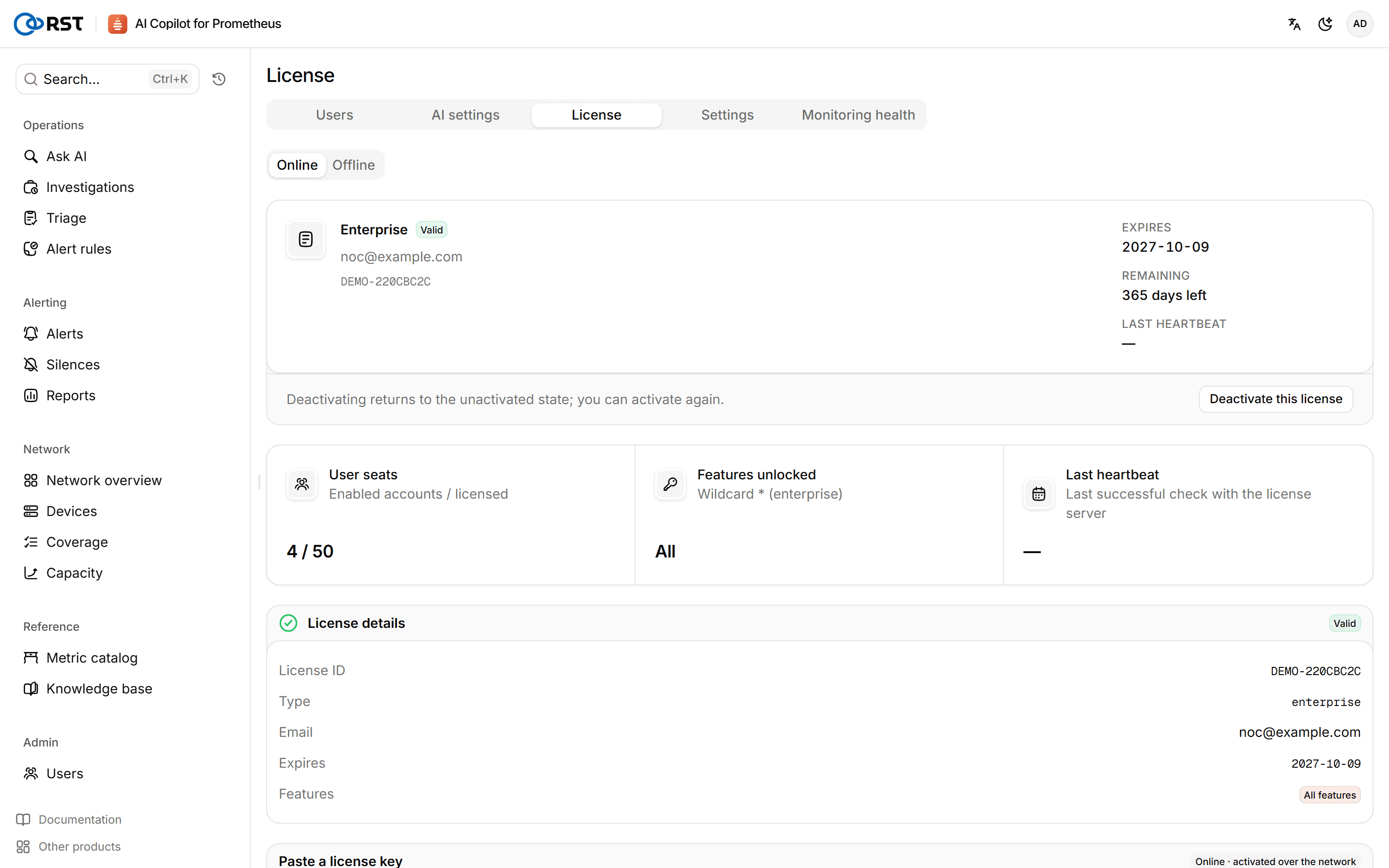
License is in the Admin group at the bottom of the sidebar and opens as a page tab, at https://<address>/v2/license. Everyone can see the license status; only admins can activate, replace or deactivate.
Editions
| Edition | Licensing | Includes |
|---|---|---|
| Community | Free, no license, 1 user | Ask AI, alerts and silences, alert rule approval and write-back, network overview, devices, coverage, metric catalog, knowledge base, masking, audit, notifications |
| Professional | Commercial, per user, 1 node | Everything in Community plus alert triage, alert investigation, AI alert rule generation, monitoring health, capacity forecast, alert noise reduction and reports |
| Enterprise | Commercial, unlimited nodes | Everything in Professional plus OIDC single sign-on, audit forwarding, multi-provider model failover and offline activation |
| Trial | Every Enterprise feature for 14 days, 1 node, up to 10 accounts | Request one on the trial page, confirm the email, then copy the license key from the console |
Editions on the page lists the differences; the full comparison is in Editions. Every edition uses the same bundle: importing a license unlocks features on the current install, with no reinstall and no data loss.
Online activation
Prerequisite: the gateway host can reach license.reallysec.com on 443.
- Under Activation method, choose Online and paste the license key or upload the license file.
- Click Activate. The status becomes valid and the license is bound to this host's fingerprint.
From then on the gateway sends regular heartbeats to the license server; renewals and entitlement changes arrive with the heartbeat.
Offline activation
Offline activation is an Enterprise feature for hosts without internet access.
- Under Activation method, choose Offline, click Copy the host fingerprint and send it to Reallysec.
- When you receive the offline license file (
.lic) bound to that fingerprint, upload it. - Click Activate. The gateway checks the signature and fingerprint locally and unlocks; after that it sends no heartbeats and makes no outbound calls.
The host fingerprint comes from state/machine-id and state/server_guid in the install directory, and they must never be regenerated. Regenerating either file counts as new hardware and the license has to be activated again. Include state/ in your backups.
Replacing, renewing and deactivating
- Replace or renew: paste the new license key and activate; there is no need to deactivate first.
- Deactivate: choose Deactivate this license. The gateway returns to the unactivated state and runs as Community; you can activate again.
License states
License overview shows the status, expiry date, features unlocked and usage (user seats, nodes, model calls). As expiry approaches it reminds you to renew.
| State | Meaning |
|---|---|
| Unactivated | No license; runs as Community |
| Valid | Normal |
| Expiring | Less than 7 days to expiry; features work as usual |
| Grace period | Expired less than 7 days ago; features work as usual |
| Expired | Expired more than 7 days ago; runs as Community and paid features pause |
| Heartbeat lost | An online license has not reached the license server for more than 3 days. Runs as Community with paid features paused; everything returns once contact resumes. Check outbound access to license.reallysec.com:443 |
| Revoked | The license was revoked by the issuer; runs as Community and paid features pause |
| Invalid | Signature, product or host binding does not match, usually a key that belongs to another host |
If a license lapses while more than Community's 1 account is enabled, only admins can sign in. No data is lost.