

User guide
Tour
Sidebar groups, page tabs, the command palette, and what each of the three roles can see.
After sign-in you land on Ask AI. The main sidebar has four groups that follow an on-call shift, with every page you use daily; the bottom of the sidebar has Admin and Audit & notify, whose pages switch with tabs at the top.
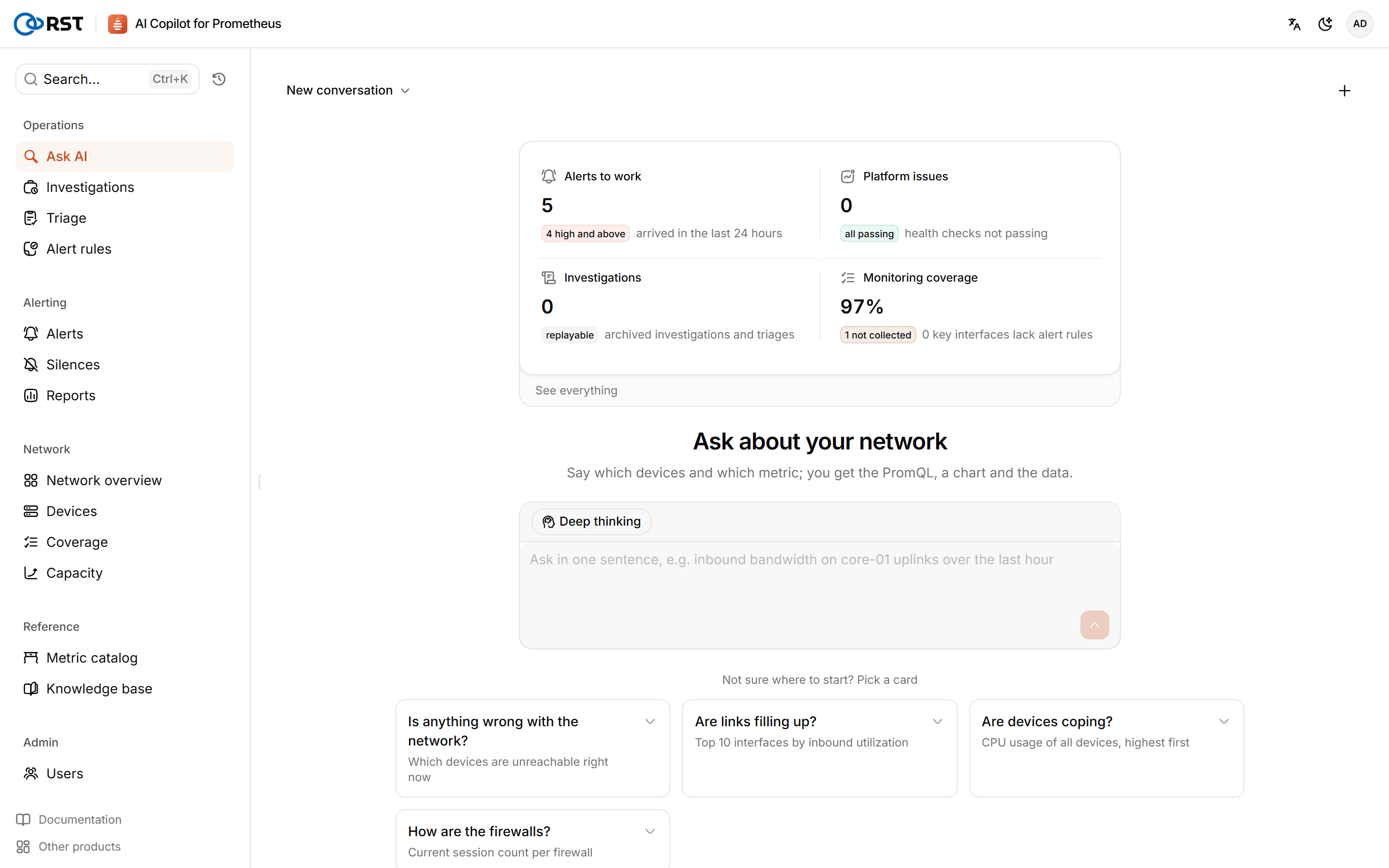
Sidebar
| Group | Page | What it is for |
|---|---|---|
| Operations | Ask AI | Query metrics in plain language |
| Investigations | Review investigations, triage runs and result readouts | |
| Triage | Rank alerts for handling in bulk (Professional) | |
| Alert rules | Generate, approve and deploy alert rules | |
| Alerting | Alerts | Current and past Alertmanager alerts |
| Silences | Alertmanager silences | |
| Reports | Daily, weekly and monthly network reports (Professional) | |
| Network | Network overview | The state of the network on one screen |
| Devices | Devices and interfaces | |
| Coverage | Gaps in collection and alert rules | |
| Capacity | When thresholds will be reached (Professional) | |
| Reference | Metric catalog | Metrics of each MIB and vendor |
| Knowledge base | Runbooks | |
| Admin | Users, AI settings, License, Settings, Monitoring health | Switch with page tabs |
| Audit & notify | Audit log, Notifications | Switch with page tabs |
Pages that need a license show a lock while no license is active. You can still open them; running them offers the upgrade. See Editions.
Top bar
- Search and the command palette (
Ctrl+K,⌘Kon macOS): jump to any page by name, including pages behind tabs. - Query history: questions you recently asked in Ask AI.
- The account menu at the top right: profile and preferences, language and theme, sign out.
While Prometheus is not connected, a banner at the top links to the Settings page.
Roles
| Role | Can do |
|---|---|
| Admin | Everything, including users, license and AI settings |
| Operator | Everything except users, license and AI settings: queries, investigations, submitting and approving alert rules, creating and expiring silences, changing settings |
| Viewer | Read only. Any write other than signing in, signing out and changing their own password is refused |