

Users and roles
Manage accounts for the gateway's own sign-in and their three roles. Create, disable, reset passwords, and delete; role changes apply immediately. Requires the separate user table (Postgres).
The Users page manages accounts for the gateway's own sign-in. It is under Settings > Users and only administrators can use it. On deployments with SSO, the IdP owns the accounts and roles come from group mappings such as RST_RBAC_ADMIN_GROUPS, so this page is not used.
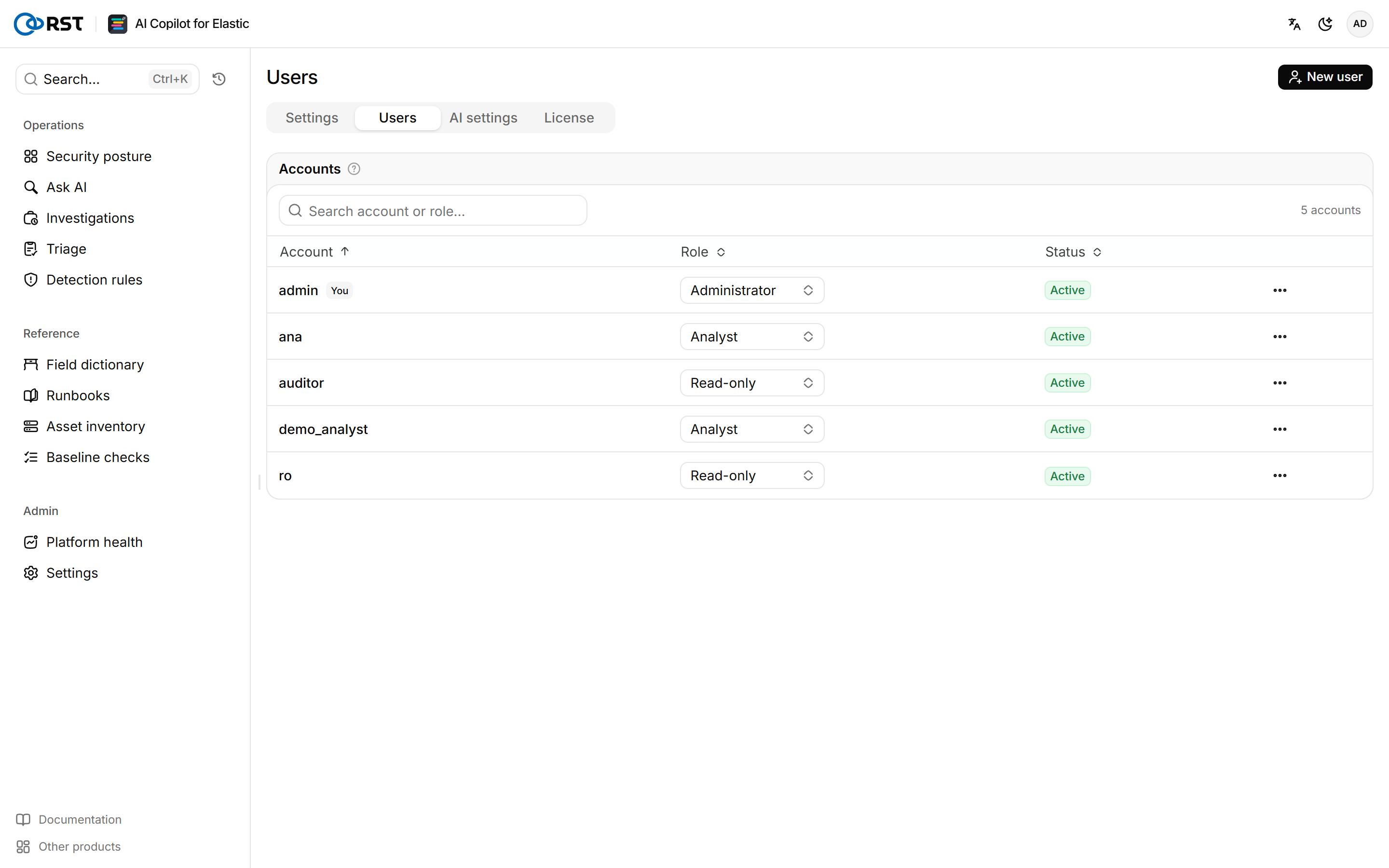
User table
Multiple accounts need a separate user table in Postgres, set by RST_USER_DB_URL. deploy.sh starts a userdb container and sets the variable, so the table is ready after installation. For a manual installation, set RST_USER_DB_URL=postgresql://user:pass@host:5432/rst_users and restart the gateway.
Without it, the deployment has a single administrator defined by RST_ADMIN_USERNAME and RST_ADMIN_PASSWORD_HASH in .env, and the page reports that it has no separate user table.
Accounts live in the userdb_data volume. Include it in your backups. If the volume is lost, only the first administrator from .env remains.
Roles
| Role | Permissions |
|---|---|
| Administrator | Change settings, manage accounts, activate the license, configure AI, view the audit log |
| Analyst | Query, investigate, triage, change alert dispositions, upload runbooks, import the inventory. Cannot change gateway configuration |
| Read-only | Query, search, read explanations and reports. Cannot change anything, including alert dispositions |
Read-only accounts can open every page; write buttons are disabled with a reason. Role changes apply immediately without signing in again.
Create a user
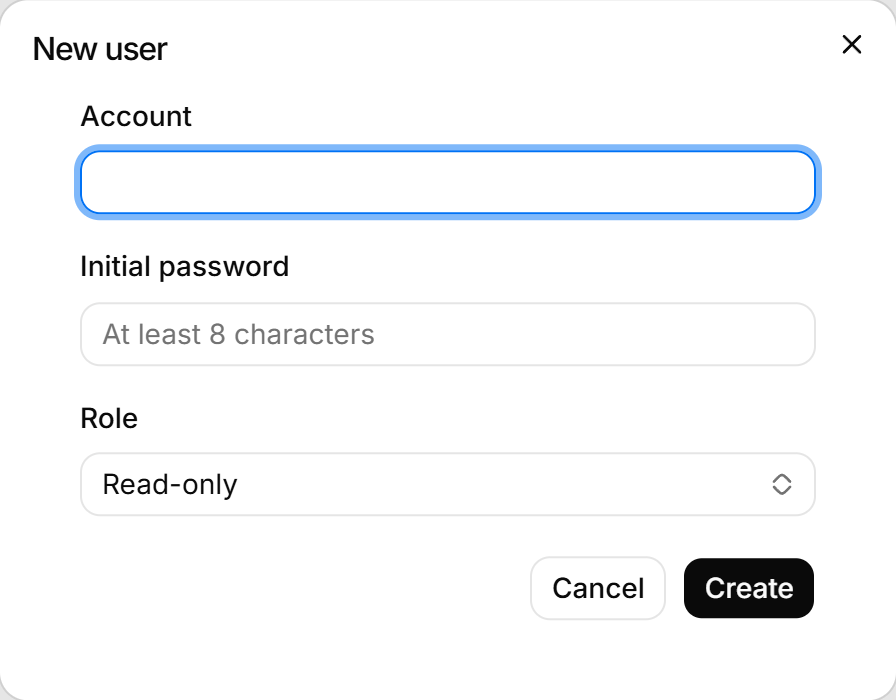
Select New user to create an account. The Initial password needs at least 8 characters. Community has 1 user; adding accounts needs a Professional or Enterprise license, and enabled accounts cannot exceed the users in the license. No email is sent. Give the initial password to the user, who changes it on the Account page.
Disable, reset, or delete an account
Disable and Reset password end every session of the account immediately. A disabled account is kept and can be enabled again. Delete cannot be undone, and the account can no longer sign in.
The last enabled administrator cannot be disabled, demoted, or deleted; create another administrator first. You cannot disable or delete your own account.
Settings
Administrator configuration for the Elasticsearch connection, index allowlist, field masking, audit and forwarding, and online update. Changes apply immediately.
AI settings
Configure LLM providers, failover order and reasoning effort, set the knowledge-base embedding model, and check provider health and 24-hour call volume.