

Detection rules
Describe the behavior to detect in plain language and get a Kibana detection rule (KQL, EQL, or threshold) mapped to MITRE ATT&CK. Export it as .ndjson and import it into Kibana. Paid.
The Detection rules page turns a plain-language description into a Kibana detection rule tagged with MITRE ATT&CK techniques and tactics. It is a paid capability, available in Professional (including the 14-day trial) and above.
Before generating, the model reads the actual fields of the target index (the same scan as the Field dictionary), so the rule only uses field names that exist in your cluster. Generation also searches the Runbooks knowledge base and states how many documents it used.
Generate a detection rule
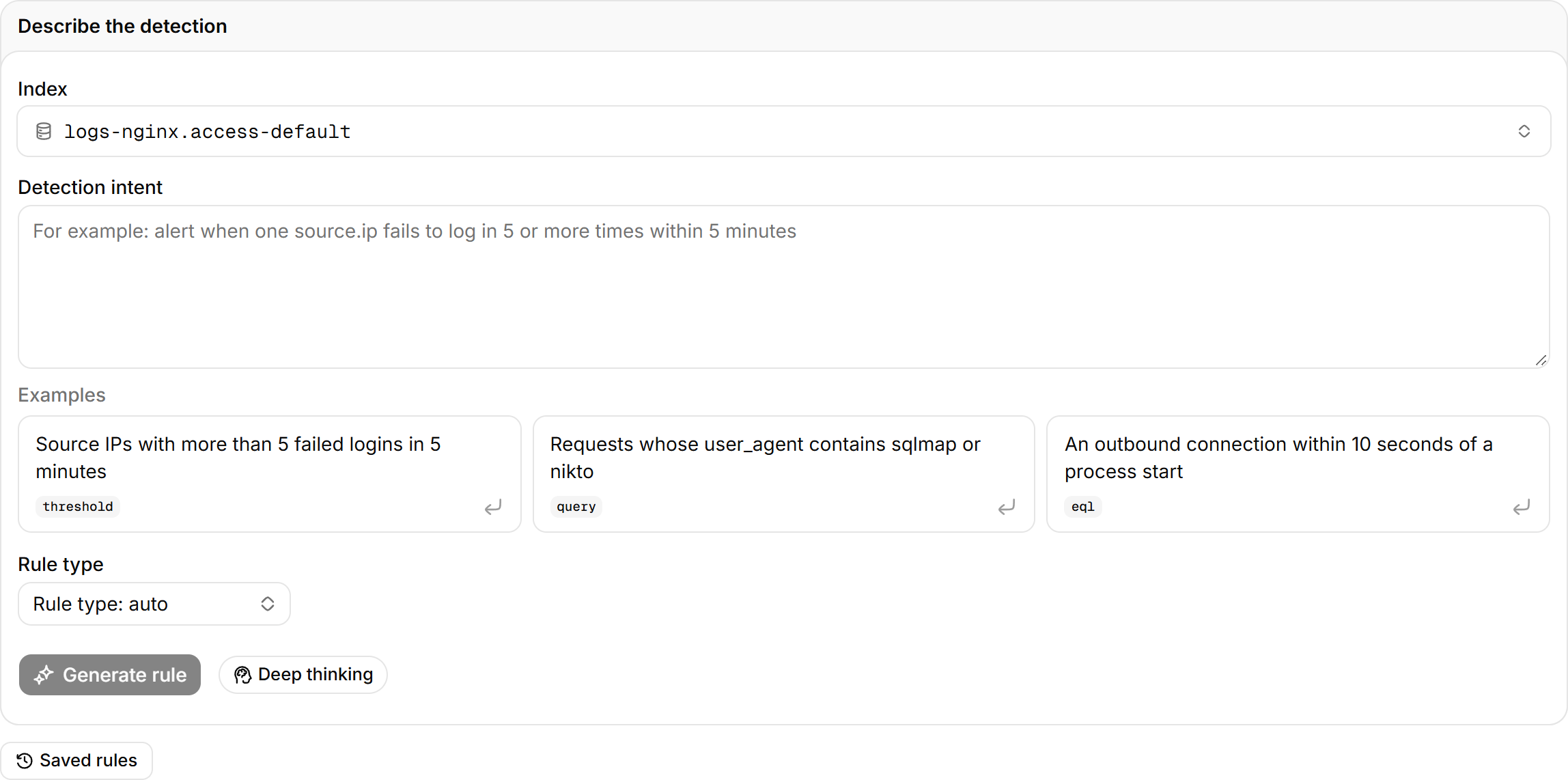
Steps
- In Index, select the index the rule runs on.
- In Detection intent, state the trigger, the time window, and the field names, for example "the same source.ip produces 5 or more event.action="login_failure" within 5 minutes".
- (Optional) In Rule type, pick
query (KQL),threshold, oreql. With the default Rule type: auto, the model chooses: KQL for a single condition, EQL for ordered multi-event patterns, threshold for counts. - Select Generate rule.
If you arrive from Make a detection rule on an investigation report or from Ask AI, the form is pre-filled.
If the intent is too vague, the model declines and names what is missing: the trigger, the window, or the field names.
Generated rule
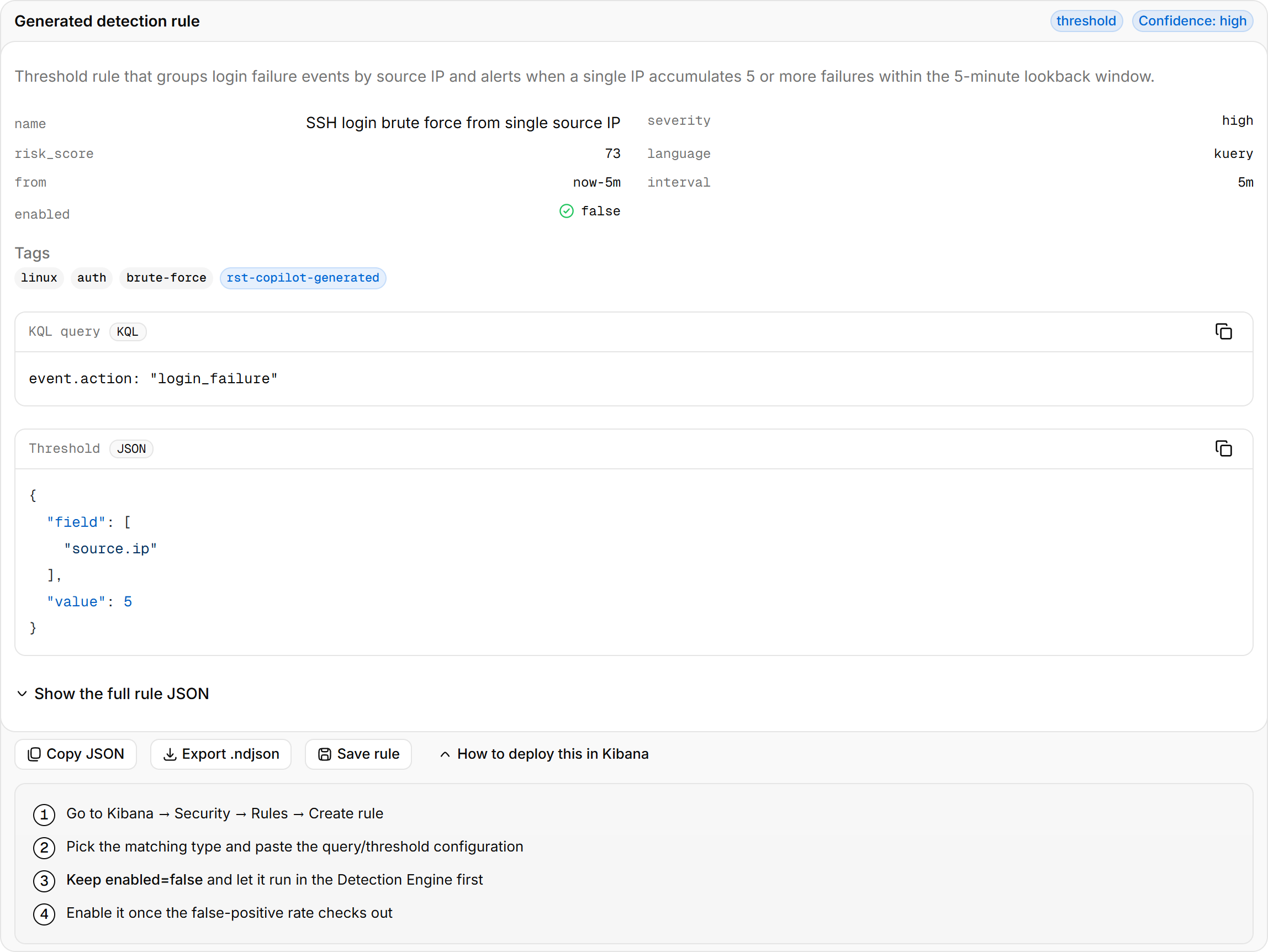
| Block | Content |
|---|---|
| Confidence | The model's own rating of how well the rule captures the intent |
| Tags | MITRE ATT&CK technique IDs and tactics |
| KQL query / EQL query | The rule query. Threshold rules add a Threshold block with the field and count |
| Explanation | What the rule catches, why it is written this way, and likely false-positive sources |
| Show the full rule JSON | The Kibana rule object: name, description, severity, risk score, schedule |
Select Save rule to store the rule in the team library. Everyone can see it and load it back, export it again, or delete it. The library is kept in the .rst_copilot_userstate index in Elasticsearch.
Deploy to Kibana
Steps
- On the generated rule, select Export .ndjson.
- In Kibana, open Security > Rules, select Import, and import the file.
You can also select Create rule in Kibana, pick the matching type, and paste the query or threshold configuration.
Exported rules are enabled: false. Run the rule in the Detection Engine first, check the false-positive rate, and enable it by hand after an operations review.
Triage
Cluster a batch of alerts by intent and subject. The model scores each cluster, flags likely false positives, recommends actions, and ranks the queue. Paid.
Field dictionary
Scan an index for its fields, types, cardinality, and sample values. Confirm field names before you write a query or a rule.