

Asset inventory
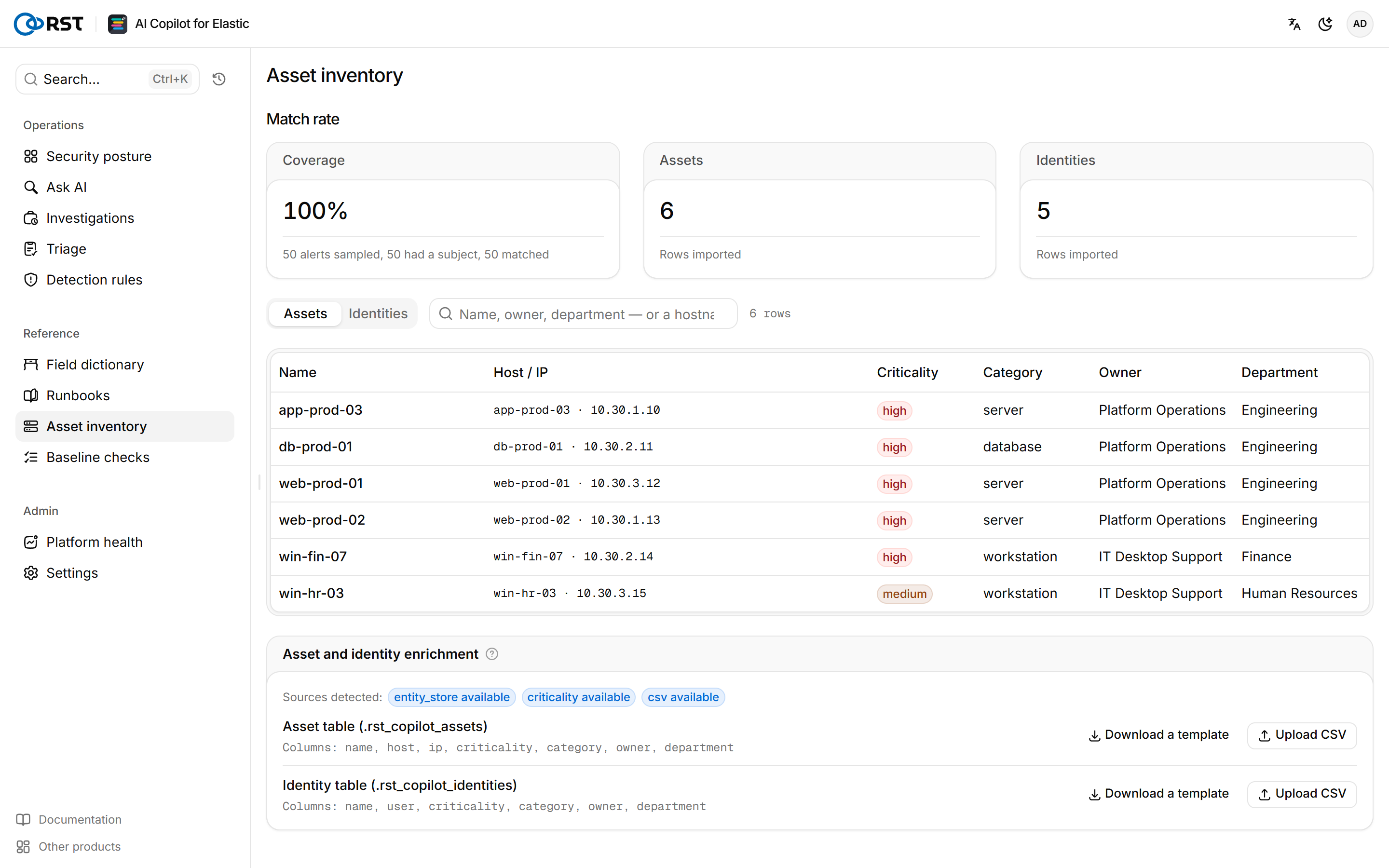
Map the hostnames, IPs, and accounts in alerts to business assets and owners. Import CSV, or read Elastic's own entity store.
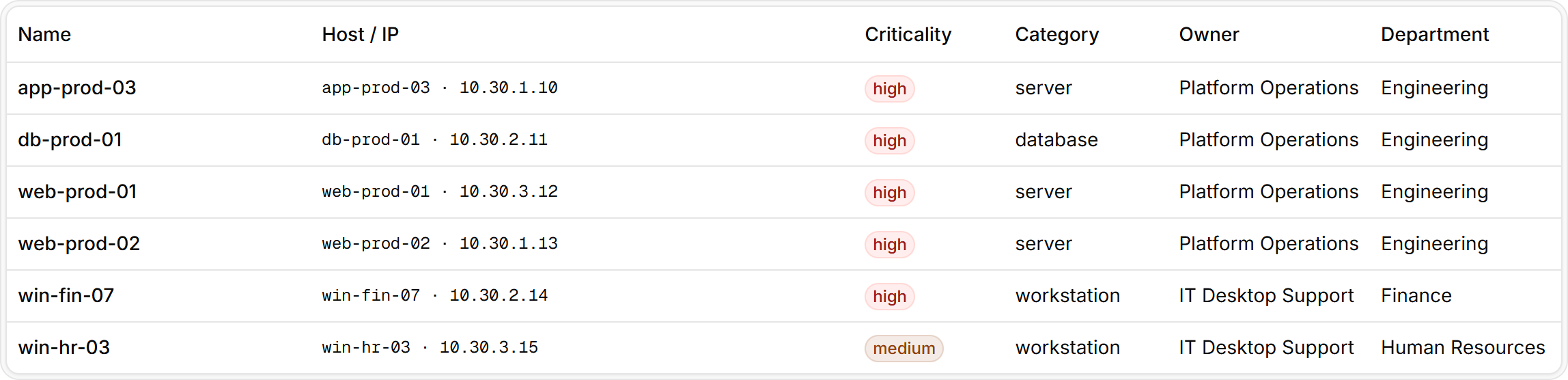
The asset inventory maps the hosts, IPs, and accounts in alerts to business assets and owners, and is available in every edition. The first step of an alert investigation, asset and identity enrichment, reads it, and criticality feeds the severity verdict. Alerts details show the asset and owner, and Triage sends the cluster subject's asset data to the model. Without a ledger, investigations still run with an empty asset column.
Sources
The ledger is the union of three sources. Sources detected on the page shows which are available.
| Source | Description |
|---|---|
entity_store | Elastic Security's Entity Store, read automatically when enabled |
criticality | Elastic Security's Asset Criticality |
csv | CSV imported on this page. Assets go to .rst_copilot_assets, identities to .rst_copilot_identities |
Import a CSV
Assets and identities are imported as two tables. Only the columns listed below are accepted; any other column rejects the whole file. If any row fails validation, nothing is written.

Steps
- On the Asset table (.rst_copilot_assets) or Identity table (.rst_copilot_identities) row, select Download a template to get the header row.
- Fill in your data.
- On the same row, select Upload CSV.
The page reports how many rows were imported and into which index.
Asset columns are name,host,ip,criticality,category,owner,department:
name,host,ip,criticality,category,owner,department
Finance-DB-01,WIN-DB01.corp.local,203.0.113.5,high,database,Zhang San,Finance
Web-07,web-07.corp.local,,medium,server,Li Si,Operations
Identity columns are name,user,criticality,category,owner,department:
name,user,criticality,category,owner,department
Zhang San,CORP\jsmith,high,employee,Wang Wu,Finance
svc_backup,svc_backup,high,service,Li Si,Operations| Item | Rule |
|---|---|
name | Required |
criticality | high, medium, or low |
category | Free text |
| File size | Up to 2,000,000 bytes |
| Rows | Up to 50,000 per import |
Re-importing overwrites assets by host and ip and identities by user. A corrected row for the same host, with a new name or owner, replaces the old row instead of adding one.
Check the match rate
Coverage under Match rate is computed from a sample of recent alerts: the share of alerts with a subject (host, user, IP) that resolve in the ledger.
A coverage of 0% means nothing is imported, or the hostnames in alerts are written differently from the ledger. A short name and its FQDN match each other, for example web-07 and web-07.corp.local. Other spellings do not.
On the Assets and Identities tabs, search by name, owner, or department, or directly by hostname, IP, or account.
Runbooks
SOPs, runbooks, and environment notes form a searchable knowledge base. Triage, investigation, rule generation, and check-up readings cite it automatically.
Baseline checks
CIS and MLPS 2.0 compliance verdicts from rules over osquery results. No model involved, so verdicts are reproducible and work air-gapped.