

Field dictionary
Scan an index for its fields, types, cardinality, and sample values. Confirm field names before you write a query or a rule.
The field dictionary reads an index's mapping and a sample of documents and lists the fields and values that actually exist in your cluster, whether or not ECS defines them. Ask AI and Detection rules use the same scan internally. It is available in every edition.
Check the field dictionary when:
- You are about to write a detection intent and need to know whether the field is
event.actionorevent.type, and whether the value islogin_failureorfailed. - An Ask AI query finds nothing and you want to see whether the log says
ERRORorerror. - You are judging whether to onboard an index. Many empty fields or odd cardinalities point to a collector mapping problem.
Scan an index
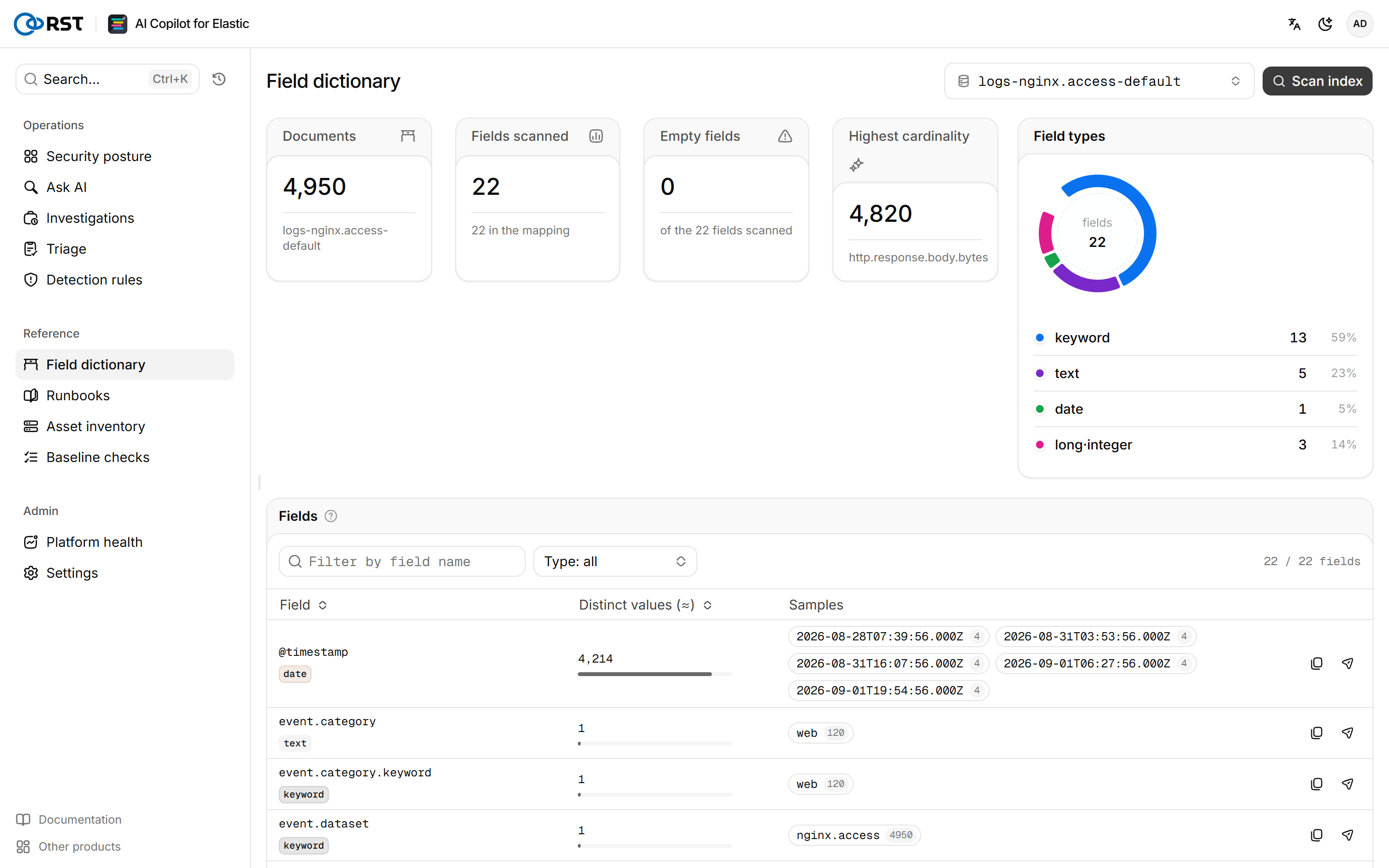
Steps
- Enter an index name. Wildcards are allowed, for example
logs-nginx.*. - Select Scan index.
Results are cached for 300 seconds. RST_FIELD_DICT_CACHE_TTL_S sets the cache time; 0 turns it off.
Scan overview
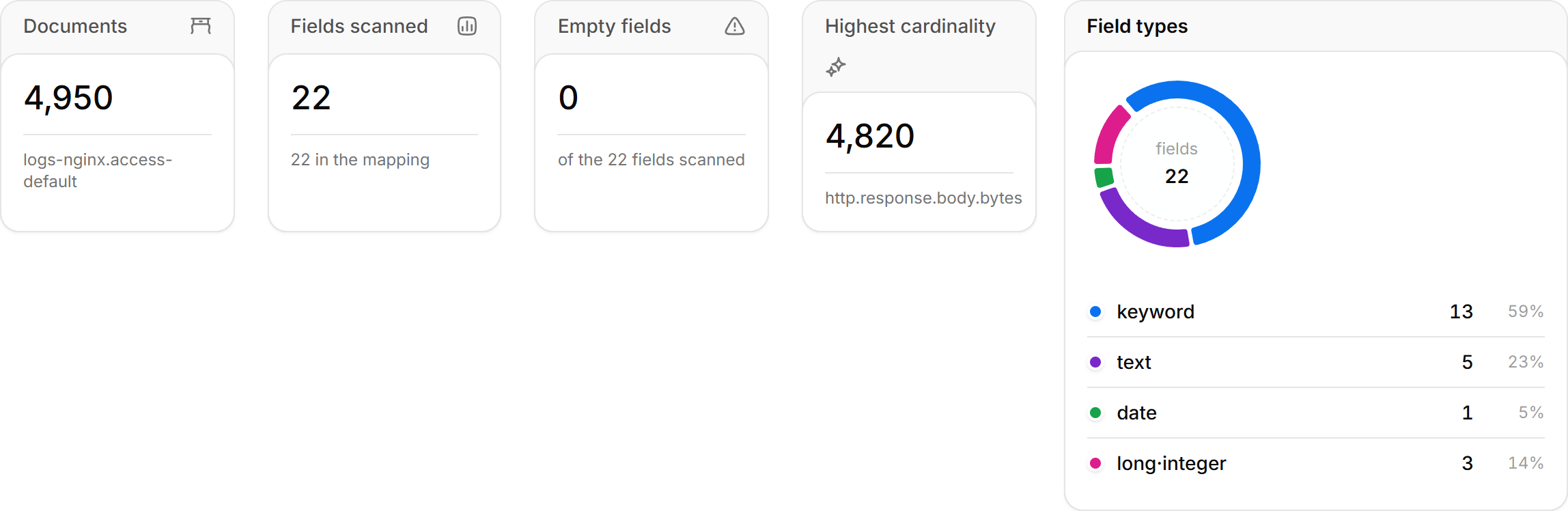
| Card | Meaning |
|---|---|
| Documents | Matched index count and document count |
| Fields scanned | Fields seen in the sample, and fields declared in the mapping. A large index scanned only in part is marked First batch only |
| Empty fields | In the mapping but never seen in the sample. Avoid them in rules |
| Highest cardinality | The field with the most distinct values, usually an ID, timestamp, or message body |
| Field types | Share of keyword, text, date, ip, long, and other types |
Use the field table
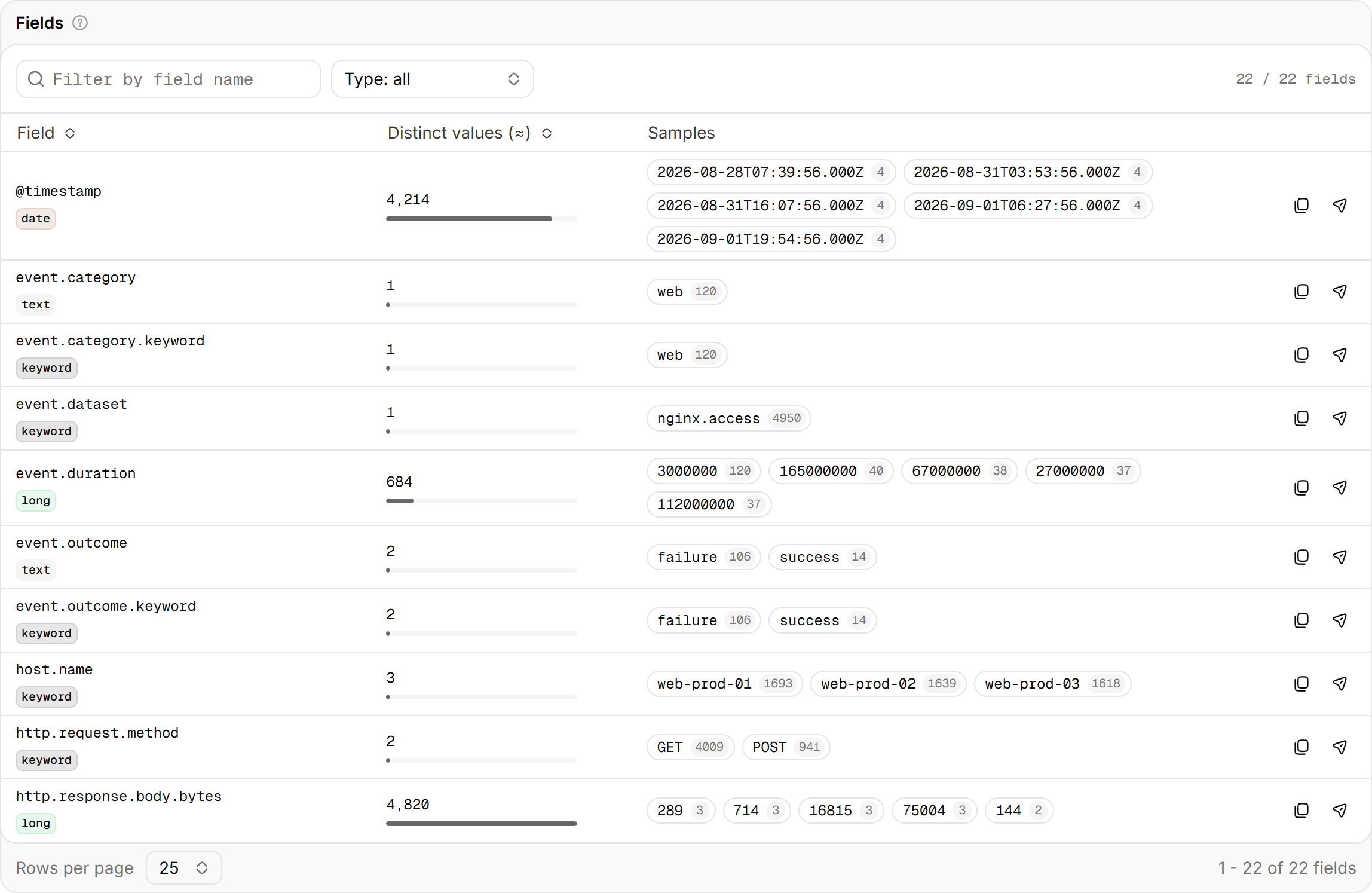
Each row is a field with its type, estimated distinct values, and sample values, most frequent first.
| Action | Result |
|---|---|
| Select a sample value | Copies it as field:"value", ready to paste into a query or rule |
| Insert into a query | Takes the field to Ask AI |
| Aggregate by a field | Takes the question "Aggregate by X, top 10" to Ask AI |
Detection rules
Describe the behavior to detect in plain language and get a Kibana detection rule (KQL, EQL, or threshold) mapped to MITRE ATT&CK. Export it as .ndjson and import it into Kibana. Paid.
Runbooks
SOPs, runbooks, and environment notes form a searchable knowledge base. Triage, investigation, rule generation, and check-up readings cite it automatically.