

Reports
Daily, weekly, and monthly reports covering alert posture, top rules and entities, baseline pass rate, model usage, and health. On demand or scheduled, archived, and pushed.
Reports summarize a period of security-operations data in one document and need a Professional or Enterprise license, including a trial. You can generate one at any time, or have the gateway generate, archive, and push them on a schedule. The page is a top tab of Security posture.
Generate a report

Steps
- Open Security posture > Reports.
- Select a period: Daily (last 24 hours), Weekly (last 7 days), or Monthly (last 30 days).
Generation takes a few seconds to a minute. Select Regenerate to recompute with the latest data.
Report content
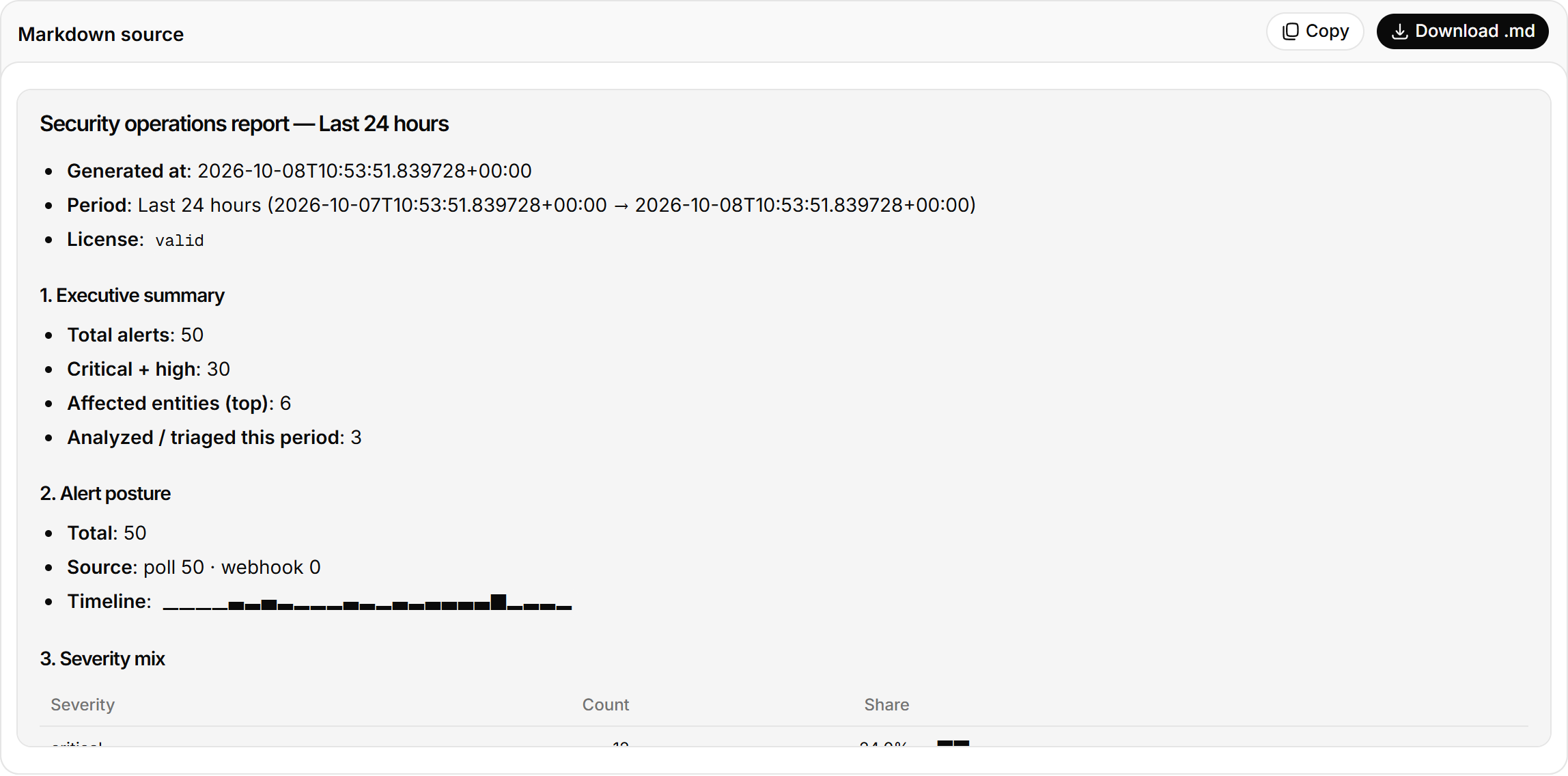
| Block | Content |
|---|---|
| Executive summary | Alerts, Critical + high, Entities affected (hosts, accounts, IPs), Analysed (went through investigation or triage) |
| Alert timeline and severity mix | The same charts as Security posture, for the period |
| Top rules and top entities | Noisiest rules; most frequent hosts, accounts, and IPs |
| Baseline checks | Runs in the period, pass rate, last run |
| Calls by action | Model calls by purpose: queries, triage, investigations |
| Top indices and top users | Most queried indices, heaviest users, call success rate |
| Model provider health | Status of each provider |
| Full report | The model-written Markdown summary (what happened, what needs attention) plus every block's data. Select Download .md to save it |
Schedule and archive reports
Gateway environment variables control scheduled reports.
RST_REPORT_SCHEDULE=daily,weekly,monthly   # empty turns it off
RST_REPORT_TZ=+08:00                        # period boundaries; defaults to RST_TIMEZONE
RST_REPORT_PERSIST=1                        # archive to Elasticsearch, on by default
RST_REPORT_CATCHUP_MAX=7                    # periods to catch up after downtime; 0 turns it off
The archive is kept in the .rst_copilot_reports index and listed under Scheduled report archive. Each archived report carries two checks:
- System health check: whether Elasticsearch writes succeed and audit is on.
- Alert triage sweep: clusters auto-triaged in the period and how many are high. Requires
RST_REPORT_TRIAGE_INDEX.
Push reports
You can use either or both:
- Set
RST_REPORT_WEBHOOK_URLand the gateway POSTs every scheduled report there. Add headers withRST_REPORT_WEBHOOK_HEADERSin the formK1:V1;K2:V2. - Set a schedule in Outbound channels to send reports to Feishu, DingTalk, WeCom, Teams, Slack, or email destinations.
Alerts
Ingest Elastic Security detection alerts by polling or webhook, each with an automatic summary. Group, filter, and set dispositions in the feed, and investigate a single alert.
Platform health
A checkup of the Elastic cluster that carries your logs, with a verdict per check. The paid AI read groups failing checks by root cause and orders the fixes.