

Settings
Administrator configuration for the Elasticsearch connection, index allowlist, field masking, audit and forwarding, and online update. Changes apply immediately.
Settings is visible to administrators only. Changes take effect as soon as you select Save and apply, with no gateway restart. They are stored in the gateway's state volume and survive restarts. Same-named variables in .env are only initial values; once you change a setting in the UI, the UI value wins.
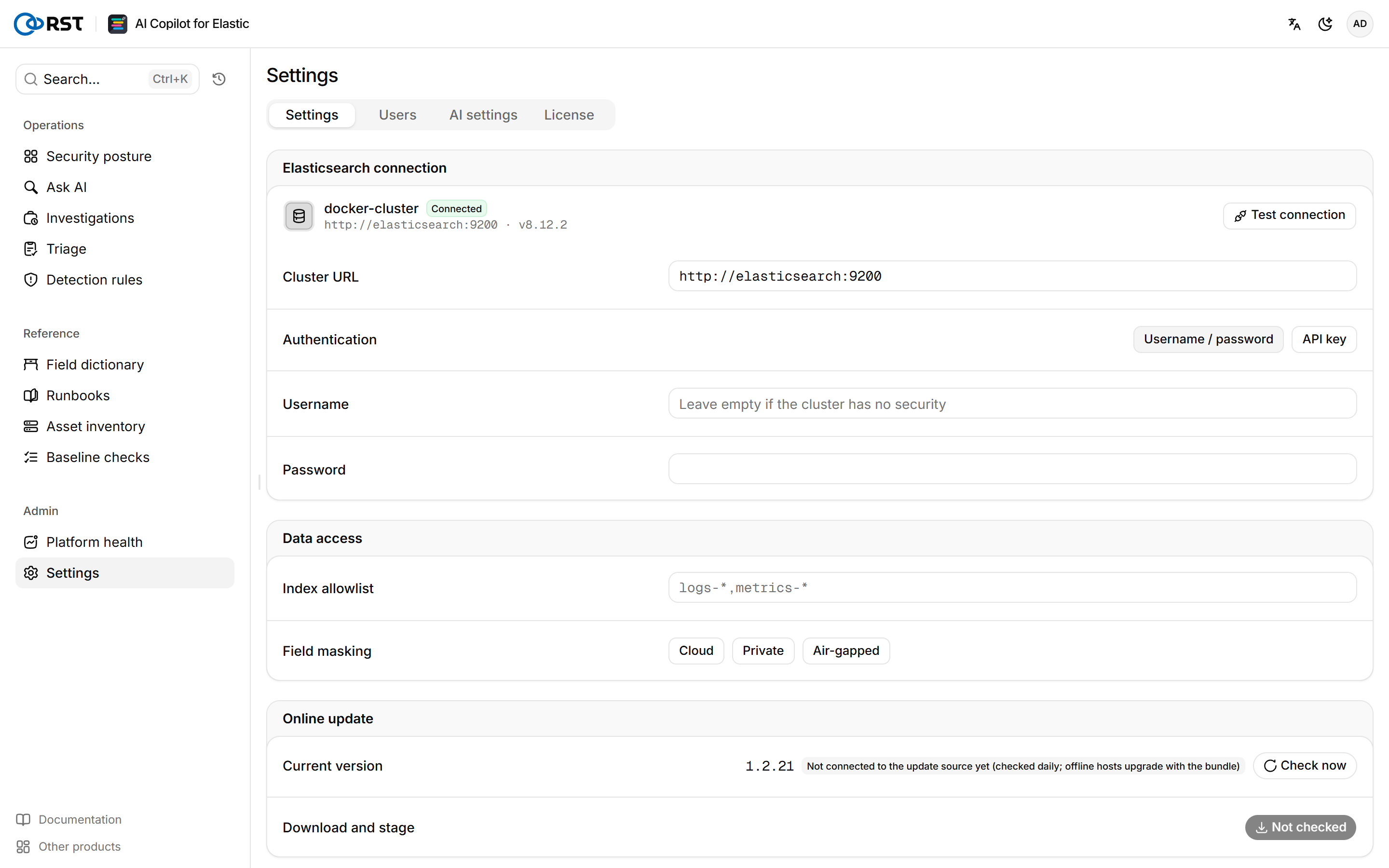
Connect to Elasticsearch
Prerequisites
- A dedicated gateway account, created as described in Elasticsearch account permissions.
Steps
- Under Cluster connection, enter the Cluster URL, for example
https://es.corp.local:9200. Separate several nodes with commas. - If the cluster uses a self-signed certificate, turn off Verify the server certificate, or enter the in-container CA certificate path, usually
/certs/ca.pem. - Select Test connection, and when it passes, select Save and apply.
You cannot save until the test passes. Leave Username and Password empty if the cluster has no security. An empty Password keeps the stored one. Entering a CA certificate path turns verification on.
If the test reports "Connected, but this account cannot list indices", grant the account monitor and read on the target indices; otherwise the query page stays empty.
On a fresh install without Elasticsearch, a connection dialog appears in front of every page.
Data scope and masking

Index allowlist lists the index patterns the gateway may query, comma-separated, for example logs-*,filebeat-*. It cannot be empty. Ask AI, investigations and the field dictionary stay inside it. The gateway refuses any model query outside the allowlist, and the refusal appears in the investigation's retrieval trace.
Field masking controls what happens to data before it reaches the model. All three modes are available in every edition, and RST_MASKING_MODE can pin one.
| Mode | Behavior | Use case |
|---|---|---|
| Cloud | IPs, accounts, hostnames and similar values become placeholders such as 10.30.x.x. Hashes and IOCs are kept | Model in a public cloud |
| Private | Only secrets and credentials are removed | Model in your own data center |
| Air-gapped | Nothing leaves the network | Air-gapped site with a local model |
Audit and forwarding
With Enable auditing on, every login, query, model call and settings change is written to the Audit index in Elasticsearch, .rst_copilot_audit by default. The Audit log page reads that index.
Records can also be forwarded to syslog (RFC 5424) and a webhook (POST JSON). Forwarding is an Enterprise feature, and RST_AUDIT_WEBHOOK_ALLOWLIST restricts webhook targets.
The audit index grows without limit. When you turn auditing on, also set RST_ILM_BOOTSTRAP=1 and RST_AUDIT_RETENTION_DAYS.
Version and updates

After an online license completes its first heartbeat, the gateway learns about new versions from the license server. Download and stage verifies the new image and stores it in ./release/staging. Operations then installs it on the host with sudo ./deploy/rst-update.sh, which rolls back automatically if the health check fails. See Online update.
Platform health
A checkup of the Elastic cluster that carries your logs, with a verdict per check. The paid AI read groups failing checks by root cause and orders the fixes.
Users and roles
Manage accounts for the gateway's own sign-in and their three roles. Create, disable, reset passwords, and delete; role changes apply immediately. Requires the separate user table (Postgres).