

Request logs
The fields recorded for each call, filtering and export, timing, usage, source and routing in the request detail, retained conversation content, and the retention period.
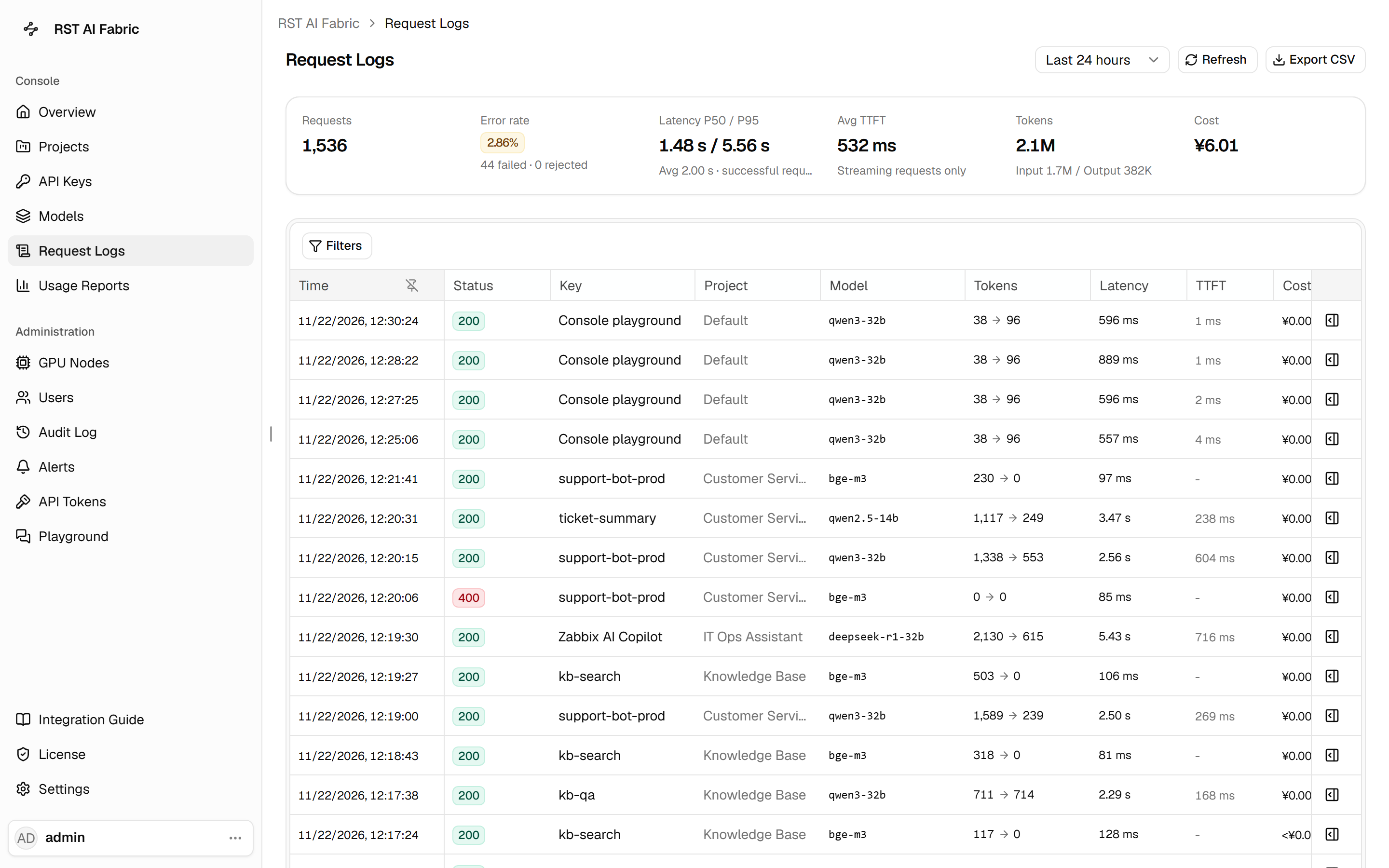
Request Logs records every call to the gateway. Requests the gateway rejects (rate limits, exhausted quotas, disallowed models, queue timeouts, content safety blocks and so on) are recorded too, with the reason; requests with an invalid key are not. Project members see only their projects' entries, without the internal addresses of inference servers.
Fields
| Field | Description |
|---|---|
| Time | When the request arrived |
| Key, Project | The key used and its project. Playground calls show Console playground |
| Model | The model that actually served the request |
| Upstream | The host:port that handled it; empty when rejected |
| Status | HTTP status code, streamed or not |
| Tokens | Input / output tokens |
| Cost | From the model's prices |
| Queue | Time spent waiting for a model concurrency slot |
| Latency | From request to completion |
| TTFT | Time to first token for streamed requests |
| Client IP | The caller's address. Behind a reverse proxy, set RST_FABRIC_TRUSTED_PROXIES |
| Error | Why the request was rejected or failed, starting with the error code, for example rate_limit_rpm: ... |
The top of the page summarises the current filter: requests, error rate (failures and how many were rejections), P50 / P95 latency, average time to first token, tokens and cost. Requests slower than the P95 are marked.
Filter and export
Filter by time (last hour, 24 hours, 7 days, 30 days or all time), key, project, model and status (success or error).
Export CSV exports the current filter, up to the newest 100,000 entries; a final line notes when there are more. Exports are recorded in the audit log.
Request detail
View details opens a single request with timing, usage, source and routing. When a request fell back or was rerouted to a long-context model, the routing section names the original model and the reason: queue timeout, upstream unavailable, upstream 5xx error or upstream context-length error. Only this key and Only this model filter the list in one step.
Conversation content
When a project has Retain conversation content on, the request body and response text of its calls (each truncated to 64 KB) are kept with the log entry. Administrators can read them under Conversation in the request detail; each view is recorded in the audit log. Personal information masking runs before content is stored, so retained content contains no original numbers.
Retention
Request logs are kept for 90 days by default. Administrators can change this under Settings > Security; 0 keeps them forever. Older log entries and retained content are deleted automatically. Usage report and statement totals are not affected by retention.
API reference
Authentication for the gateway's client endpoints, request and response headers, what each endpoint does and its limits, streaming and usage accounting, model name resolution, and the error format.
Usage reports
Requests, tokens and cost by project, key, model or date, date ranges and CSV export, and the value report that estimates savings against cloud reference prices.