

API tokens
Creating tokens for external systems to call the console management API, roles and expiry, how tokens lapse with their creator, usage and limits.
API Tokens let external systems, such as automation scripts or a finance reconciliation system, call the console's management API, for example to pull usage reports. A token has the permissions of the role chosen for it. Only administrators can create and delete tokens.
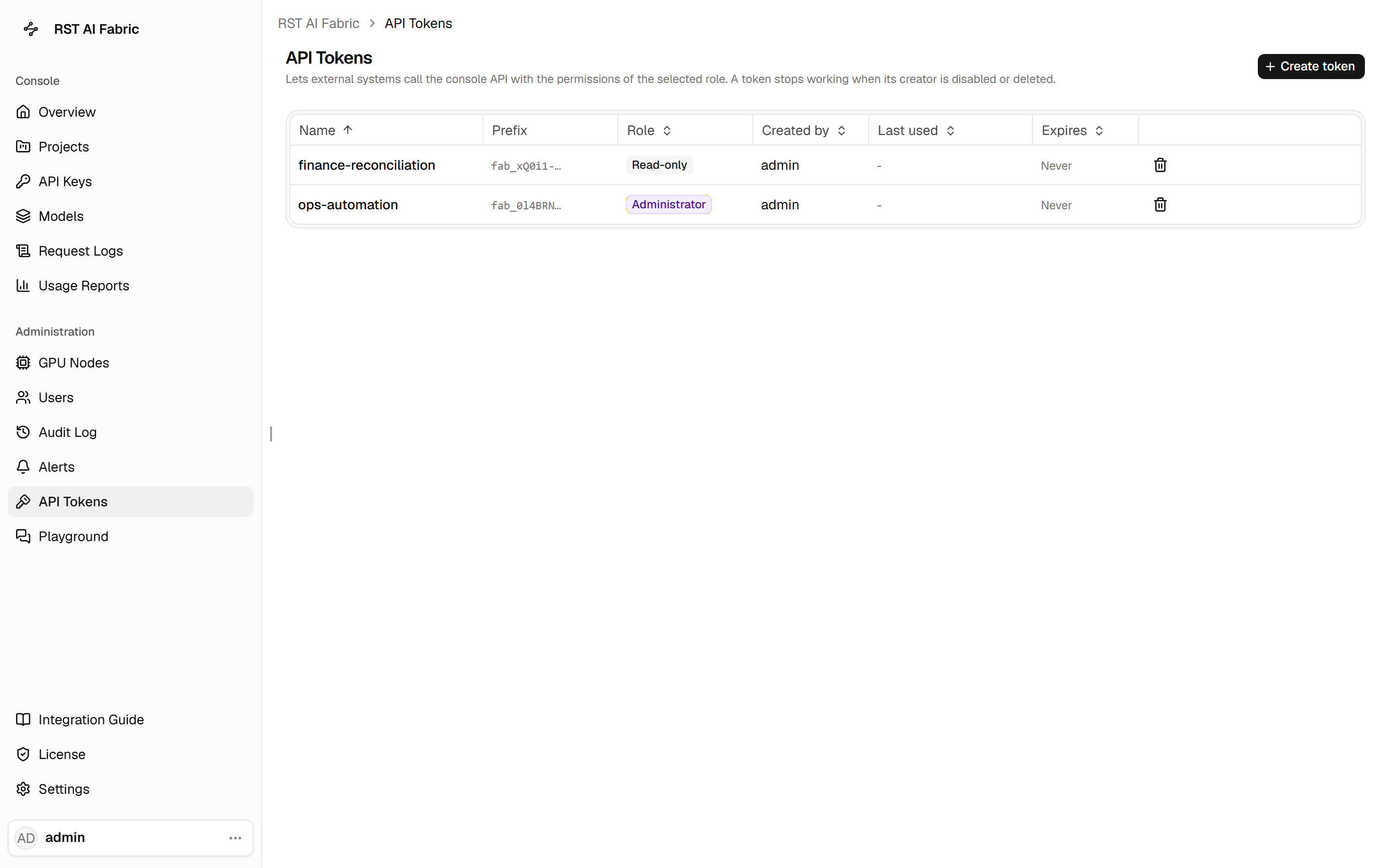
API tokens are for the console management API (/api), not for calling models. Models are called with API keys.
Create a token
- Select Create token.
- Enter a name, for example "Finance reconciliation".
- Choose a role: Administrator or Read-only.
- Optionally set an expiry date.
- Save. The full token (starting with
fab_) is shown only once; copy it straight away.
The list shows name, prefix, role, creator, last use and expiry.
Use
Send the token in the request header:
curl http://<gateway>:8080/api/usage?group=project \
  -H "Authorization: Bearer fab_..."
Download the API description with Download OpenAPI spec on the Integration Guide page. In the audit log, actions taken with a token show the user as token:<name>.
Rules and limits
- A token is tied to its creator. If the creator is deleted, disabled or no longer an administrator, the token stops working at once and shows as inactive; it works again once the creator is restored.
- Tokens are not subject to the two-factor authentication policy, so keep them safe.
- Tokens cannot view API keys or start one-click upgrades.
- Once a token is deleted, calls using it fail immediately.
Users
Creating local accounts and assigning roles, resetting passwords and two-factor authentication, disabling, deleting and bulk actions, account sources, and the rules that protect the last administrator.
Audit log
The management actions recorded in the audit log, its fields, filters and detail view, and CSV export.