

Alerts
Adding Feishu, DingTalk, WeCom, email and webhook channels, alert rules and their defaults, when alerts are sent, and the alert history.
The Alerts page has three parts: alert channels, alert rules and alert history. Alerts go to every enabled channel. Only administrators can open the page.
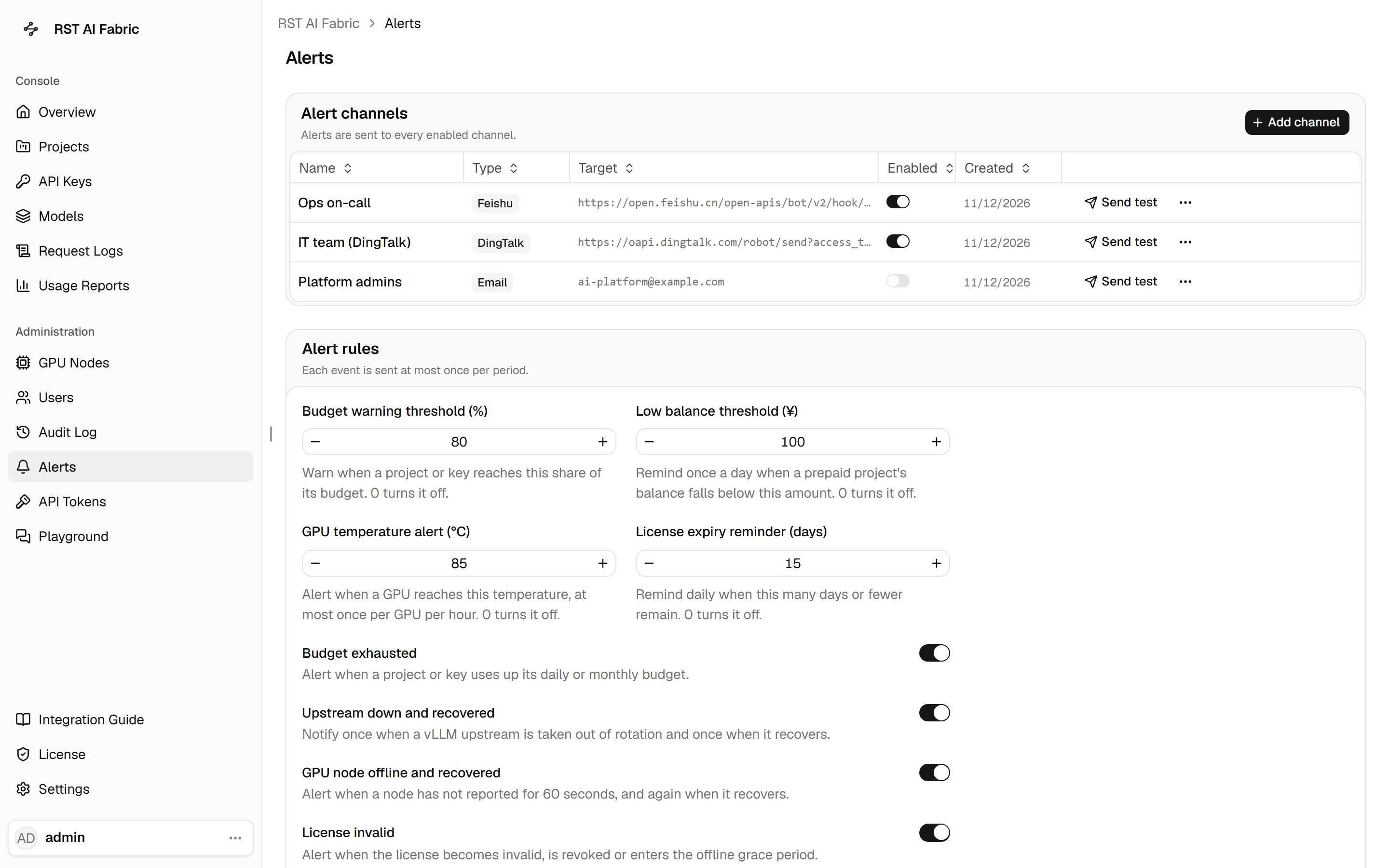
Alert channels
-
Select Add channel, enter a name and choose a type:
Type Target Feishu Feishu group bot webhook URL DingTalk DingTalk group bot webhook URL WeCom WeCom group bot webhook URL Email Recipient addresses, comma separated. Set up SMTP under Settings > Email first Webhook A URL that accepts POST JSON -
If the Feishu or DingTalk bot checks signatures, enter the signing secret.
-
Save, then select Send test to check the channel.
Each channel can be enabled or disabled. Alert messages are written in Chinese.
Alert rules
| Rule | Default | Description |
|---|---|---|
| Budget warning threshold (%) | 80 | Warns when a project or key reaches this share of its budget; 0 turns it off |
| Budget exhausted | On | Alerts when a project's or key's daily or monthly budget runs out |
| Upstream down and recovered | On | One notice when a vLLM node is ejected after connection failures, and one when it recovers |
| GPU node offline and recovered | On | Alerts when a node has not reported for 60 seconds, and again when it recovers |
| GPU temperature alert (°C) | 85 | Alerts when a GPU reaches this temperature, at most once an hour per GPU; 0 turns it off |
| License expiry reminder (days) | 15 | Daily reminder once the days remaining fall to this value; 0 turns it off |
| License invalid | On | Alerts when the licence becomes invalid, is revoked or enters the offline grace period |
| Low balance threshold (¥) | 100 | Daily reminder while a prepaid project's balance is below this value; 0 turns it off |
Each event is sent at most once per period: budgets per day or month, licence and balance once a day, and upstream and node failures and recoveries once each.
Alert history
Alert history lists each alert with its time, type, title, channels and result. If every channel fails, the alert is retried at the next check.
GPU nodes
Online status and GPU metrics of GPU servers, adding and deleting nodes, trends, GPUs, host and served models on the node detail page, and remote vLLM deployment registered as model upstreams.
Users
Creating local accounts and assigning roles, resetting passwords and two-factor authentication, disabling, deleting and bulk actions, account sources, and the rules that protect the last administrator.