

Users
Accounts for the gateway's own login and their three roles. Create, change roles, disable, reset passwords and delete. Needs the account database.
Users is a tab of the Settings page. It manages accounts for the gateway's own login, and changing it requires the administrator role. Organizations with an IdP use SSO instead; the IdP manages accounts and this page is not used.
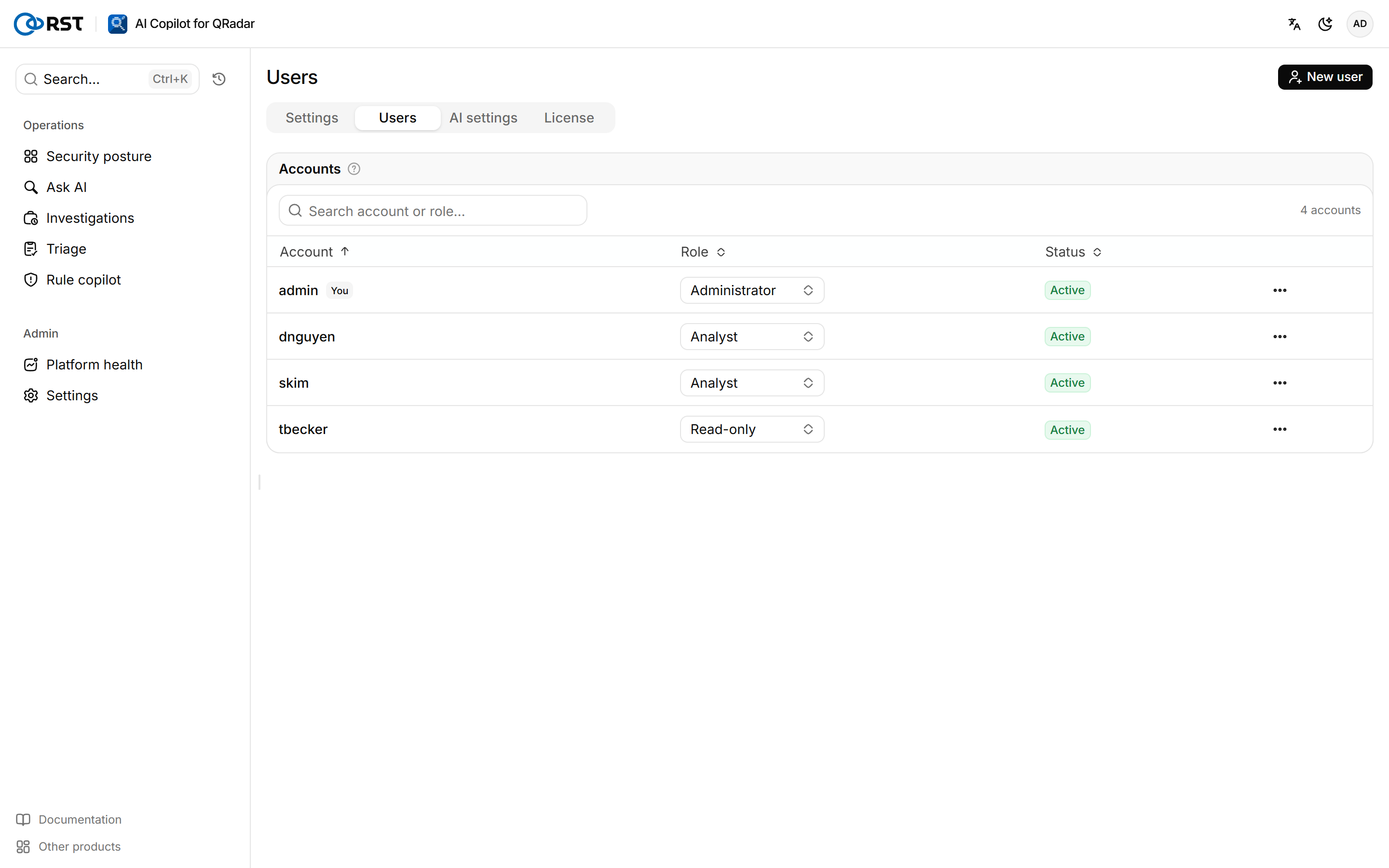
Accounts live in a PostgreSQL account database. deploy.sh starts the account database container and writes RST_USER_DB_URL, so accounts can be added right after installation. With RST_USER_DB_URL empty there is only the single administrator from .env, and the page says no one can be added. The database lives on the userdb_data volume; include it in backups, see Upgrade, rollback and backup.
Create a user
Prerequisites
- Administrator role.
- A Professional or Enterprise license. Community has 1 user; in Professional and Enterprise, enabled accounts cannot exceed the users in the license.
Steps
- Select New user.
- Enter the Account and an Initial password of at least 8 characters, and select the Role.
- Select Create.
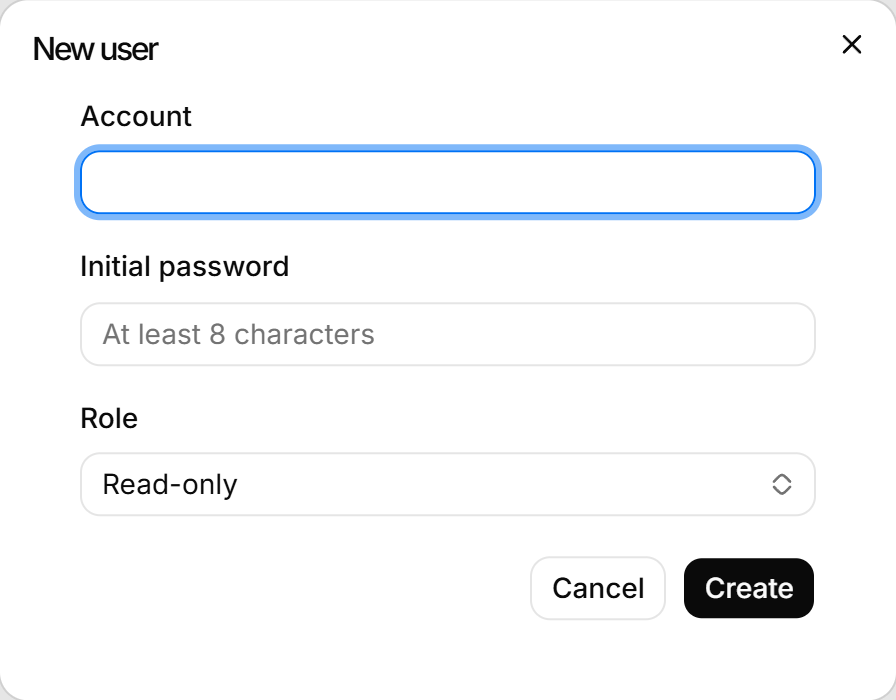
The gateway sends no email. Give the user the initial password; they change it on the Account page after signing in.
Manage existing accounts
On the account's row you can:
- Change the Role. It applies at once, without signing in again.
- Select Disable. Every session of the account is signed out; the account is kept and can be enabled again with Enable.
- Select Reset password and enter a new one. Every session of the account is signed out, and the user signs in with the new password.
- Select Delete. The account can no longer sign in, every session ends, and this cannot be undone.
You cannot delete the account you are signed in with. The last enabled administrator cannot be disabled, demoted or deleted.
Roles
| Role | Permissions |
|---|---|
| Administrator | Change Settings, AI settings and the license, manage accounts, view the Audit log |
| Analyst | Query, investigate, triage and act on offenses, including notes, closes and assignments written back to QRadar. Cannot change gateway configuration |
| Read-only | Query, search, and read explanations and reports. Cannot change anything, including dispositions |
Settings
QRadar Console connection, log-source whitelist, field masking mode, audit and forwarding, version and updates. Changes apply as soon as they are saved.
AI settings
The LLM providers the gateway uses, their failover order and reasoning effort, with each provider's health and 24-hour call volume.