

Security posture
Offense and high-severity counts in a time window, log-source and platform problems, the alert timeline, the noisiest rules and the latest alerts.
Security posture brings together figures from Offenses, the log-source catalog, Platform health and Investigations. It calls no model and is available in every edition. The page refreshes every 30 seconds; select Pause refresh in the upper-right corner to stop it. The window can be 1 hour, 6 hours, 24 hours, 7 days or 30 days, and defaults to 24 hours.
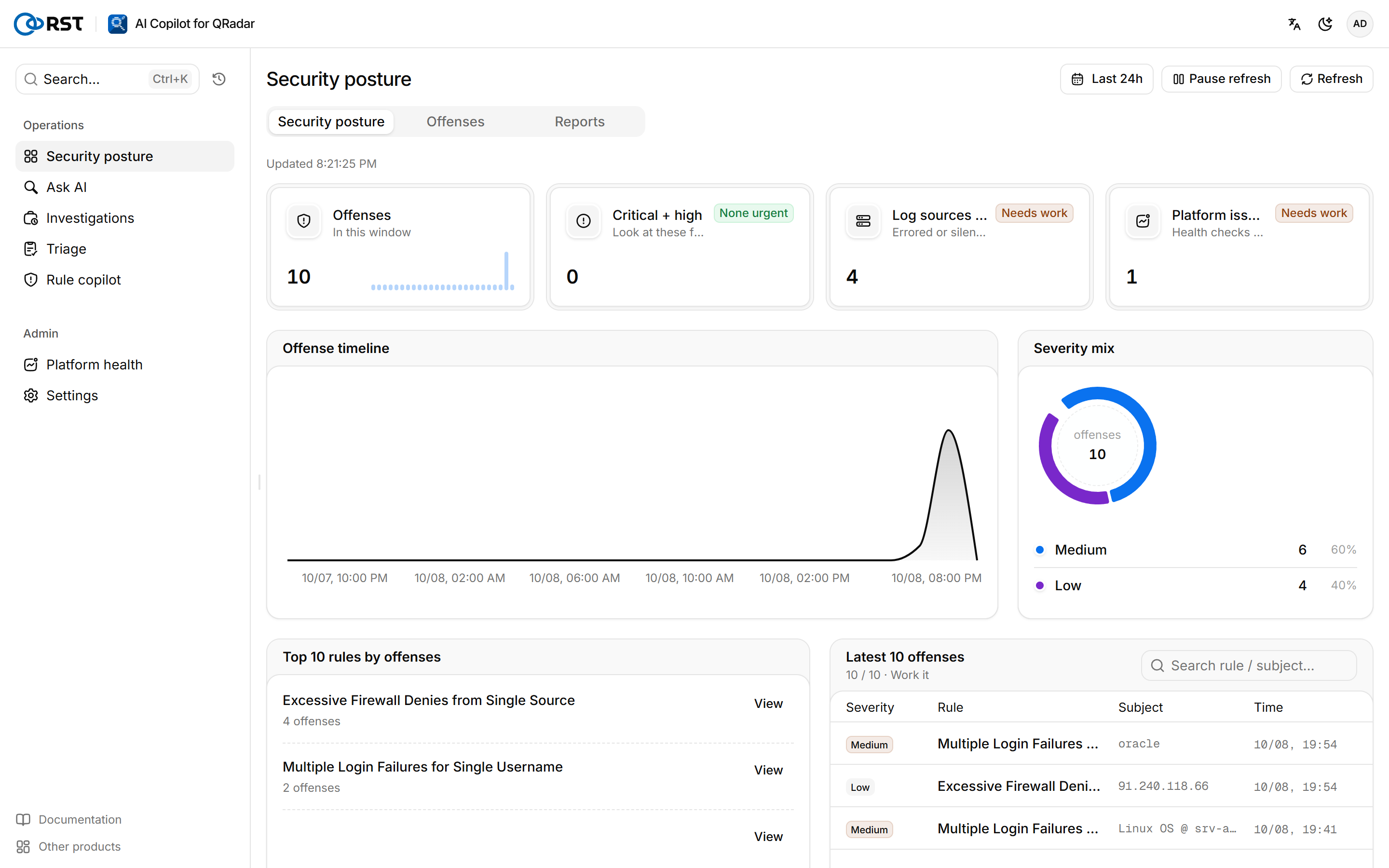
Key figures

| Figure | How it is counted |
|---|---|
| Alerts | Offenses synced in the window |
| Critical + high | The critical and high ones among them. Marked Look first when above 0 |
| Log sources at risk | Log sources in an error state or without events for 6 hours (RST_PLATFORM_STALE_WARN_H). Shows QRadar not connected until QRadar is connected |
| Platform issues | Checks that did not pass in the latest platform check-up |
Alert timeline and severity mix
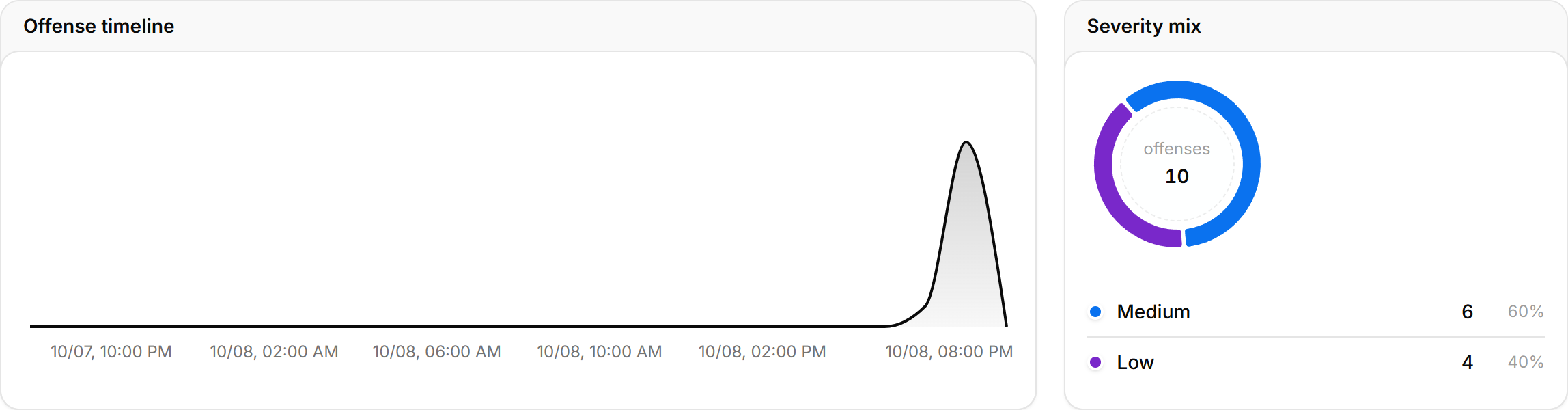
The timeline stacks alerts by severity over time, next to the severity mix for the window. Severity is derived from QRadar's magnitude.
Top rules and latest alerts
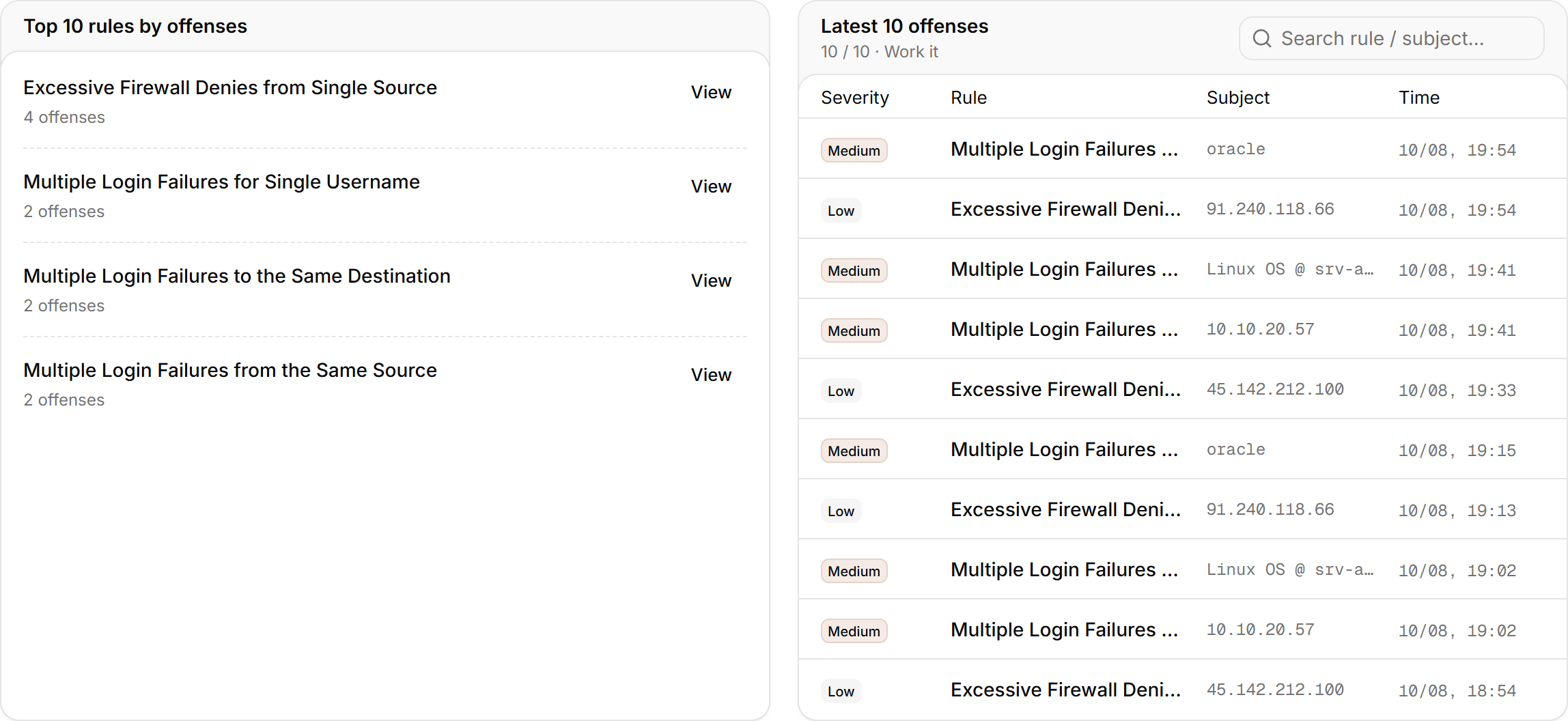
Top 10 rules by alerts lists rules with their alert counts; select a rule to open Offenses filtered by it. One noisy rule often fills most of the queue. The rule itself is changed in QRadar, and the Rule copilot can propose a tuned rule design.
Latest 10 alerts lists severity, rule, subject and time, and can be filtered with Search rule / subject…. Select Work it to open the alert feed.
Analysis archive at the bottom of the page shows how many investigations and triages are archived. Select Open archive to go to Investigations.
Rule copilot
Describe a behavior in plain language and get a QRadar Rule Wizard rule design with tests, rule response, back-test AQL and MITRE ATT&CK, checked against live rules for duplicates. The analyst builds the rule in the wizard. A paid feature.
Reports
Daily, weekly and monthly reports: offense posture, top rules and entities, analysis activity, log-source health, model usage. Generate on demand, or on a schedule with archiving and delivery.