

Settings
QRadar Console connection, log-source whitelist, field masking mode, audit and forwarding, version and updates. Changes apply as soon as they are saved.
Settings holds the gateway's own configuration; changing it requires the administrator role. Saved values are written to the gateway's state volume and apply immediately, without a restart. Values set here take precedence over the matching settings in .env, which only seed the first start; see the Configuration reference. The tabs at the top also lead to Users, AI settings and License.
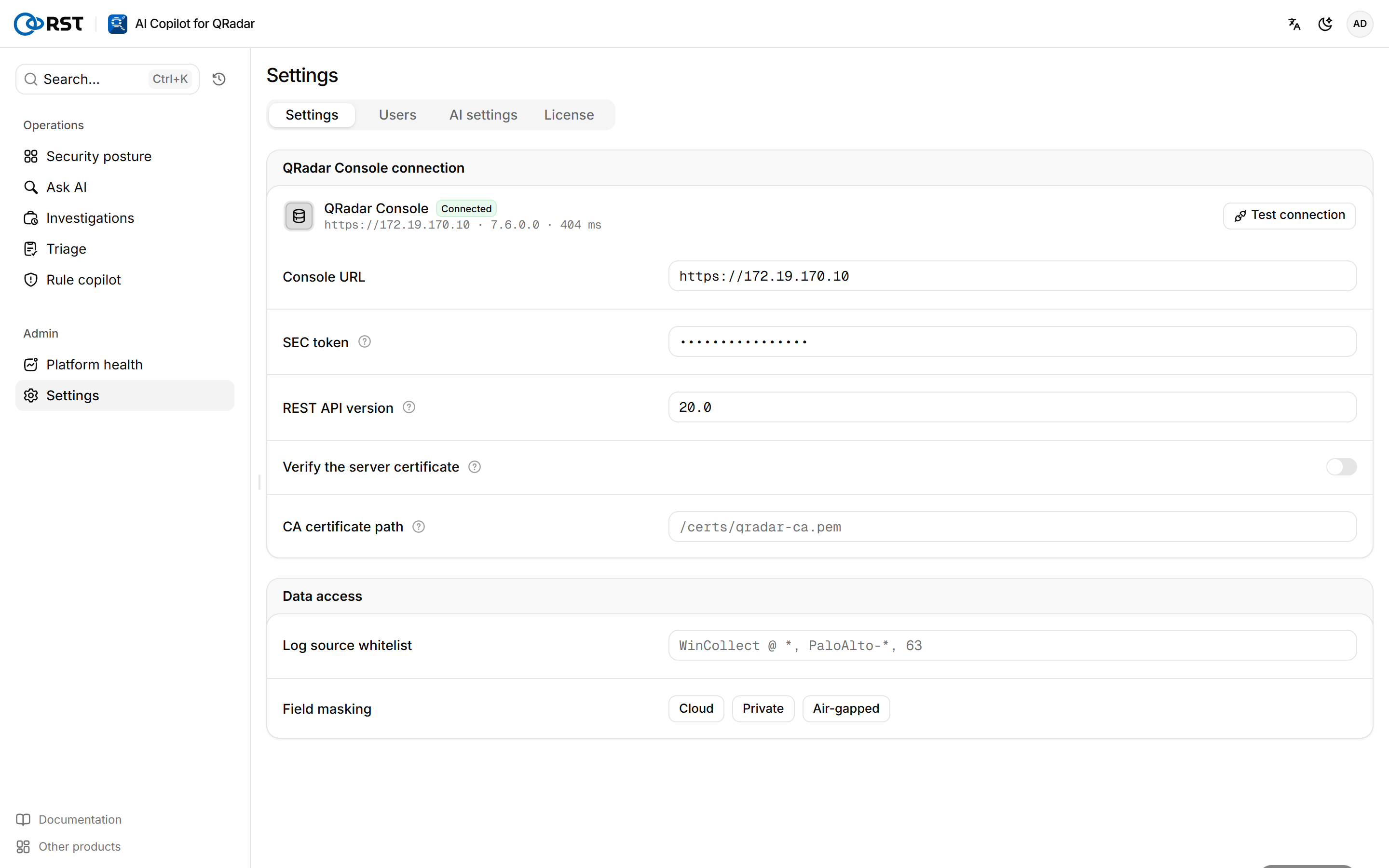
Connect the QRadar Console
On a fresh install with no Console configured, the page shows the Connect to your QRadar card. When the token expires or changes, update it in the same place.
Prerequisites
- Administrator role.
- An authorized-service SEC token; see QRadar token permissions.
Steps
- Under QRadar Console connection, enter the Console URL, such as
https://qradar.corp.local, without a path. - Enter the SEC token. If a token is already saved, leave it empty to keep it.
- (Optional) Enter the REST API version. Empty means
20.0. - (Optional) If the Console has a trusted certificate, turn on Verify the server certificate. For a private CA, enter the path inside the container under CA certificate path, usually
/certs/qradar-ca.pem; setting it turns verification on. - Select Test connection.
- When the test passes, select Save and apply.
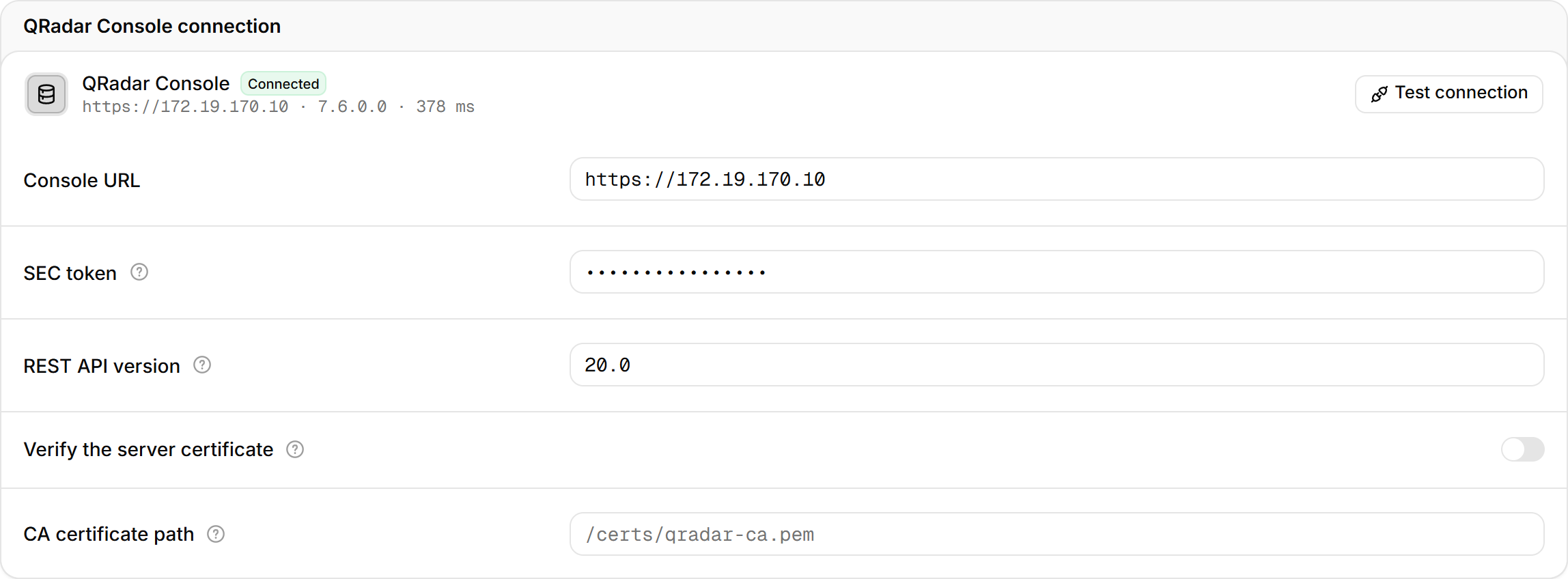
The test shows the Console version and whether each of four API families (Ariel, Offenses, rules, log sources) is reachable. If one is not, the page names the APIs the token cannot reach, and the matching pages stay empty. You cannot save until the test passes.
Changing the Console URL or token does not reset the offense sync cursor.
Set the data scope and masking
Steps
- Under Data access, enter the Log source whitelist: comma-separated log-source names or ids,
*allowed, such asWinCollect @ *,PaloAlto-*,63. Empty means every log source the token can see. - Select the Field masking mode.
- Select Save and apply.

How the whitelist is enforced is described in QRadar token permissions. All three masking modes are available in every edition:
| Mode | Before data reaches the model | Use when |
|---|---|---|
| Cloud | IP addresses, accounts, hostnames and similar values become placeholders such as 10.30.x.x. Hashes and IOCs are kept | The model runs in a public cloud |
| Private | Only secrets and credentials are removed | The model runs in your own data center |
| Air-gapped | Nothing is replaced; data stays inside the network | Air-gapped sites with a local model |
Configure audit and forwarding
Steps
- Under Audit and forwarding, turn on Enable auditing.
- (Optional) Change Audit retention (days); the default is 180.
- (Optional) Enter a syslog address (RFC 5424) and a webhook address (POSTs JSON). Leave saved values empty to keep them.
- Select Save and apply.
Once enabled, sign-ins, queries, model calls, offense write-backs, settings changes and other events are written to copilot.db and shown in the Audit log. Forwarding to syslog and webhook is an Enterprise feature, and syslog can point at QRadar itself. Webhook targets are limited by RST_AUDIT_WEBHOOK_ALLOWLIST, and TLS verification applies to the webhook only.
Update the version

Version and updates shows the Current version. The gateway checks GitHub Releases for new versions once a day, in every edition, so the host must be able to reach GitHub. When a new version appears, select Download and stage. Operations then installs it on the host; see Upgrade, rollback and backup.
Platform health
QRadar deployment check-up: Console connection and version, managed hosts, EPS license usage, log-source status, ingest freshness, offense backlog, auto-discovered log sources. The AI read groups failing checks by cause and orders the fixes. Professional and above.
Users
Accounts for the gateway's own login and their three roles. Create, change roles, disable, reset passwords and delete. Needs the account database.