

Ask AI
Query QRadar events and flows in natural language. The gateway translates the question into read-only AQL and runs an Ariel search after a preflight.
Ask AI translates a natural-language question into AQL, runs an Ariel search on QRadar and returns a result table. It is the home page after sign-in and is available in every edition.
How a query runs

The gateway works out the time range, the grouping and the Ariel functions the question needs, then has the model write the AQL. The toggle to the left of the input decides between events and flows; the model does not. The read-only check allows a single SELECT … FROM events or SELECT … FROM flows statement and adds LIMIT and a time window.
The gateway then creates an Ariel search and cancels it at once as a preflight. If the Console returns 422, the error goes back to the model for one correction.
Data sent to the model is masked first, according to the mode in Settings. In cloud mode, IP addresses, accounts and similar values sent to the model become placeholders such as 10.30.x.x. The result table shows the values Ariel returned.
Run a query
Prerequisites
- The token's security profile covers the log sources you want to query. See Token permissions.
Steps
- To the left of the input, select Events or Flows. Select Flows for bytes, destination ports or internal-to-external traffic.
- (Optional) Select a time range. Without one, the query covers the last 60 minutes, set by
RST_AQL_DEFAULT_WINDOW_MINUTES. - Enter your question and send it, for example "Top 10 source IPs by failed logins in the last hour".
While the answer is generated, the card shows three stages: understand, generate AQL and run. With a reasoning model, its thinking is folded under Thinking.
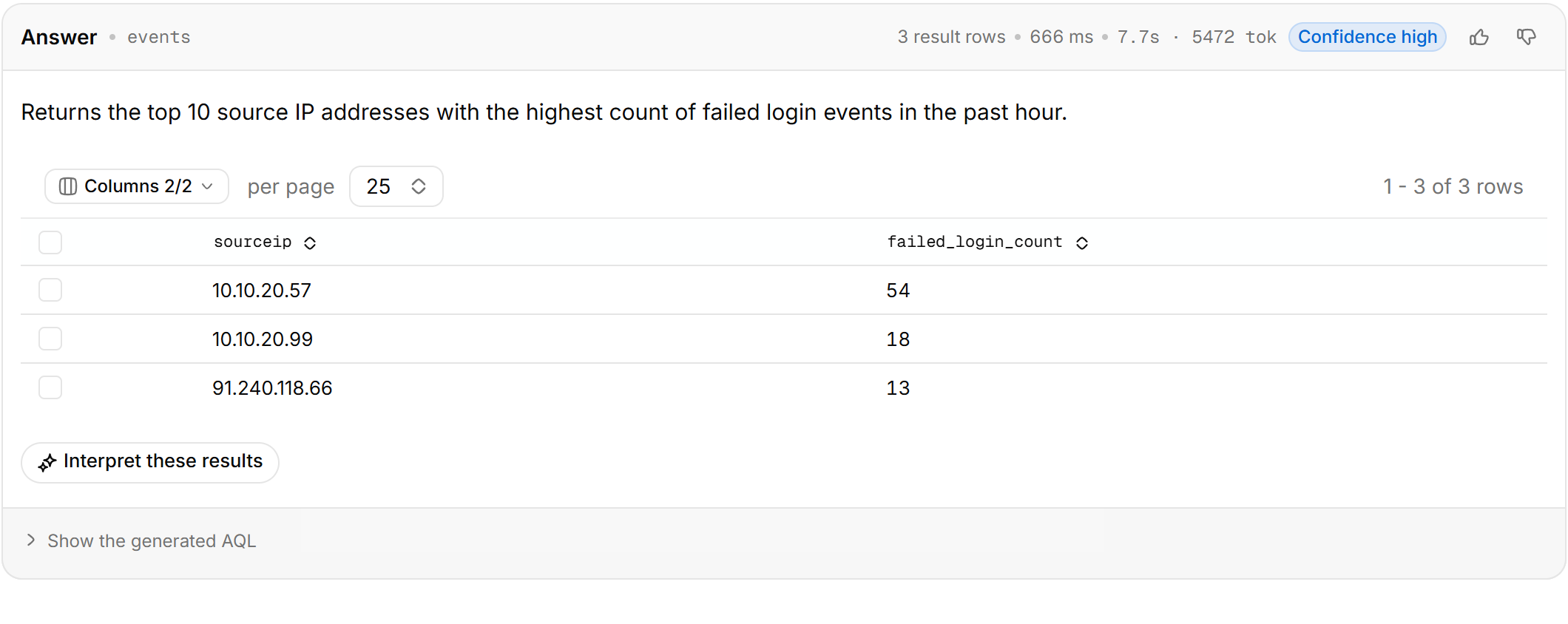
The card header shows the source, the hit count or number of aggregate rows, elapsed time, token usage and Confidence. With High confidence you can use the results as they are. With Medium, open the generated AQL and check the conditions. Low usually means you should rephrase the question.
If the question names a time and you also select a time range, the query uses the overlap, and the card says how the range was applied.
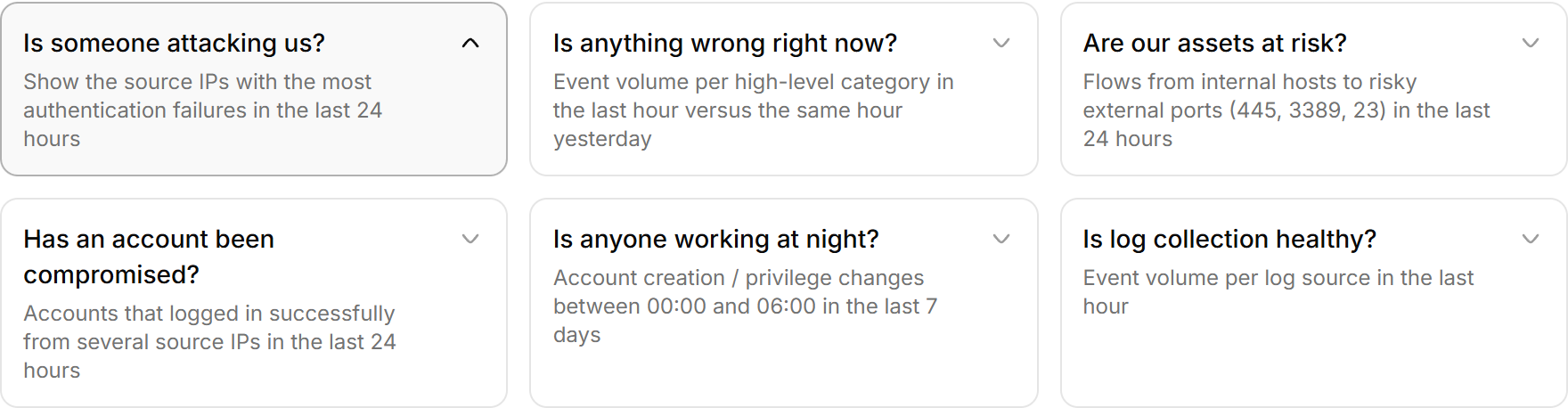
The home page offers six groups of starter questions with four questions each. Selecting one sends it.
Check and edit the generated AQL
Steps
- Below the result card, select Show the generated AQL.
- Select Edit, change the AQL and run it.
An edited query is marked edited on the card. From the same place you can Copy the AQL, or select Open in QRadar Console to open a Log Activity search with the same AQL.
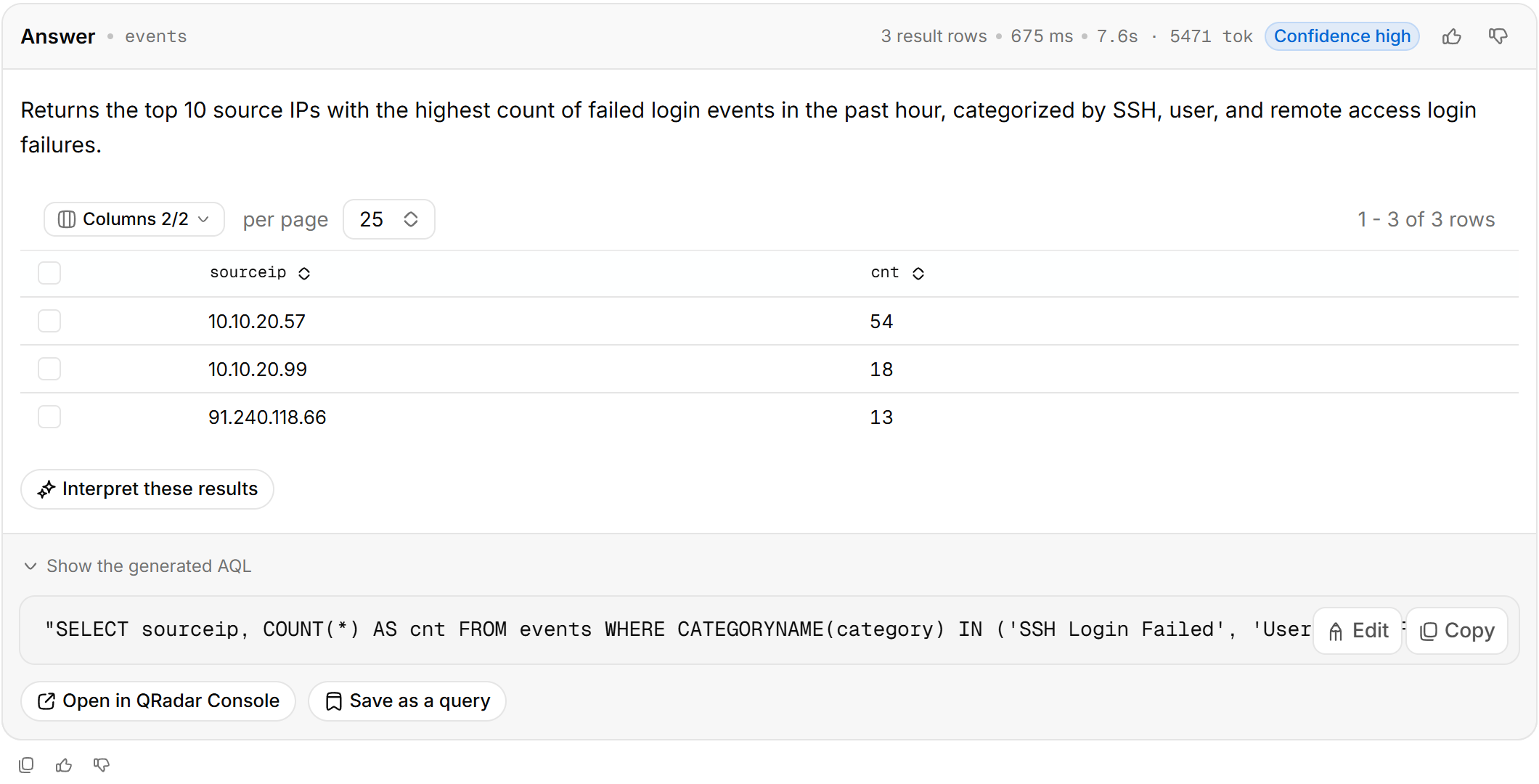
With a log-source whitelist configured, this is the statement that actually ran. AQL over events always gets LOGSOURCENAME(logsourceid) IN (...) appended; AQL over flows is not limited by the whitelist.
Save a query
Below the generated AQL, select Save as a query and give it a name. Saved queries appear under My saved queries on the home page of a new thread.
Work with the results
| Action | Description |
|---|---|
| Interpret these results | The model summarizes the current results |
| Send to triage | Hands the matching rows to Triage |
| Export CSV | Exports the current table as CSV |
| Select a row in a detail table | The model explains that event; you can start an investigation from the explanation panel |
| Feedback | Goes into the learning store. Negative feedback can carry the correct AQL, which similar questions then follow |
If the results are empty
Ariel returns nothing for log sources outside the whitelist or the token's security profile, and it reports no permission error. Zero rows can mean there is no data, or that the gateway cannot see it.
The card names the most likely cause and offers Ask again over the last 7 days. If the results are still empty, open the AQL and check that the names in LOGSOURCENAME() and QIDNAME() match the Console, then check the security profile in Token permissions.
Ask follow-up questions
In the same thread, the model keeps the previous data source and understands references such as "the top one" or "that IP". To change topic, select New thread in the upper-right corner.
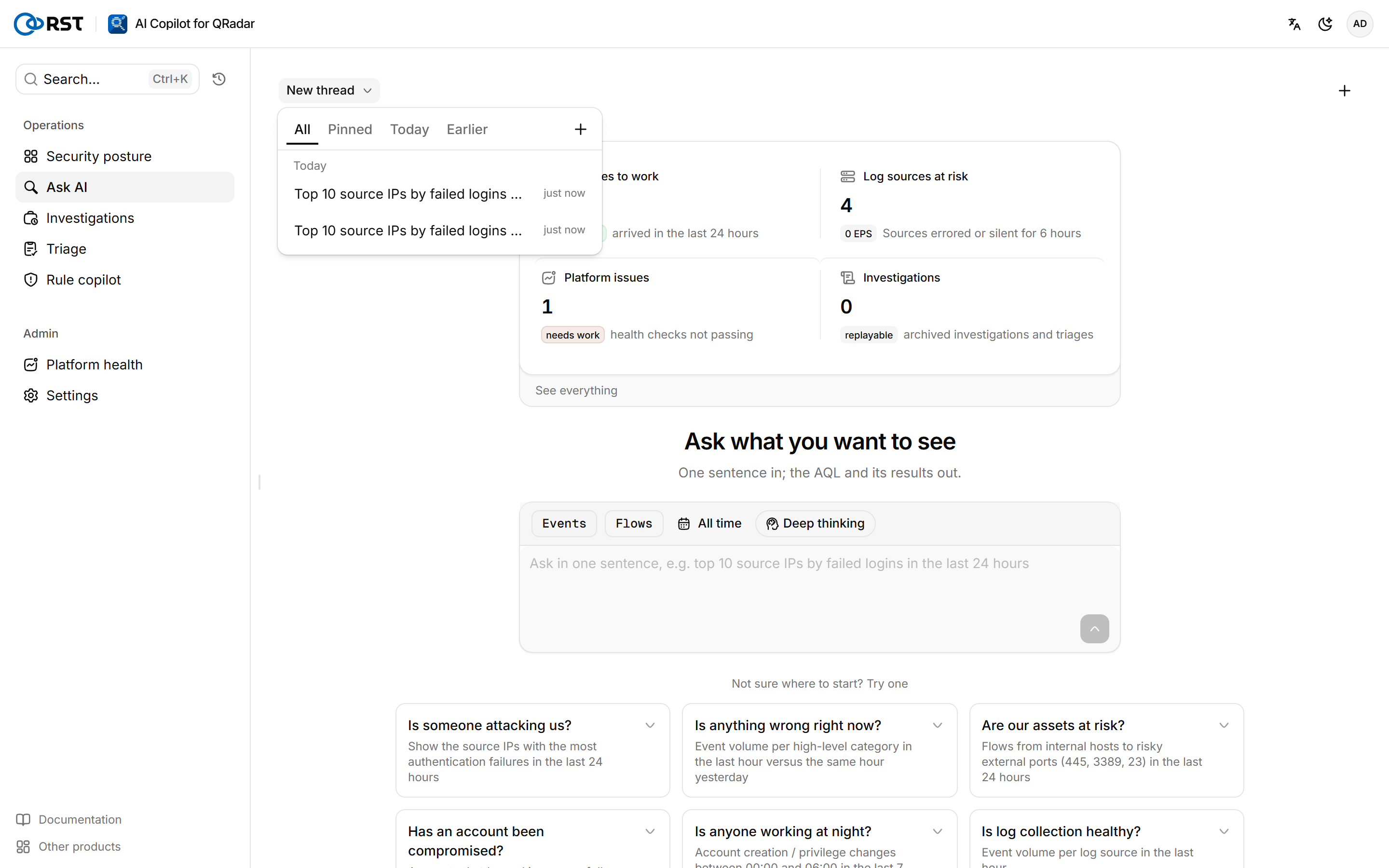
Threads are stored in copilot.db on the gateway, expire after 7 days without activity, and can be continued from another browser. Select the thread name in the upper-left corner to open the thread list. Failed, interrupted and still-generating threads are marked.
Timeouts
| Situation | Setting | Resolution |
|---|---|---|
| The model returns no first token within 45 seconds; the gateway stops the request and prompts you to retry | RST_LLM_FIRST_TOKEN_TIMEOUT_S, 0 for no limit | Usually congestion at the model endpoint. If it keeps happening, lower that provider's reasoning effort in AI settings, or add another provider |
The Ariel search exceeds its time budget and is cancelled with qradar_timeout | RST_AQL_TIMEOUT_SECONDS, 120 seconds by default | Narrow the time range, or add a log-source condition so that Ariel scans less |