

Reports
Daily, weekly and monthly reports: offense posture, top rules and entities, analysis activity, log-source health, model usage. Generate on demand, or on a schedule with archiving and delivery.
Reports is a tab of the Security posture page. It gathers the operations data of one period into a report and needs a Professional or Enterprise license, including a trial. The data comes from the offense copies, investigation records and audit trail in the gateway's copilot.db, and from QRadar's log-source catalog; no Ariel search runs. The gateway builds the report from these figures. Its text follows your interface language, and scheduled reports use RST_OUTPUT_LANG.
Generate a report
Steps
- Under Reporting period, select Daily, Weekly or Monthly, covering the last 24 hours, 7 days or 30 days.
- (Optional) Choose a different time range with the picker on the right.

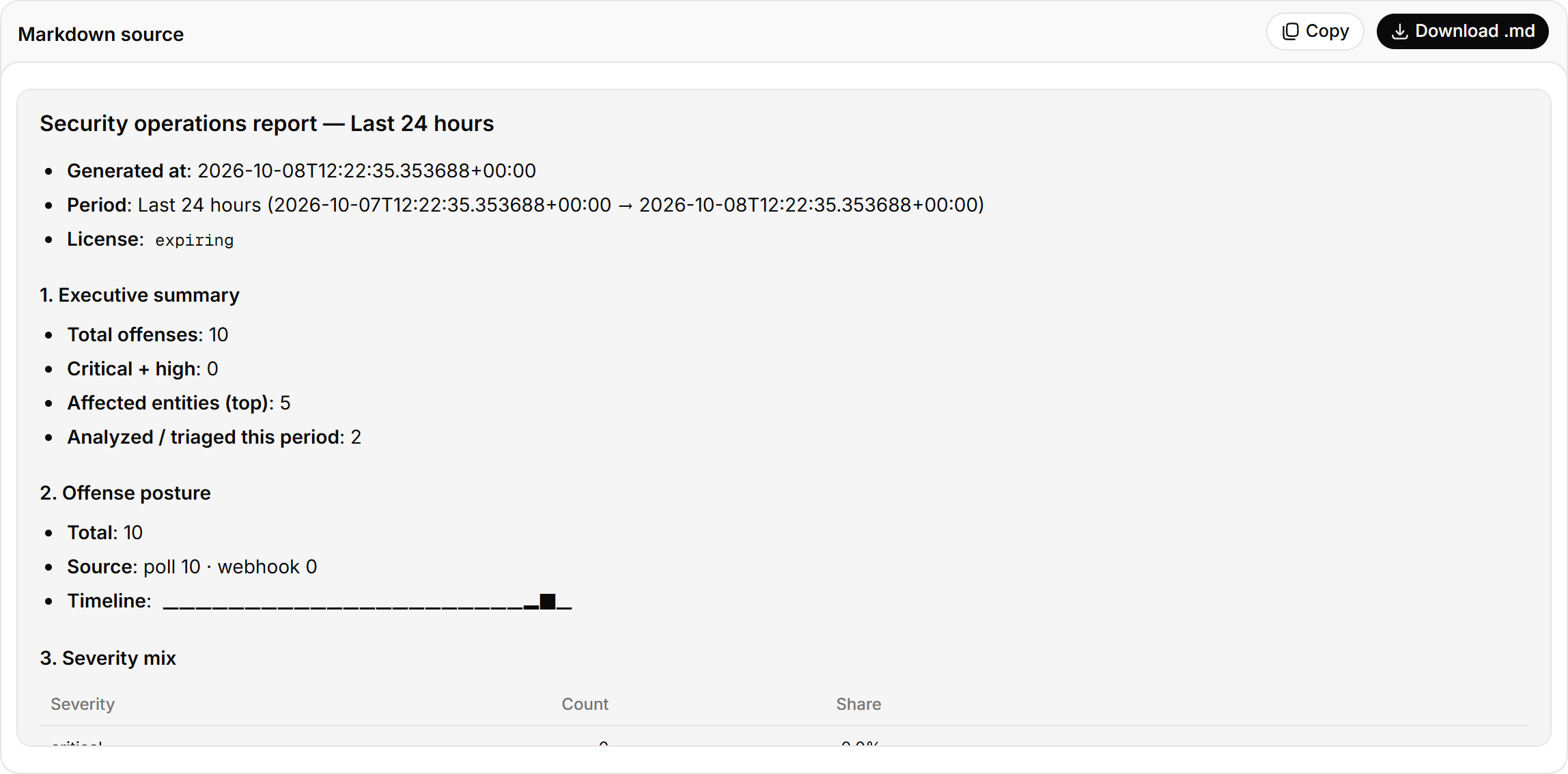
Generation takes a few seconds. Select Regenerate to recount with the latest data. Select Download .md to save the full Markdown text.
Schedule reports
Steps
-
In
.envin the installation directory, set the periods:RST_REPORT_SCHEDULE=daily,weekly,monthly -
Run
docker compose -f docker-compose.prod.yml up -d.
Period boundaries follow RST_REPORT_TZ, which defaults to RST_TIMEZONE. Scheduled reports are archived in copilot.db and appear under Scheduled report archive, each with a System health check (state database writes and whether audit is on). Periods missed while the gateway was down are generated after it starts, up to RST_REPORT_CATCHUP_MAX (7 by default). Other settings are in the Configuration reference.
Deliver reports
You can use both methods together:
- Set
RST_REPORT_WEBHOOK_URLin.envto POST each scheduled report to that URL, withRST_REPORT_WEBHOOK_HEADERSfor extra headers. - Set a delivery schedule in Outbound channels to send reports to Feishu, DingTalk, WeCom, Teams, Slack or email.
Report contents
| Section | Content |
|---|---|
| Executive summary | Alerts, Critical + high, Entities affected (hosts, accounts, IPs), Analysed (offenses that went through investigation or triage) |
| Alert timeline and severity mix | As on Security posture, for the report range |
| Top rules and top entities | Rules with the most alerts, subjects seen most often |
| Calls by action | Model calls by purpose: query generation, investigation, triage and so on |
| Top data sources and top users | Most-queried data sources (events, flows), most active users, call success rate |
| Model provider health | Status of each provider |
| Full report | The full Markdown text. Besides the data above, it covers analysis activity (investigations and triage in the range) and log-source health (enabled, in error, without events for 6 hours, total EPS, and the log sources needing attention) |
Security posture
Offense and high-severity counts in a time window, log-source and platform problems, the alert timeline, the noisiest rules and the latest alerts.
Platform health
QRadar deployment check-up: Console connection and version, managed hosts, EPS license usage, log-source status, ingest freshness, offense backlog, auto-discovered log sources. The AI read groups failing checks by cause and orders the fixes. Professional and above.