

Investigations
Automatic archive of offense investigations, batch triage runs and query result readouts, kept per account, with follow-up queries on a record's subject.
Investigations archives three kinds of AI analysis automatically and is available in every edition. A record is created when an offense investigation finishes, when a Triage run is saved, and when you select Interpret these results in Ask AI. You do not save anything by hand.
Records are kept per account; each account sees only the analyses it started. They are stored in the gateway's copilot.db, backed up with the gateway_state volume, and removed after RST_ANALYSIS_TTL_DAYS (30 days by default).
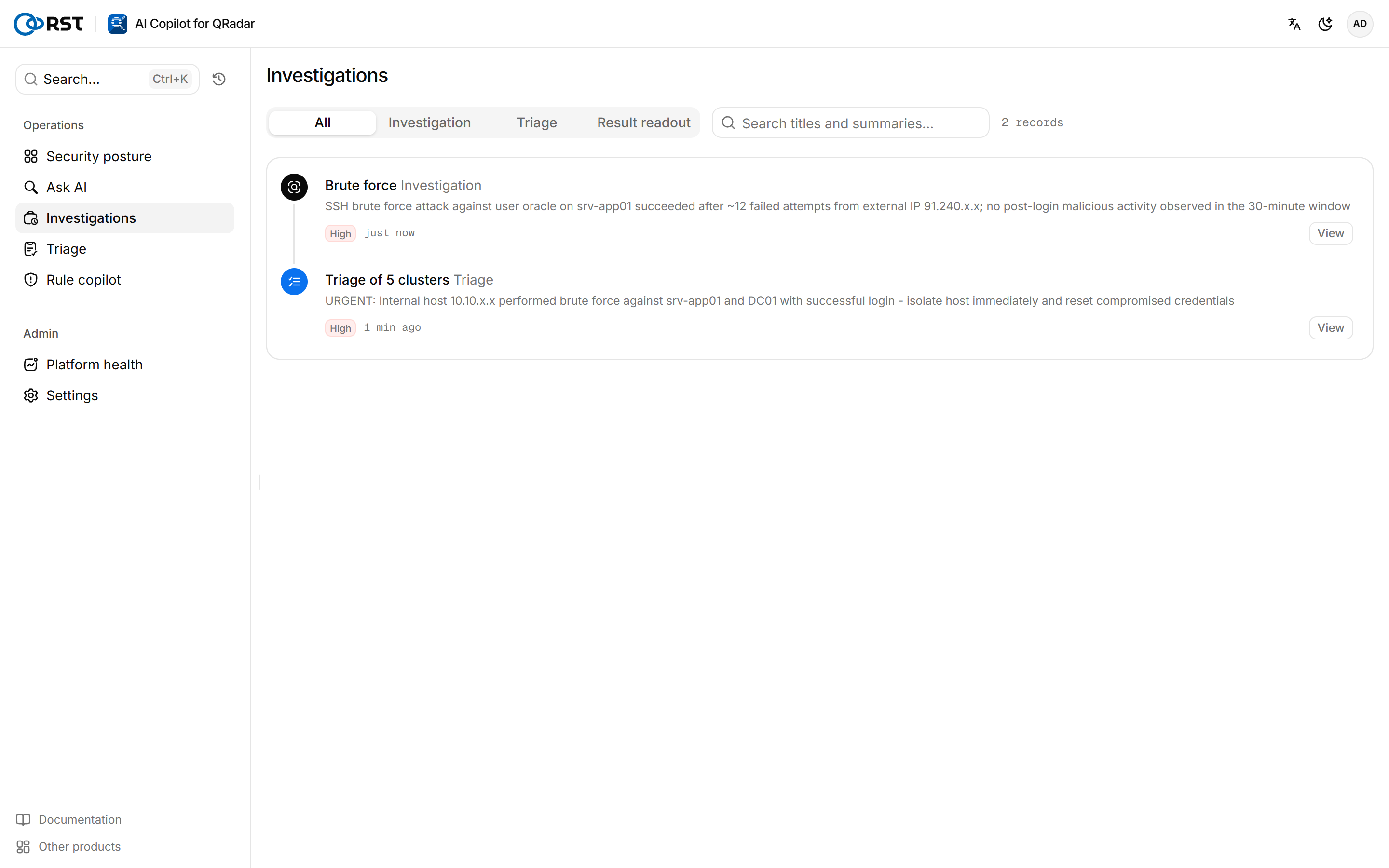
Find a record
Steps
- At the top, select a kind: All, Investigation, Triage or Result readout.
- (Optional) Enter a term in Search titles and summaries….
- The list loads 30 records at a time; select Load more for older ones.
Follow up on a record
Steps
- Select a record to open it.
- Select Ask about this subject.
The record's subject (host, IP or account) goes to Ask AI as a new question.
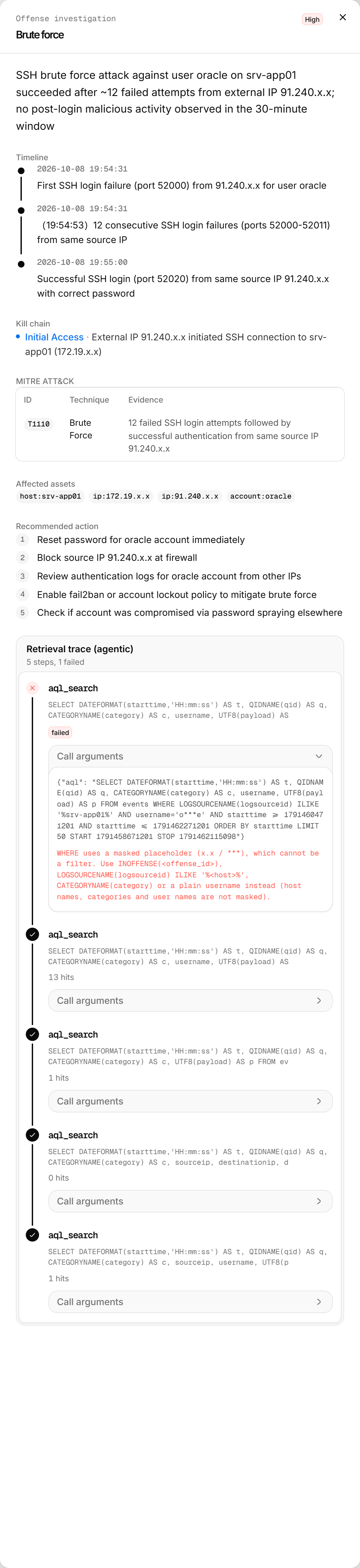
Record contents
| Kind | Content |
|---|---|
| Investigation | The full investigation report: verdict, false-positive assessment, timeline, kill chain, affected assets, recommended action, retrieval trace |
| Triage | The clusters of that run, with severity, false-positive verdicts and recommended actions |
| Result readout | The question, the AQL and the model's reading of the results |
Ask AI
Query QRadar events and flows in natural language. The gateway translates the question into read-only AQL and runs an Ariel search after a preflight.
Offenses
Sync offenses from QRadar with an AI summary for each. Filter and act on them in the alert feed, write notes, closes and assignments back to QRadar, and investigate a single offense.