

Users
The three user states, why delete means move to Preserved, what each block of the detail page holds, and which fields depend on licence modules.
This page covers the three pages under Identity, Users and the user detail page. Active users, Stage users and Preserved users correspond to the three user states. A login exists in exactly one state at a time.
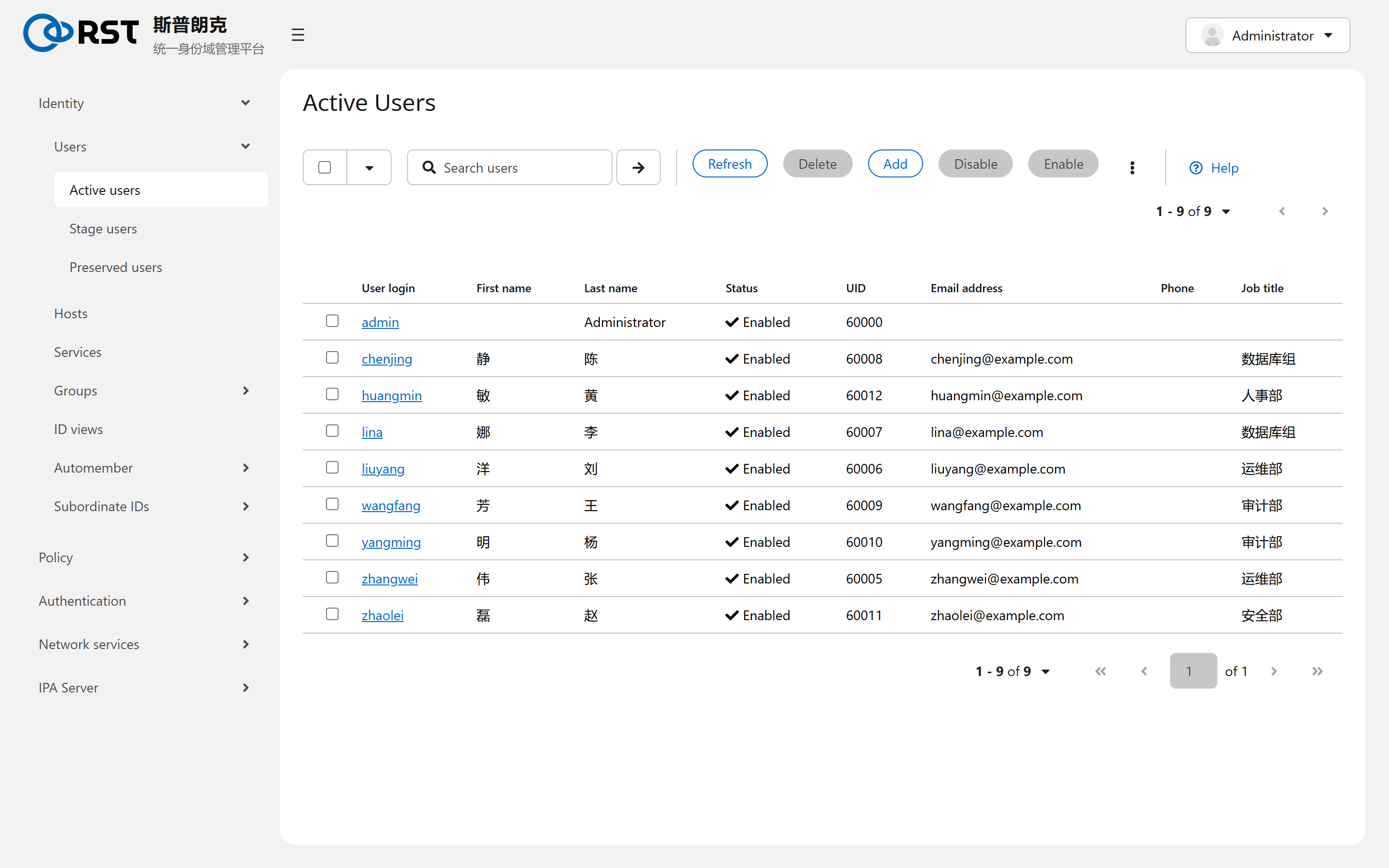
Three states
| State | Page | Can log in | Holds a UID | Comes from |
|---|---|---|---|---|
| Active | Active users | Yes | Yes | Added directly, activated from Stage, restored from Preserved |
| Stage | Stage users | No | No; UID shows -1 | Pre-created before onboarding, migrated from a legacy directory pending review |
| Preserved | Preserved users | No | Keeps its UID | An active user that was deleted |
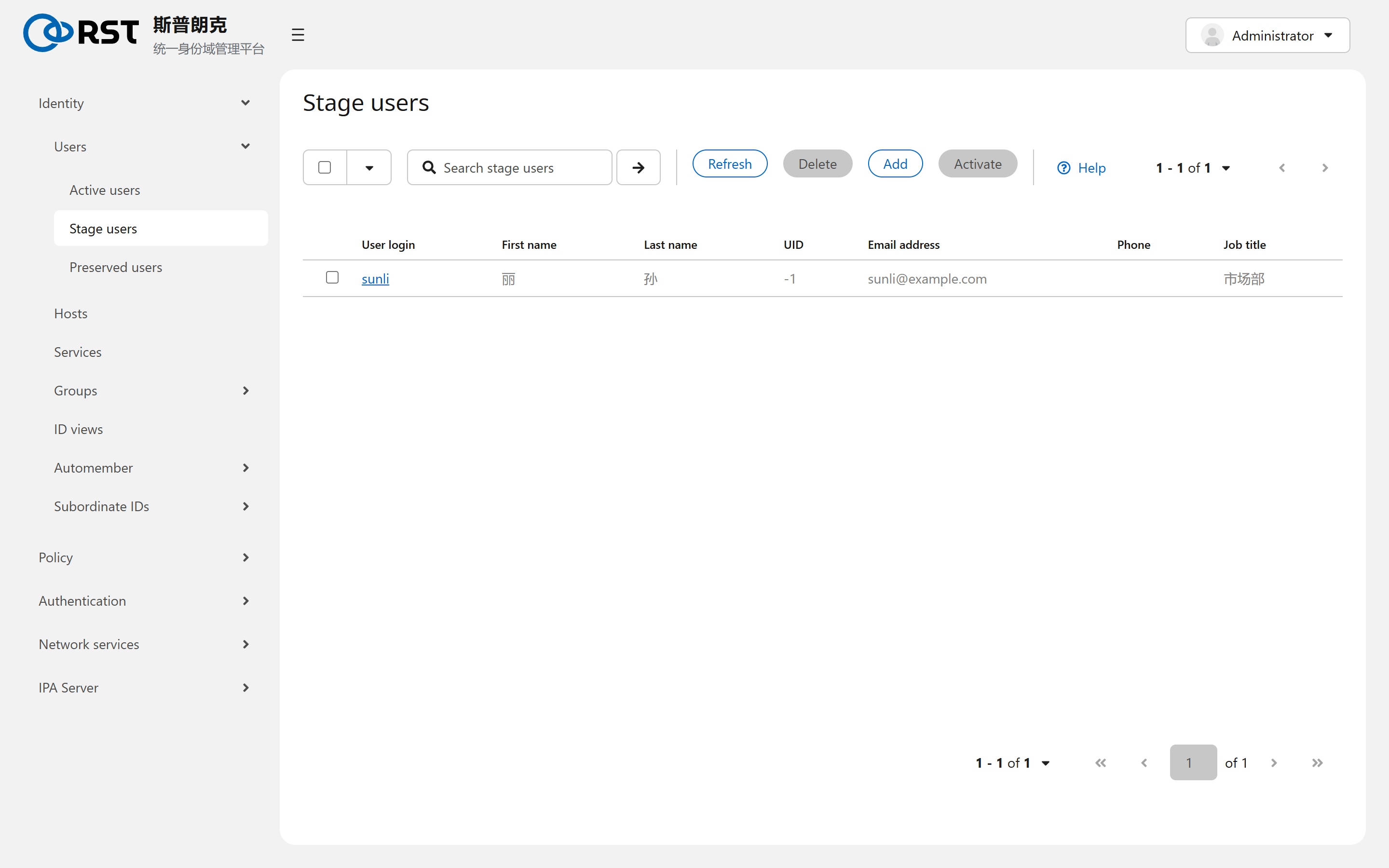
A stage user has no Kerberos principal and no UID, and its group memberships are inert; all of that is allocated on activation. Activation is one-way: an active user cannot return to Stage.
Deleting an active user moves it to Preserved by default. A preserved user keeps its UID, home path and most attributes; its group memberships are cleared and have to be re-added after a restore. A second delete on the Preserved users page removes it for good, and the UID is never reused (the server allocates sequentially from the ID range; see ID ranges).
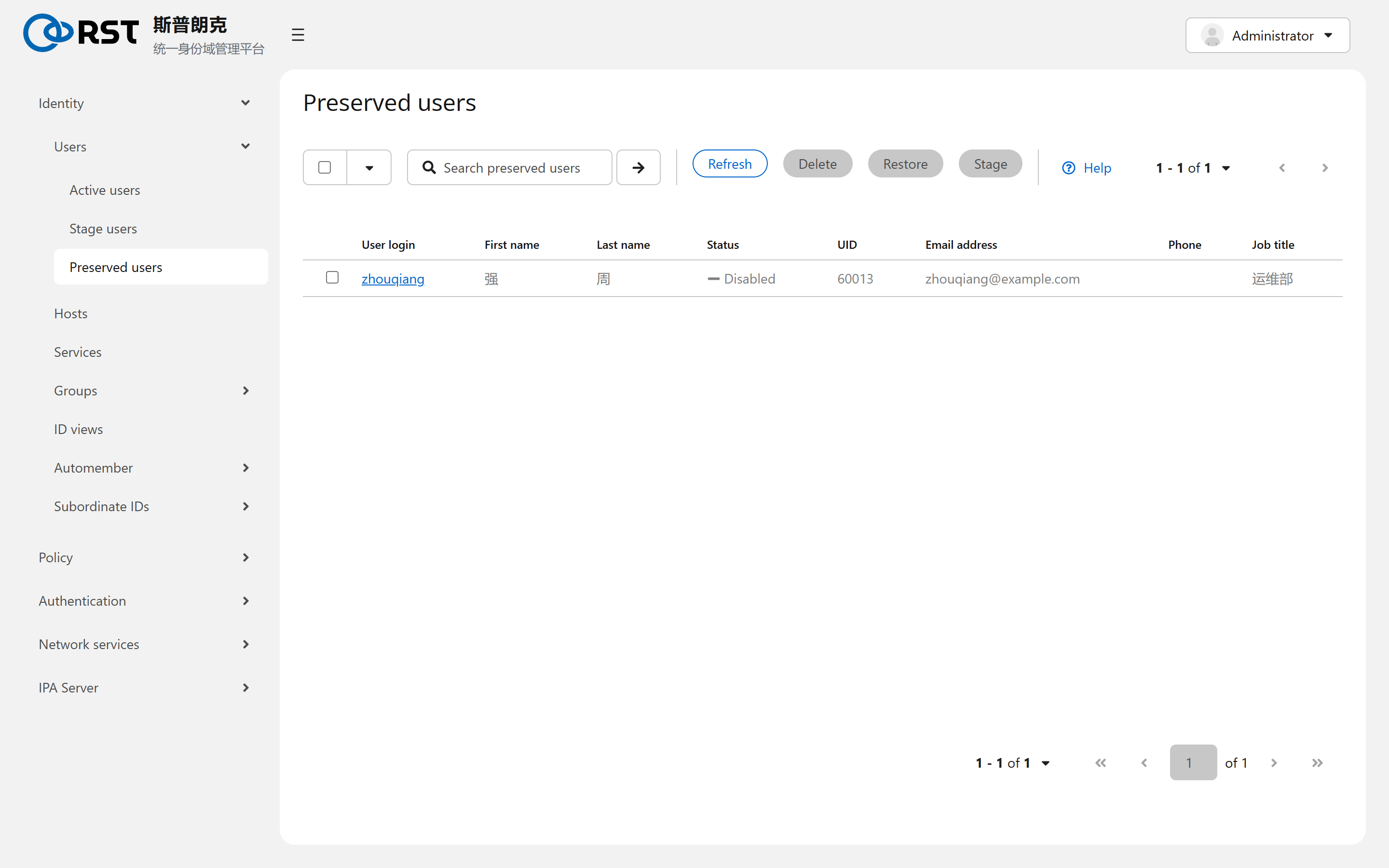
Users are preserved because file ownership on disk is the numeric UID. Deleting and recreating the same login yields a new UID and orphans every old file. Audit trails also depend on the historic login-to-UID mapping.
List page
Search matches login, name and e-mail. Disable keeps the account but refuses authentication; the user still holds its UID and stays in its groups. Disable on departure and delete once nothing is left behind.
Detail page
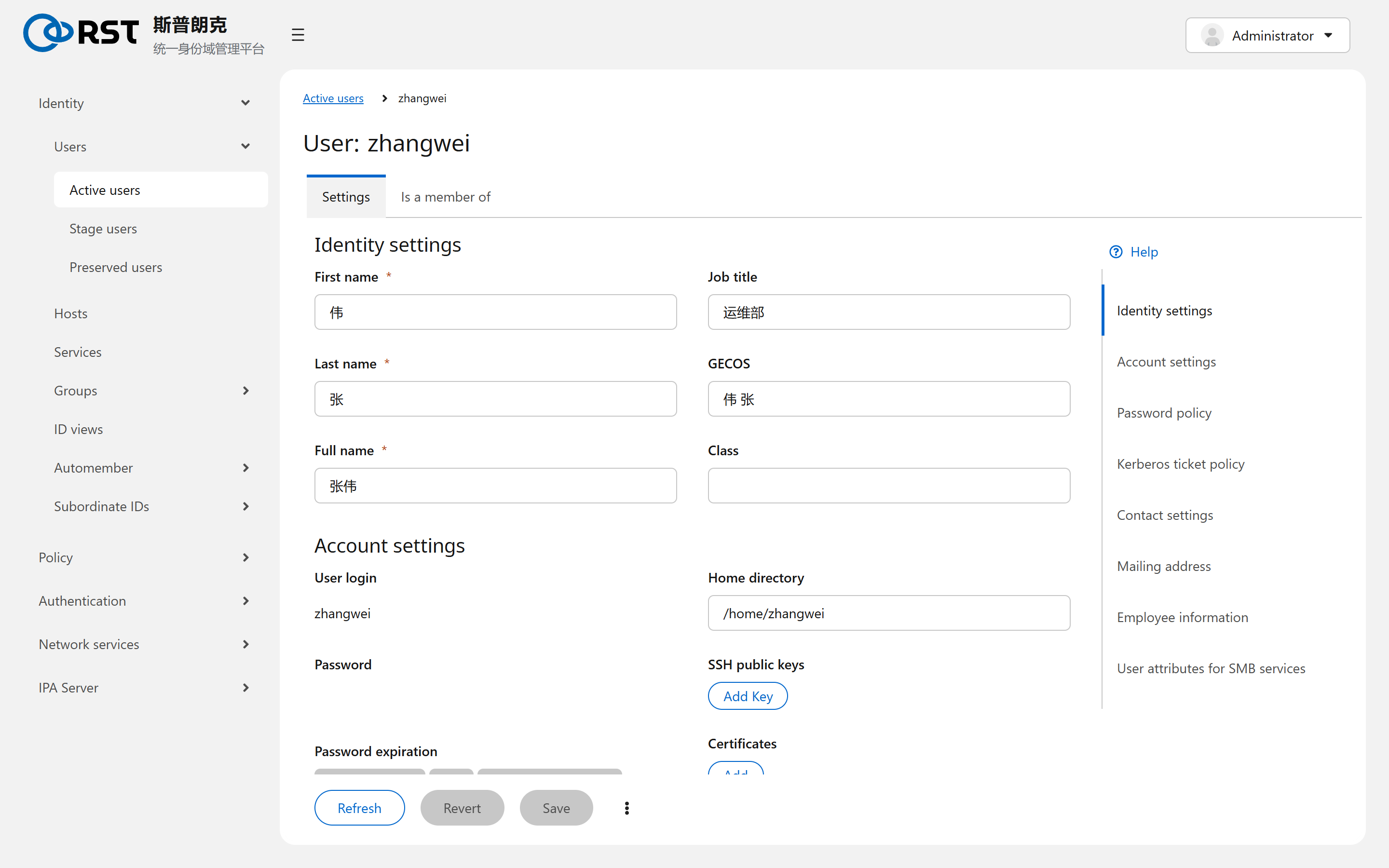
The jump links on the right map to the blocks:
| Block | Holds | Notes |
|---|---|---|
| Identity settings | First name, last name, full name, job title, GECOS, class | Full name is cn; the display name AD users see comes from it |
| Account settings | Login, home, shell, UID, GID, password, password expiry, SSH public keys, certificates, principal aliases | Login is immutable after creation. The SSH public keys block appears only with the ssh-keys module; the certificates block is in every tier |
| Password policy | The policy in effect for this user | Decided by group policy priority, not editable here; see Password policies |
| Kerberos ticket policy | Per-user ticket lifetime override | Empty means the global value |
| Contact settings, Mailing address, Employee information | E-mail, phone, department, manager | Manager is another user and is cleared automatically when that user is deleted |
| User attributes for SMB services | SID and Samba attributes | Meaningful only once an AD trust exists |
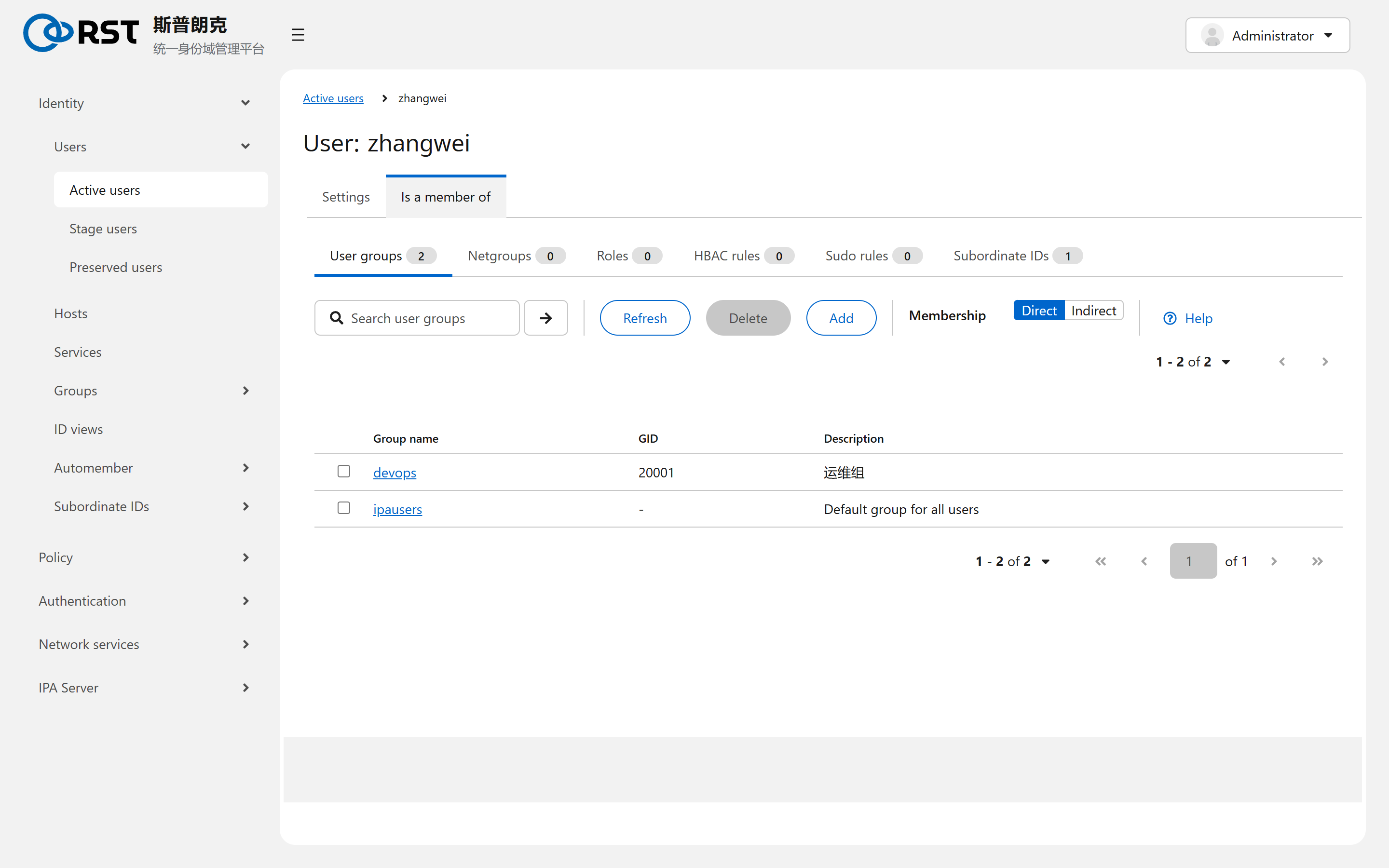
The Is a member of tab lists direct and indirect groups, netgroups, roles, HBAC rules and sudo rules. Indirect shows membership inherited through nested groups. Working out why a user can log in to a host starts here.
Boundaries
| Topic | Notes |
|---|---|
| Pinning a UID | UIDs are allocated server-side from the local ID range; the UI has no field for it. Use ipa user-add --uid= to keep numbers from a legacy system |
| Bulk import | Not a UI task. Loop over ipa user-add, or use ipa migrate-ds |
| Trusted AD users | Not in this list. They live in AD and IPA only maps their IDs. Use ID views to override a trusted user's uid or shell on specific hosts |
| Invalid licence | The page is read-only, including Disable and Enable. Changes submit again once the licence is restored |