

Host-based access control (HBAC)
Requires the hbac module. Who may log in to which host through which service, the four dimensions of a rule, what to do with allow_all, evaluation order, and simulating a login with ipa hbactest.
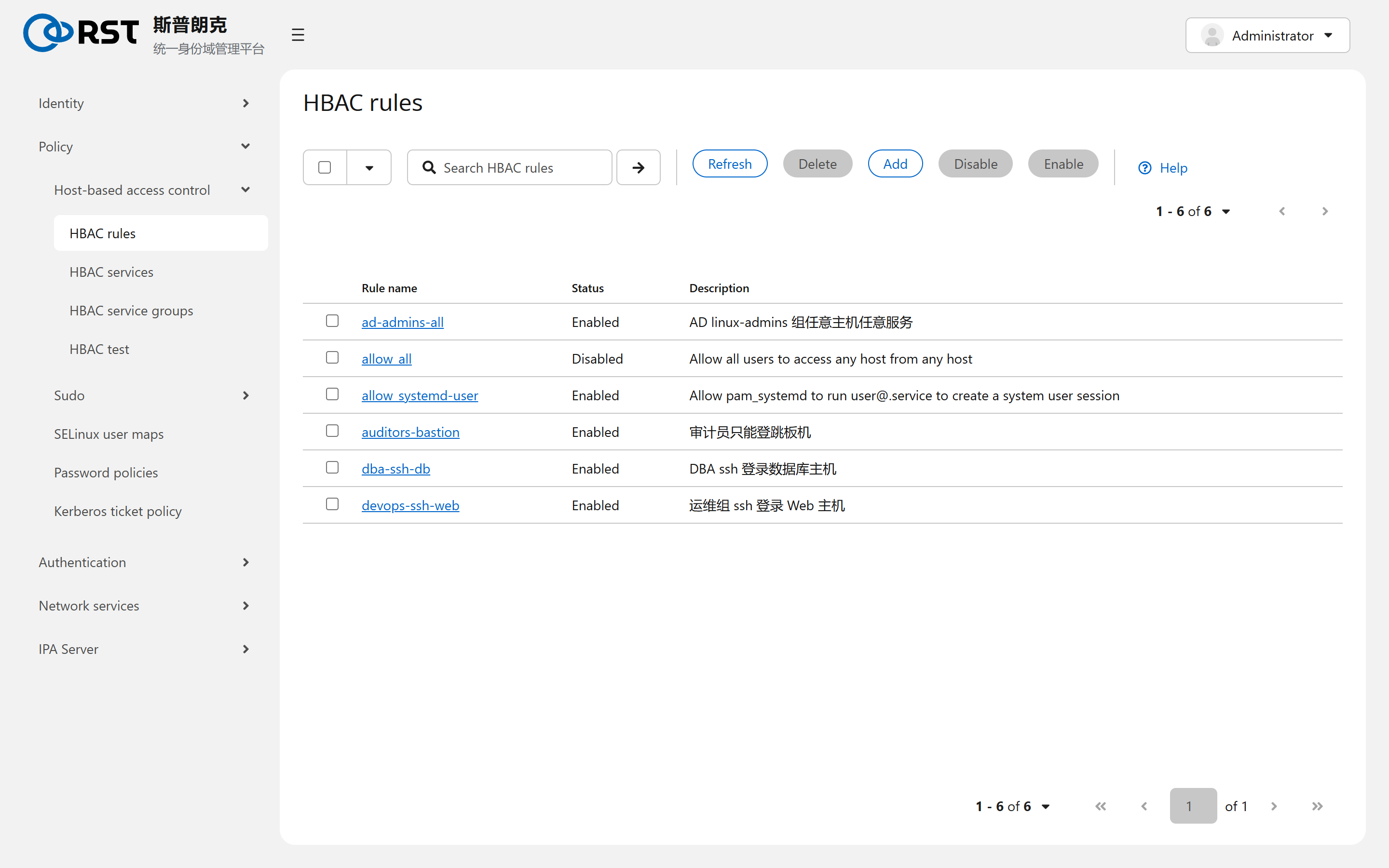
This page covers the Host-based access control pages under Policy. It requires the hbac module. An HBAC rule answers one question: user U logging in to host H through service S, allowed or not. The client's sssd fetches the rules from IPA and evaluates them locally on every PAM authentication, so a rule change reaches clients after their cache refreshes (minutes by default; sss_cache -E at once).
Four dimensions
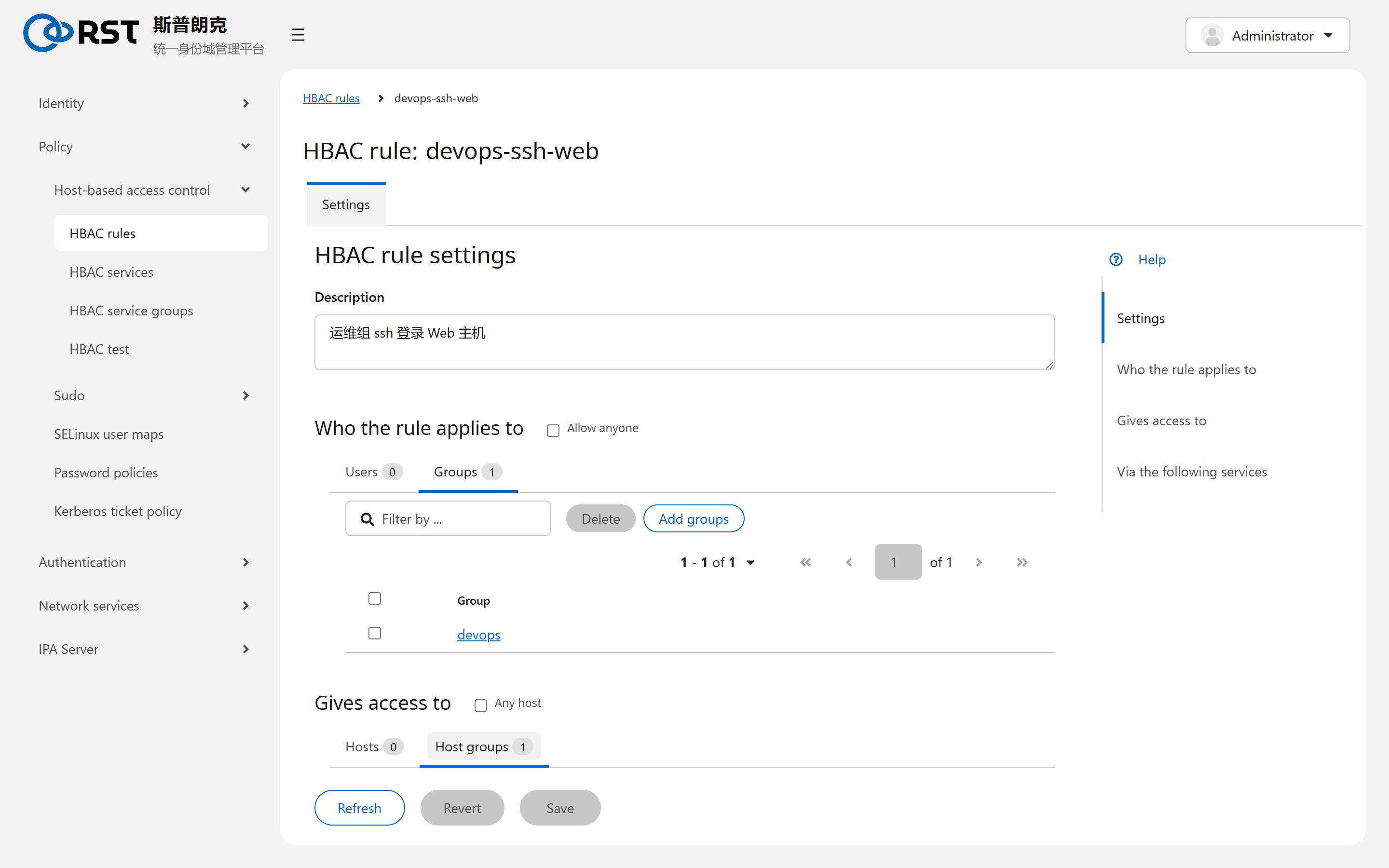
| Block | Holds | Any means |
|---|---|---|
| Who the rule applies to | Users, user groups | Anyone |
| Gives access to | Hosts, host groups | Any host |
| Via the following services | HBAC services, service groups | Any service |
| Enabled, Disabled | Rule state | A disabled rule is skipped |
HBAC has allow rules only, no deny rules. Evaluation walks every enabled rule; if any one matches on all three dimensions the login is allowed, and if none does it is denied. Rules have no priority and there is no first-match-wins.
To deny someone, make sure no rule covers them: remove them from the group or narrow the rule.
allow_all
The installer ships allow_all: anyone, any host, any service. While it is enabled every other rule is moot. The production switch-over:
- Write the real rules first (ops group to web hosts via sshd, DBAs to database hosts, and so on).
- Make sure
adminshas a rule to every host. Otherwise administrators lock themselves out onceallow_allis disabled. - Disable
allow_all. Keep it as the emergency switch; do not delete it. - Verify a login on one affected host.
allow_systemd-user is also shipped: it lets the systemd-user service open user sessions for everyone; loginctl enable-linger and user-level systemd units depend on it. With it disabled, systemd --user fails after login.
HBAC services and service groups
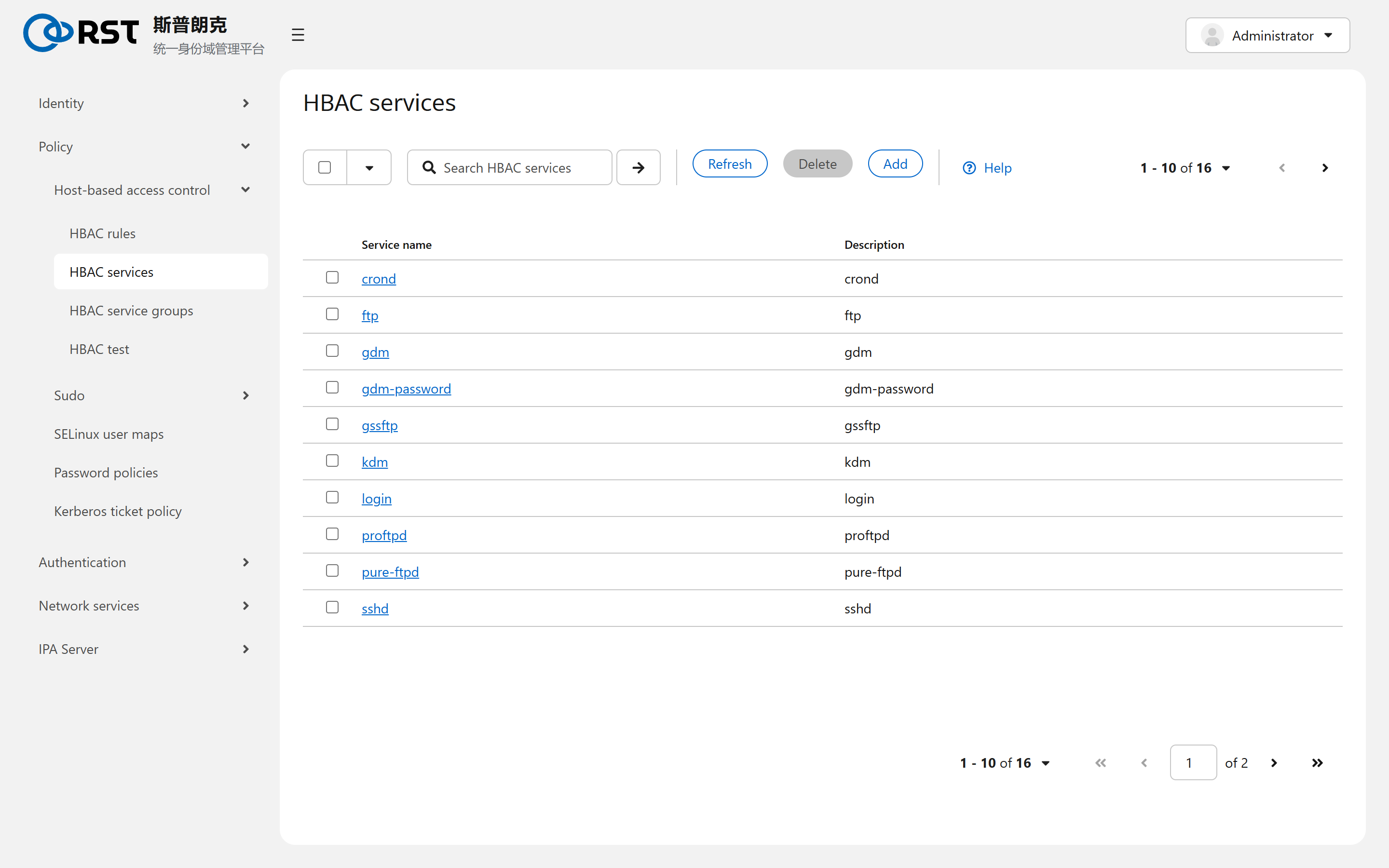
A service name is the client's PAM service name (the file name under /etc/pam.d/): sshd, login, sudo, gdm, crond, ftp and so on. 16 are shipped. An in-house program that authenticates through PAM needs one entry under its PAM service name. Service groups bundle a family (Sudo holds sudo and sudo-i) so rules reference the group.
sudo appearing as an HBAC service means that whether a user may invoke sudo at all is HBAC's decision, while which commands are allowed is decided by Sudo rules. Both must allow.
Simulating a login
From 1.0.3 the HBAC Test page is available: enter user, target host and service, then select Run test. The verdict is shown on top and the table lists whether each rule matched.
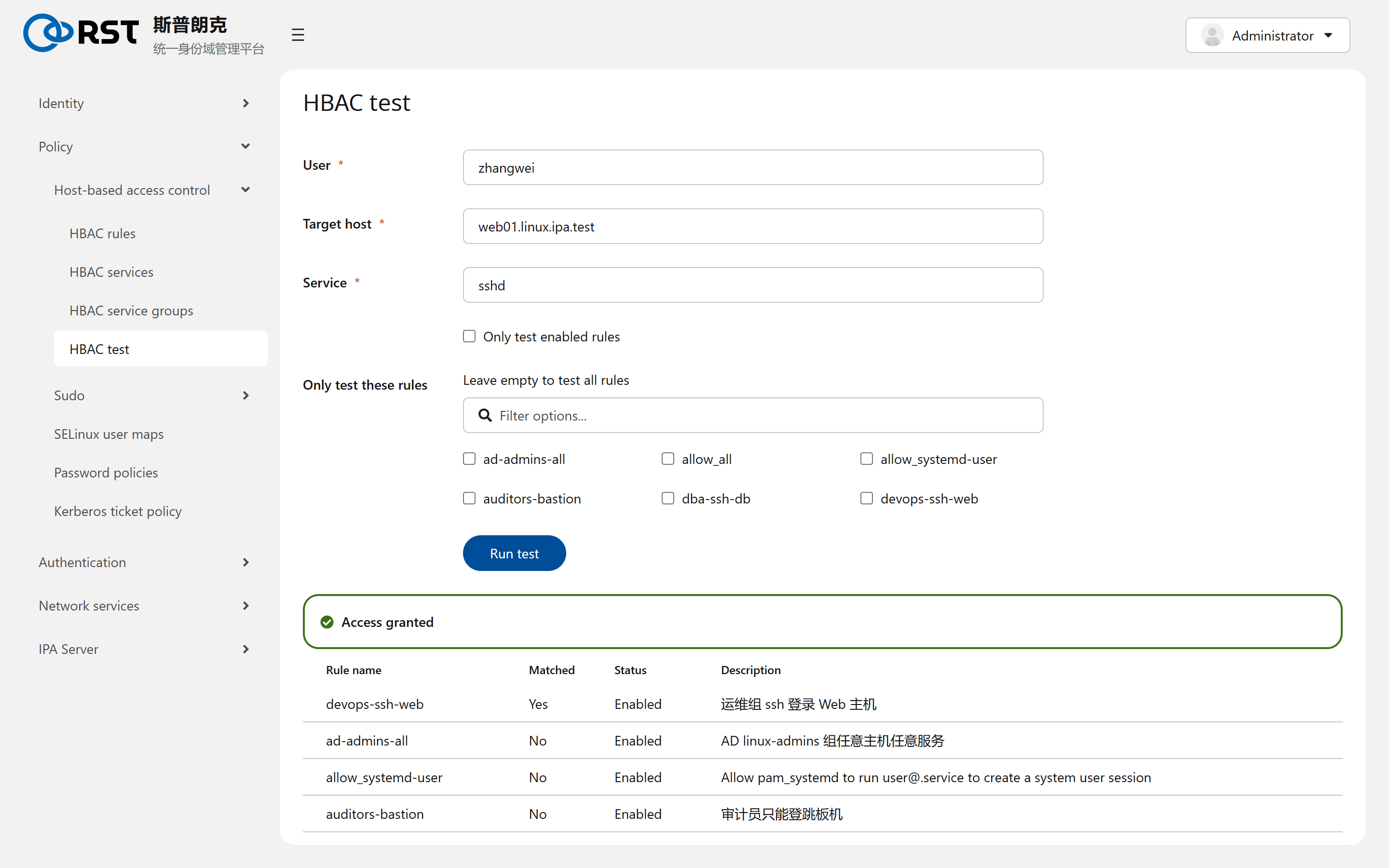
CLI equivalent:
ipa hbactest --user=zhangwei --host=web01.linux.ipa.test --service=sshd
ipa hbactest --user=jdoe@ad.ipa.test --host=web01.linux.ipa.test --service=sshd --enabled
The output lists every rule as matched or not matched, followed by the verdict. --enabled considers enabled rules only; --rules= tests one rule. AD users are written as user@ad.domain.
Boundaries
| Topic | Notes |
|---|---|
| Scope | HBAC decides whether a login happens, not what the session may do. File permissions and sudo have their own mechanisms |
| Rule has no effect | Usual causes: client sssd cache; allow_all still enabled; access_provider in the client's sssd.conf is not ipa |
| AD users | Must be brought into an IPA group through an External group before a rule can reference them |
Subordinate IDs
Central subuid and subgid allocation for rootless containers. Ranges are a fixed 65536, not selectable and never reclaimed; the statistics page shows what is left.
Sudo
Central sudo rules covering who, on which host, as whom and which commands; commands and command groups, deny lists, options, and what sudo order does.