

License Activation
The three blocks of the License Activation page, current status, machine fingerprint and .lic upload, what happens on upload and what each failure message means. Tiers and the three enforcement layers are in the install section.
This page covers the License Activation page under IPA Server, the only licence entry point in the UI. Tiers, modules and the read-only rules are in Licence. The page itself is not gated: it opens and accepts uploads in read-only state, otherwise read-only could never be lifted.
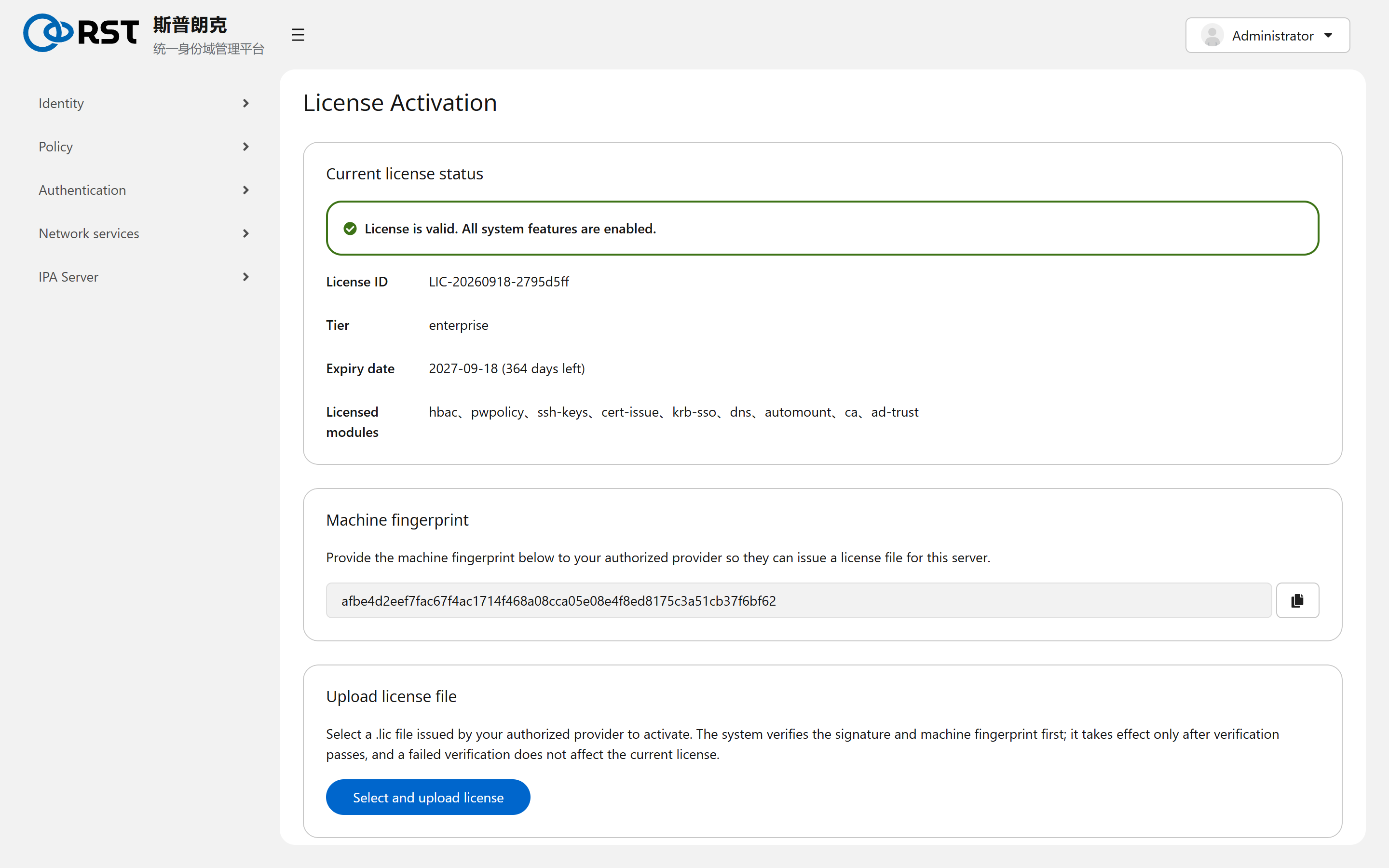
Current license status
Read from /var/lib/idmatrix-license/status.json, the same source as the top banner.
| Field | Meaning |
|---|---|
| Status bar | Green is valid. Red is not activated, expired, fingerprint mismatch or revoked, with the reason. Yellow is expiring within 30 days |
| License ID | LIC-<date>-<8 chars>. Quoted for renewals and support |
| Tier | standard, professional, enterprise, trial |
| Expiry date | With days remaining |
| Licensed modules | Subset of hbac, pwpolicy, ssh-keys, cert-issue, krb-sso, dns, automount, ca, ad-trust. Decides which navigation groups show |
The status is refreshed daily by idmatrix-license.timer; Refresh on the page only re-reads the file. To force a check: sudo systemctl start idmatrix-license.service.
Machine fingerprint
64 hex characters derived from the system's /etc/machine-id. The issuer signs the .lic for this fingerprint; licence and machine are one-to-one. The Copy button puts it on the clipboard.
The fingerprint changes on an OS reinstall, on a cloned VM once machine-id is regenerated, and on a restore to another machine. The existing licence then becomes fingerprint-mismatch read-only and a new one must be issued for the new fingerprint. Hardware swaps do not change it. Every replica has its own fingerprint and its own licence.
Upload license file
After a .lic is selected, the page immediately:
- Verifies locally: signature by the RST issuing CA, expiry, fingerprint.
- On success writes to
/var/lib/idmatrix-license/and rewritesstatus.jsonat once. Banner and navigation update without a service restart. - On failure writes nothing; the current licence stays as it was.
The product shows failure messages in Chinese:
| Message | Cause |
|---|---|
许可证文件为空或过大 (empty or too large) | Wrong file. A .lic is a few KB, cap 64 KB |
许可证文件不是有效文本 (not valid text) | A binary or compressed file was uploaded |
该文件不是有效的许可证文件 (not a valid licence file) | Format or signature check failed: modified, not RST-issued, or mangled by a mail client. The issuer resends |
该许可证并非签发给本服务器 (not issued for this server) | Fingerprint mismatch. Send this page's fingerprint to the issuer |
该许可证已过期 (expired) | The expiry date has passed |
无法读取许可状态, 无法获取本机指纹 (unable to read status, unable to obtain fingerprint) | The backend is down: the licence WSGI inside httpd is not up. See journalctl -u httpd |
Boundaries
| Topic | Notes |
|---|---|
| Licence count | One licence per server; a new upload replaces the old one. There is no rollback button; keep the old .lic |
| Network | The page never talks to the network. Online mode (heartbeat) is optional and described in the install section |
| Other sessions | Other browsers already logged in need a page reload to see the new navigation |
Configuration
Global defaults, including search limits, default shell, home, group and e-mail domain for new users, default authentication type, user and group object classes, the SELinux user list, CA renewal and PKINIT masters. Changes affect objects created afterwards.
FAQ
Find the cause by symptom, grouped into install, login, AD trust, licence, clients and replication. Most problems are DNS or time.