

Automember
Attribute regexes that place users and hosts into groups automatically. Rules apply to new objects only; existing ones need a rebuild.
This page covers the Automember page under Identity. An automember rule matches attributes at creation time and adds the object to a group on a hit. User Group Rules match user attributes; Host Group Rules match host attributes.
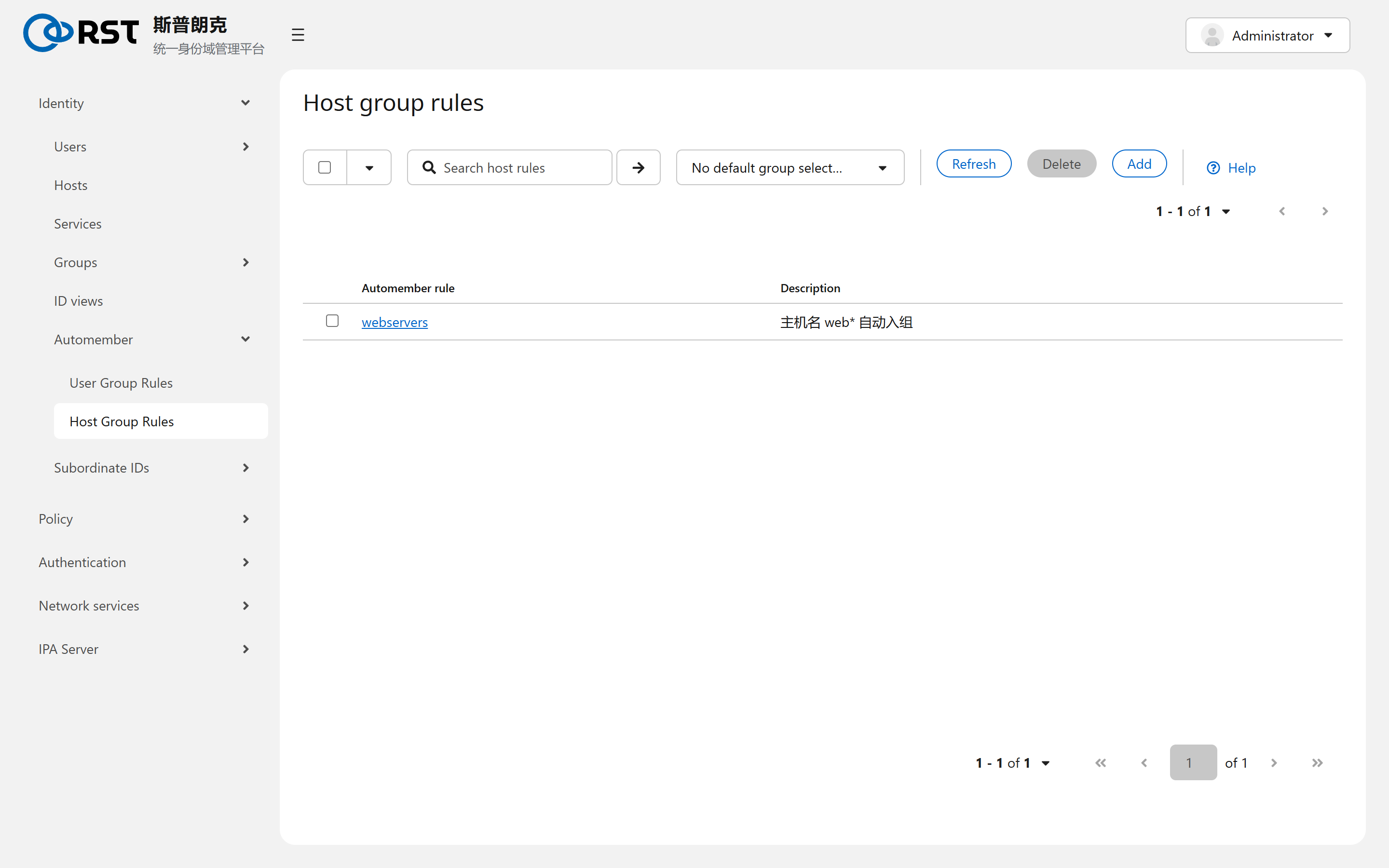
The rule name is the target group: rule webservers puts matching hosts into host group webservers, which must already exist.
Conditions
| Part | Meaning |
|---|---|
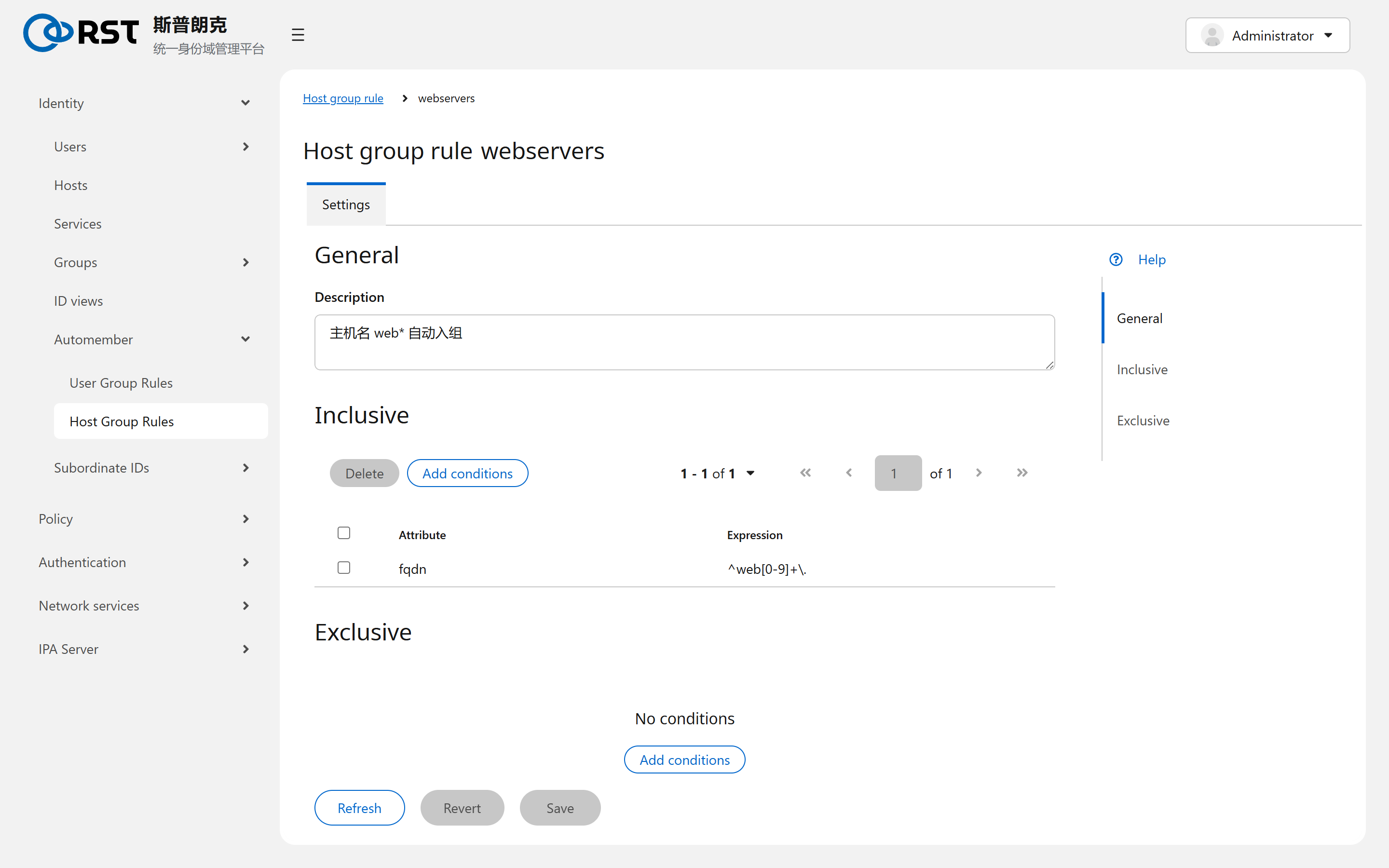
| Inclusive | Attribute plus regex. Any hit adds the object |
| Exclusive | Attribute plus regex. Any hit excludes the object and wins over Inclusive |
Common attributes: for hosts fqdn, userclass, nshostlocation, ipahostlocation; for users uid, title, departmentnumber, userclass, mail. Regexes are Python syntax and need explicit anchors: ^web[0-9]+\. matches web01. and web02., not webui..
Default group (the dropdown on the list page) catches objects no rule matched. It is usually left unset.
New objects only
Rules are evaluated once, on add. Changing a rule, changing an object's attributes or adding a rule never revisits existing objects. To rerun the rules over them:
ipa automember-rebuild --type=hostgroup
ipa automember-rebuild --type=group --users=zhangwei   # only the given objects
Rebuild is an asynchronous task. ipa automember-find-orphans lists rules whose target group no longer exists.
Boundaries
| Topic | Notes |
|---|---|
| Membership | A member added by a rule is indistinguishable from one added by hand. It is not removed when the rule stops matching; a rebuild removes it |
| Rule input | A rule cannot refer to another group's membership, only to the object's own attributes |
| AD users | They never pass through IPA's user-add, so automember does not apply to them |
ID views
When an ID view is the right tool, which attributes an override can change, how a view is applied to hosts, and why Default Trust View must not be deleted.
Subordinate IDs
Central subuid and subgid allocation for rootless containers. Ranges are a fixed 65536, not selectable and never reclaimed; the statistics page shows what is left.