

OTP tokens
TOTP and HOTP token fields, user self-service, enabling two-factor on a user, how password plus OTP is entered, and resynchronising a drifted token.
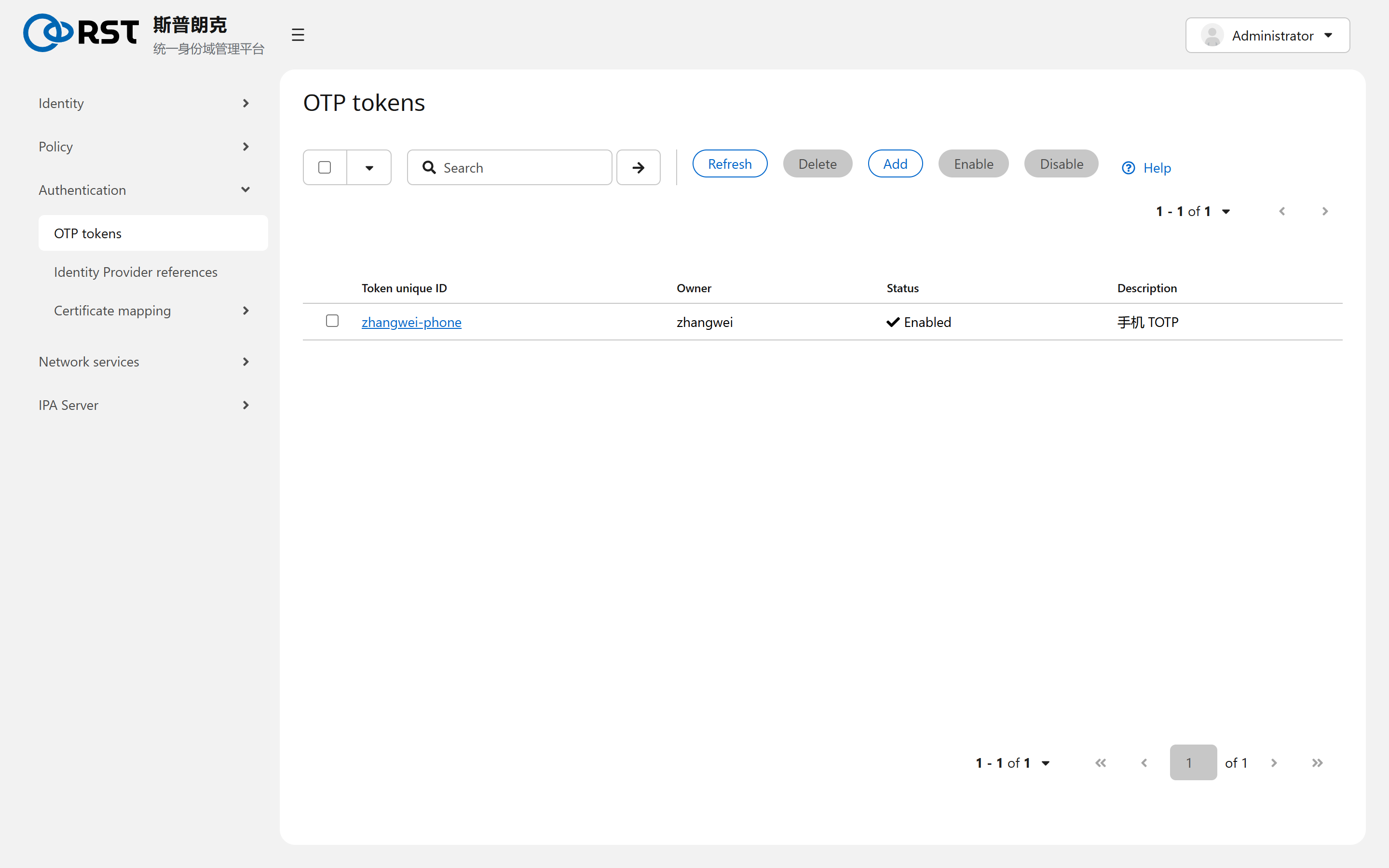
This page covers the OTP tokens page under Authentication. An OTP token is a software or hardware one-time-password generator bound to a user. IPA's KDC supports it natively: the user types the password and the one-time code as one string, the KDC verifies both and issues a ticket carrying the otp authentication indicator. No RADIUS is needed and no licence module is involved.
Token fields
| Field | Meaning |
|---|---|
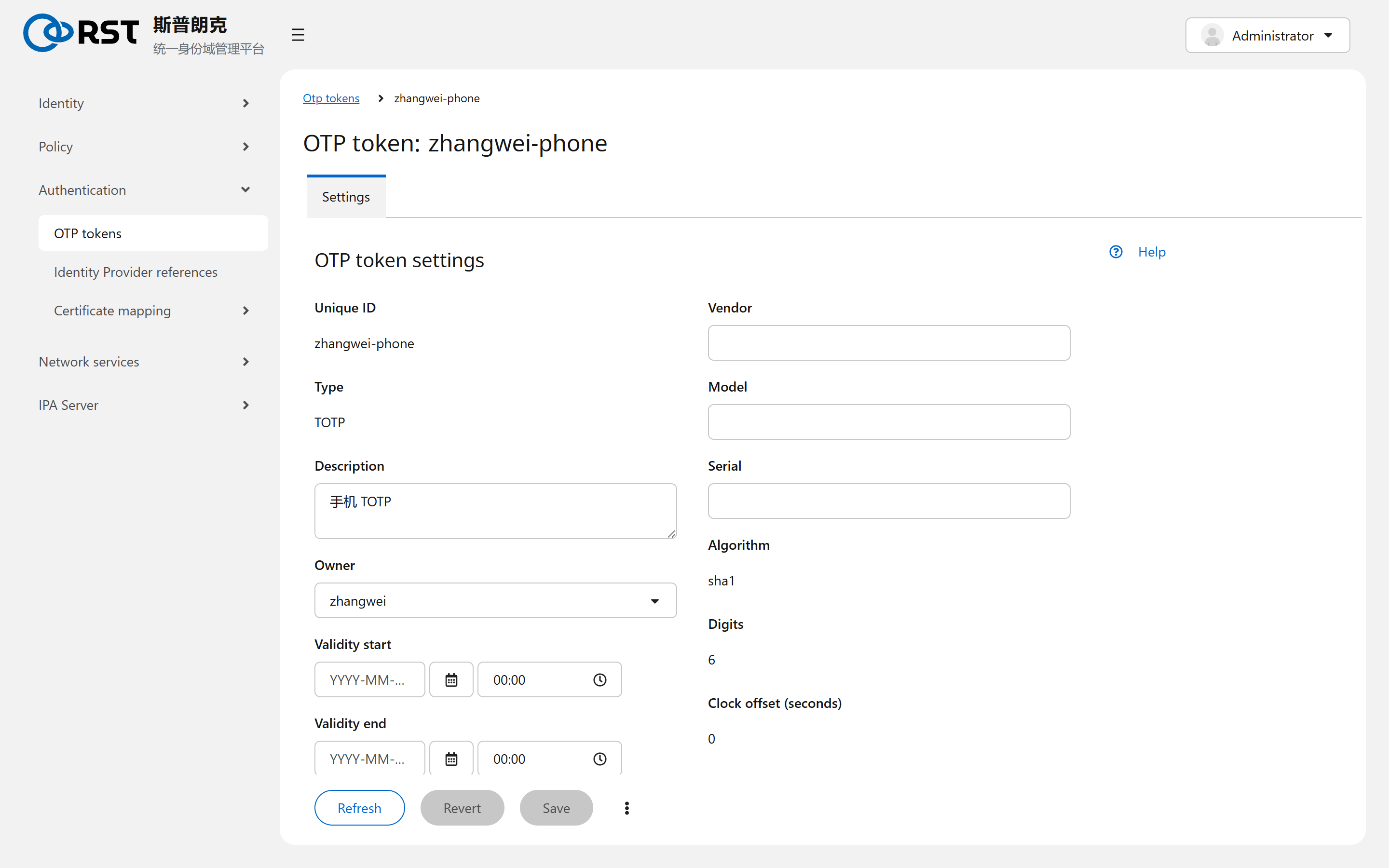
| Unique ID | Token identifier. Left empty on add, a UUID is generated |
| Type | TOTP (time-based, default, changes every 30 s) or HOTP (counter-based) |
| Owner | The user it belongs to. A user may own several |
| Validity start, Validity end | Outside the window the token is dead; for temporary accounts |
| Vendor, Model, Serial | Registration data for hardware tokens, informational |
| Algorithm, Digits, Clock offset, Counter | sha1, 6 digits and 30 s are the defaults of Google Authenticator-class apps; hardware tokens follow the vendor's parameters |
On add the page shows a QR code once, for FreeOTP, Google Authenticator and similar apps. It is shown only that once; to scan again, delete and recreate the token.
Self-service
A logged-in user can add and delete their own tokens (owner is self) without an administrator. When an administrator adds a token for a user, the secret is generated server-side and the administrator sees the QR code, which makes the administrator a second holder of that token. The user recreates one before it goes live.
Enabling two-factor on a user
Owning a token does not enforce it. On the user's detail page under Account settings, User authentication types, ticking Two factor authentication (password + OTP) means that user can log in only with password plus OTP; a bare password is refused. With nothing ticked, the default from the Configuration page applies (password, out of the box).
The same place offers Password, RADIUS, PKINIT, Hardened password and External Identity Provider. Several ticked means any of them is accepted.
Entering it
In the password field, type the password immediately followed by the six-digit code with no separator. Password Secret123 and code 482913 are entered as Secret123482913. sshd, the login page and kinit all work this way. sssd clients need krb5_use_kdcinfo (default) and IPA client 4.5 or later to pass both parts to the KDC.
Resynchronising
When a phone's clock drifts (TOTP) or a counter gets ahead (HOTP), Sync OTP token at the bottom of the login page takes the password and two consecutive codes. The KDC computes the offset and stores it in the token's Clock offset or Counter field.
Boundaries
| Topic | Notes |
|---|---|
| Scope | IPA users only. AD users' MFA lives in AD |
admin | Can be put on two-factor, but keep one password-only emergency administrator so a lost token does not lock everyone out |
| HOTP counters | Replicate between IPA servers. Using a code on two servers within a short window yields an already-used refusal |
Kerberos ticket policy
Requires the krb-sso module. Global ticket life and renewal caps, separate caps per authentication method (OTP, RADIUS, PKINIT, IdP, passkey), and when a change takes effect.
Identity Provider references
Register an external OIDC identity source (Keycloak, Okta, Azure AD, GitHub and others) in IPA so users log in through the device authorization flow and still obtain a Kerberos ticket.