

Identity Provider references
Register an external OIDC identity source (Keycloak, Okta, Azure AD, GitHub and others) in IPA so users log in through the device authorization flow and still obtain a Kerberos ticket.
This page covers the Identity Provider references page under Authentication. An Identity Provider reference is the registration of an external OAuth 2.0 or OIDC server. Once a user's authentication type includes External Identity Provider with a reference, login uses the device authorization flow (RFC 8628): the client prints a URL and a one-time code, the user completes the login at the IdP in a browser, the KDC polls the IdP and issues a ticket carrying the idp authentication indicator. No licence module is involved.
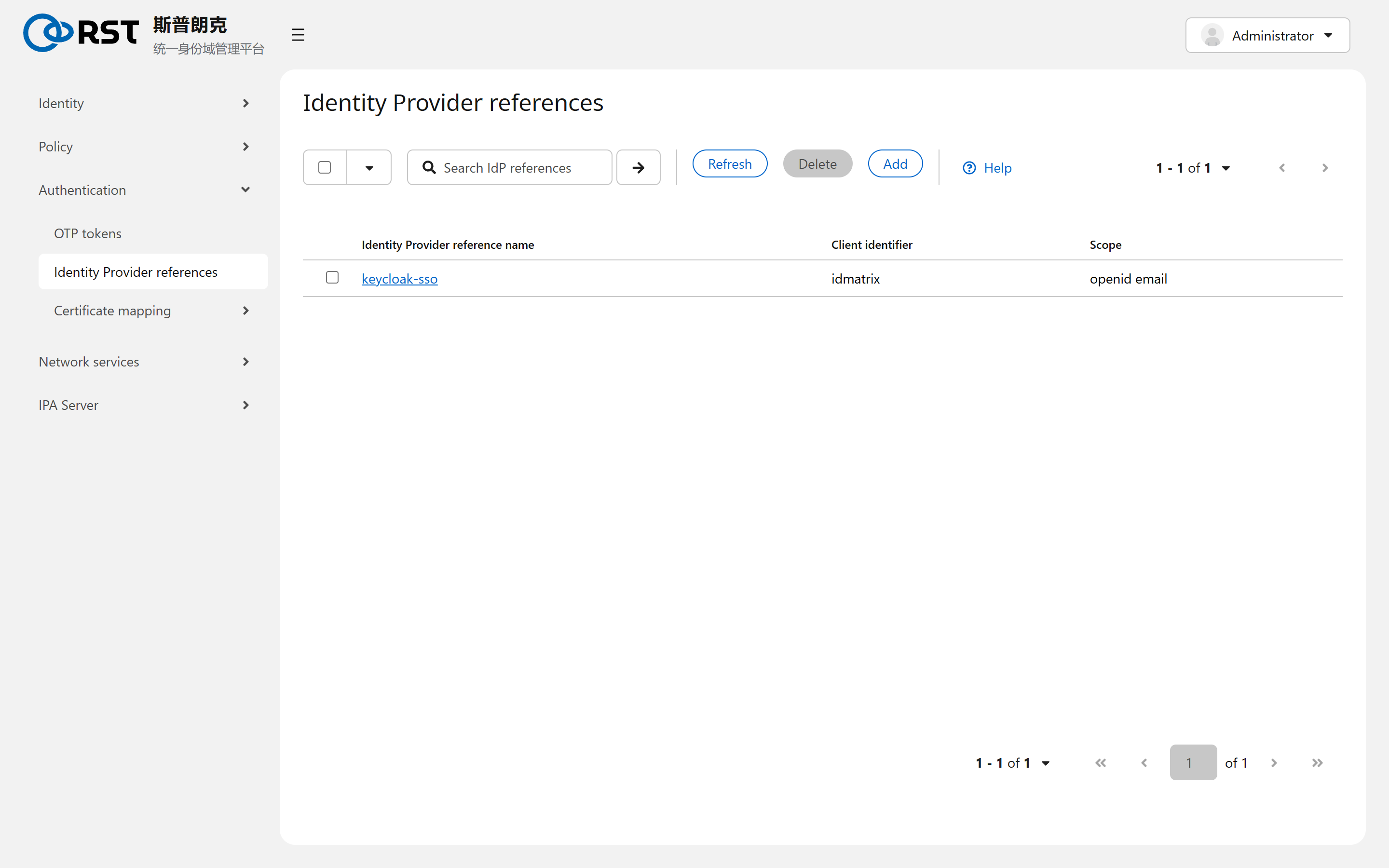
It fits when the primary identity lives in a SaaS IdP and IPA only manages Linux hosts, or when corporate SSO's MFA should cover ssh logins. It does not fit unattended service accounts; a person with a browser is part of the flow.
Fields
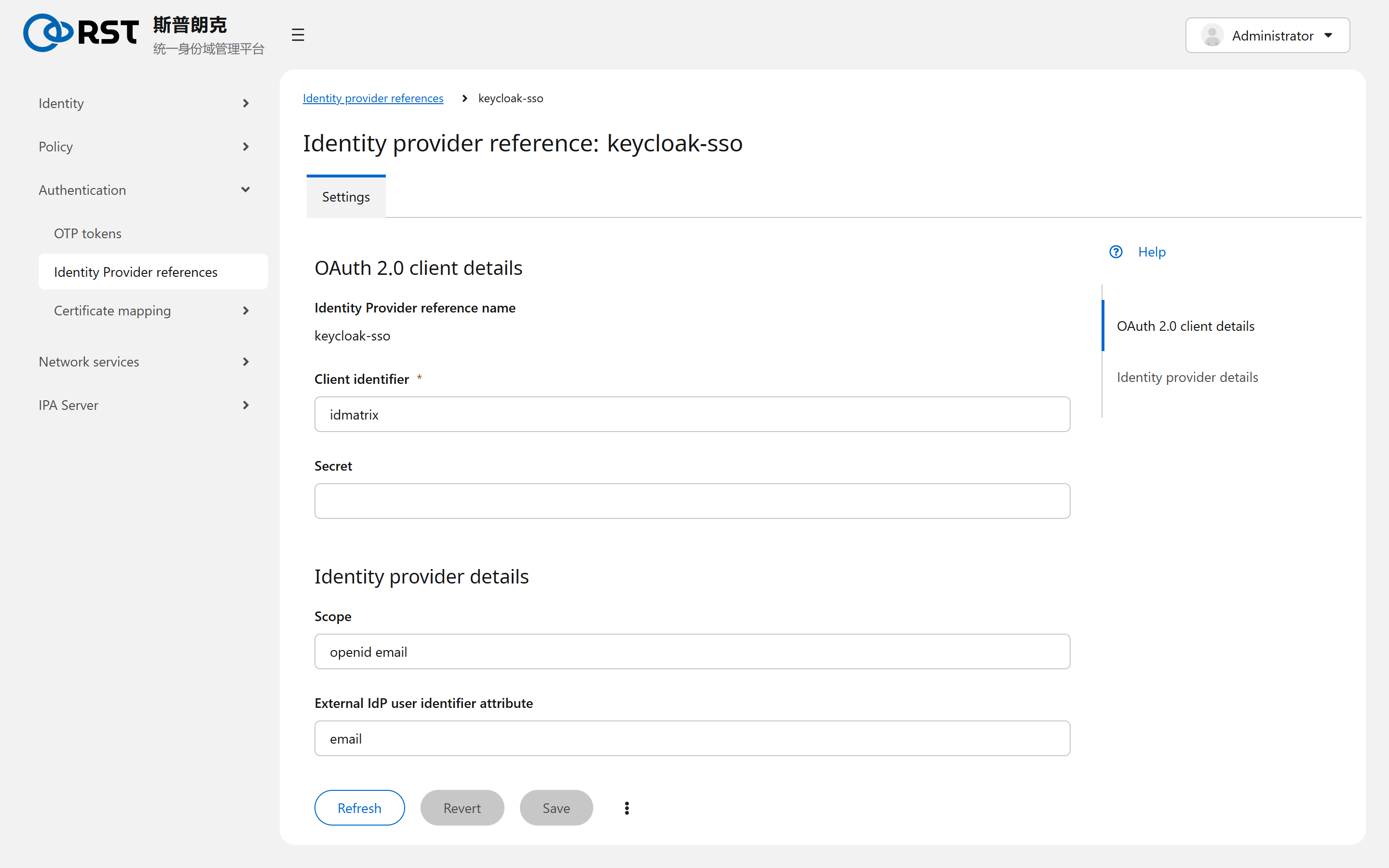
| Field | Meaning |
|---|---|
| Identity Provider reference name | Local name, referenced from a user's authentication settings |
| Client identifier, Secret | The OAuth client registered at the IdP. The IdP must allow the device authorization grant |
| Scope | Requested scopes, default openid email |
| External IdP user identifier attribute | Which claim from the IdP is matched against the IPA user, default email. The IPA user's e-mail must be identical |
| Authorization URI, Device authorization URI, Token URI, User info URI | Endpoints. The CLI --provider= templates (keycloak, okta, google, github, microsoft) fill them; the UI form takes them by hand |
| JWKS URI, Issuer URL | For validating the ID token |
With a template:
ipa idp-add keycloak-sso --provider=keycloak --client-id=idmatrix \
    --org=<realm> --base-url=https://sso.example.com/auth --secret
Enabling it on a user
On the user's detail page, tick External Identity Provider under User authentication types, then under External IdP configuration choose the reference and enter the user's identifier at the IdP (the value of the External IdP user identifier attribute). It can be ticked together with Password; either method then works.
Client requirements
sssd 2.7 or later and the sssd-idp package in addition to krb5-pkinit; ipa-client-install 4.10 or later pulls it in. An ssh login then prints:
Authenticate at https://sso.example.com/auth/realms/rst/device?user_code=ABCD-EFGH and press ENTER.Boundaries
| Topic | Notes |
|---|---|
| User existence | The IPA user must exist before the first login. The IdP does not create users |
| Login entry points | Graphical login (gdm) and the console's own login page do not support the flow; ssh, kinit and terminal logins do |
| IdP unreachable | The user cannot log in. There is no offline cache |
OTP tokens
TOTP and HOTP token fields, user self-service, enabling two-factor on a user, how password plus OTP is entered, and resynchronising a drifted token.
Certificate mapping
Requires the ca module. How a client certificate or smart card is matched to a user, the matching and mapping rule syntax, priority, the global Prompt for username switch, and checking a rule on the match page.