

2025 Splunk Partner Registration Guide
Step-by-step registration of a Splunk partner account, covering the website, Partner Portal, account creation, email verification and login.
This page covers registering a partner account on the Splunk website. First-time registration needs a Splunk account confirmed by email.
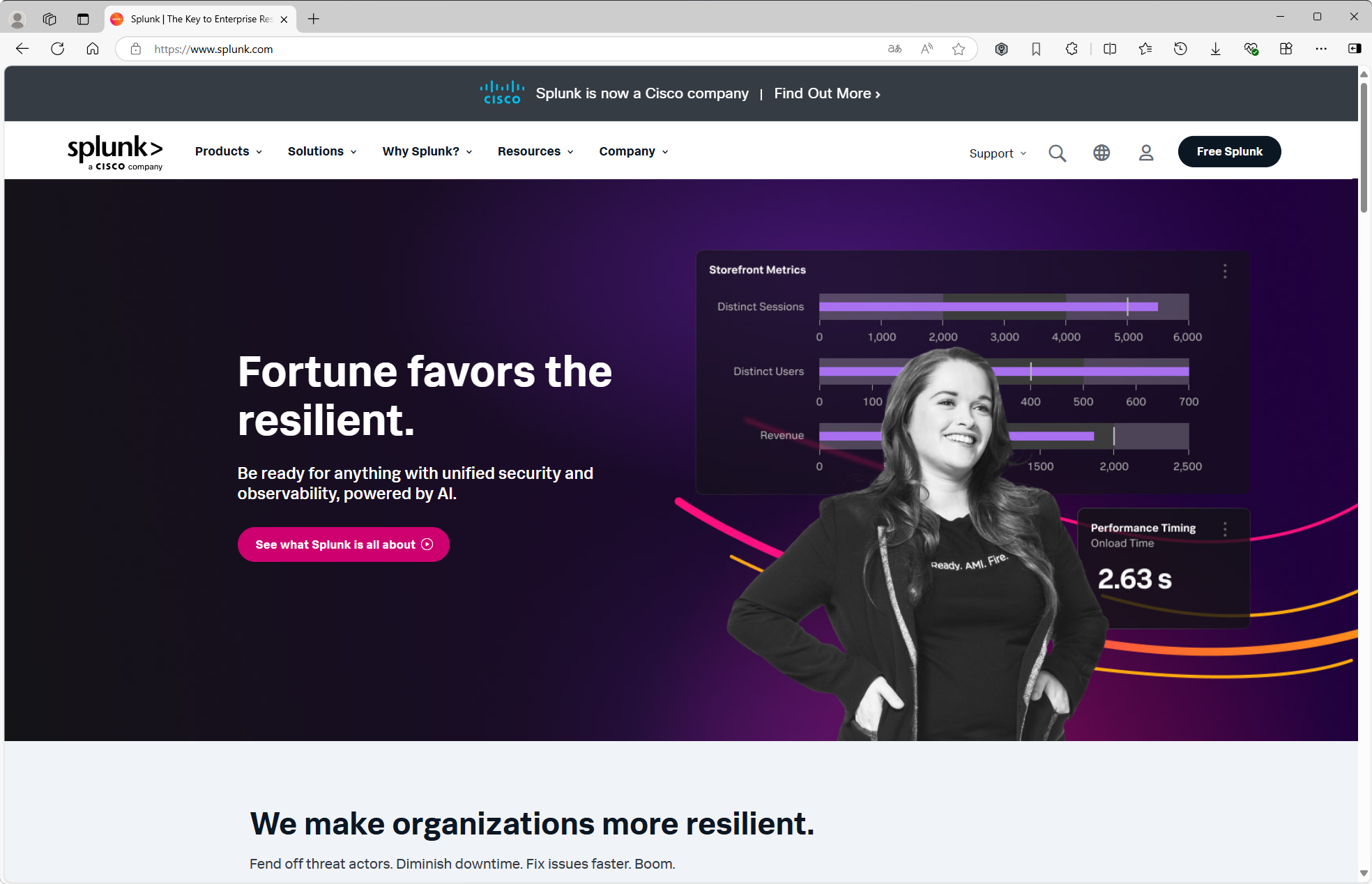
Open a browser and go to https://www.splunk.com.
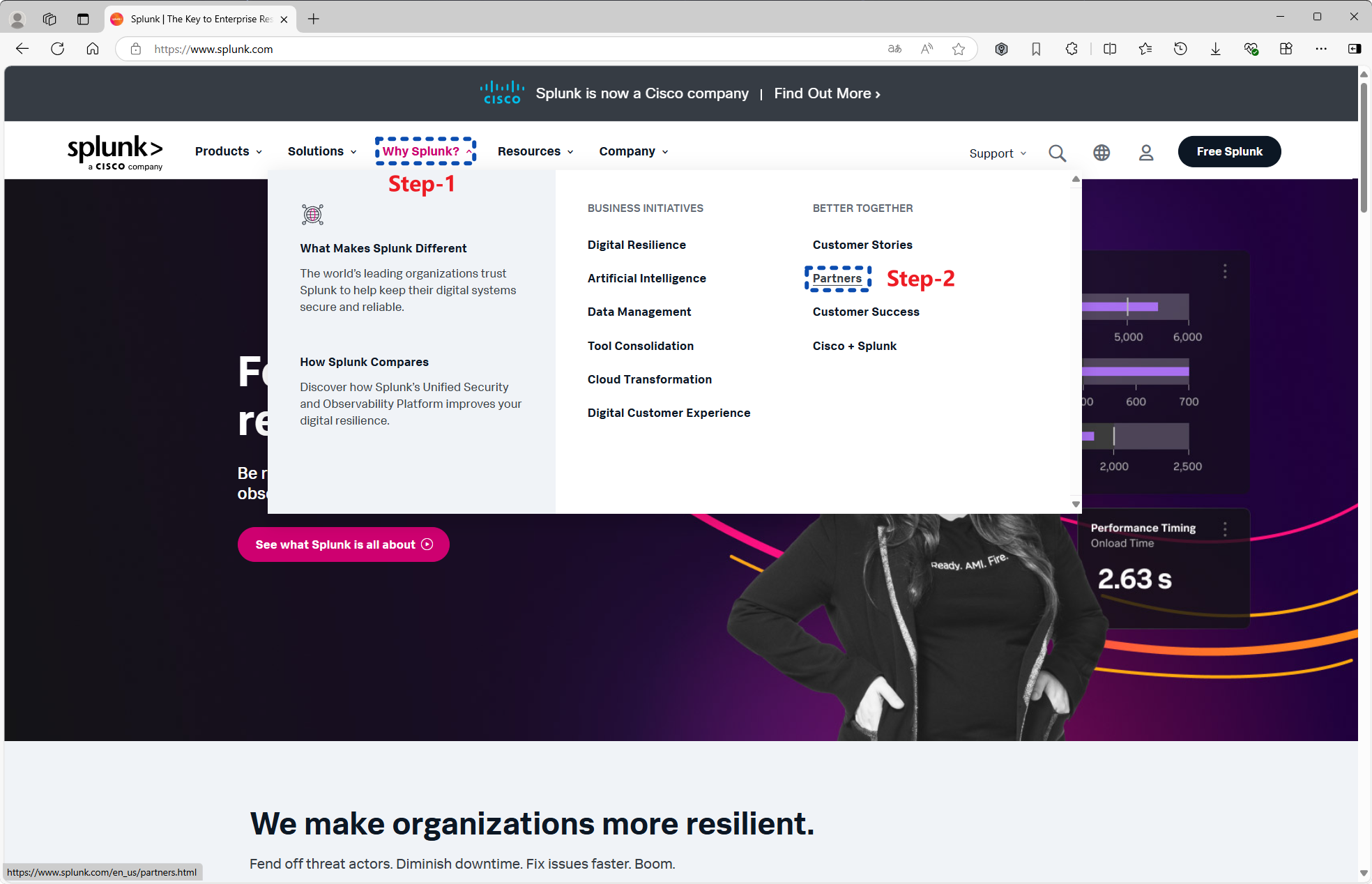
In the top menu, open Why Splunk? and select Partners.
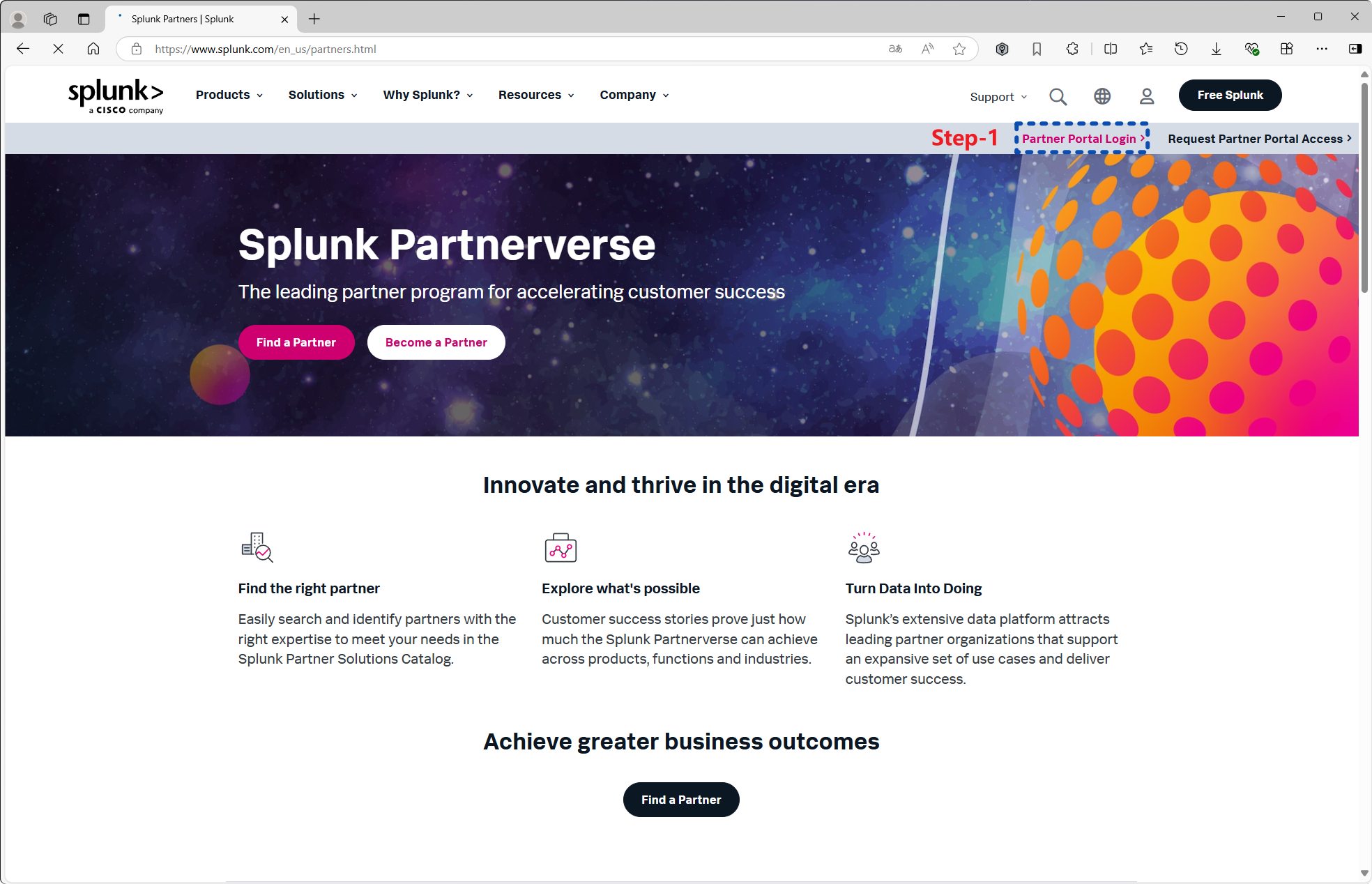
Select Partner Portal Login.
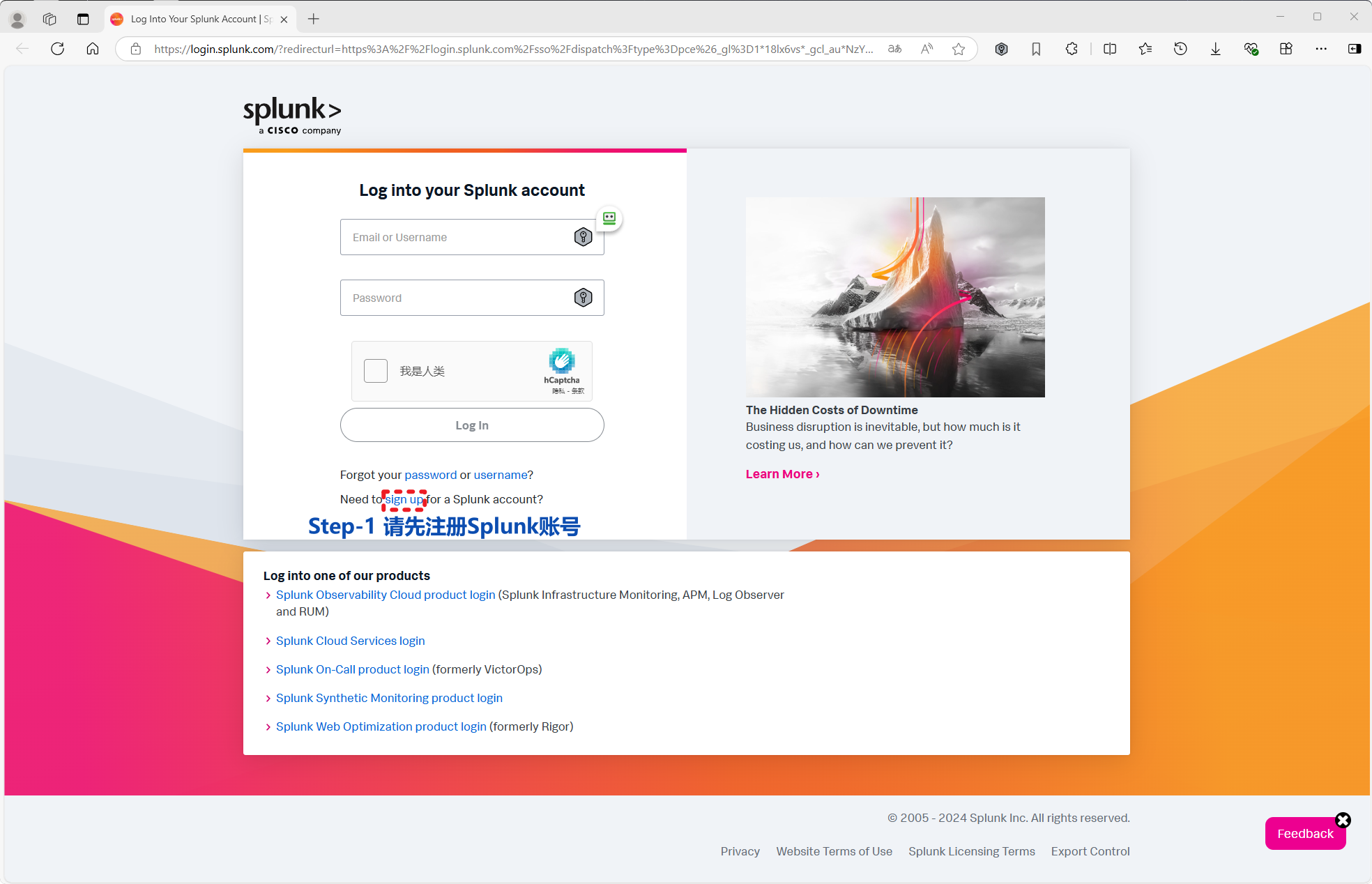
Select Sign up to create a Splunk account.
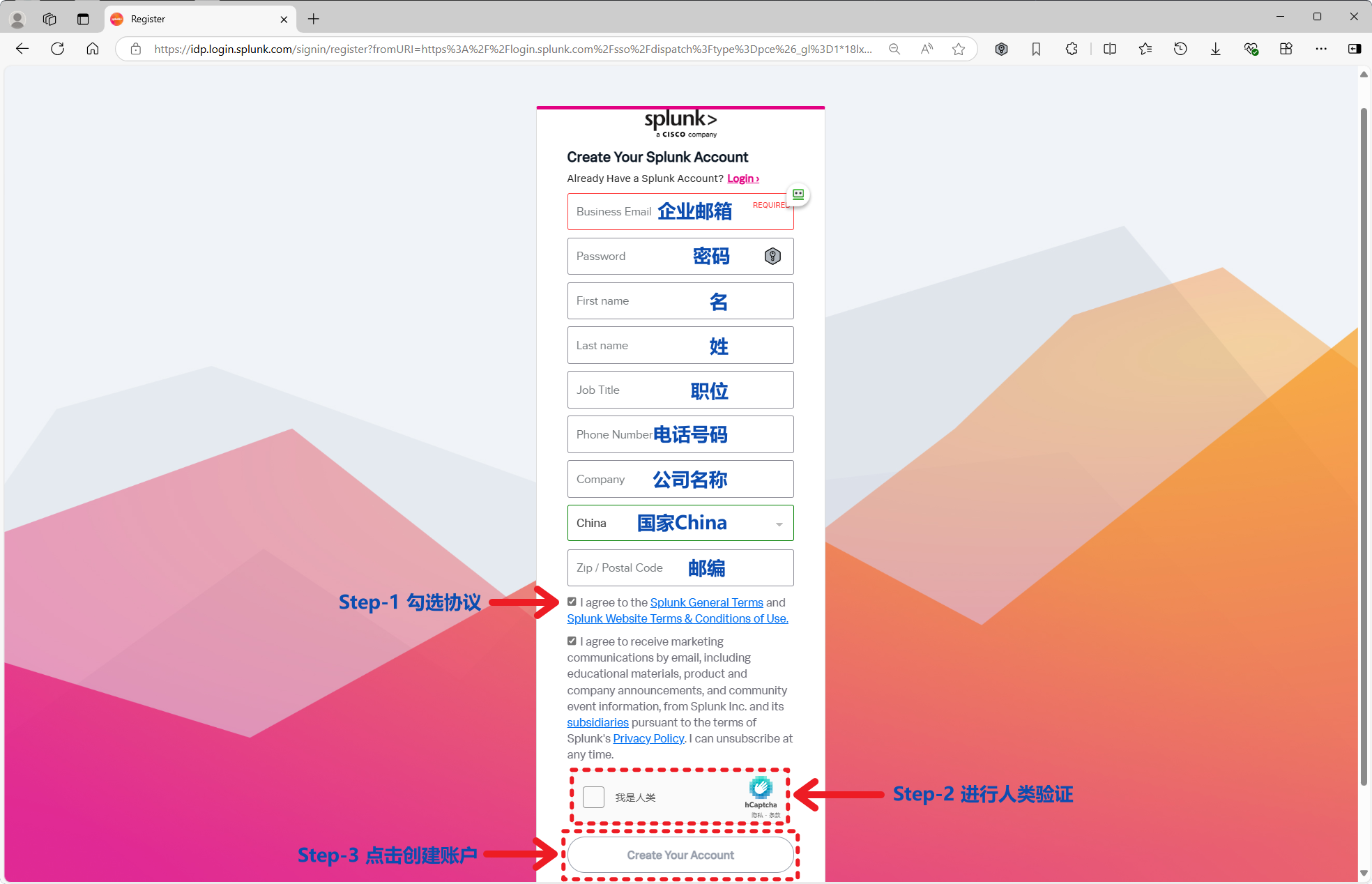
Enter the account details, accept the agreement, complete the CAPTCHA (not always required) and submit. The password needs an uppercase letter, a lowercase letter, a symbol and a number.
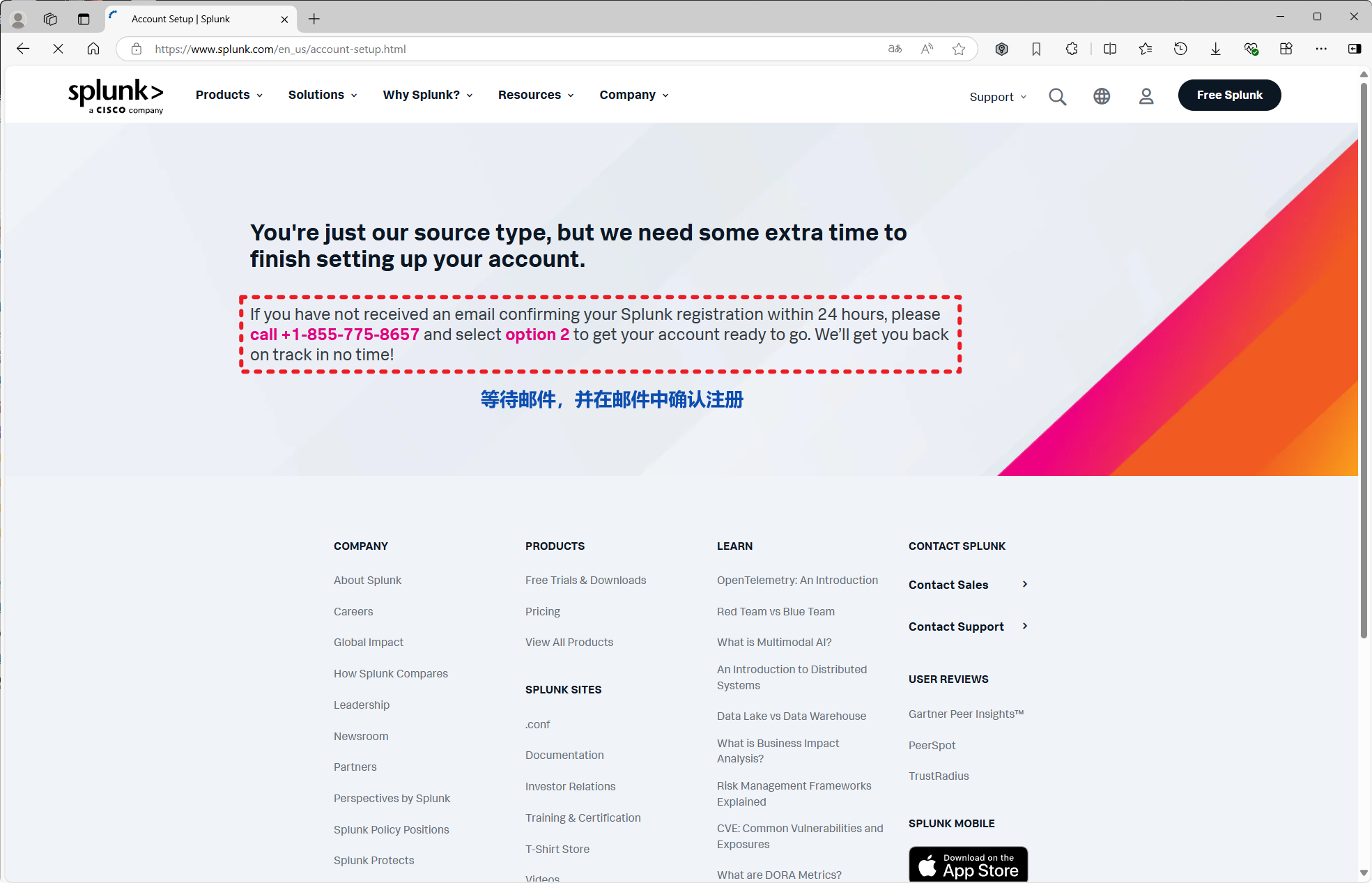
Open the confirmation email from Splunk and follow the link to confirm the registration.
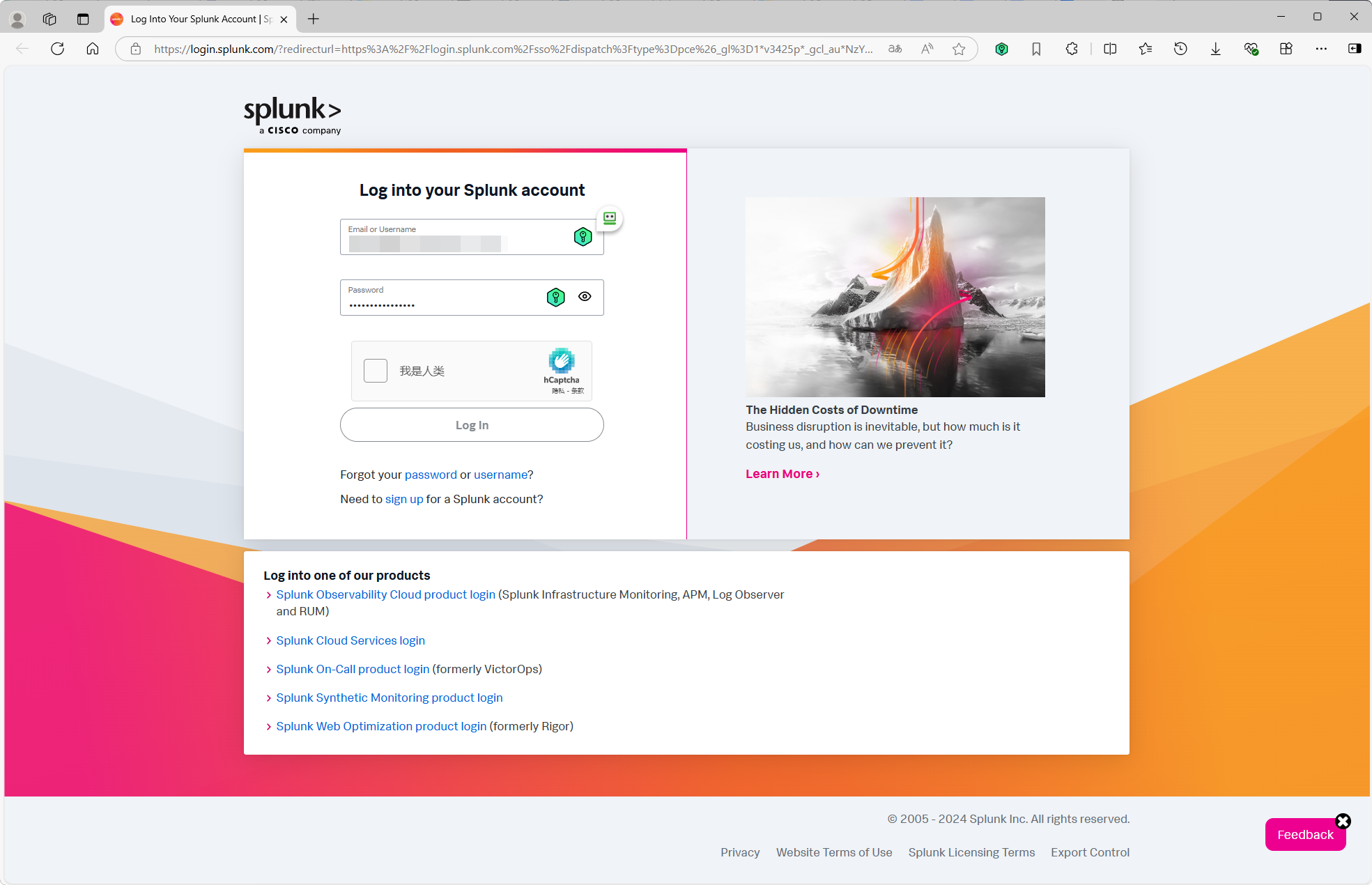
Return to Partner Portal Login, enter the credentials, complete the CAPTCHA and log in.
Partner Guide
Step-by-step Splunk partner registration, certification and post-certification tasks, with screenshots.
2025 Splunk Partner Certification Guide
Step-by-step Splunk Partner certification, covering PGT signing, the Sell Motion application, due diligence, Compliance Desktop login and the questionnaire.