2025 Splunk Partner 认证教程

完整的 Splunk Partner 认证流程指南,涵盖认证申请、考试准备、认证步骤及注意事项,助您顺利通过 Partner 认证。

步骤 1 · 进入 Partner Portal 认证面板

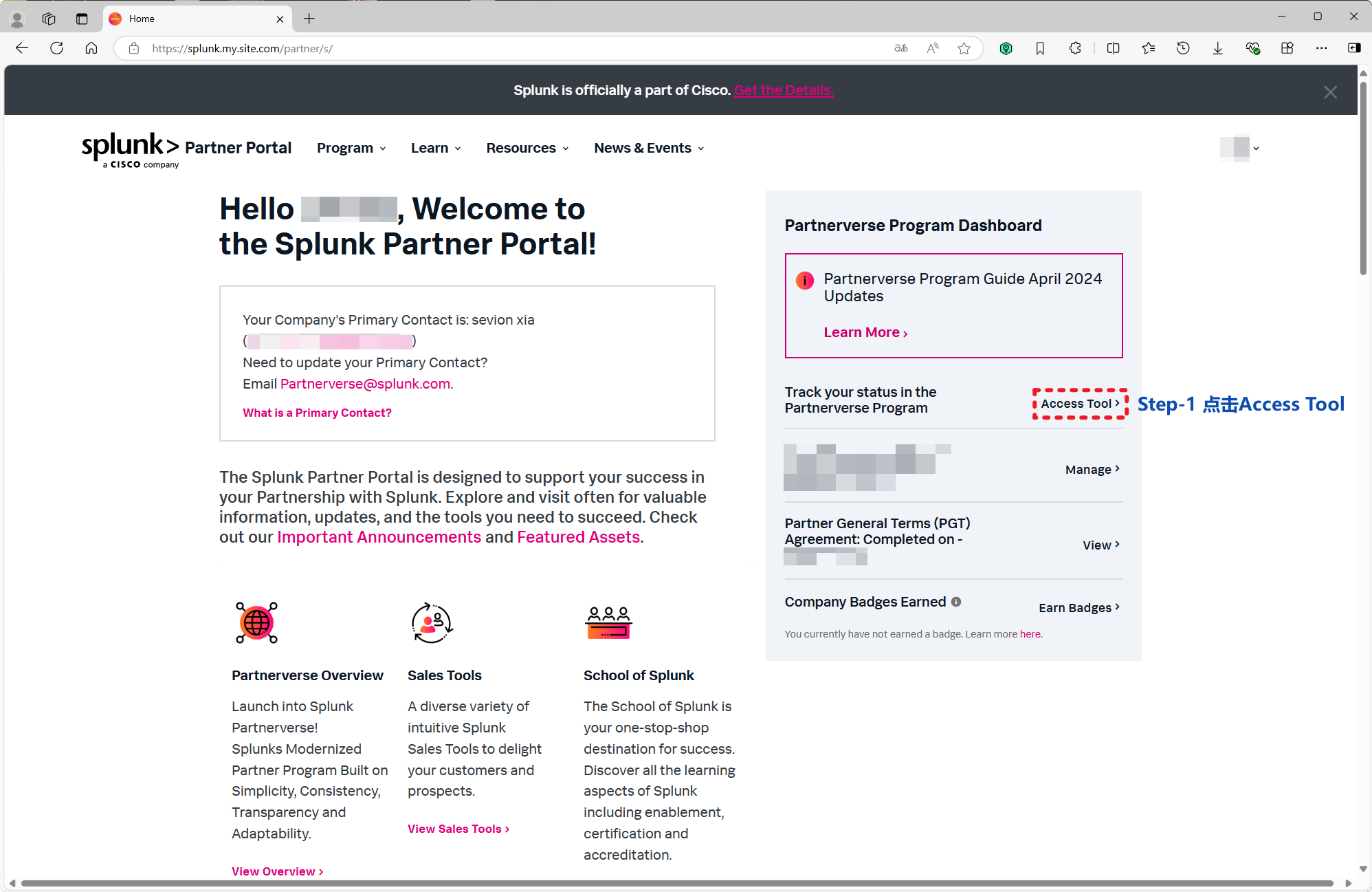
登录 Splunk Partner Portal,在 Partnerverse Program Dashboard 中找到并点击 Access Tool,进入认证流程跟踪页面。

进入 Partner Portal 认证面板 1

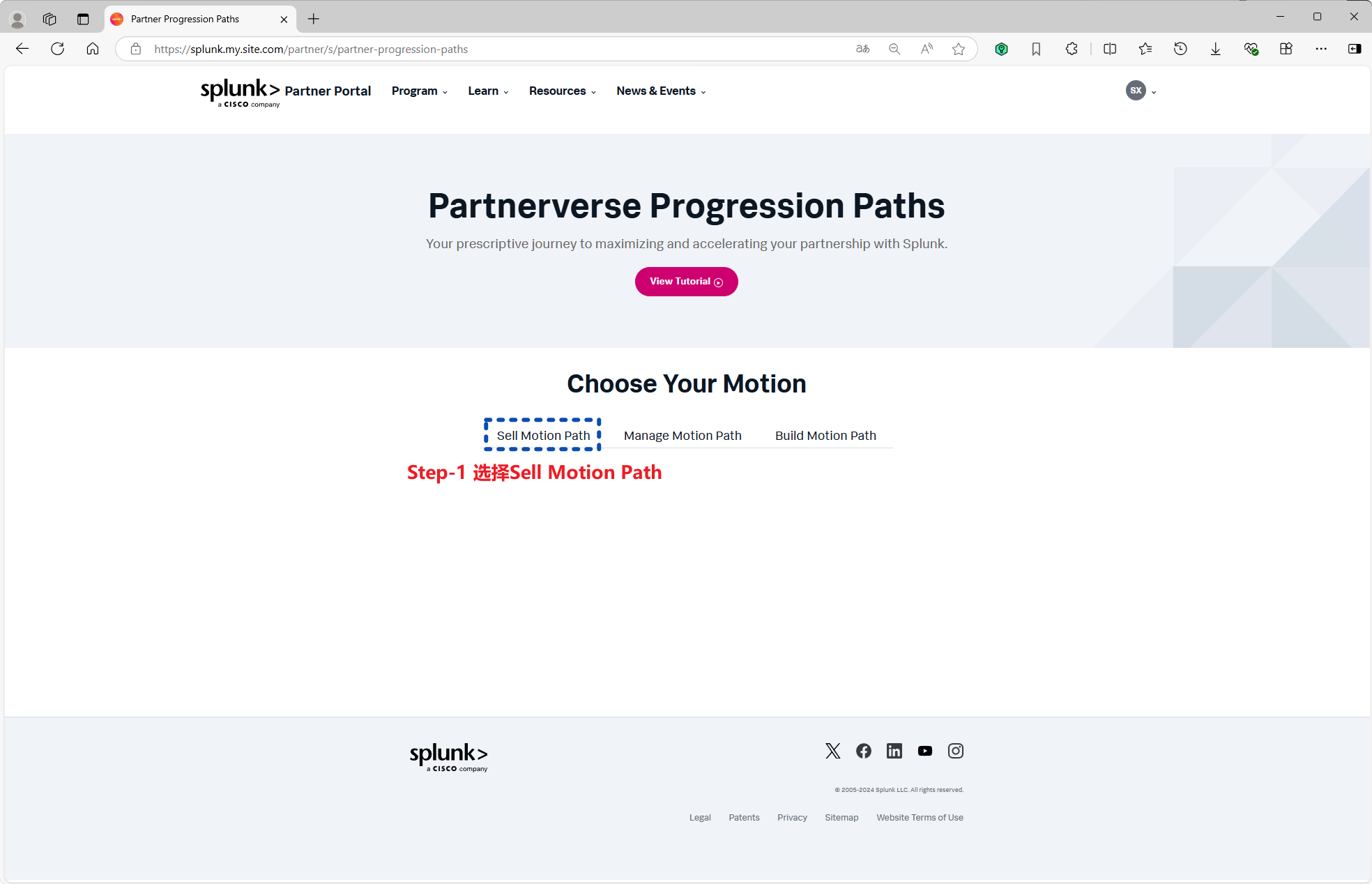
进入 Partner Portal 认证面板 2

步骤 2 · 签署 Partner General Terms (PGT) 协议

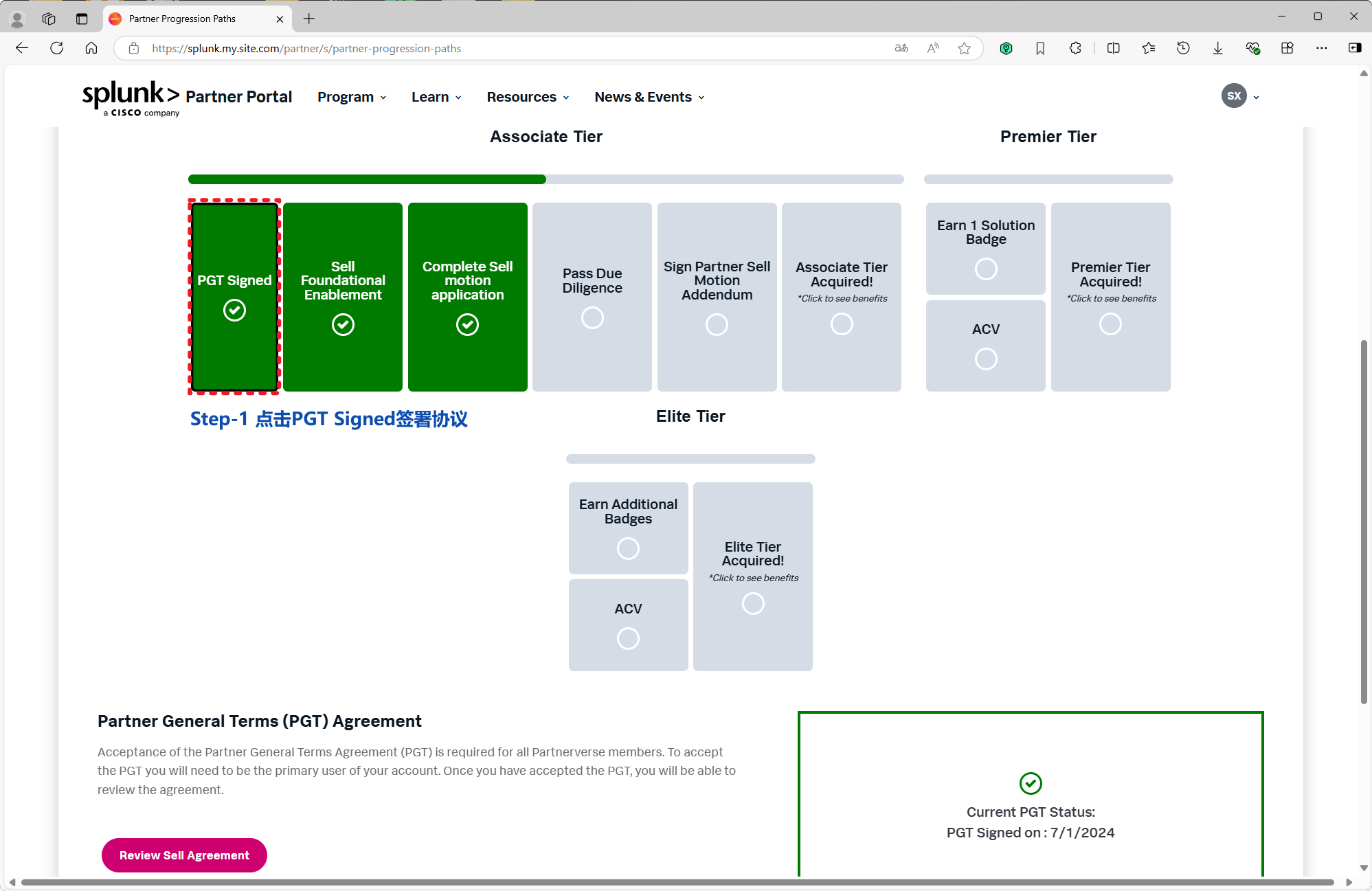
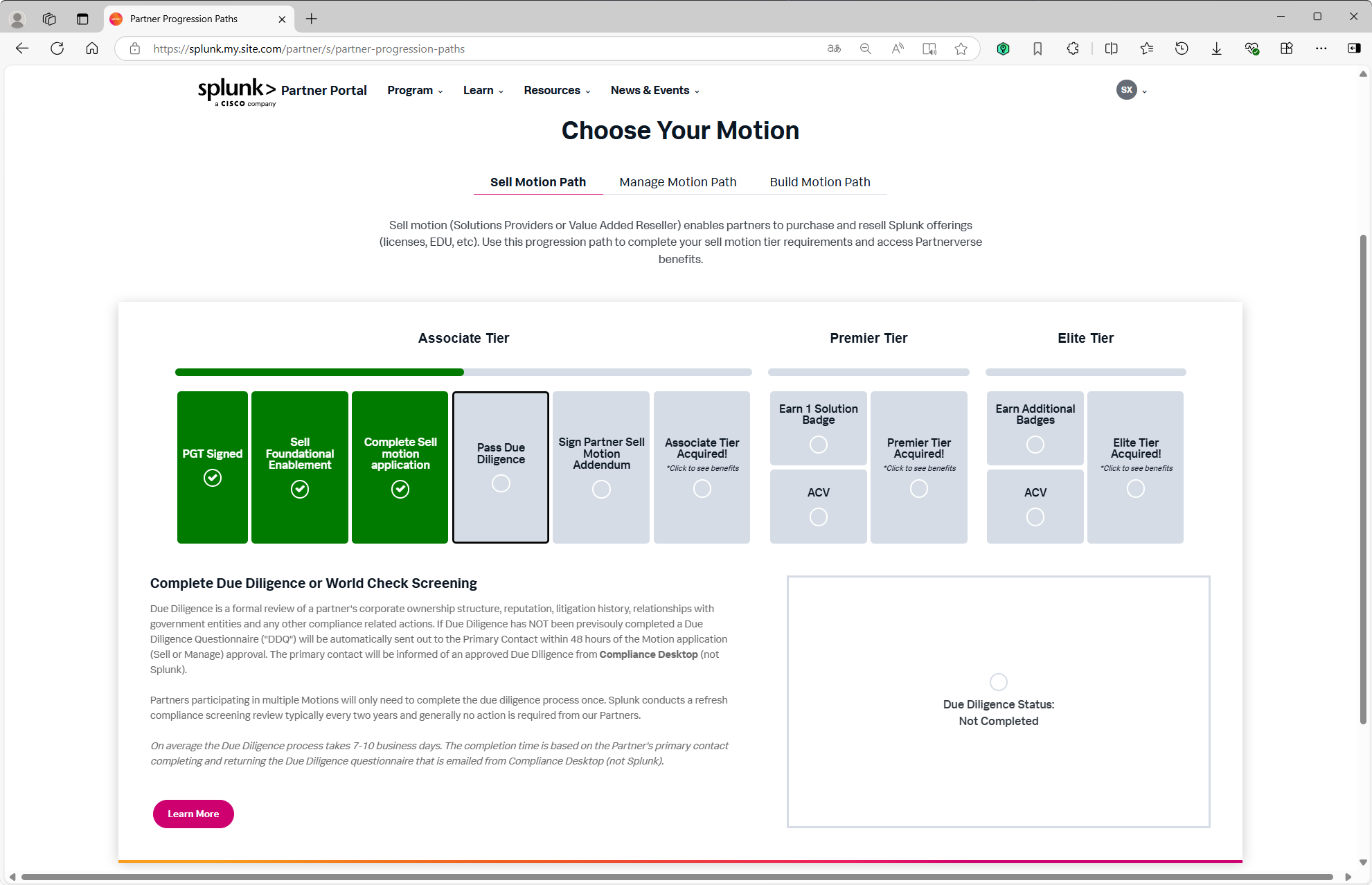
在 Partner Progression Paths(Choose Your Motion)页面,点击 PGT Signed,完成 Partner General Terms (PGT) 协议的签署。

签署 Partner General Terms (PGT) 协议 1

签署 Partner General Terms (PGT) 协议 2

签署 Partner General Terms (PGT) 协议 3

签署 Partner General Terms (PGT) 协议 4

步骤 3 · 提交 Sell Motion 申请

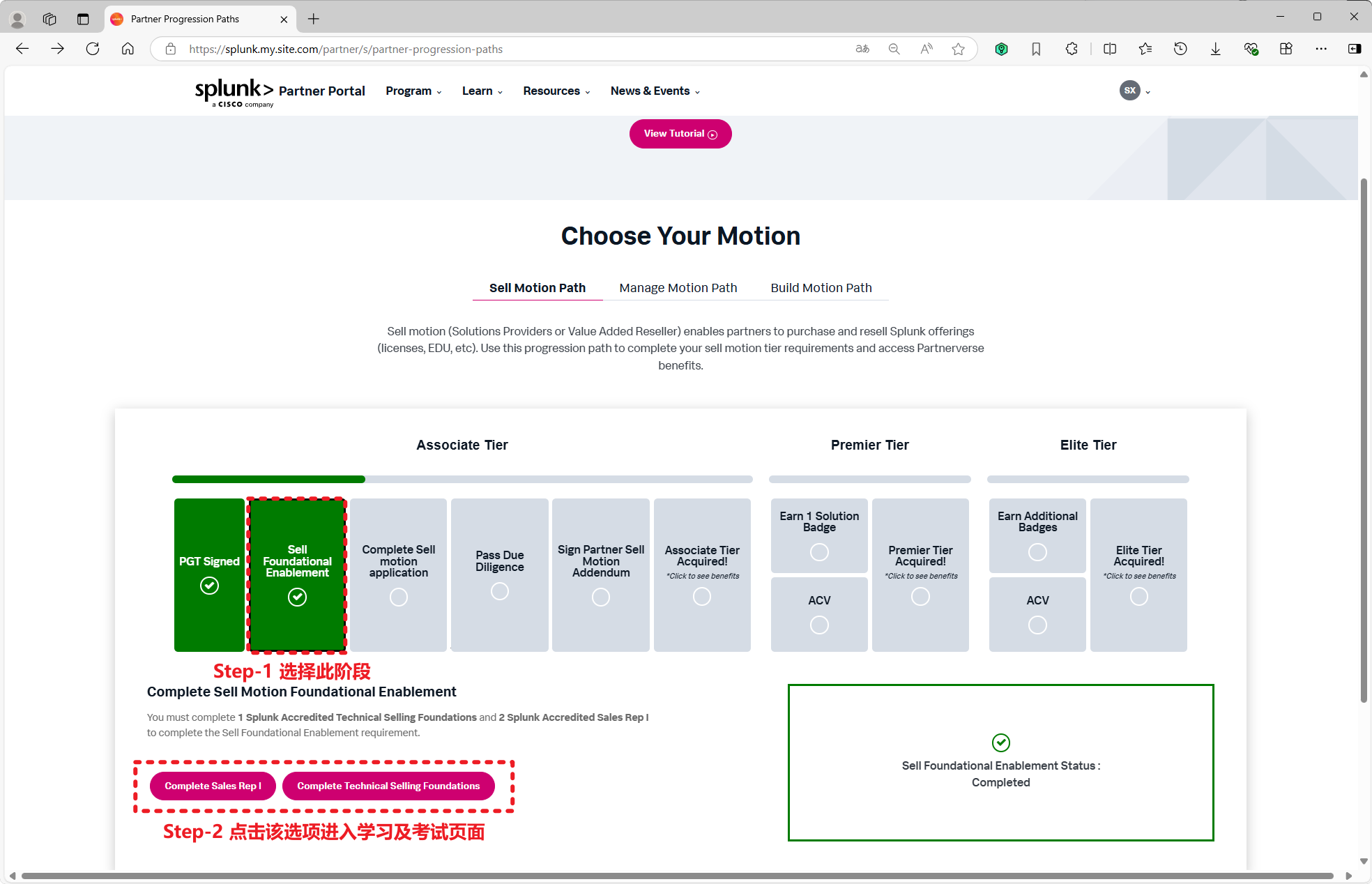
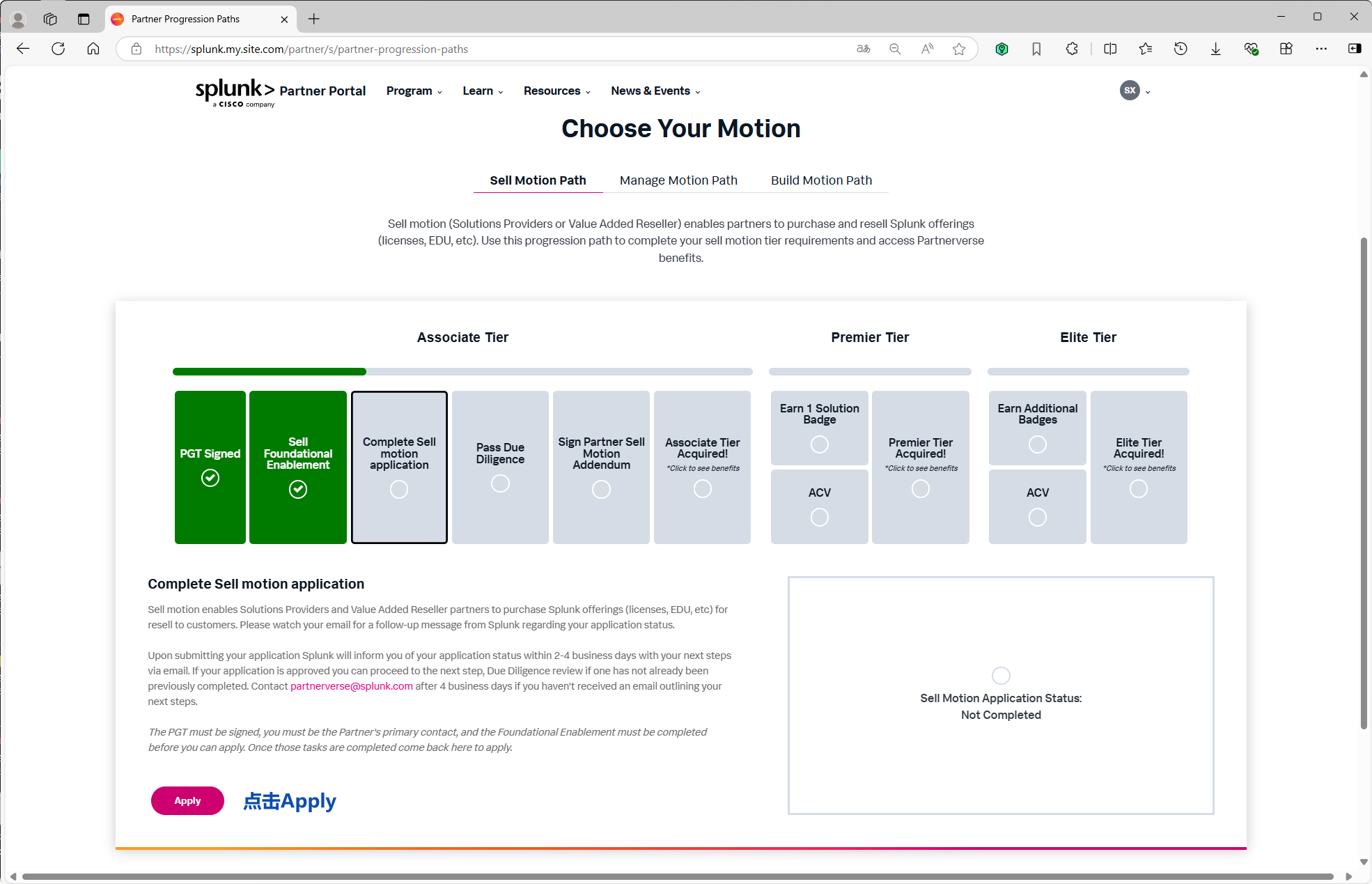
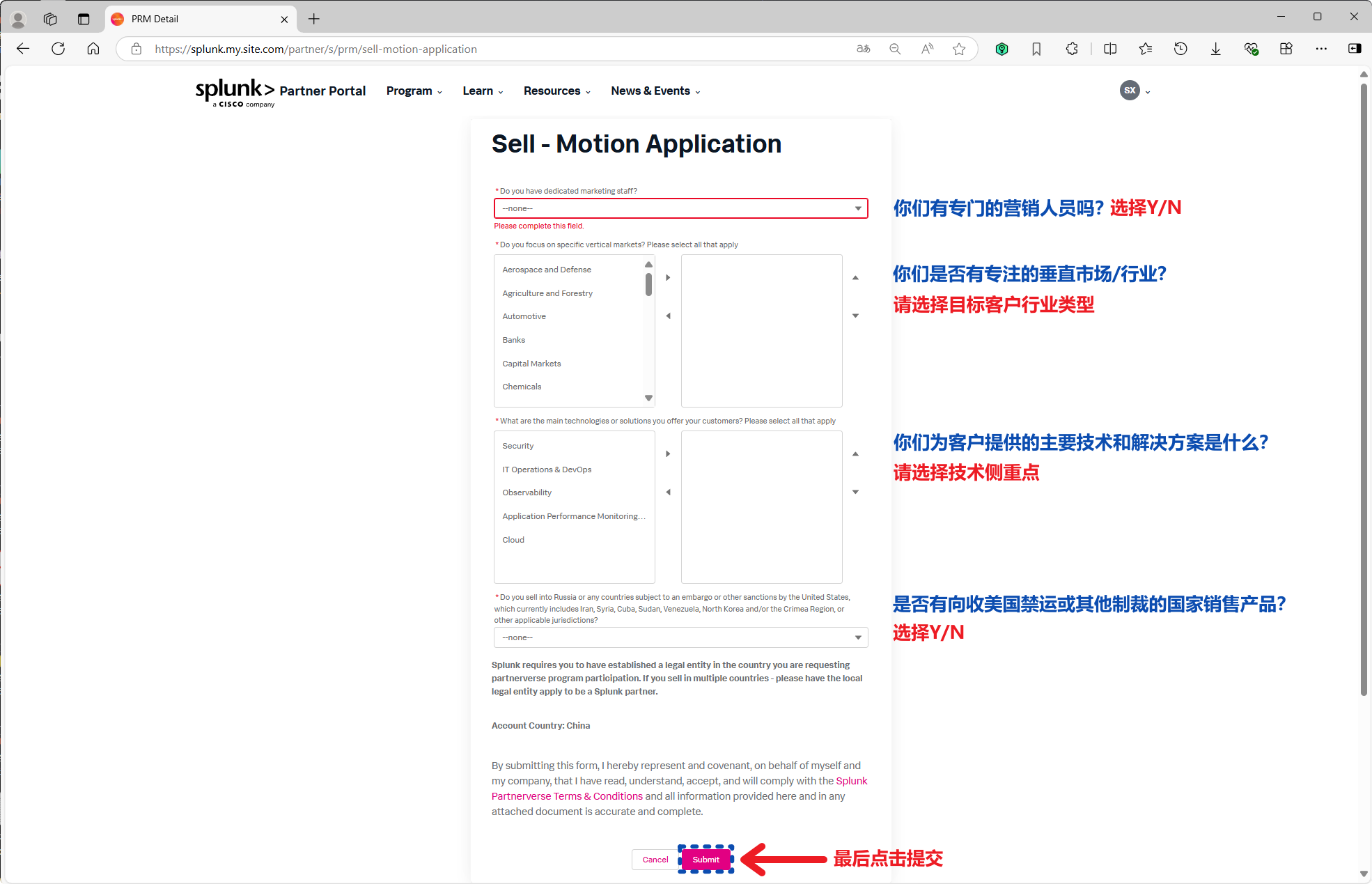
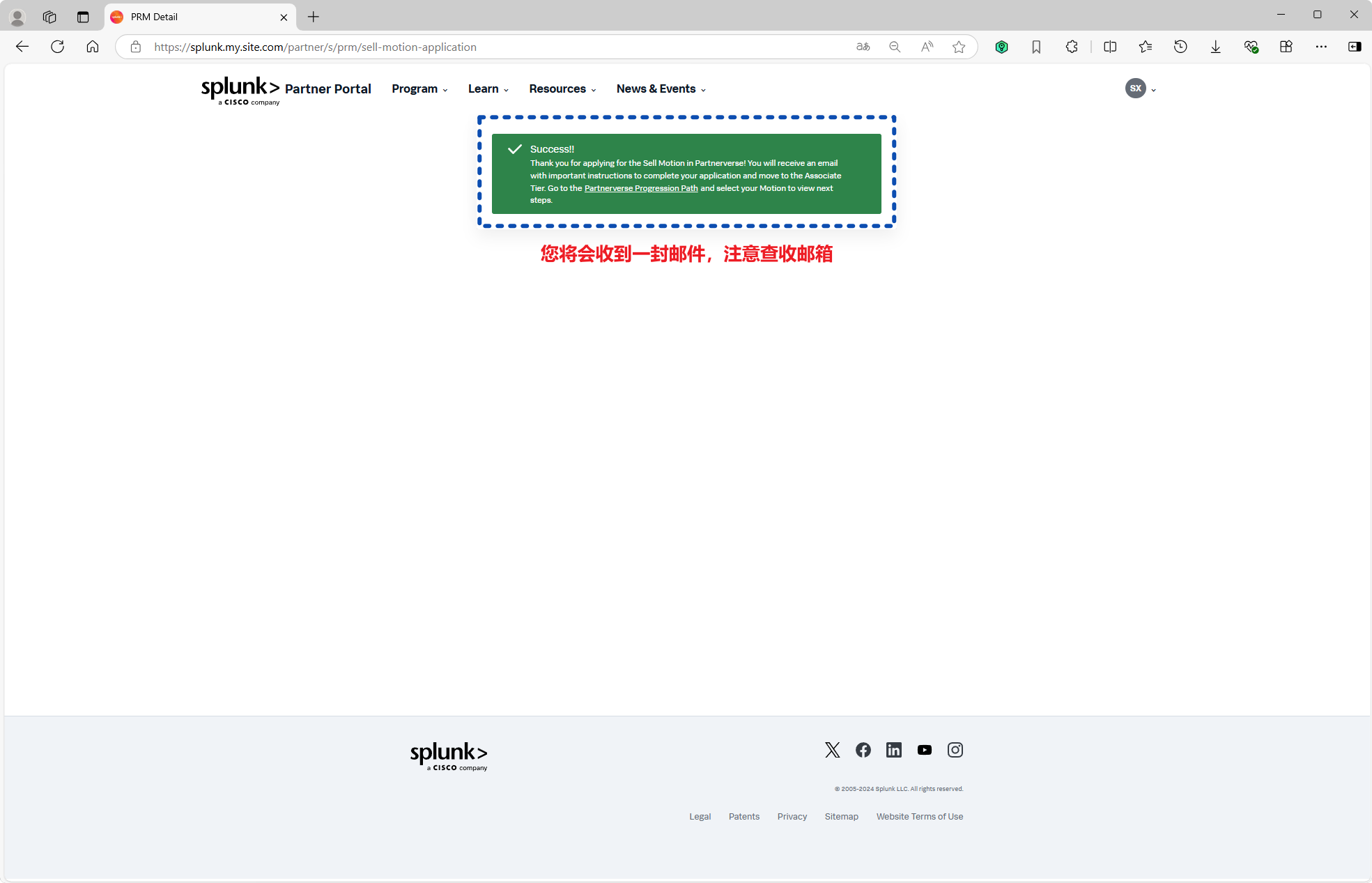
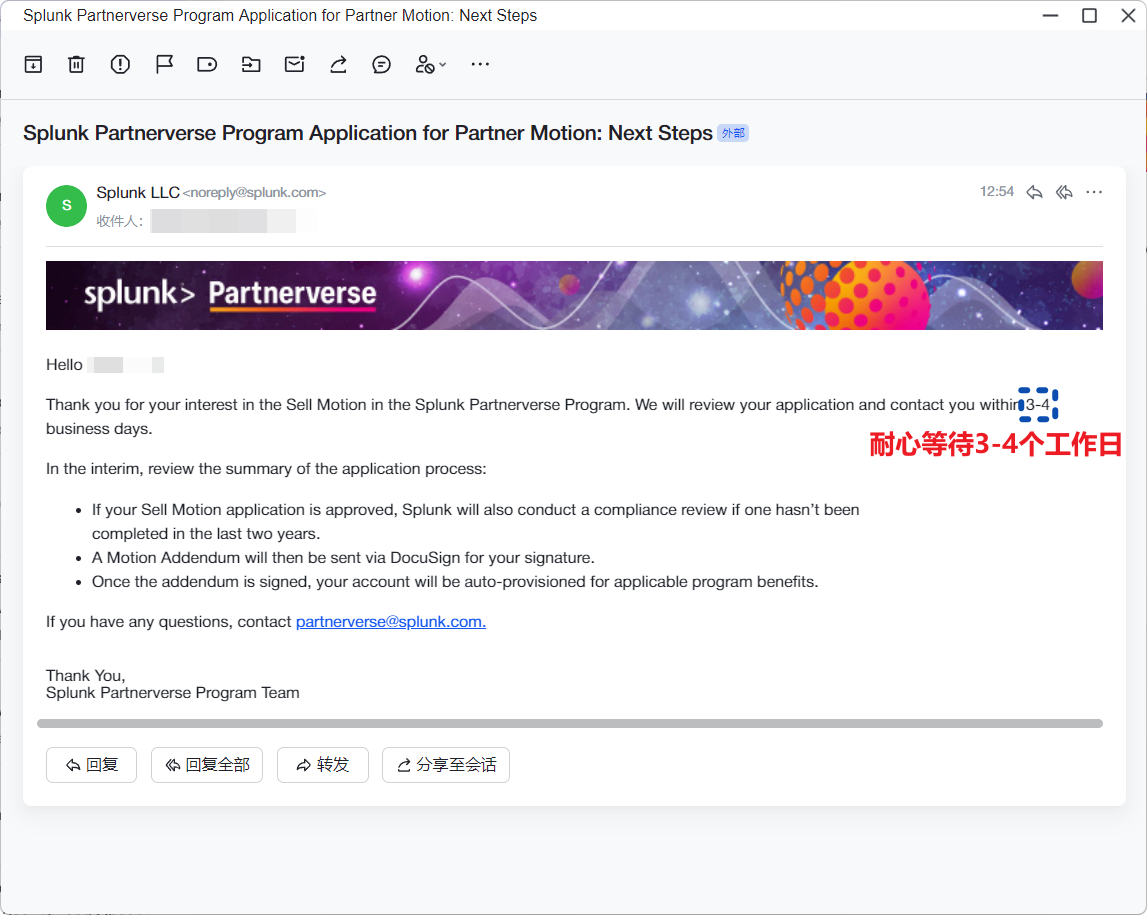
完成 Sell Foundational Enablement 后,进入 Complete Sell Motion Application,点击 Apply 提交销售动议(Sell Motion)申请。

提交 Sell Motion 申请 1

提交 Sell Motion 申请 2

提交 Sell Motion 申请 3

提交 Sell Motion 申请 4

步骤 4 · 完成尽职调查 (Due Diligence)

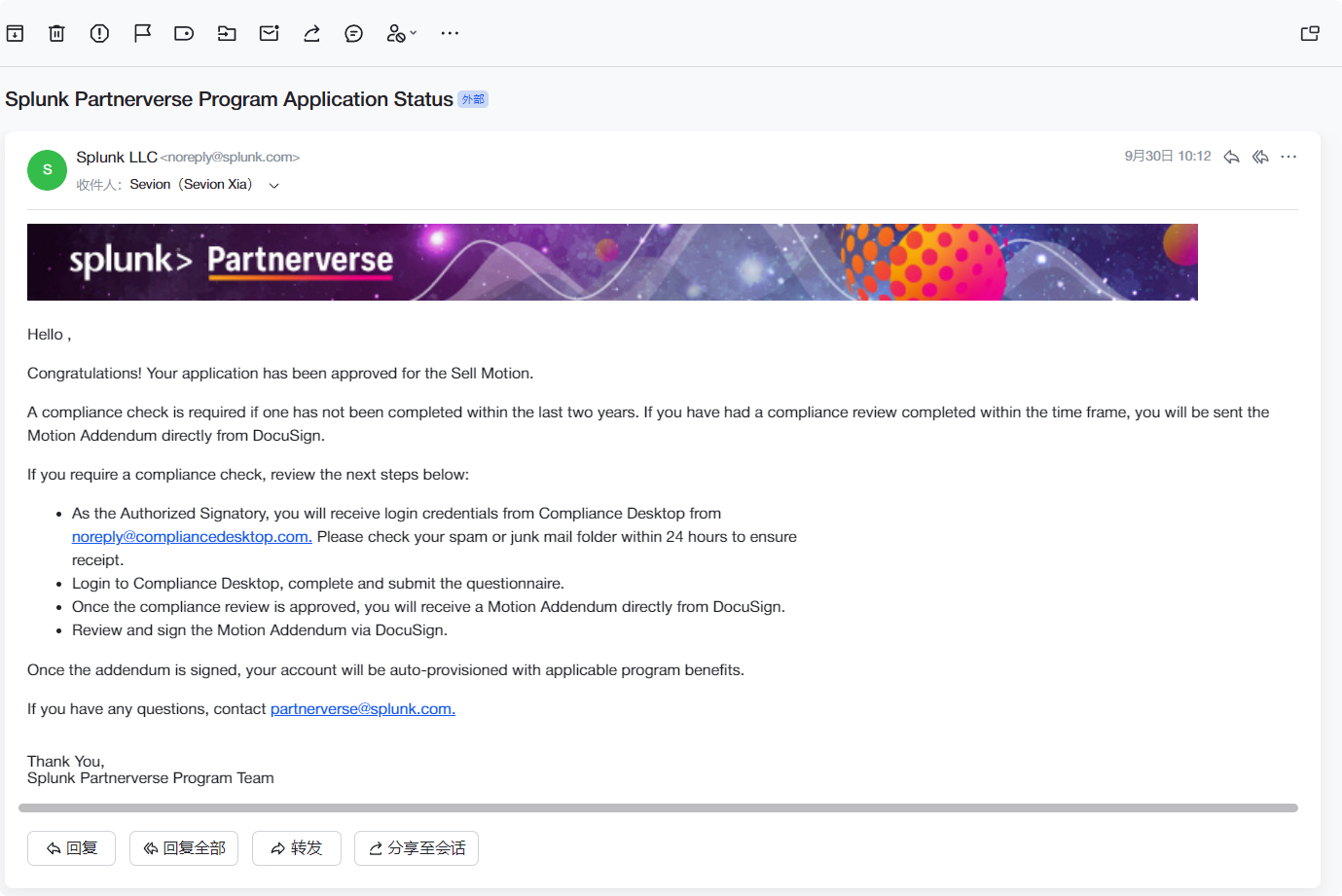
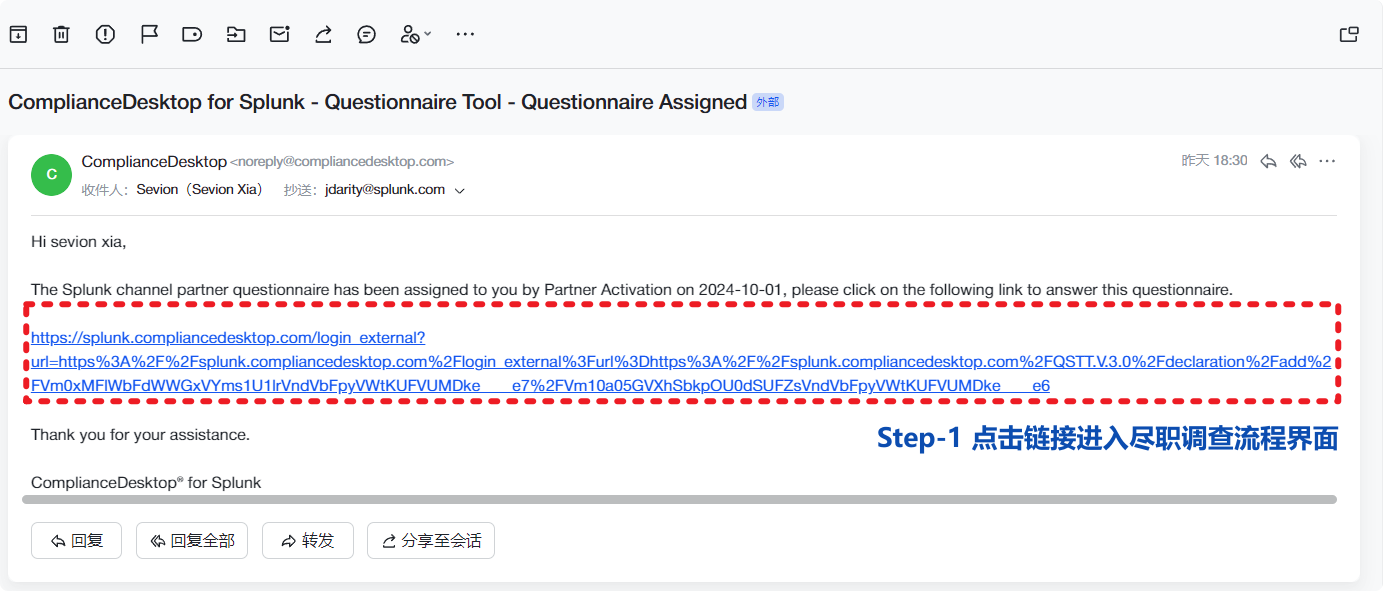
进入 Pass Due Diligence 环节,点击 Learn More 开始 Due Diligence / World Check 合规尽职调查流程。

完成尽职调查 (Due Diligence) 1

完成尽职调查 (Due Diligence) 2

完成尽职调查 (Due Diligence) 3

完成尽职调查 (Due Diligence) 4

完成尽职调查 (Due Diligence) 5

步骤 5 · 登录 Compliance Desktop 合规系统

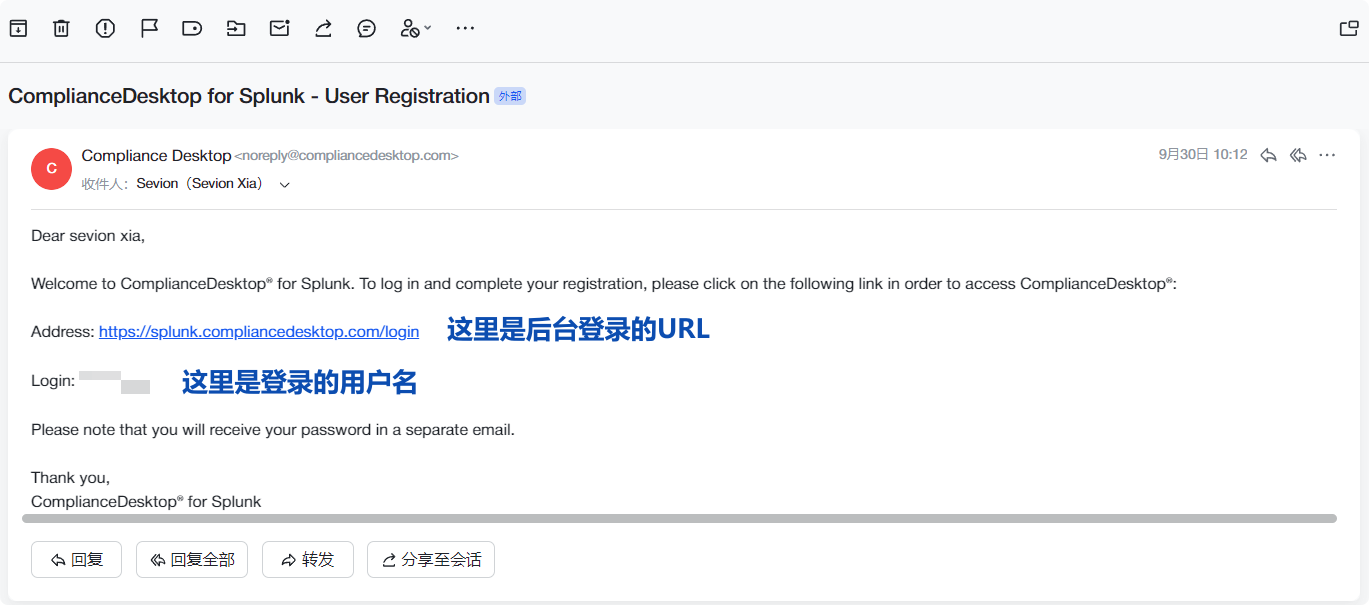
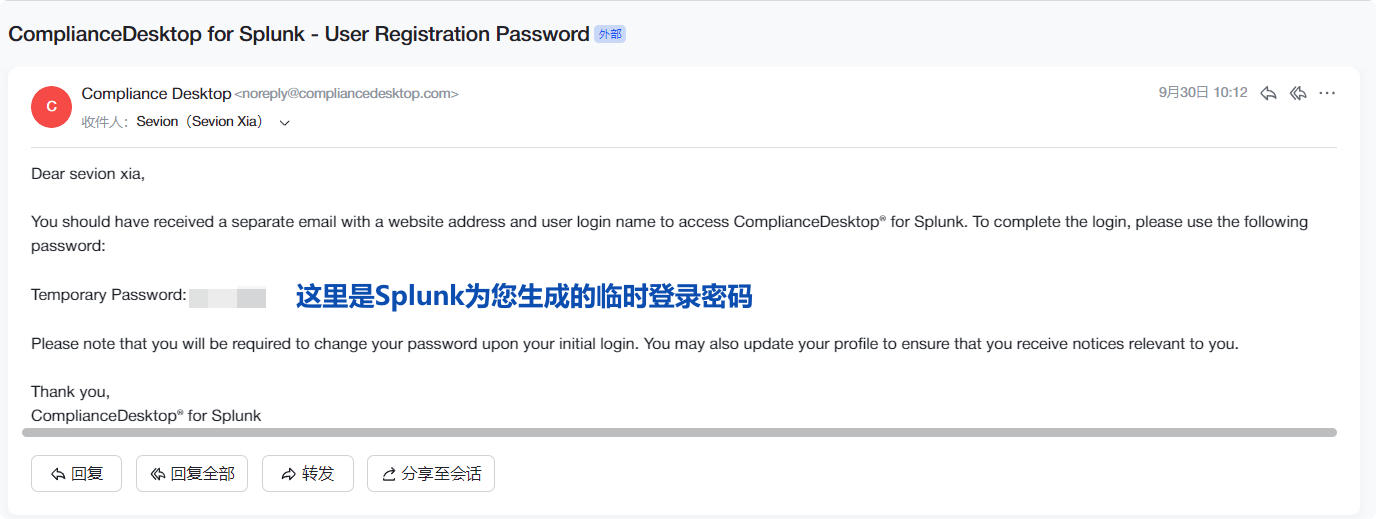
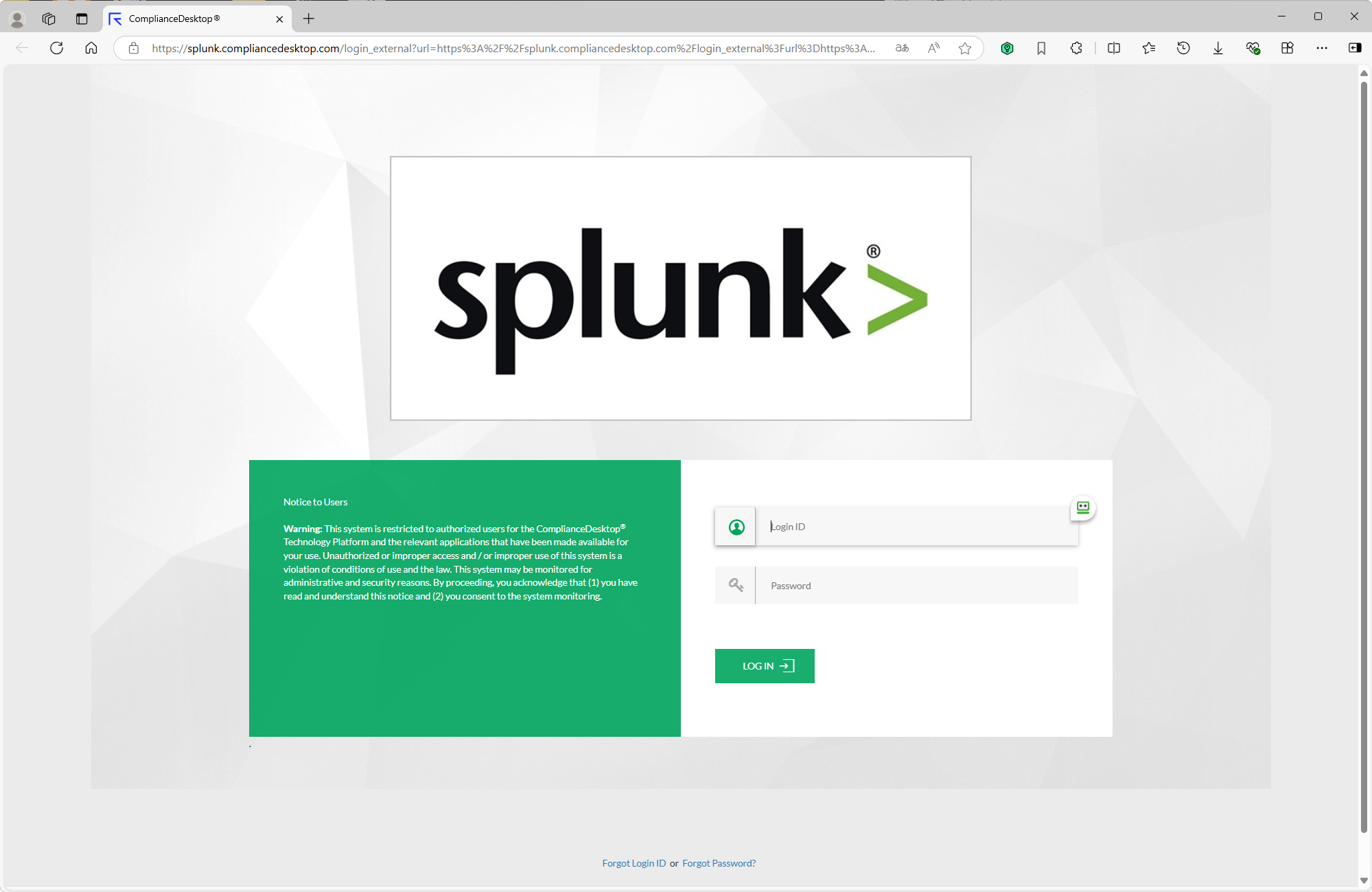
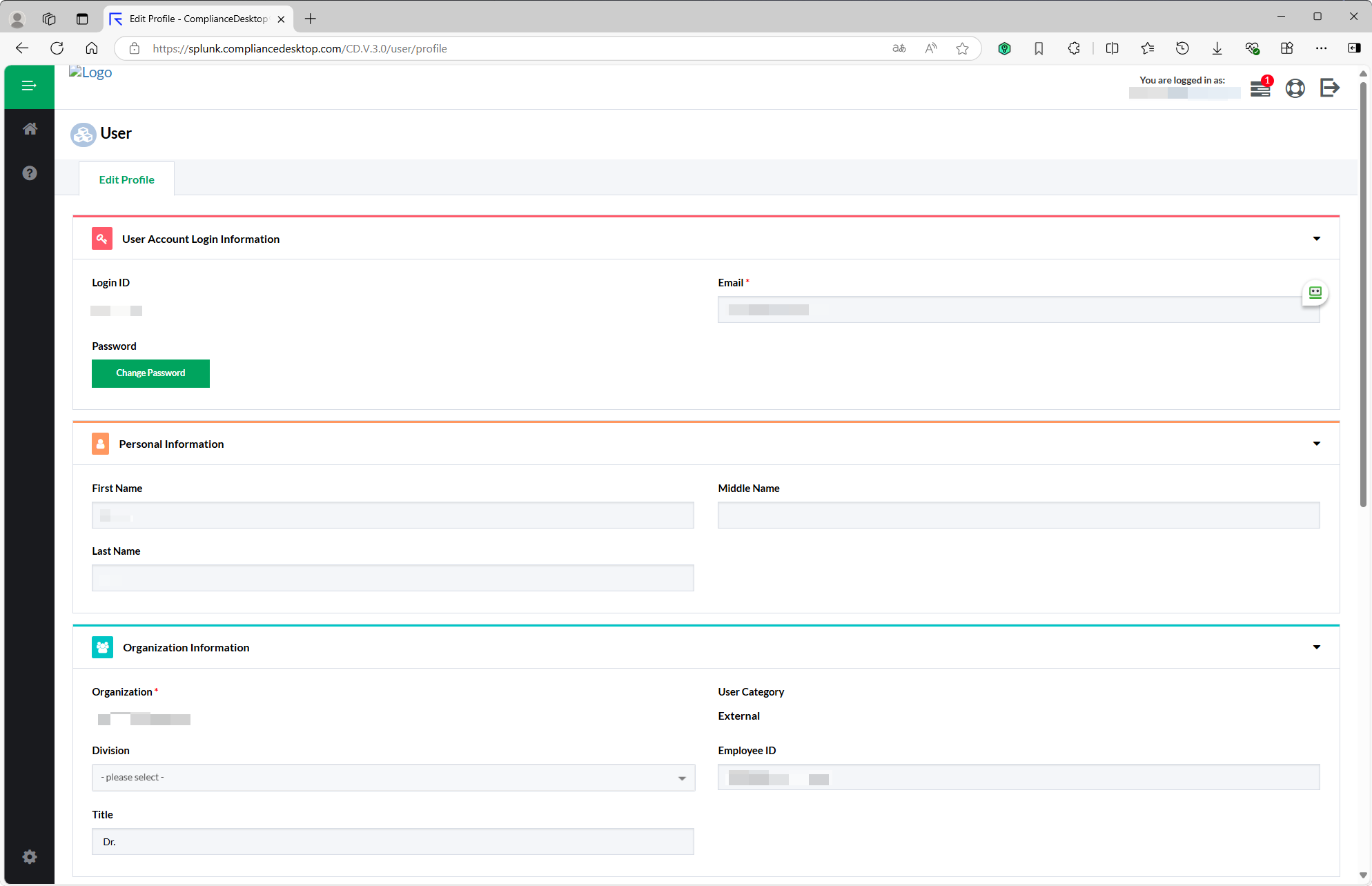
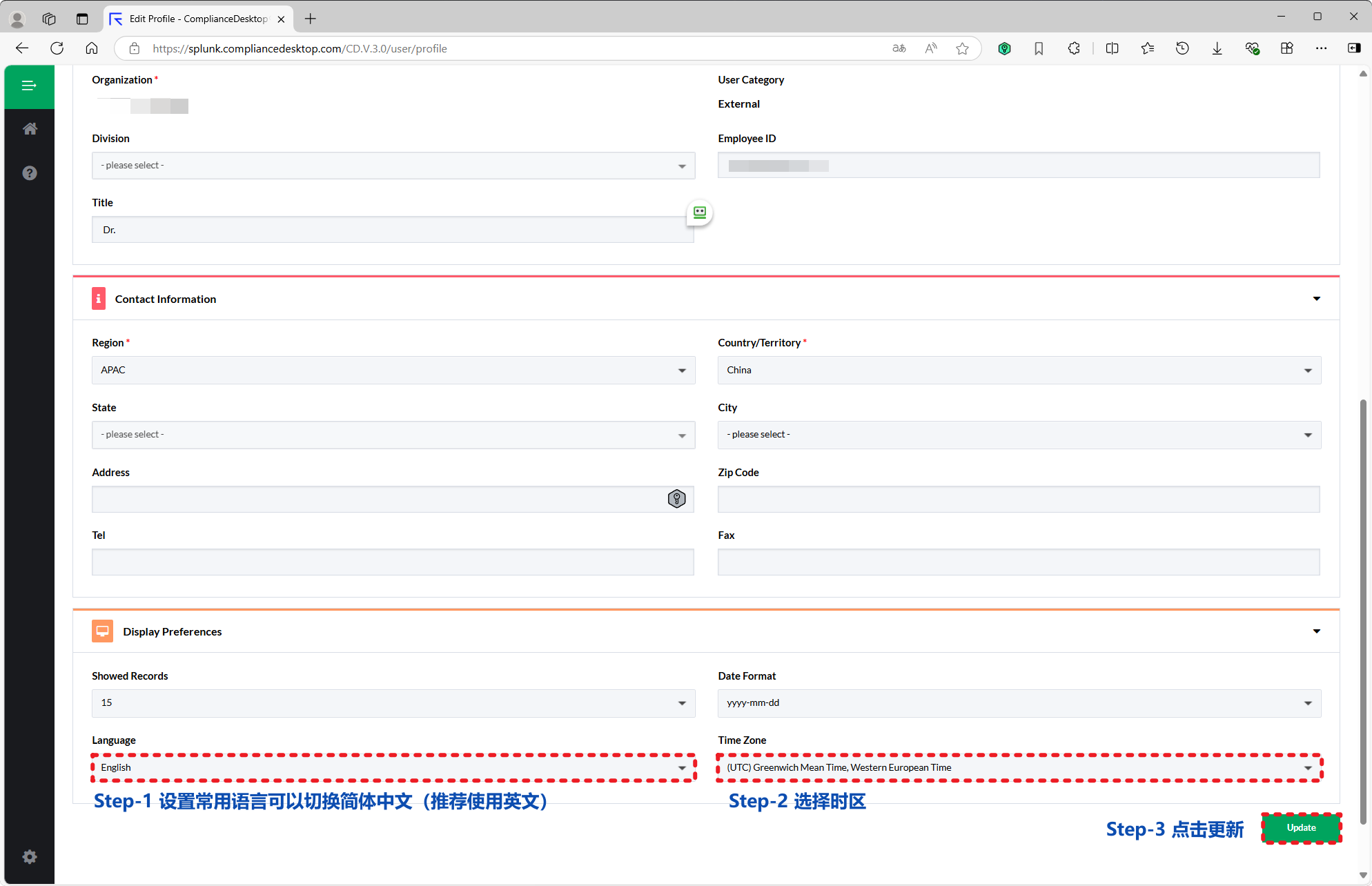
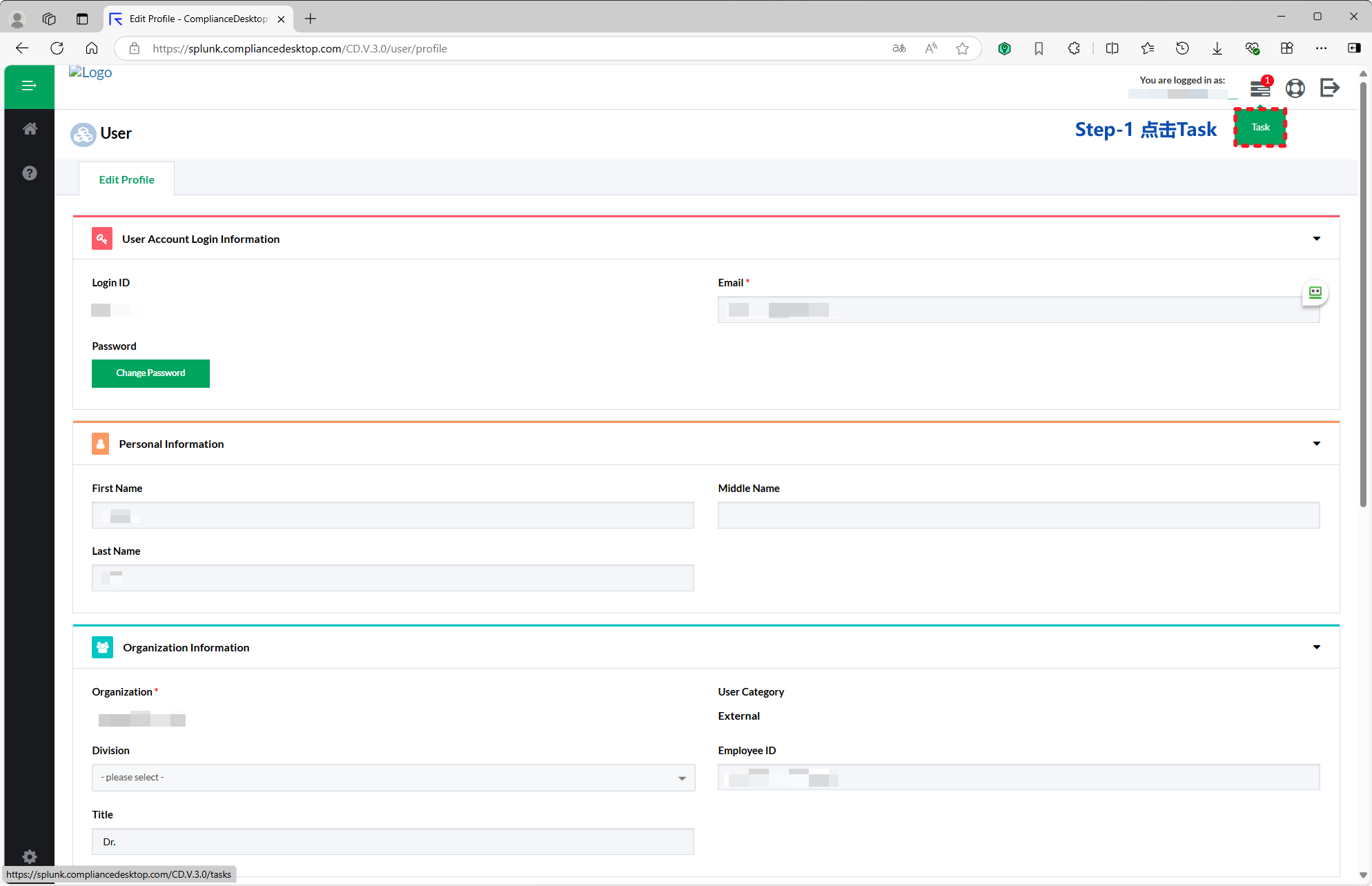
页面跳转至 Splunk Compliance Desktop,使用分配的账号与密码登录合规尽调系统。

登录 Compliance Desktop 合规系统 1

登录 Compliance Desktop 合规系统 2

登录 Compliance Desktop 合规系统 3

登录 Compliance Desktop 合规系统 4

登录 Compliance Desktop 合规系统 5

步骤 6 · 填写尽职调查问卷

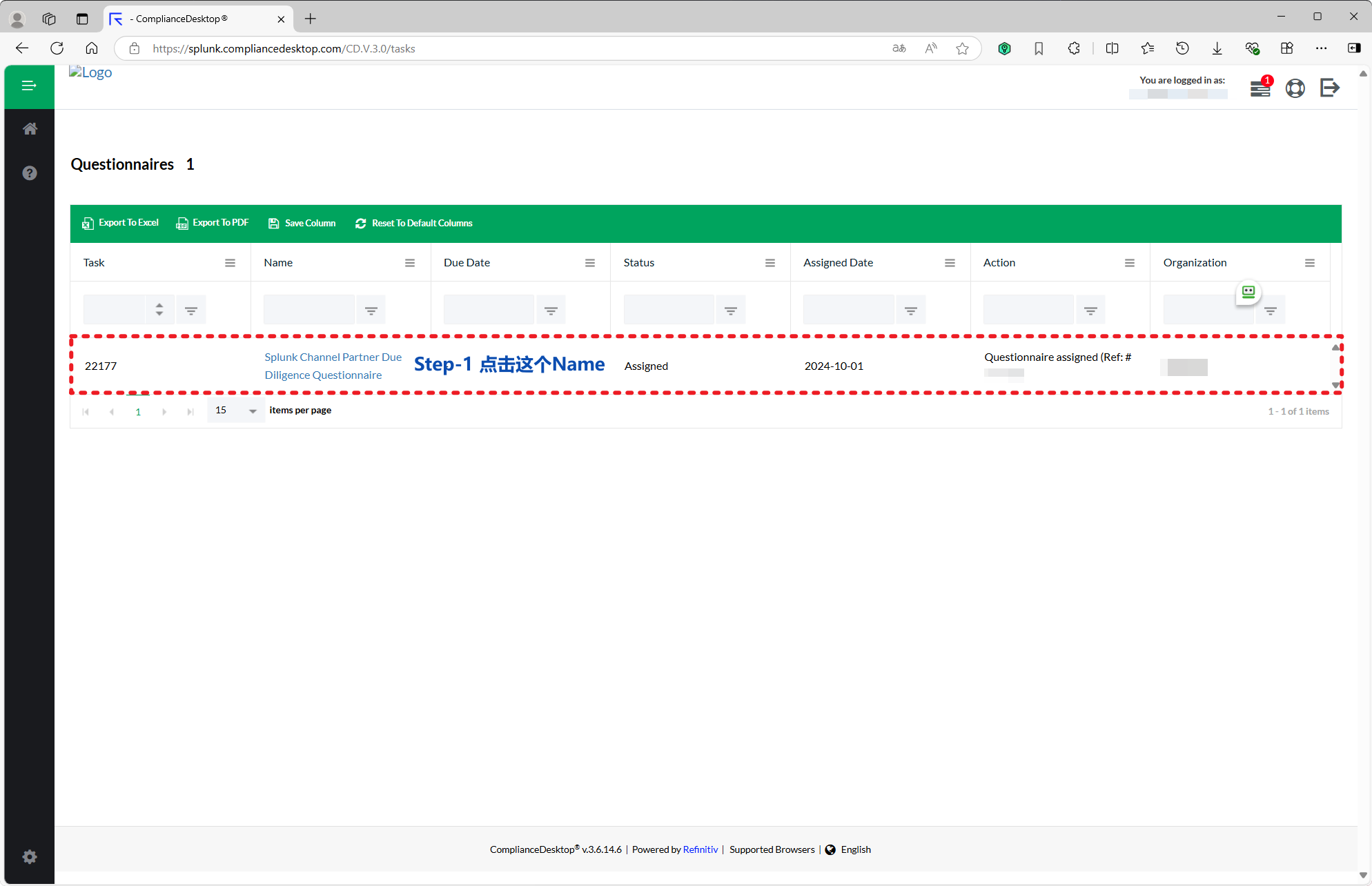
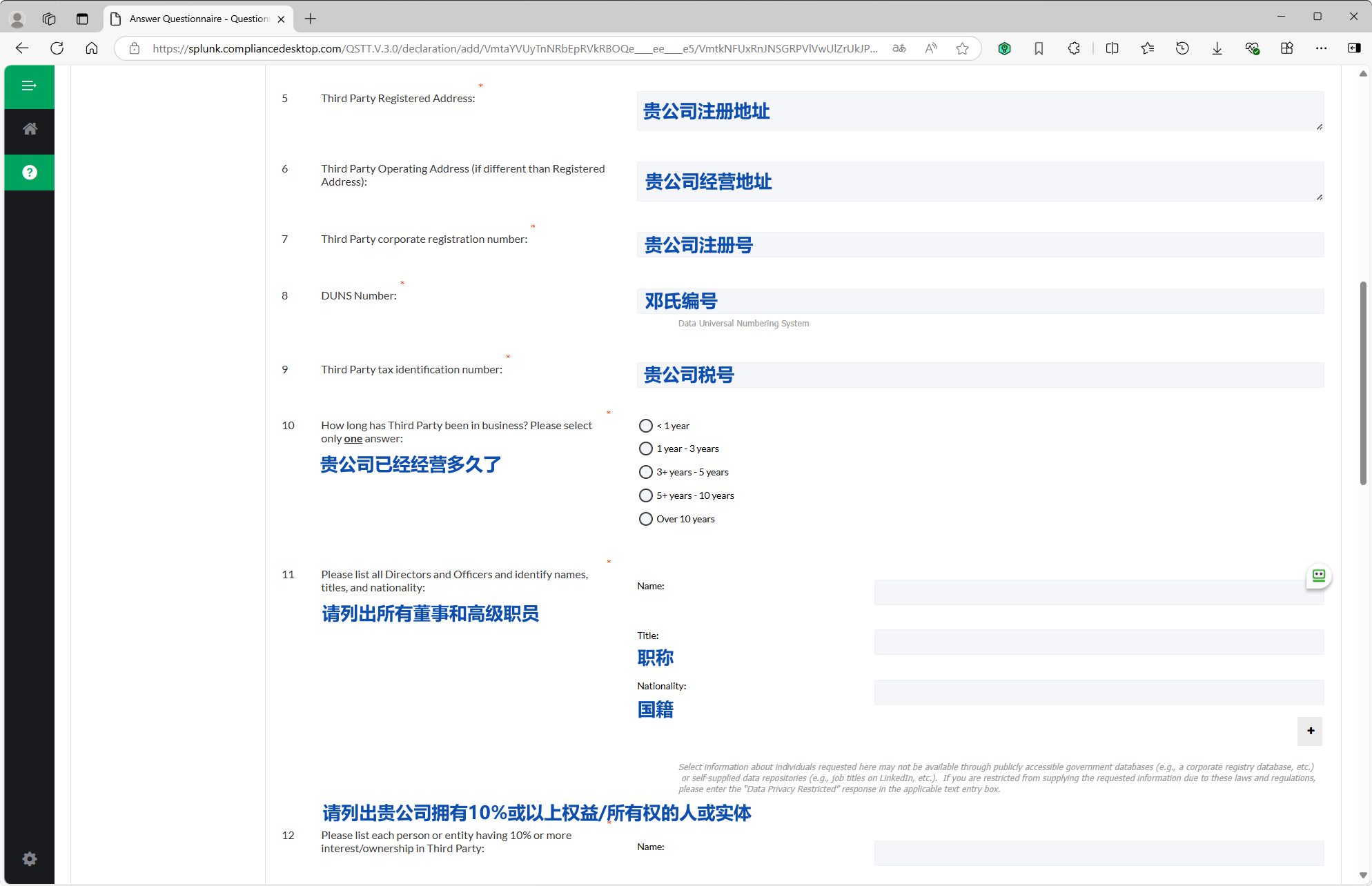
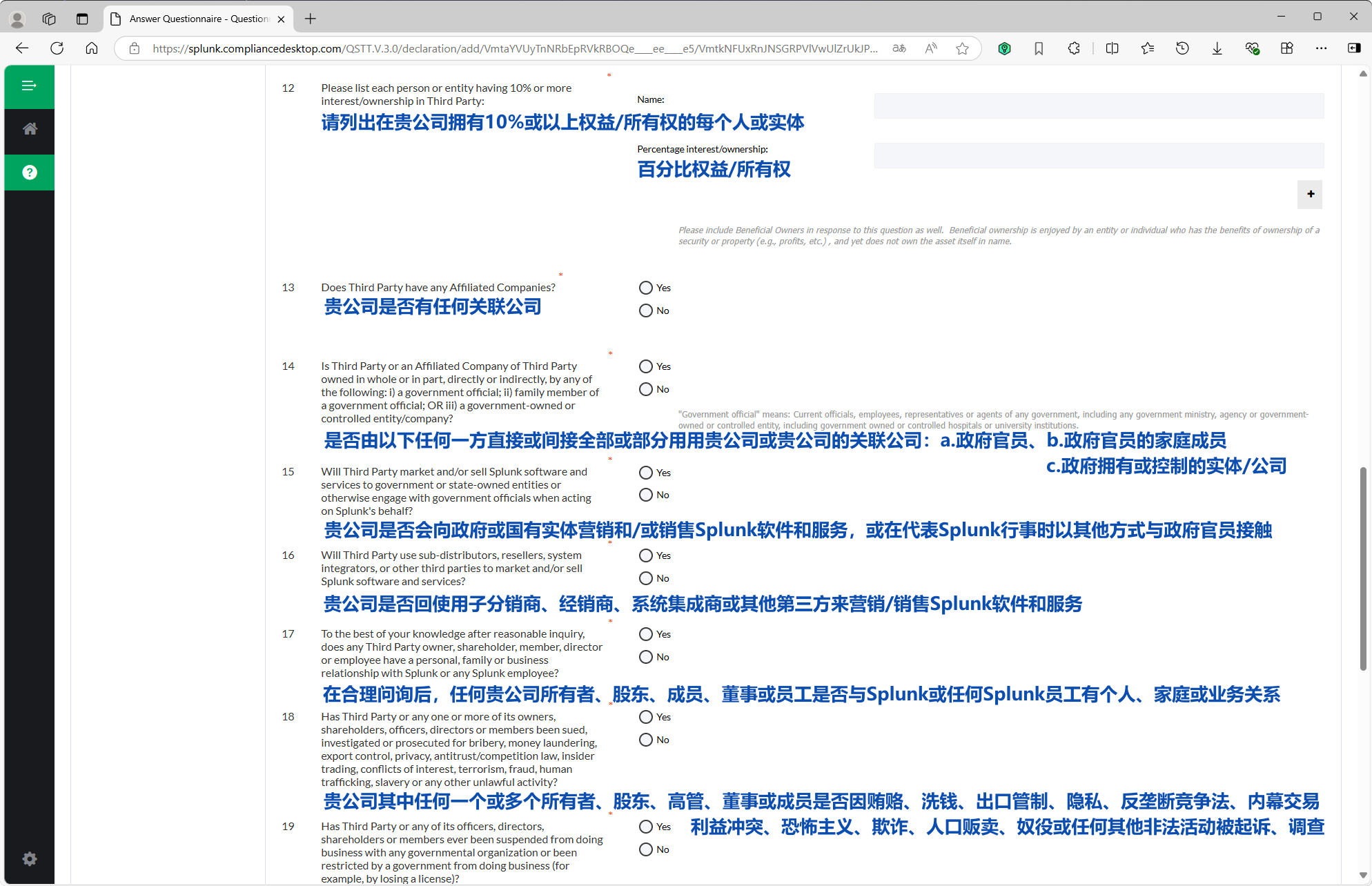
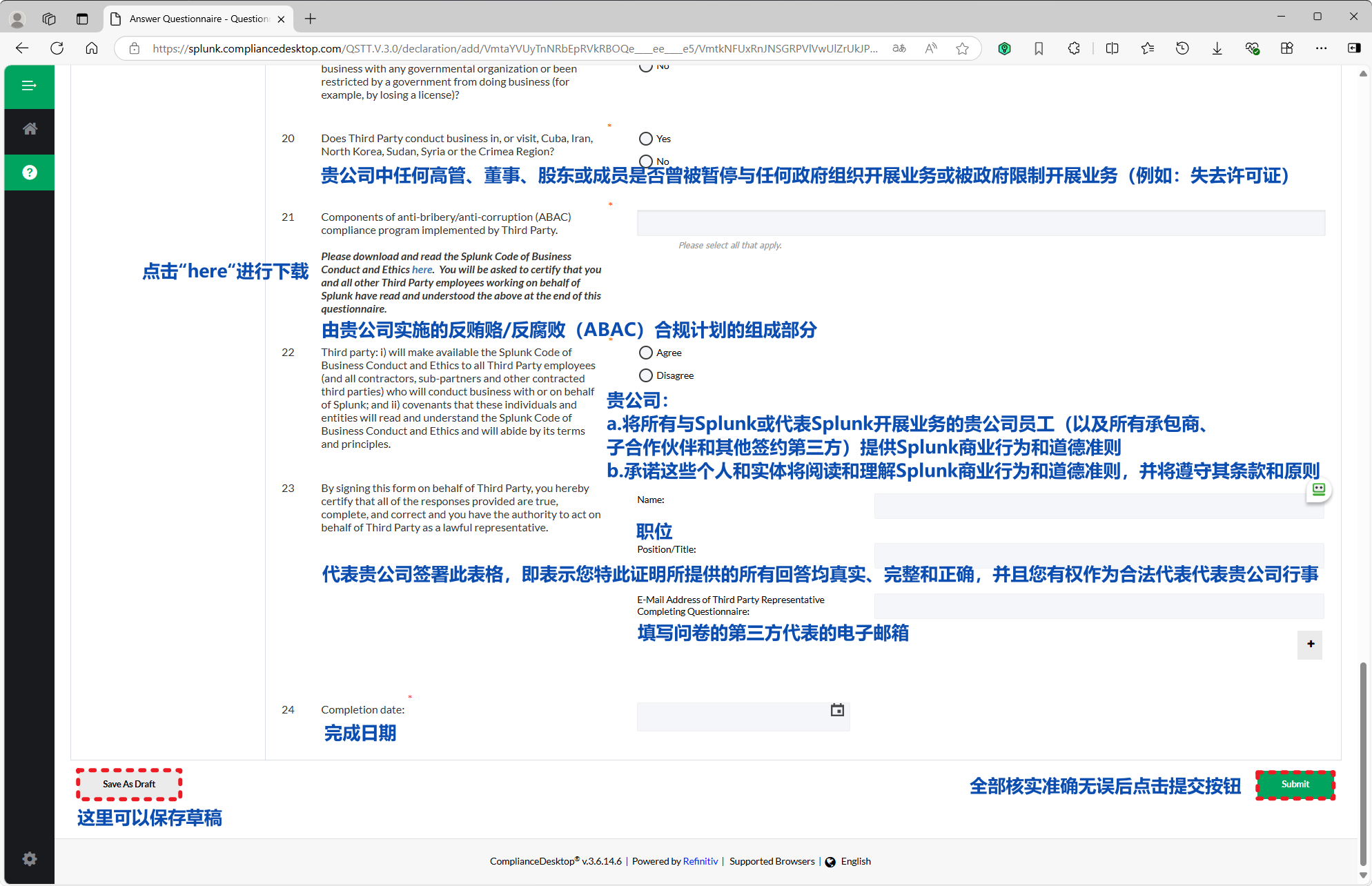
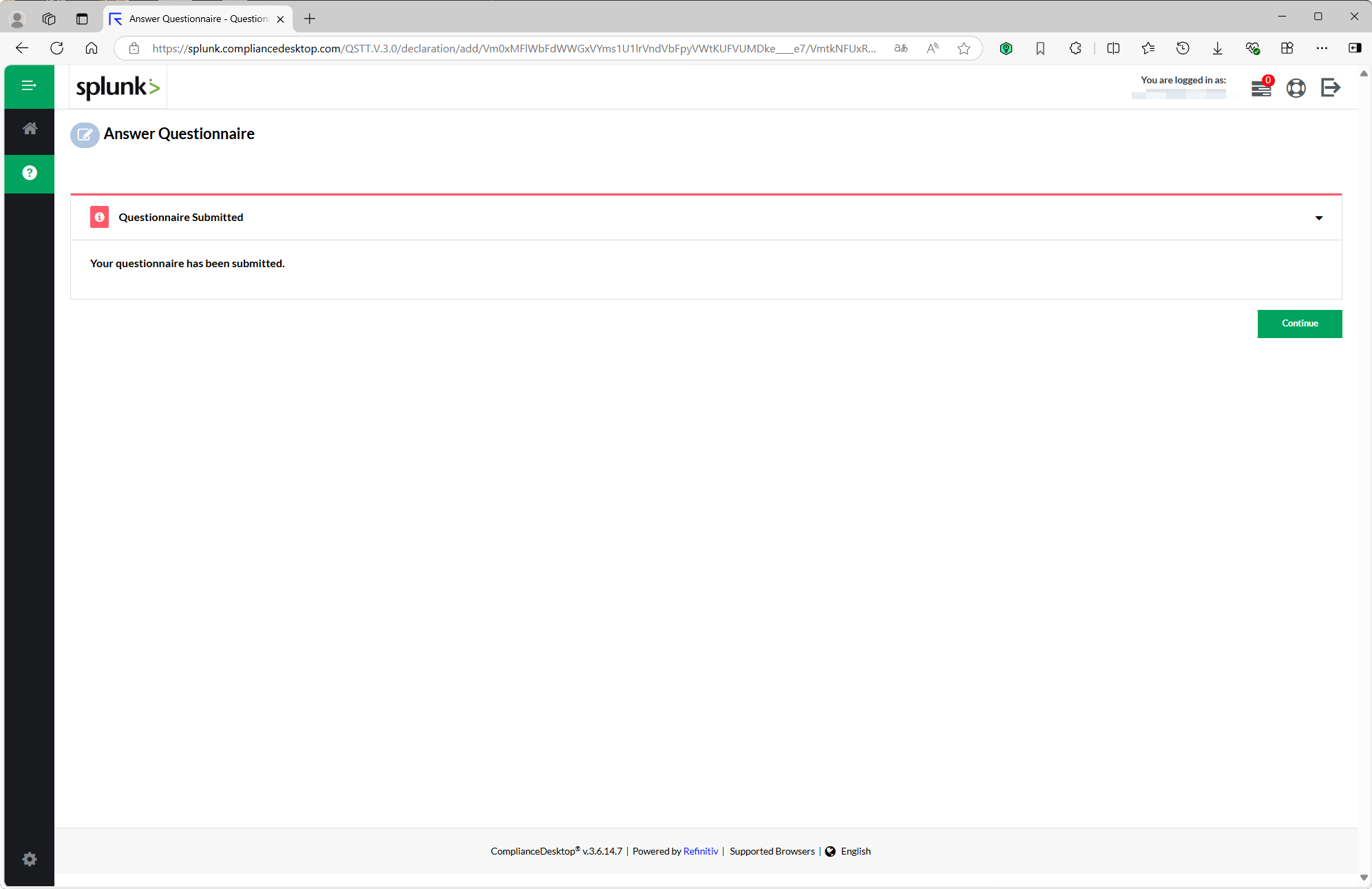
进入 Answer Questionnaire 页面,按要求填写 Splunk Channel Partner Due Diligence Questionnaire 并提交,完成认证申请。
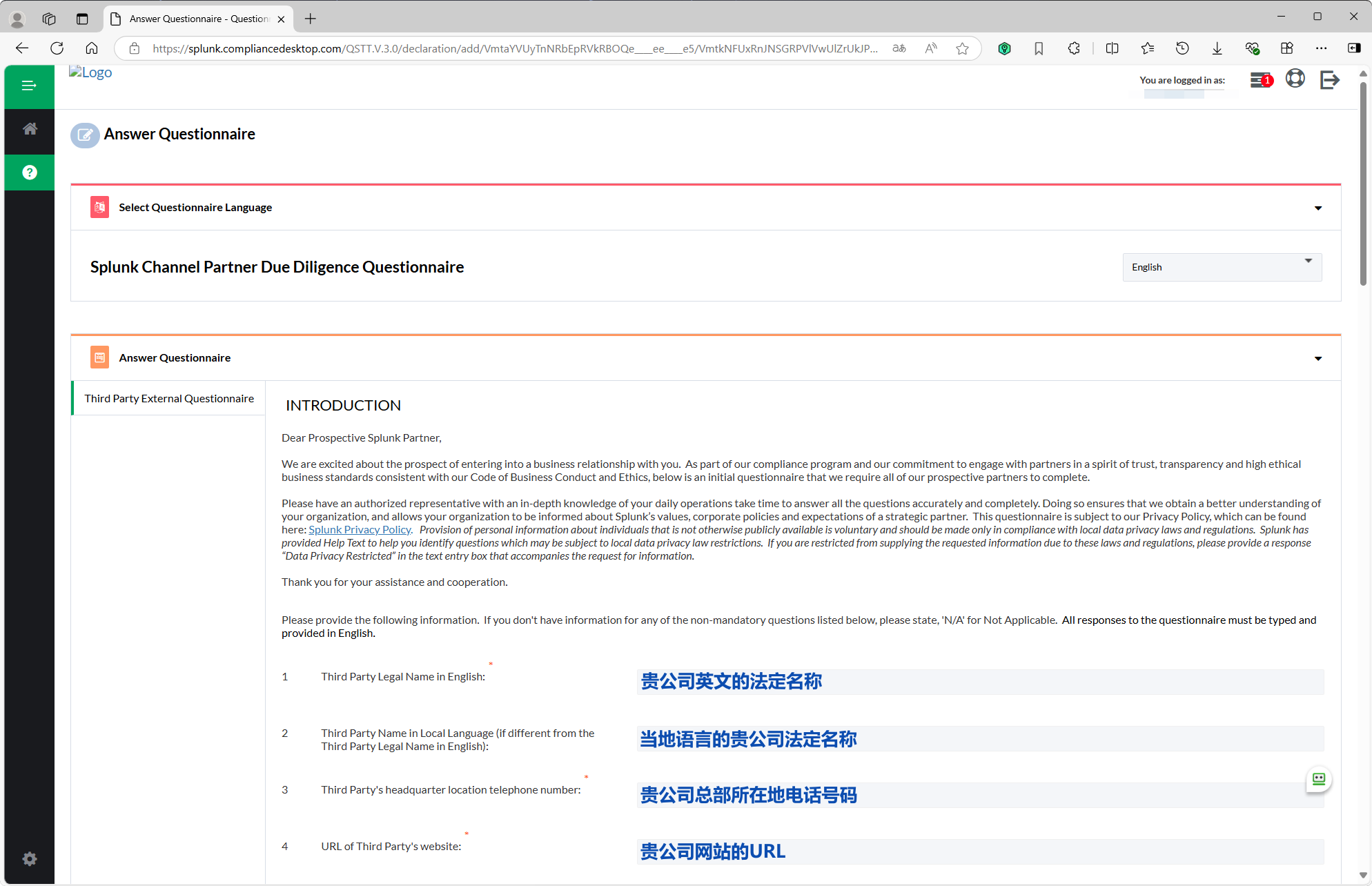
填写尽职调查问卷 1

填写尽职调查问卷 2

填写尽职调查问卷 3

填写尽职调查问卷 4

填写尽职调查问卷 5

本页内容