

平台健康
Splunk 的八项体检与 AI 解读。慢搜索顾问从 _audit 找出最耗时的搜索,改写后在真实数据上比对结果数,应用到 saved search。
平台健康是管理组的第一页,页签中另有调用审计、对外通道,页内另有搜索性能页签。体检在所有版本可用;AI 解读是付费能力。
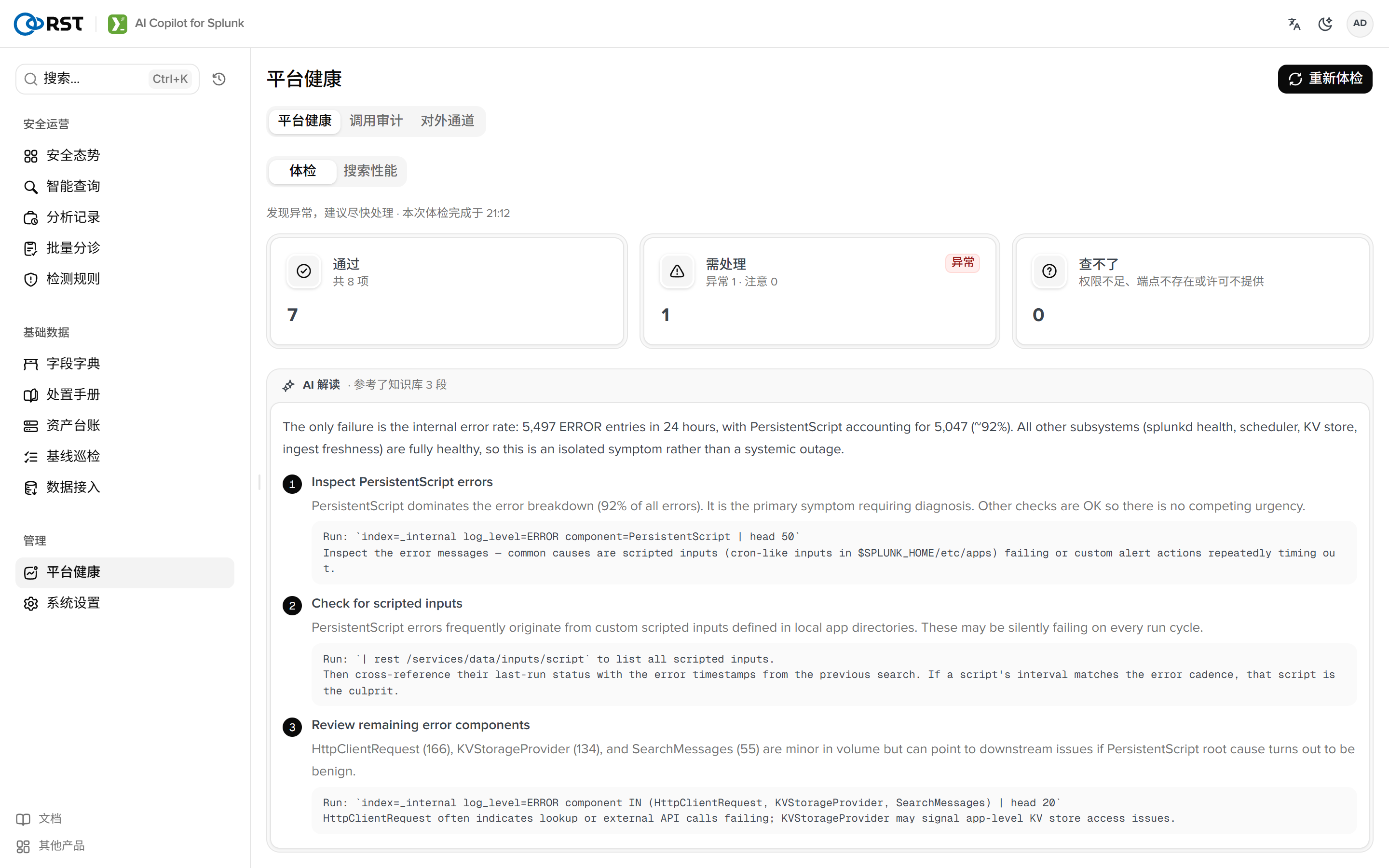
体检
八项检查,每项给出 ok、warn、fail 或 unknown,附摘要、证据、建议。阈值在 [platform] 中设置。
| 项 | 检查内容 | 来源 |
|---|---|---|
| splunkd 健康 | health 树中黄色或红色的 feature 与原因 | /services/server/health/splunkd/details |
| 索引器集群 | 集群状态。单实例标 ok | /services/cluster/manager/info |
| 许可用量 | 池用量百分比、警告次数(5 次为 fail) | /services/licenser/pools |
| 内部错误率 | 24 小时 log_level=ERROR 按组件 | index=_internal |
| 调度跳过率 | 跳过比例、跳过最多的 saved search 与原因 | index=_internal sourcetype=scheduler |
| KV store | 状态 | /services/kvstore/status |
| 接入新鲜度 | 每个 sourcetype 最近一条距今时长(总量少于 100 的不计) | | metadata type=sourcetypes |
| 时钟基线 | 事件时间领先当前时间(采集端时钟错误) | 同上 |
普通用户没有 licenser、cluster 等端点的读权限时,对应项标为 unknown。Splunk Free 许可下集群端点返回 402,同样标为 unknown。
AI 解读
解读把八项结果交给模型:关联相关的失败(两类日志同秒断流指向上游采集链路)、给出结论与 actions[{title, why, how}],how 为只读 SPL。知识库命中的手册一并进入提示词。1.9.0 实测 25 到 32 秒。
搜索性能
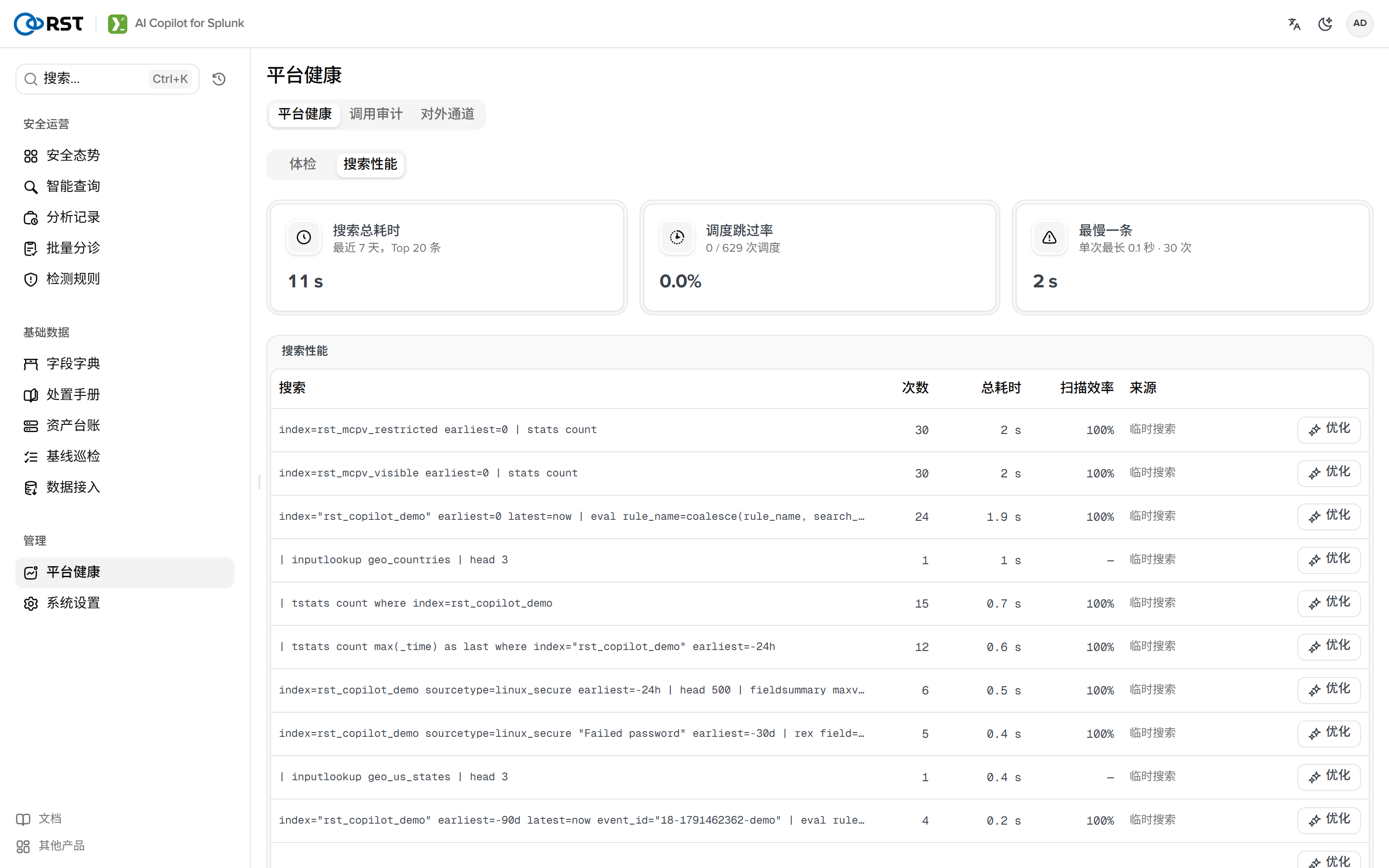
1.8.0 起,搜索性能页签从 _audit 取最近 7 天完成的搜索(action=search info=completed),排除本 App 自身的、DMC 内务的、splunk-system-user 的,按总耗时排 Top 20:
| 列 | 说明 |
|---|---|
| 搜索 | SPL 片段 |
| 次数 / 总耗时 | 7 天内 |
| 扫描效率 | event_count / scan_count,越低越浪费 |
| 来源 | 对应的 saved search。能应用改写的前提 |
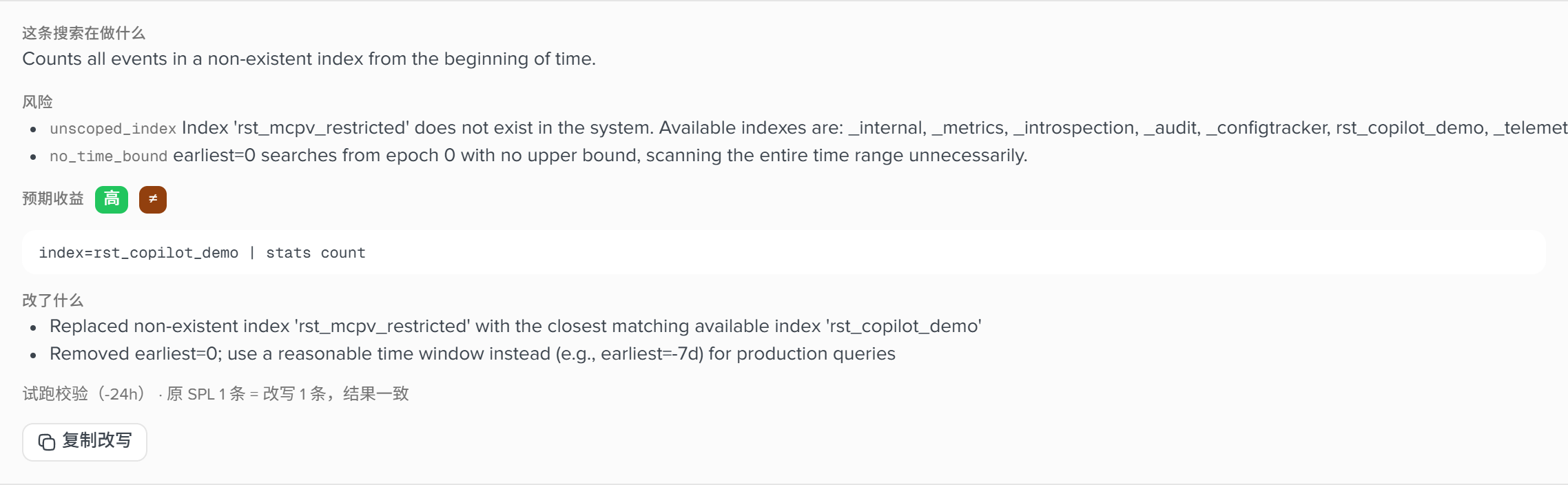
行内的优化:模型给出 optimized_spl、expected_gain、why、risk,然后新旧 SPL 各以 | head 0 校验语法、各以 | stats count 比对结果数([spl_advisor] verify_window,默认 -24h),verified 标明结果数是否一致。典型改写:index=* | stats count by host 改为 index=rst_demo | fields host | stats count by host。
应用到 saved search(管理员)修改其 search 字段,先备份到 KV(copilot_state kind advisor_backup),行上可回滚。只有经本页应用过的搜索有备份,否则返回 advisor_no_backup。_audit 中取消或僵尸作业写入的 2^64 量级 total_run_time 已过滤。